

DeckFlow
DeckFlow · Writing · Productivity
DeckFlow is an AI presentation translator that turns PowerPoint, Keynote, PDF, and Word decks into 12 languages while keeping layouts, charts, and fonts in place.
About DeckFlow
What Is DeckFlow
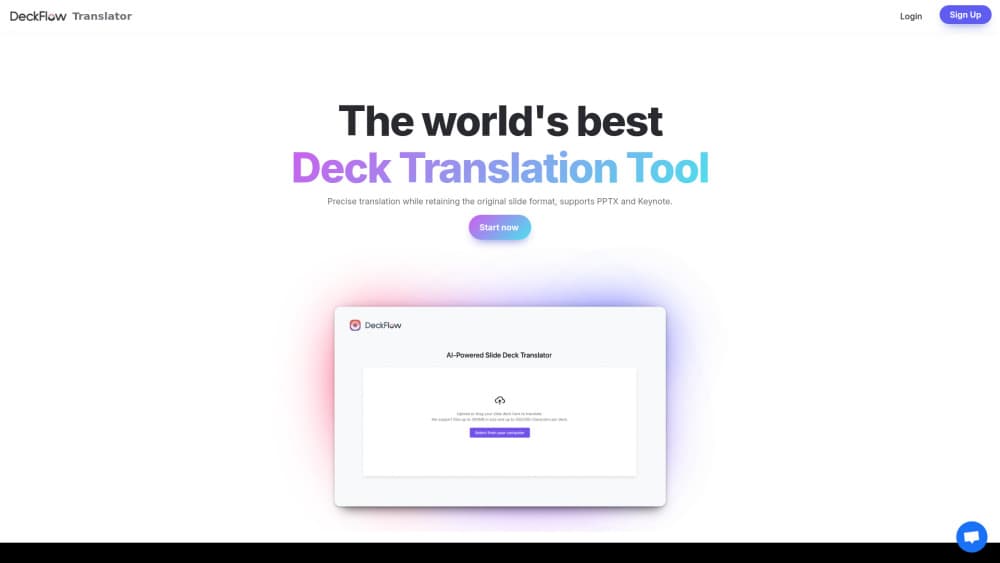
DeckFlow is a web app for one job: taking a presentation that already exists and producing a version in another language that still looks like the original. Most translation tools hand back plain text. DeckFlow hands back an editable file.
You upload a deck, pick a target language, and the service rebuilds it with translated text. Use it to translate PowerPoint decks, Keynote files, or PDFs, and the layout, fonts, colors, and charts get checked against the source. The result isn't flawless on every slide, but it's close enough that most teams fix a handful of text boxes instead of rebuilding the whole file. That gap is the whole argument for a dedicated AI deck translator over a general chatbot.
The tool sits inside a larger workspace. DeckFlow also creates decks from prompts or documents, revamps tired slides, and publishes open-source document tooling for developers. For most users, deck translation is the reason to sign up.
PPTX translation is the strongest case, because the deck's structure stays readable. Presentation localization gets harder as files lose that structure: scanned PDFs and flattened image slides leave the model guessing at what the text says.
Getting Started
- Create an account with an email address. New users get free credits, and no credit card is required to claim them.
- Upload your deck. The uploader accepts PPTX, Keynote, PDF, Word, and Excel files where the current workflow supports them.
- Choose the target language. If the deck is technical, add glossary terms so recurring phrases keep the same wording on all 40 slides.
- Download the translated file, open it in PowerPoint or Keynote, and fix any text that spills past its box before you present.
Product Information
A quick look at DeckFlow's pricing, supported platforms, and performance.
Best for
The users, tasks, and scenarios where this tool fits best.
Users
- Consultants and sales teams
- Researchers and academics
- Marketing and enablement teams
Tasks
- Translating an investor pitch deck
- Localizing onboarding or training material
- Turning a finished report into slides in another language
Scenarios
- A quarterly review that has to reach three regional offices by Friday and nobody on the team reads two of those languages.
- A conference talk where the abstract is in English but the room isn't, and the slide deck has 20 charts with embedded labels.
- A product launch where each market wants the same story in its own language and the deck changes weekly.
Key features
Deck Translation That Keeps the Original Layout
The core flow: upload, choose a language, download. DeckFlow translates the text and holds onto slide dimensions, color fills, and text placement. Font sizes and spacing sometimes shift so longer translations fit, which is why the download step always ends with a review pass rather than a straight walk onto the stage.
Glossary Controls for Industry Terms
Consulting, academic, finance, tech, and medical decks live or die on terminology. You can set preferred translations so a phrase like "run rate" or "cohort retention" reads the same way on slide 3 and slide 47. Without that, long decks drift into three different translations for the same concept.
Charts, Tables, and SmartArt Come Through
Plain text translation leaves these elements stranded in the source language, which is why presentation decks so often come back looking half finished. DeckFlow handles charts, tables, and SmartArt where the format allows it, including text baked into images on some files. Complex grouped shapes are where you should expect to spend your editing time.
An Output You Can Inspect Before Presenting
The workflow is built around review, not blind trust. You get the file back and check fonts, layout, and visual elements before the deck goes anywhere near an audience. A side-by-side view makes it obvious which slides held up and which ones need a manual nudge.
Create and Revamp in the Same Workspace
Beyond translation, DeckFlow generates decks from a prompt or a document and revamps existing ones into a cleaner design. The credits you buy cover all of it, so a team that localizes decks every quarter can also use the workspace to build the next one.
Credits Instead of a Subscription
Pricing runs on one-time credit packs rather than monthly seats. Credits don't expire, they belong to the workspace, and teammates share the balance. Card payments go through Stripe, with WeChat Pay and Alipay for mainland China checkout. For a team that translates four decks a year, that beats paying for twelve months of access.
Pros and cons
Pros
- Output stays editable, so a translator or account manager can fix a phrase without touching the design.
- Glossary support keeps long decks consistent, which is the failure point of generic text translation.
- Keynote input lets you translate Keynote decks directly, a format that most PPT translator tools ignore entirely.
- Credits don't expire, so occasional users aren't locked into a monthly bill.
Cons
- Text fit needs manual review. Longer target languages overflow boxes on some slides, and no automatic fix exists for that.
- Scanned PDFs and heavily flattened slides translate poorly, because the text isn't real text anymore.
- The interface mixes translation, generation, and revamp tools, and the first visit takes a minute to work out which button does what.
Frequently asked questions
PPTX, Keynote, PDF, Word, and Excel where the current workflow supports them. PPTX gives the cleanest result because the deck's structure stays readable; PDF and scanned files are closer to guesswork.
Related content
Explore related tools, skills, and articles for DeckFlow.
DeckFlow Alternatives

Google EmbeddingGemma 2
Google DeepMind · Writing · Image · CodingGoogle EmbeddingGemma 2 is a 740M-parameter open model that turns text, code, images, audio, and video frames into vectors in one 768-dimension space, running on phones and laptops.

MePersona
MePersona, Inc. · Writing · Productivity · MarketingMePersona is an AI unified inbox for creators. It learns your voice, drafts replies to fan messages from 12 platforms, and sends only what you approve.

Fluence
Yay Software (Yannick Huchard) · Writing · Voice & Language · ProductivityFluence is an Android app that reads PDFs, EPUBs, Word files and web articles aloud, follows each sentence as it speaks, and answers questions about the text on the phone itself.