

Deepsearch AI Search Assistant
TapSuite · Coding
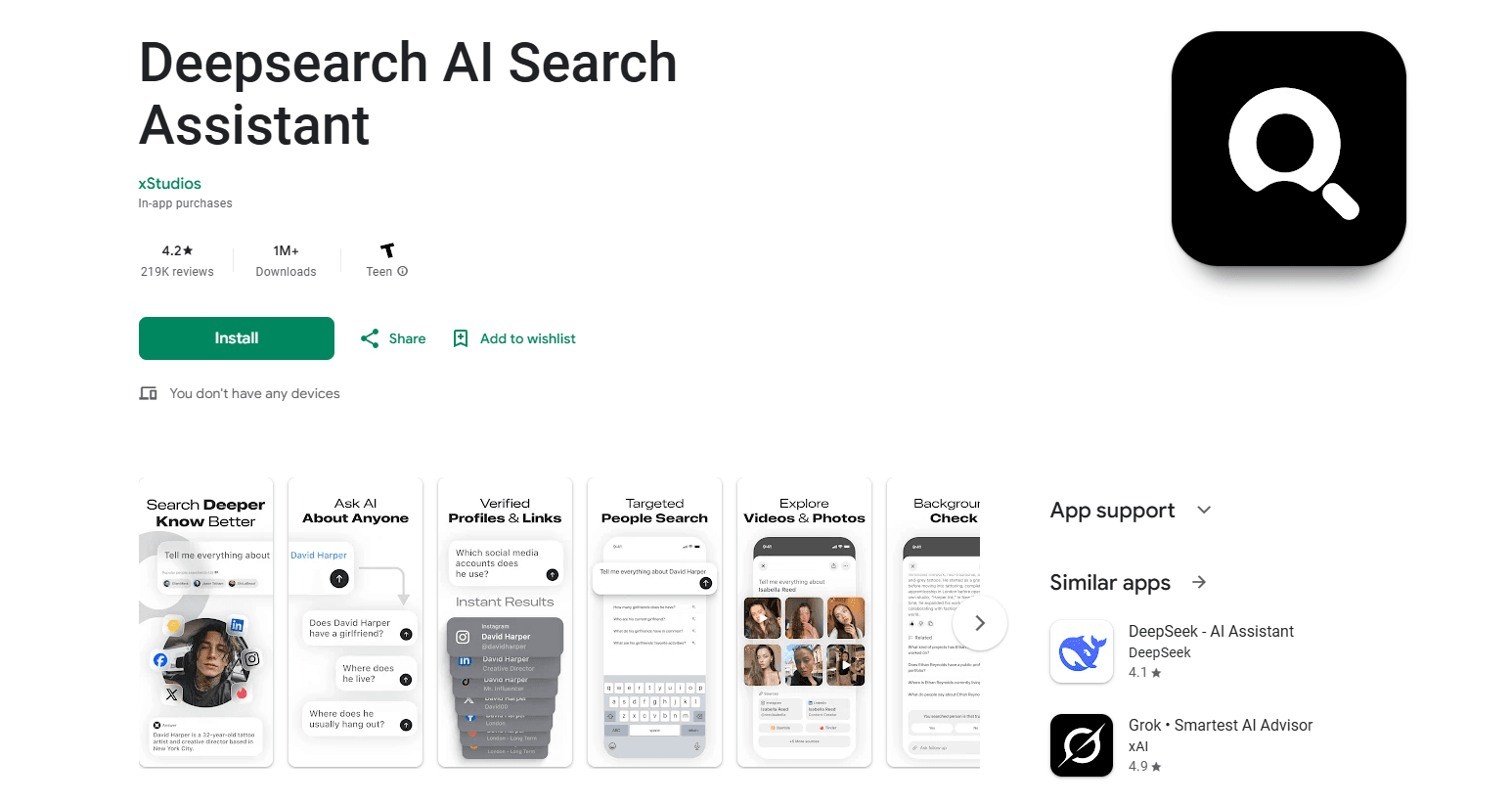
Deepsearch AI Search Assistant is an AI people search app that turns a name or a few basic details into a gathered look at someone's public online presence. Instead of hopping between social networks, search engines, and records sites, you type what you know and the app scans multiple sources at once, then hands back profiles, photos, videos, and mentions tied to that person. Think of it as a social media lookup that does the legwork for you. It's built for anyone who needs to check a contact before a meeting, verify a date, or find someone online from a half-remembered detail. One catch: it only works with information that's already public.
About Deepsearch AI Search Assistant
What Is Deepsearch AI Search Assistant
Deepsearch AI Search Assistant is an Android app developed by TapSuite, a product studio under the Turkish app company HubX. It focuses on people search. You give it a name, a username, a phone number, or an email, and it pulls together publicly available results from social platforms, websites, and public records in a single screen.
The problem it targets is the busywork of checking someone out online. Open five tabs, copy a name into each one, cross-check the faces, give up. Sound familiar? Deepsearch AI Search Assistant shrinks that into one query and one results page. It also shows trending searches, so you can see what other people are looking up.
The main limit is scope. The app states that it only surfaces information that's already publicly accessible, so it won't uncover private accounts, deleted posts, or anything behind a login. No hidden databases here. Treat it as a fast aggregator of public data, not a background check tool with special access. It works well for a quick look. Accuracy still depends on the sources it reads, and common names can return several different people.
Getting Started
- Download the Deepsearch AI Search Assistant APK from APKPure and install it on your Android phone.
- Open the app and enter what you know about the person, such as a full name, a username, or an email address.
- Start the search and let the app scan its public sources. Results appear as a list you can browse.
- Open the profiles, photos, or mentions that match and cross-check the details to confirm you've found the right person.
Product Information
A quick look at Deepsearch AI Search Assistant's pricing, supported platforms, and performance.
Best for
The users, tasks, and scenarios where this tool fits best.
Users
- Recruiters and hiring managers who want a quick public read on a candidate before an interview, with the caveat that results need verifying against official documents
- People reconnecting with friends, classmates, or former colleagues, as long as the person keeps a public profile
- Online daters who want to check that someone's public presence matches what they've told you
- Journalists and researchers gathering public mentions in one pass instead of many searches
Tasks
- Running a single name or username across social platforms at once
- Finding social profiles and public records tied to a phone number or email
- Browsing trending searches to see which names people look up most
- Collecting public photos, videos, and mentions for later review
Scenarios
- Prepping for a networking call and checking a new contact's background
- Verifying a seller or a date before meeting in person
- Finding a long-lost classmate when you only remember an old username
- Gathering public references for a story or research note on a tight deadline
Key features
Smart People Search
You enter whatever details you have, and Deepsearch AI Search Assistant runs them against its sources. Basic inputs like a name or a username are enough to start, and the app returns a ranked set of matches rather than a single guess. Simple. It's the entry point for everything else in the app.
Social Profile Discovery
The app pulls social media accounts and public profiles associated with the person you searched. That saves the usual routine of opening each network and retyping the name. Big time-saver. Because it relies on public data, a private or locked profile may show up as a stub with little to see.
Cross-Platform Lookup
One search covers multiple platforms instead of one at a time. Deepsearch AI Search Assistant gathers public records, photos, videos, and mentions into a single results view, so you compare findings side by side. Less hopping. This is where the time savings are clearest for anyone doing repeated checks.
Reconnect With Old Contacts
For reconnecting, the app helps you track down friends, classmates, or coworkers from a partial detail, like a nickname you used years ago. It works best when the person still has a public footprint. If they've gone quiet online, you'll likely come up empty. That's the trade-off.
Trending and Popular Searches
A trending section shows the names people are searching most right now. It's a lightweight feature, but it gives you a sense of what's drawing attention and can spark leads when you don't have a specific target yet. Handy for browsing.
Simple, Mobile-First Interface
The layout keeps the search box front and center and results in an easy list. There's no dashboard to learn and no setup beyond your first query. Is it a deep research tool? Not really. Deepsearch AI Search Assistant is aimed at casual users. Speed over depth.
Pros and cons
Pros
- Sends one query across several public sources, cutting the tab-juggling of manual searches
- Handles partial inputs like a username or email, not just a full name
- Free to download, with weekly and monthly subscription options for deeper access
- Trending searches add quick context when you're exploring rather than targeting one person
Cons
- Only surfaces public information, so locked or deleted accounts won't appear
- Common names can return multiple people, and you'll have to sort out which one is right
- Full access sits behind a paid subscription, so the free tier has limits you'll hit if you search often
- Results depend on the underlying sources, which means accuracy varies and you should verify anything important
Frequently asked questions
Deepsearch AI Search Assistant is used to find publicly available information about a person, such as their social profiles, photos, and public mentions, gathered from multiple sources in one search. People use it to check a contact, verify someone before meeting, or reconnect with old friends. It saves time.
Related content
Explore related tools, skills, and articles for Deepsearch AI Search Assistant.
Deepsearch AI Search Assistant Alternatives
Forefront
Forefront · CodingForefront is a web platform for building with open-source AI. It lets you fine-tune leading open-source language models on your own data, evaluate how they perform, and run them through an API or export them to host yourself. Developers who want the convenience of a closed-source platform but insist on owning their models and data are the target audience here.

Startkit
StartKit.AI · CodingStartkit is a boilerplate for building AI SaaS and AI wrapper products. Think of it as an AI startup boilerplate with the boring parts already wired up: authentication, Stripe and Lemon Squeezy payments, usage limits, transactional email, and an AI API starter that talks to OpenAI, Anthropic, Groq, or Llama. You clone the repo, set your price, and start on the part of your product that people actually pay for. It's Next.js under React and Tailwind, so most of the boilerplate code already feels familiar.
Testim
Tricentis · CodingTestim is an AI-powered test automation platform for building and running end-to-end tests across web, mobile, and Salesforce applications. It leans on machine learning to keep tests stable when an interface changes, so teams spend less time fixing broken selectors. Not bad for an automated testing tool you can start using today. You create tests by recording actions in a browser, then optionally add JavaScript when you need more control. It's a solid pick for busy QA teams.