

DeepWiki by Congnition
Cognition · Coding
DeepWiki by Cognition turns any public GitHub repo into an interactive code wiki you can question. Swap github.com for deepwiki.com, then read the generated docs or ask questions about a codebase.
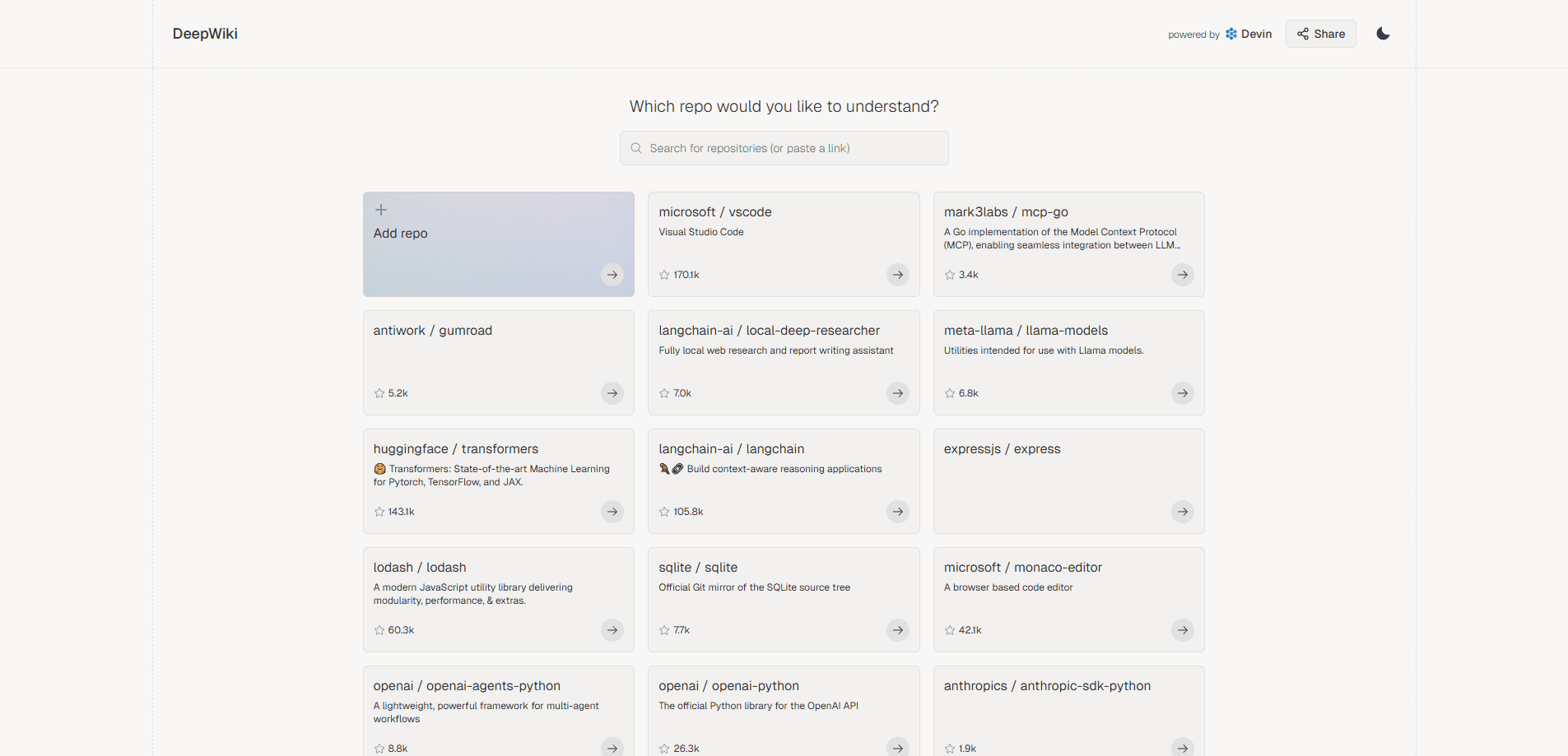
About DeepWiki by Congnition
What Is DeepWiki by Cognition
DeepWiki is the free public version of Devin Wiki and Devin Search. Point it at a public GitHub repo and it reads the code, the README, and the config files, then writes up structured docs with diagrams and a chat box that answers questions about the project.
It exists because getting up to speed on an unfamiliar codebase is slow. A repo with hundreds of files and no real documentation forces you to trace the source by hand. According to Cognition, the tool has already indexed more than 50,000 of the top public GitHub repositories. The pitch is simple: a one-link shortcut to a wiki and a searchable, conversational explanation of how a project is built.
The main catch is scope. Public repositories are free, no account needed, but full research features and private repositories require a Devin account, which is a separate paid product. DeepWiki itself doesn't sell a plan. You also can't edit the generated docs, and a repo that hasn't been indexed yet can take a while before its wiki shows up.
Getting Started
- Take a public GitHub URL, like github.com/owner/repo, and replace github.com with deepwiki.com.
- Open the new link. If the repo has been indexed, the wiki loads right away.
- Browse the left-hand outline to jump between modules, architecture, and dependencies.
- Use the chat box at the bottom to ask about specific functions, setup, or design choices.
Product Information
A quick look at DeepWiki by Congnition's pricing, supported platforms, and performance.
Best for
The users, tasks, and scenarios where this tool fits best.
Users
- Developers joining an unfamiliar project
- Students and self-taught coders
- Open source maintainers
Tasks
- Understanding a repo's structure
- Onboarding onto a new stack
- Evaluating a dependency before adopting it
Scenarios
- First day on a codebase you've never touched
- Comparing two libraries for the same job
- Picking up an abandoned or undocumented side project
Key features
Automatic Wiki Generation
DeepWiki reads source files, the README, and config files, then produces structured documentation covering what the project does, its tech stack, file layout, and core modules. You don't write a prompt or pick settings. The output reads like a wiki page for the repo, which saves the manual summarizing most people do by hand.
Conversational Q&A Over the Codebase
A chat box sits under every wiki and answers questions grounded in the actual code. Ask how authentication is wired up or what a specific function returns, and it points at the relevant part of the project. This is the feature that separates DeepWiki from a static docs generator, because you can keep drilling into follow-ups.
Architecture and Dependency Diagrams
The generated pages include visual diagrams for class hierarchies, dependencies, and data flow. Seeing the shape of a project as a picture is faster than reconstructing it from imports, especially for repos with dozens of connected modules. According to Cognition, DeepWiki also surfaces the main contributors behind a project using commit history.
One Link to Any Public Repo
The whole flow is URL-based. Swap github.com for deepwiki.com and the wiki appears for any public repository, with no account and no setup. That low friction is why it spread quickly: sharing a DeepWiki link is easier than explaining a repo in a message.
Devin-Powered Research Mode
DeepWiki runs on the same technology behind Devin, Cognition's AI software engineer. An in-depth research mode goes past basic docs into design rationale, best practices, and possible improvement areas. It behaves less like a search box and more like a senior engineer walking you through the reasoning.
Private Repo Support Through Devin
Public repositories are free, but teams with private code can index it too by signing up for a Devin account. That connects the free wiki tool to Cognition's paid developer platform, where the docs update automatically as the repo changes. It's the path for anyone who needs this on work code rather than open source.
Pros and cons
Pros
- Free for any public GitHub repo, with no account required to read or chat.
- Answers are tied to the real code, so they beat guessing from a thin README.
- Diagram output turns tangled dependencies into something you can scan at a glance.
- One-link access makes it quick to share a project overview with teammates.
Cons
- Full research features and private repos need a Devin account, which is a separate paid product, so the tool isn't entirely free for work use.
- Unindexed repos can take minutes or longer before a wiki is ready, which is rough when you need an answer now.
- Generated docs aren't editable, so any mistake or outdated detail stays until the repo is reindexed.
Frequently asked questions
Yes for public GitHub repositories. You can generate a wiki and use the chat assistant without an account. Private repositories and the full research features require a Devin account, which has its own pricing.
Related content
Explore related tools, skills, and articles for DeepWiki by Congnition.
DeepWiki by Congnition Alternatives

Base Code
Base44 (Wix) · Coding · ProductivityBase Code is a shared cloud development environment from Base44. Teammates describe changes to an existing GitHub codebase in chat, preview them live and send them back as pull requests.

Google EmbeddingGemma 2
Google DeepMind · Writing · Image · CodingGoogle EmbeddingGemma 2 is a 740M-parameter open model that turns text, code, images, audio, and video frames into vectors in one 768-dimension space, running on phones and laptops.

GitGlow
GitGlow · Coding · ProductivityGitGlow is a local-first desktop Git client that lets independent developers review their own code and their AI agents' changes in one place before shipping.