

Defapi
Defapi · Coding · Business
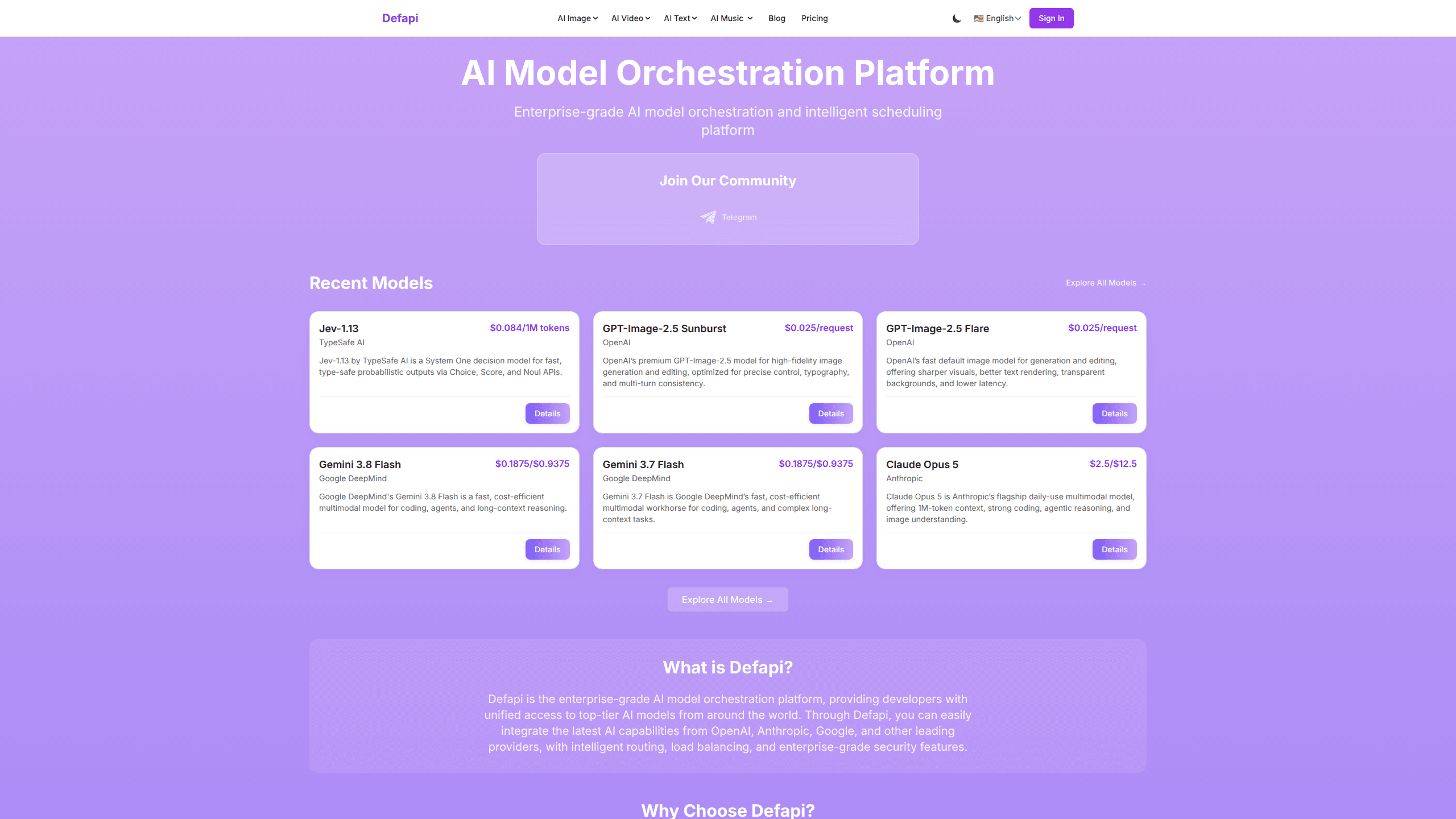
Defapi is an AI model orchestration platform that gives developers a single API for models from OpenAI, Anthropic, Google, and other vendors. Instead of wiring up a separate account, key, and billing line for each provider, you send one request to Defapi and it handles routing, load balancing, and security auditing on the way through. Why does that matter? Fewer integrations, clearer costs, and one place to watch what your AI traffic is actually doing.
About Defapi
What Is Defapi
Defapi is a multi-model API gateway. It sits between your app and the big AI vendors, so a single endpoint replaces the handful of SDKs you'd otherwise maintain. You bring one Defapi API key, pick a model, and this AI gateway forwards the call to the provider that makes sense. Treat the unified AI API as your one integration point and provider changes stop being code changes.
The main problem it solves is integration sprawl. Teams that use three or four providers usually end up with duplicated auth, scattered rate limits, and no central view of spend, which is exactly the mess a unified AI API is supposed to clean up. Defapi collapses that into one interface with usage history and billing records in a single dashboard. It also adds a layer of control that raw provider access doesn't give you: intelligent routing that can favor cheaper models, plus auditing on the requests flowing through.
The biggest limitation is that you're adding a middleman. Every call travels through Defapi, so provider outages, latency, and model-specific quirks become Defapi's problem to surface rather than something you handle directly with the vendor. Pricing also shifts with each model, so you can't budget from a single flat rate.
Getting Started
- Register a Defapi account and confirm your email.
- Add credits to your balance. Top-ups start at $5 and are a one-time purchase, not a subscription.
- Generate an API key from the dashboard.
- Pick a supported model and send your first request to the unified endpoint.
- Track usage, spend, and request history from the same console.
Product Information
A quick look at Defapi's pricing, supported platforms, and performance.
Best for
The users, tasks, and scenarios where this tool fits best.
Users
- Backend and AI developers
- Startup engineering teams
- Product managers and founders watching costs
Tasks
- Adding a second or third model provider to an existing app
- Running the same prompt across OpenAI, Anthropic, and Google models
- Keeping an audit trail of AI requests
Scenarios
- Shipping an AI feature on a tight deadline
- Operating a multi-model strategy
- Prototyping an AI-powered app on a small budget
Key features
Unified API Access
Defapi puts models from OpenAI, Anthropic, Google, and other providers behind one endpoint and one API key. You don't manage a separate account or credential per vendor. That's the core of the "one-stop access" idea, and it's the reason a small team can support several providers without several integration projects.
Intelligent Routing and Load Balancing
AI model routing here means requests go to the most cost-effective model that fits the job, and traffic is balanced rather than hammering a single provider. Defapi markets this mainly as cost control without sacrificing quality. In practice it's a way to steer routine calls to cheaper models while keeping stronger ones for the work that needs them, and it's the feature that makes an enterprise AI API worth considering over direct vendor access for high-volume teams.
Security Auditing
The platform adds auditing on top of normal API access, so requests and usage are logged rather than invisible. For teams that need to show what AI systems are being called and when, that record matters more than raw throughput. Defapi advertises encryption, access controls, and compliance with industry standards as part of this layer.
Usage Monitoring and Analytics
A dashboard shows usage statistics, spend, and billing records in one place. Because costs vary by model and request type, this is where you catch a runaway model choice before it shows up on a bill. The per-model breakdown is the useful part, since a single blended number wouldn't tell you which call is expensive.
Multi-Model Coverage
The supported range spans large language models, vision models for image generation and analysis, audio models for speech recognition and synthesis, and specialized APIs. That breadth means the same gateway can serve text, image, and voice features rather than requiring a different vendor per modality.
Developer Tooling
Defapi ships SDKs and documentation aimed at making the first call quick. The onboarding path is the standard one developers expect: register, generate a key, choose a model, send a request. Nothing unusual there, and that's fine. Familiar beats clever for infrastructure.
Pros and cons
Pros
- One API key and endpoint cover models from multiple major providers, cutting integration work.
- Intelligent routing can lower costs by steering requests to cheaper models.
- Central usage tracking and billing records replace scattered per-vendor consoles.
- Auditing gives teams a record of AI requests for spend and access review.
- Credit-based top-ups start at $5, so you can test before committing to a spend level.
Cons
- You're routing through a middleman, so an issue at Defapi affects all your model calls at once.
- Pricing per model varies, which makes flat budgeting harder than a single fixed rate.
- No free plan. Testing anything real requires buying credits first.
- Being a newer, less-known provider, it carries integration risk that established direct vendor access doesn't.
Frequently asked questions
It's an orchestration layer in front of major AI providers. You call one API, and Defapi forwards the request to a model from OpenAI, Anthropic, Google, or another supported vendor, adding routing, balancing, and auditing along the way.
Related content
Explore related tools, skills, and articles for Defapi.
Defapi Alternatives
Forefront
Forefront · CodingForefront is a web platform for building with open-source AI. It lets you fine-tune leading open-source language models on your own data, evaluate how they perform, and run them through an API or export them to host yourself. Developers who want the convenience of a closed-source platform but insist on owning their models and data are the target audience here.

Startkit
StartKit.AI · CodingStartkit is a boilerplate for building AI SaaS and AI wrapper products. Think of it as an AI startup boilerplate with the boring parts already wired up: authentication, Stripe and Lemon Squeezy payments, usage limits, transactional email, and an AI API starter that talks to OpenAI, Anthropic, Groq, or Llama. You clone the repo, set your price, and start on the part of your product that people actually pay for. It's Next.js under React and Tailwind, so most of the boilerplate code already feels familiar.
Testim
Tricentis · CodingTestim is an AI-powered test automation platform for building and running end-to-end tests across web, mobile, and Salesforce applications. It leans on machine learning to keep tests stable when an interface changes, so teams spend less time fixing broken selectors. Not bad for an automated testing tool you can start using today. You create tests by recording actions in a browser, then optionally add JavaScript when you need more control. It's a solid pick for busy QA teams.