

Descent
Descent · Other
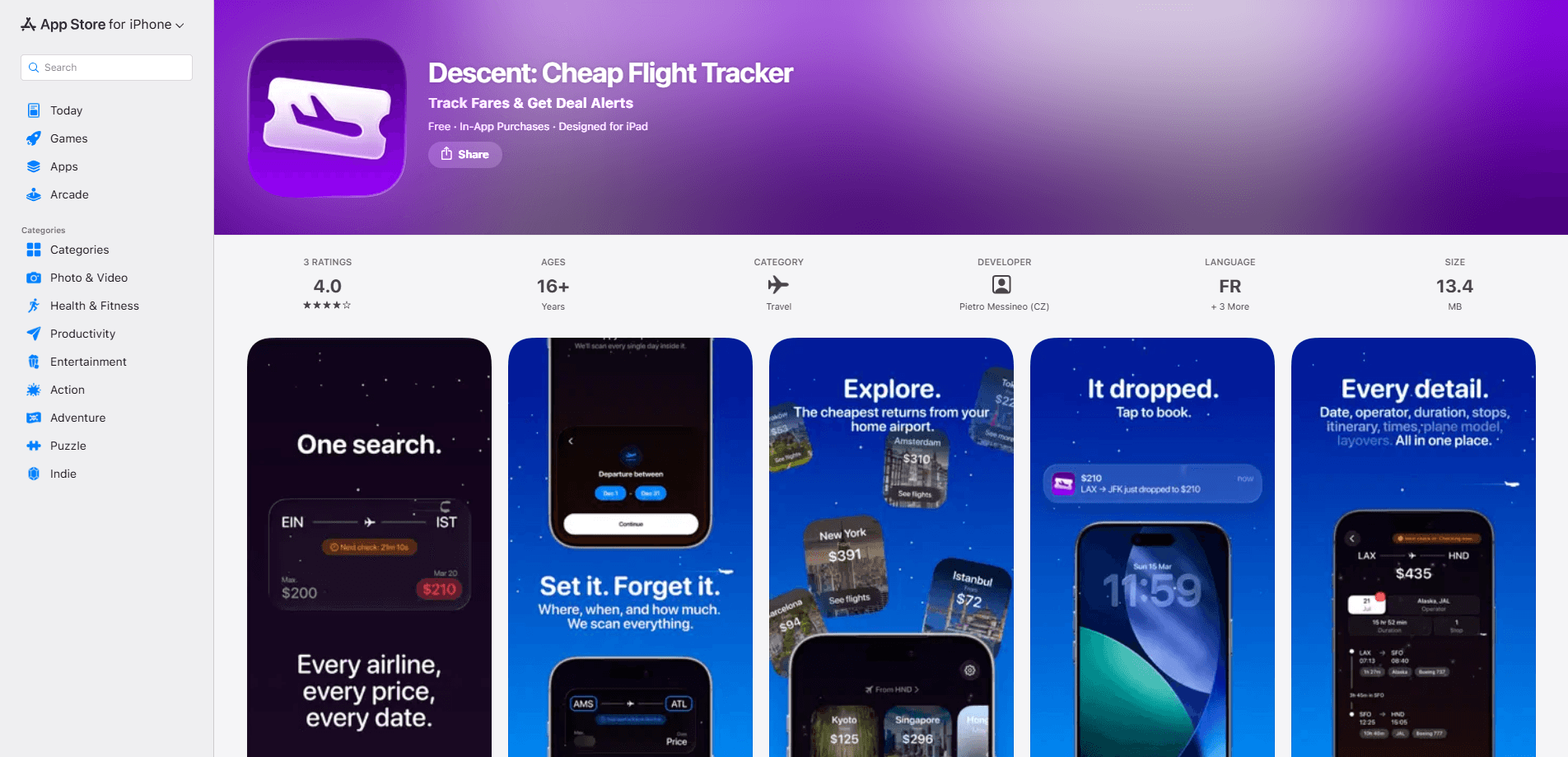
Descent is a cheap flight tracker for iPhone that watches airfare for you and pings you when a fare drops below the price you set. Instead of refreshing search engines all week, you create a flight price alert with your route, travel dates, and a maximum budget, then let the app track flight prices around the clock. It also has a Copilot you can talk to in plain English, plus a flight calendar and destination browser for people who haven't picked a city yet. It's built for travelers who'd rather be told when a deal appears than hunt for one. The catch: it's iOS only right now, so Android users are out of luck.
About Descent
What Is Descent
Descent is a price-monitoring app for flights, not a booking site. It watches fares in the background and notifies you the instant one falls below your chosen threshold, which saves you from checking prices over and over. The pitch is simple. Pick your route and budget, set it, and forget it.
The app covers routes across 7,000+ airports and lets you set flight price alerts in more than 11 currencies, including USD, EUR, GBP, JPY, and CAD. When a price drops, you get a push notification and a full breakdown: airlines, departure and arrival times, layovers, flight duration, aircraft type, and number of stops. Booking takes one tap from there.
So what's the catch? Scope. Descent monitors and surfaces deals, but it doesn't sell tickets itself, so the actual purchase happens with the airline or a partner site. It's also iPhone-only, and some features lean on Apple Intelligence, which means you need a recent enough device to get the most out of the Copilot. If you're on Android, this isn't the tracker for you yet.
Getting Started
- Download Descent from the App Store and open it on your iPhone.
- Set your home airport so the app knows which routes to scan from.
- Create an alert: choose your destination, travel dates, and a maximum price you're willing to pay.
- Let it run. Descent watches flights around the clock and pushes a notification when a fare drops below your budget.
- When a deal lands, open the alert to see the full flight details and tap through to booking.
- If you're flexible, type a request into Copilot instead, like "Direct flights from London to Barcelona in July, under €80," and it builds the alert for you.
Product Information
A quick look at Descent's pricing, supported platforms, and performance.
Best for
The users, tasks, and scenarios where this tool fits best.
Users
- Frequent leisure travelers
- Spontaneous trip planners
- Deal hunters on a fixed budget
Tasks
- Monitoring airfare over weeks
- Comparing fares across a date range
- Building an alert by typing a sentence
Scenarios
- Watching a specific route for a holiday and waiting for the fare to dip.
- Browsing cheap weekend getaways from your home airport when you have no fixed destination.
- Setting a strict budget and getting pinged only when a flight finally lands under it.
Key features
24/7 Price Alerts
You pick a route, choose your travel dates, and set a maximum price. Descent then monitors flights around the clock and sends flight deal alerts the moment one appears. The whole point is that you stop refreshing search engines, because the app is doing the checking for you. If your dates are flexible, widen the range and let it find the sweet spot.
Descent Copilot
Copilot skips the forms. You type what you're looking for, like "Direct flights from London to Barcelona in July, under €80," and it reads your request, pulls out the route, dates, budget, cabin class, and stop preferences, then creates the alert. It runs on Apple Intelligence and processes your request privately on the device. One sentence, one alert. Not bad for people who hate tapping through menus.
Flight Calendar
The calendar lays out prices across your entire date range at a glance, so you can compare fares across weeks and spot the cheapest days to fly. That's the difference between guessing and knowing when you book. Savings live here. For anyone with flexible dates, it's often where the real deals show up.
Explore Before You Book
If you don't know where to go, you can browse destinations from your home airport and flip through cards to reveal real-time pricing. The idea is that cheap fares you didn't know existed are easier to find when you're browsing than when you're searching a fixed destination. Inspiration and savings in the same screen, roughly.
Global Coverage and Multi-Currency
Descent searches routes across 7,000+ airports worldwide, from major hubs to smaller regional fields. You can set alerts in more than 11 currencies, including USD, EUR, GBP, JPY, and CAD, which matters if you're booking in one currency while earning in another. Coverage is broad enough that most common international routes are in the mix.
Full Flight Details, One Tap Away
When a deal fires, you get the complete picture: airlines, departure and arrival times, layovers, total duration, aircraft type, and the number of stops. One tap takes you straight to booking. It keeps the decision in one place instead of sending you back to a search engine to compare options.
Pros and cons
Pros
- Alerts run continuously, so you don't have to check prices yourself.
- Copilot builds alerts from a single typed sentence, with no menu drilling.
- The flight calendar makes flexible-date comparisons easy.
- Covers 7,000+ airports and 11+ currencies.
- Free to use, with no subscription required for the core tracking.
Cons
- iPhone only, so Android users can't use it.
- Doesn't sell tickets itself; booking happens elsewhere.
- Copilot depends on Apple Intelligence, so older devices may not support it.
- No price history charts for judging whether a fare is genuinely low.
Frequently asked questions
It tracks flight prices for routes you care about and sends a push notification when a fare drops below the budget you set. You're not searching manually; the app watches in the background and tells you when a deal shows up.
Related content
Explore related tools, skills, and articles for Descent.
Descent Alternatives
BinkBink
BinkBink · OtherBinkBink is a free online game platform and AI game maker that lets anyone turn a short text description into a playable browser game. You can jump into hundreds of community-made games. Or describe your own idea and play it in seconds, then share it with friends. Want to create your own game? You don't need to code. No engine setup, no download, no hassle.

Audiogen
Audiogen Inc. · OtherAudiogen is an AI music generator built by Audiogen Inc., a small research team that spent about 2.5 years training its own generative music model and designing a web interface around it. Instead of a plain text box, this AI music tool turns the timeline into a beginner-friendly Generative Audio Workstation, or GAW, where inpainting, extending, remixing and stem editing work more like painting on a canvas. The product is still in beta, so access runs through a waitlist or an invite. Paid plans aren't published yet.

Aiml API
AIMLAPI OÜ · OtherAiml API is a unified AI model API that puts more than 1000 models from OpenAI, Google, Anthropic, and others behind one endpoint and one bill. You write code against a single OpenAI-compatible schema, then switch between chat, image, video, and audio models by changing a model string. It suits developers and small teams who want multi-model access without juggling a dozen separate provider accounts, and it removes the usual billing headache that comes with testing several vendors. One key covers it all.