

Designeer
Dhruv Jaradi · Coding · Productivity · Leaning
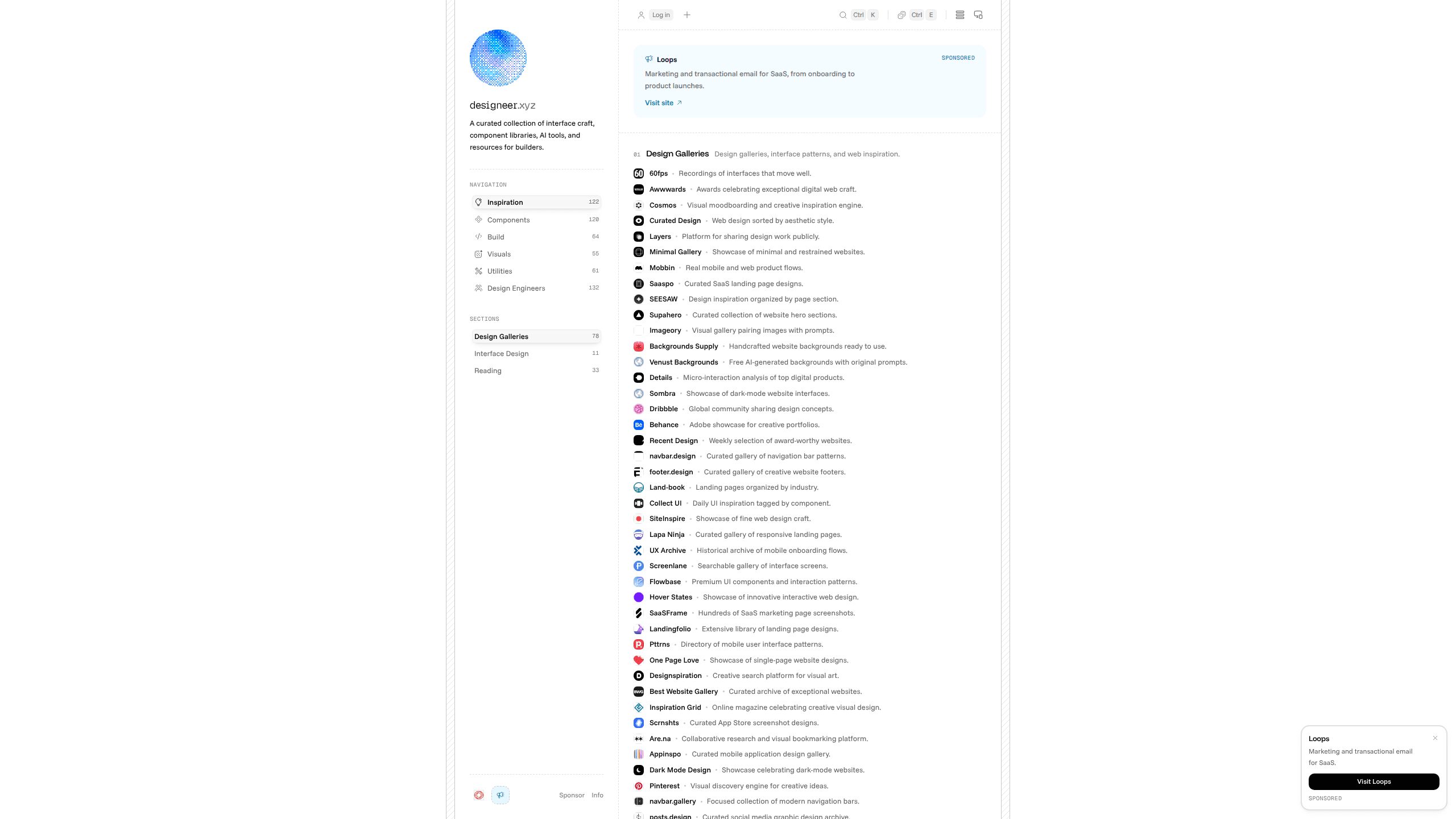
Designeer is a hand-reviewed catalogue of design inspiration, UI resources, tools and portfolios for designers and developers, split into four collections you can browse for free.
About Designeer
What Is Designeer
Designeer is a web design catalogue for people who build interfaces. Dhruv Jaradi reviews every listing by hand and decides what gets published. Nothing is scraped in automatically, and a submission doesn't buy a spot.
Four collections cover different stages of the work: inspiration galleries for visual research, design resources for UI components, icons and fonts, design tools for building and shipping, and designer portfolios from people who ship interfaces. Each entry carries a short description and a recorded preview.
The trade-off is depth. Designeer picks a few hundred listings per collection instead of trying to index everything, so a narrow topic may only have a handful of entries. It works as a shortlist. It doesn't work as a complete directory.
Getting Started
- Go to designeer.xyz and choose a collection: inspiration, resources, tools or portfolios.
- Filter inside the collection if you have something specific in mind. The tools section, for example, splits into Development, AI & Agents, Design & Canvas, Capture & Media and Productivity & Desktop.
- Play the preview recording on a listing to see layout, pacing and motion. Then follow the link to the source site.
- Sign in with a free account to save favourites, sort them into folders or follow a submission through review.
Product Information
A quick look at Designeer's pricing, supported platforms, and performance.
Best for
The users, tasks, and scenarios where this tool fits best.
Users
- Product and web designers
- Front-end developers
- Design students and career switchers
Tasks
- Starting visual research for a new project
- Sourcing a specific asset type
- Checking a tool before you sign up
- Assembling a design directory for your team
Scenarios
- Kicking off a client project
- Rebuilding a personal site
- Keeping up with AI design tools
Key features
Four collections built around intent
Inspiration, resources, tools and portfolios each get their own section, with counts on the landing page. That split matters while you search: reference work, downloadable assets and software are different errands, and folding them into one feed makes all three slower to scan.
A person reviews every entry
Listings are judged on craft, utility, clarity and relevance to designers and web developers. The reviewer turns down submissions that don't meet the bar, so the catalogue stays short. You spend less time filtering out dead links and thin landing pages.
Preview recordings on each listing
Each entry includes a recording captured from the original site. It shows layout, pacing and motion. A screenshot hides how a page moves. A short clip shows whether the transitions, scroll behaviour and type scale hold up.
A finds feed for new work
The finds feed collects individual pieces from designers and developers and publishes them newest first, with 157 published at the time of writing. It reads closer to a design inspiration stream than a directory, and it's where new visual work appears first.
Favourites and folders
A free account lets you save listings, group them into folders and track a submission. Folders do the practical work: one for a current project, one for a client's references, one for tools you want to test.
Tool categories with AI and agents
The design tools collection splits into five categories. AI & Agents holds 38 listings, and Capture & Media holds 33. The AI section covers agents, MCP servers and agent workflows, which is where most of the churn in design tooling sits right now.
Pros and cons
Pros
- Every listing passes a manual review, which cuts down on dead links and auto-generated pages.
- Preview recordings show motion and pacing before you leave the catalogue.
- Browsing is free and needs no account.
- The four collections match how people actually search: references, assets, software, examples.
Cons
- Depth is modest. Niche topics can hold only a few entries, and new categories fill slowly.
- There's no public API or bulk export, so you can't pull listings into a research doc or design system.
- Featured placement costs $49 a week, which puts extra visibility behind a paywall for independent makers.
- One reviewer handles every submission, so approval can wait during busy periods.
Frequently asked questions
Yes. Browsing all four collections costs nothing, and you don't need an account to open listings or play previews.
Related content
Explore related tools, skills, and articles for Designeer.
Designeer Alternatives

Base Code
Base44 (Wix) · Coding · ProductivityBase Code is a shared cloud development environment from Base44. Teammates describe changes to an existing GitHub codebase in chat, preview them live and send them back as pull requests.

Google EmbeddingGemma 2
Google DeepMind · Writing · Image · CodingGoogle EmbeddingGemma 2 is a 740M-parameter open model that turns text, code, images, audio, and video frames into vectors in one 768-dimension space, running on phones and laptops.

GitGlow
GitGlow · Coding · ProductivityGitGlow is a local-first desktop Git client that lets independent developers review their own code and their AI agents' changes in one place before shipping.