

devActivity
devActivity · Coding · Productivity
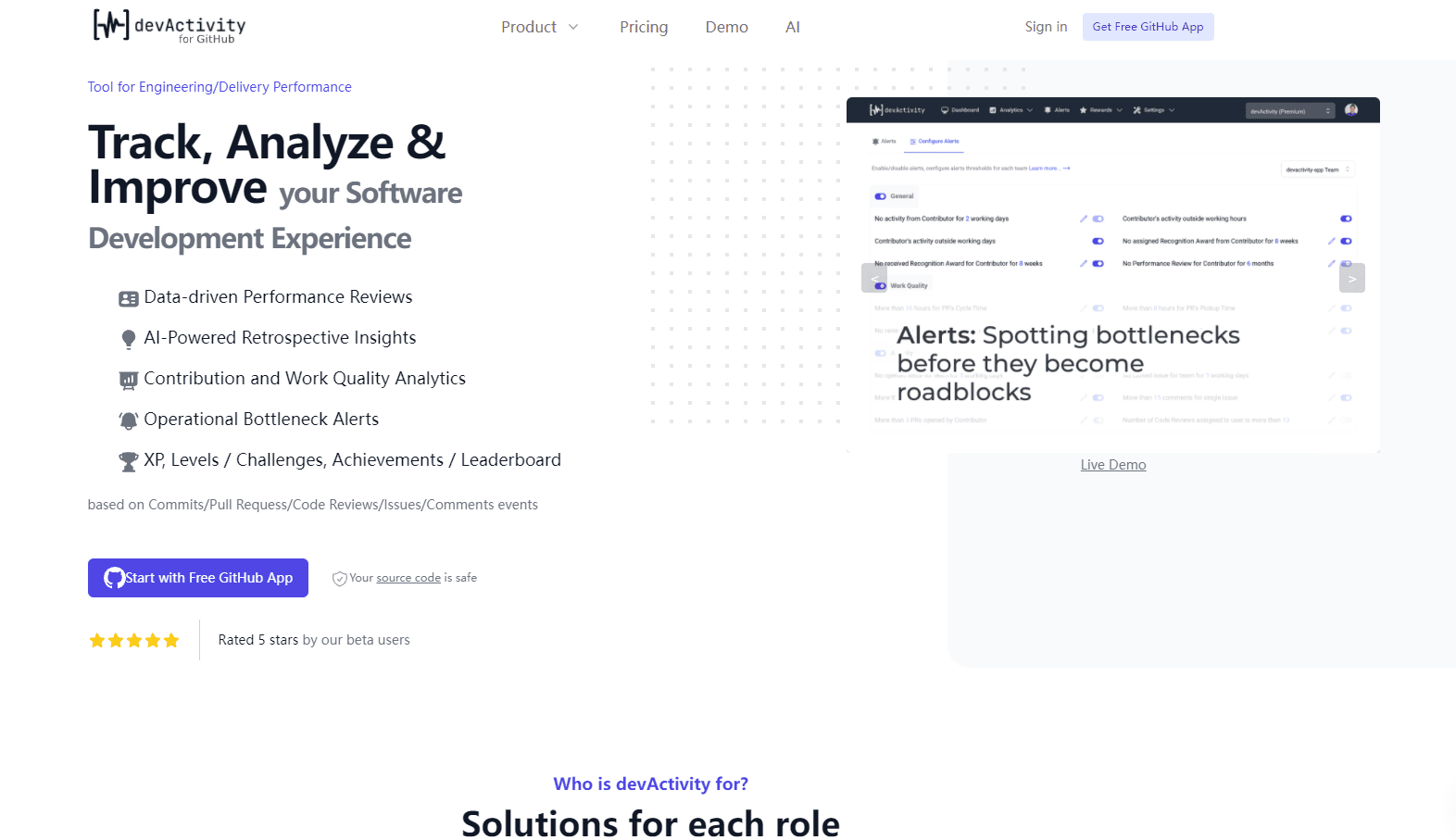
devActivity is a developer analytics tool that turns Git metadata from GitHub repos into performance reviews, bottleneck alerts, and gamified team insights.
About devActivity
What Is devActivity
devActivity is a GitHub-based analytics platform for engineering teams. It reads the metadata around commits, pull requests, code reviews, issues, and comments, then turns those events into dashboards that show how a team actually works. The point is to give engineering managers, team leads, and CTOs something more concrete than gut feeling when they talk about delivery performance.
Think of it as a developer productivity tool that measures the process rather than the person, which is the only way an engineering performance review built on data avoids turning into a surveillance exercise that nobody on the team trusts.
The tool is built around a Freemium model, so a small team can install it and get real metrics before paying anything. It reads Git metadata only and doesn't touch your source code, which answers the first question most engineers ask when an analytics tool wants repo access.
The biggest limitation is scope. devActivity works with GitHub right now, so teams running on GitLab or Bitbucket won't get much out of it yet. The company says other Git platforms are on the roadmap, but there's no firm date, so don't plan around it if GitLab is your home base.
As a DevEx tool it stays narrow on purpose. That focus makes the GitHub experience sharp, and it means there's no half-finished support for other platforms to trip over.
Getting Started
- Sign in with your GitHub account and install the free devActivity GitHub App on the repos you want to track.
- Pick the repositories to include. Public and private repos both work, and no manual data entry is needed after install.
- Give the app a few minutes to pull historical activity from commits, pull requests, reviews, and issues.
- Open the dashboard to review contribution and work quality analytics, then trigger an AI-powered performance review or retrospective in a couple of clicks.
- Invite team members, set up bottleneck alerts, and turn on the XP, levels, and leaderboard if you want the gamification layer active from day one.
Product Information
A quick look at devActivity's pricing, supported platforms, and performance.
Best for
The users, tasks, and scenarios where this tool fits best.
Users
- Engineering managers
- Team leads
- CTOs and engineering VPs
- Developers on small teams
Tasks
- Running data-driven performance reviews
- Preparing retrospective meetings
- Finding operational bottlenecks
- Recognizing peer contributions
Scenarios
- A startup shipping fast on GitHub that wants performance data without a dedicated platform team, starting on the Free tier.
- An open source project that wants contribution analytics and light gamification to keep contributors engaged. The company offers special pricing for open source and startups.
- An enterprise that needs the same metrics running inside its own VPC on AWS, GCP, or Azure.
Key features
AI-Powered Performance Reviews
The performance review feature turns raw repository activity into a structured view of how each contributor is doing. Premium adds AI to summarize the numbers and surface what changed, so a manager walks into a review with context instead of a spreadsheet. It's the feature that replaces the manual "how did this quarter go" spreadsheet most teams keep.
Contribution and Work Quality Analytics
devActivity tracks commits, pull requests, code reviews, issues, and comments, then builds metrics around volume and quality. The distinction matters: a developer who opens dozens of throwaway pull requests looks different from one who ships fewer, larger changes that get merged cleanly. Managers use this to see the shape of the work, not just the count.
Operational Bottleneck Alerts
Alerts watch for the patterns that slow teams down, like pull requests sitting unreviewed or one contributor carrying an outsized share of the work. The value is early warning. Catching a stalled review queue on Tuesday beats discovering it during a post-mortem two weeks later, when the release has already slipped and everyone is tired of talking about who dropped the ball.
AI-Powered Retrospective Insights
Retrospectives tend to run on whoever talks loudest. This feature feeds the meeting with data on what shipped, what stalled, and where the team's time actually went. Premium unlocks the AI layer that writes up the findings, which saves the scrum master an hour of prep before every retro.
Gamification: XP, Levels, Achievements and Leaderboard
The gamification layer rewards activity with XP, levels, achievements, and a team leaderboard. Some engineering teams hate this; others find it makes code review less of a chore. Peer recognition awards let teammates call out good work directly, which matters more than the leaderboard for teams that dislike public ranking. Does ranking developers against each other actually improve a team? That depends on the culture. Where public comparison breeds resentment, the peer recognition awards are the safer half of this feature to switch on.
GitHub App with Metadata-Only Access
Setup is a single GitHub App install, and the app reads Git metadata rather than source code. That design choice is why security-conscious teams agree to it in the first place. There's no manual data entry and no scripts to maintain, so the tool keeps running after the initial setup without anyone tending it or remembering that it exists.
Enterprise VPC Deployment
For larger organizations, devActivity runs all Premium features inside your own VPC on AWS, GCP, or Azure. That keeps repository analytics inside the company's network boundary, which is usually the blocker when a security team reviews a third-party dev tool.
Pros and cons
Pros
- Free tier is genuinely usable, with up to 7 active contributors and 90 days of data retention.
- Setup is fast. One GitHub App install and analytics start flowing without manual configuration.
- Doesn't read source code, only Git metadata, which clears most security reviews.
- Gamification and peer recognition give the metrics a motivation angle, not just a reporting one.
- AI-powered reviews and retrospective write-ups save managers real prep time on Premium.
Cons
- GitHub only. Teams on GitLab or Bitbucket can't use it yet, and there's no announced date for other platforms.
- Free plan caps active contributors at 7 and keeps only 90 days of history, so growing teams hit the paywall quickly.
- Heavier data analysis sits behind the Premium tier. The free tier's metrics are useful but limited.
- The public leaderboard can backfire on teams that dislike ranking developers against each other.
Frequently asked questions
It tracks Git metadata from your GitHub repositories: commits, pull requests, code reviews, issues, comments, timestamps, and author information. That's enough to build contribution metrics, review insights, alerts, and the gamification layer. It doesn't read the contents of your source code.
Related content
Explore related tools, skills, and articles for devActivity.
devActivity Alternatives

Base Code
Base44 (Wix) · Coding · ProductivityBase Code is a shared cloud development environment from Base44. Teammates describe changes to an existing GitHub codebase in chat, preview them live and send them back as pull requests.

Google EmbeddingGemma 2
Google DeepMind · Writing · Image · CodingGoogle EmbeddingGemma 2 is a 740M-parameter open model that turns text, code, images, audio, and video frames into vectors in one 768-dimension space, running on phones and laptops.

GitGlow
GitGlow · Coding · ProductivityGitGlow is a local-first desktop Git client that lets independent developers review their own code and their AI agents' changes in one place before shipping.