
DevAlly AI Agent
DevAlly · Coding · Productivity
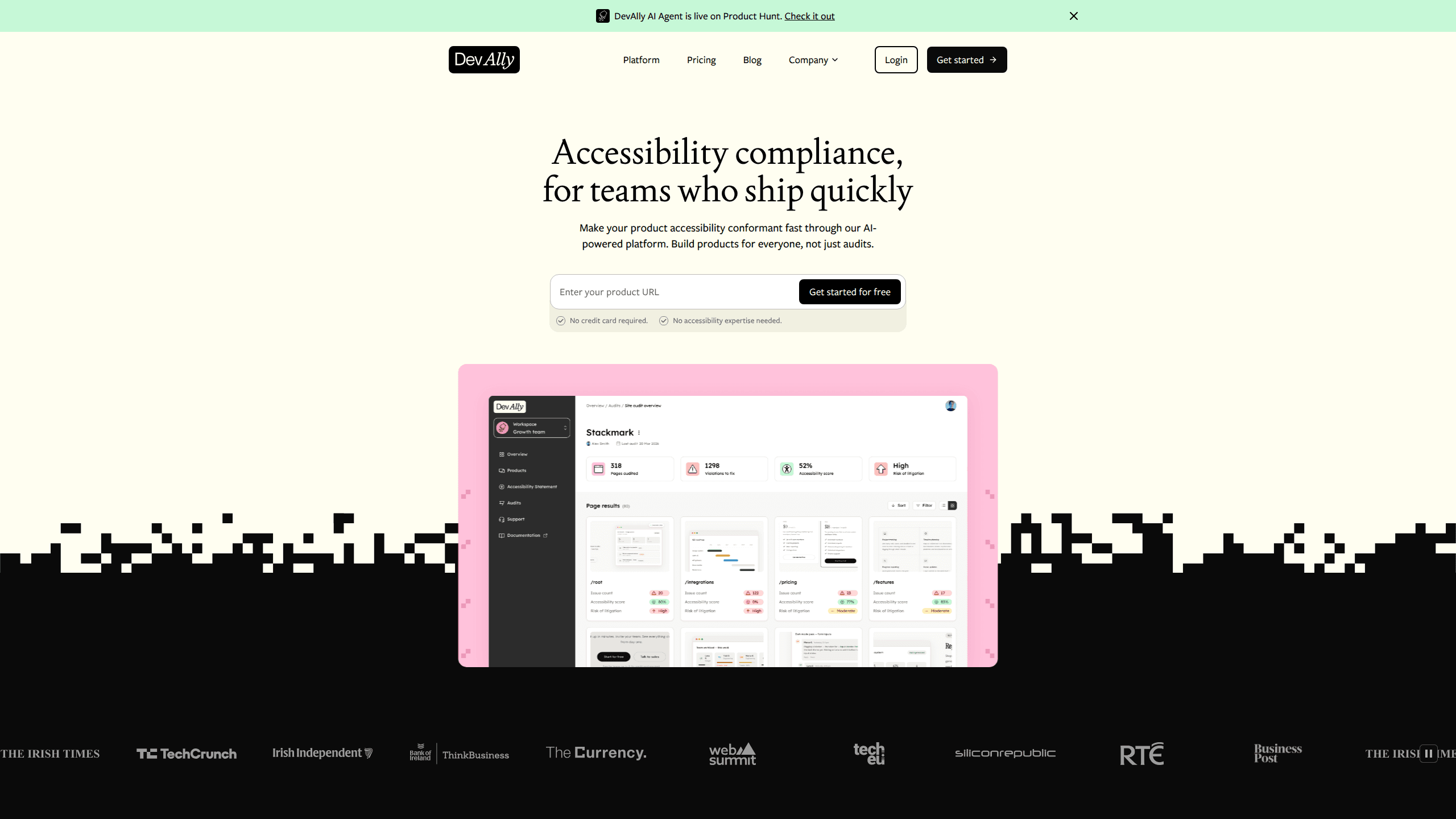
DevAlly AI Agent is an accessibility compliance platform that scans web products for WCAG 2.2 AA issues, drafts code-level fixes, and generates VPATs for procurement.
About DevAlly AI Agent
What Is DevAlly AI Agent
DevAlly AI Agent is the AI layer of DevAlly, a Dublin company founded in 2024 that builds accessibility tooling for software teams. It takes a live web product, finds the places where people using screen readers, keyboards, or screen magnification get stuck, and hands the team a worklist instead of a PDF. The company raised a €2M pre-seed round in October 2025, led by Miles Ahead Capital, to open US operations.
Accessibility work usually runs through outside consultants. A report arrives weeks later, someone summarizes it, and the fixes wait for a quiet sprint. DevAlly's bet is that AI accessibility compliance can sit inside the release cycle. Findings land in GitHub next to the code that caused them, each with a suggested patch.
The limit is the one every accessibility audit tool runs into. Software can spot a missing alt attribute. It can't judge whether the alt text describes the photo well. DevAlly handles the machine-checkable share of WCAG 2.2 AA and keeps a human review in front of anything that carries legal weight.
Getting Started
- Sign up at devally.com and add the URL of the product you want to test. The Basic plan needs no credit card.
- Run the first scan. On a typical marketing site, results come back in under ten minutes with no configuration.
- Read the backlog. Issues are ranked by severity and by the standard they break, so blockers sit at the top.
- Connect GitHub or your CI/CD pipeline, then work through the suggested fixes in your normal review flow.
- Export a VPAT or open the compliance dashboard when a customer or a procurement team asks for evidence.
Product Information
A quick look at DevAlly AI Agent's pricing, supported platforms, and performance.
Best for
The users, tasks, and scenarios where this tool fits best.
Users
- Product teams at B2B software companies
- Frontend and QA engineers
- Compliance and procurement leads
Tasks
- Running a first WCAG 2.2 AA audit
- Converting audit findings into engineering work
- Answering an enterprise accessibility questionnaire
- Watching for regressions after a redesign
Scenarios
- Selling into the EU after the European Accessibility Act
- A procurement review from a large customer
- Rebuilding a design system
Key features
Automated scans in minutes
Point DevAlly at a URL and it crawls the pages it can reach, then reports what breaks WCAG 2.2 AA. The free plan allows five site audits a week, enough to see a baseline. Paid plans lift the cap and add workflow audits that follow a multi-step path such as signup or checkout rather than a single page.
A backlog sorted by what blocks people
Every finding carries a severity and the success criterion it fails. A missing form label on a login screen outranks a decorative icon with weak contrast, and the list says so in plain terms. Anyone who has opened a 200 row audit spreadsheet will notice the difference: the first round of triage already happened.
AI fixes at the code level
For each issue, the agent drafts a change scoped to the component that failed. You get the element, the attribute or markup that is wrong, and a suggested replacement. A developer still reviews the patch, since generated code doesn't know your design system's naming rules.
GitHub and CI/CD integration
DevAlly connects to GitHub and to your pipeline, so an accessibility failure can stop a build the way a broken test does. Catching a regression before merge costs less than hearing about it from a customer. Issue status stays in sync too, which matters when two teams share one component library.
VPATs, dashboards, and accessibility statements
When procurement sends the questionnaire, the platform works as a VPAT generator: your audit history becomes an Accessibility Conformance Report, a dashboard, and a public accessibility statement. Legal-grade reports on the Compliance plan include a manual audit from an accessibility expert, because a document you sign needs a person behind it.
Continuous monitoring
Sites drift. A new hero banner, a restyled button, a third party widget, and the contrast you fixed in March is broken again. Continuous monitoring re-checks the product on a schedule and flags new issues, so accessibility stays in the release loop rather than becoming a project that ended last quarter.
Pros and cons
Pros
- The free Basic plan includes automated WCAG 2.2 AA checks, so you can measure the problem before you pay.
- Findings arrive ranked by severity and standard, which removes the first pass of triage.
- Fixes are written against your markup and land in GitHub, where engineers already work.
- VPATs and dashboards draw on the same audit data, so a procurement request doesn't restart the process.
- MCP access on paid plans gives AI assistants a documented way to pull audit data into their own interface.
Cons
- Starter jumps to $399/mo with nothing in between, which prices out solo developers and small studios.
- Growth and Compliance are quote only, so budgeting takes a sales call.
- Automated accessibility testing covers machine-checkable rules. Reading order, useful alt text, and clear error messages still need a person.
- Generated patches assume a standard component structure. Legacy code and heavily customized widgets will need more manual work.
Frequently asked questions
It scans a web product for accessibility failures, ranks them, suggests code changes, and turns the results into compliance documents. Teams use it to replace a spreadsheet audit with a workflow that runs on every release.
Related content
Explore related tools, skills, and articles for DevAlly AI Agent.
DevAlly AI Agent Alternatives

Base Code
Base44 (Wix) · Coding · ProductivityBase Code is a shared cloud development environment from Base44. Teammates describe changes to an existing GitHub codebase in chat, preview them live and send them back as pull requests.

Google EmbeddingGemma 2
Google DeepMind · Writing · Image · CodingGoogle EmbeddingGemma 2 is a 740M-parameter open model that turns text, code, images, audio, and video frames into vectors in one 768-dimension space, running on phones and laptops.

GitGlow
GitGlow · Coding · ProductivityGitGlow is a local-first desktop Git client that lets independent developers review their own code and their AI agents' changes in one place before shipping.