

DGi
Datagran · Coding
DGi is Datagran's AI data agent for developers. It connects your data sources, answers questions, runs Python, and builds dashboards through one API.
About DGi
What Is DGi
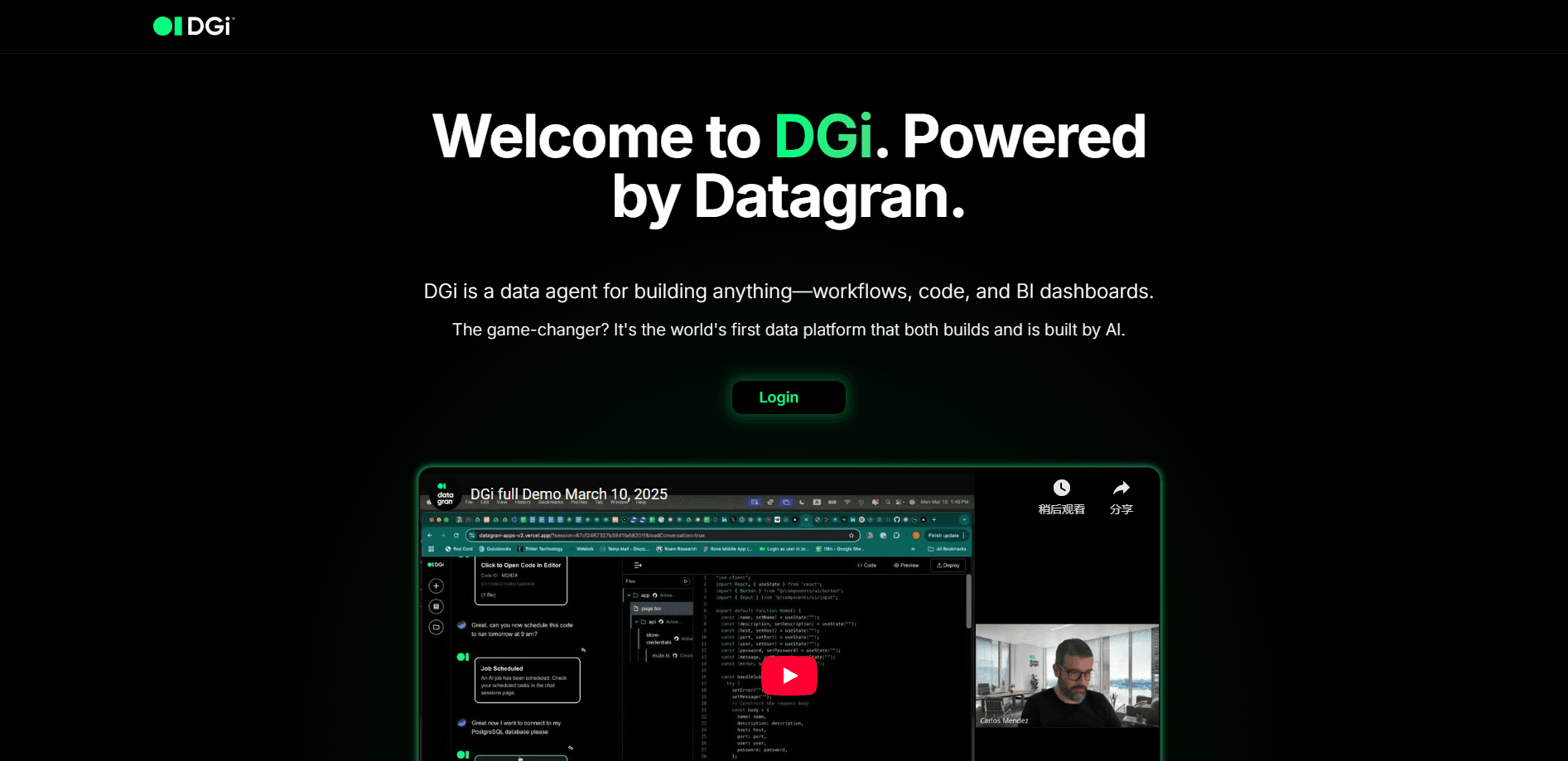
DGi (written as DG-i on the official site) is an AI data agent built by Datagran, and the company frames it as an AI data platform that both builds and is built by AI. You feed it a question or a file, and it figures out the data work itself: loading the source, writing the Python to analyze it, and returning charts, tables, or a dashboard. The pitch is that developers get a paid, ready-made data analyst instead of wiring up a pipeline by hand.
The product leans on two ideas. First, everything runs through an API, so you can embed DGi inside your own platform and let your own users ask questions about their data. Second, it connects to the sources you already run on, including PostgreSQL, MySQL, BigQuery, Snowflake, AWS S3, and CSV or Excel files. You don't move your data into a new warehouse to use it.
The main limit is scope. DGi works best for analysis and reporting tasks it can express in code, and it's aimed at teams that can work with an API key and a session. If you need a click-and-drag BI tool for non-technical staff, this isn't the shape of it yet.
Getting Started
- Sign up with Datagran and grab an API key from the dashboard.
- Create a session with a POST request to the session endpoint, then attach your data source.
- Ask a question in plain language, or upload a CSV or Excel file for DGi to parse.
- Read the generated Python, run it, and pull the charts or tables back from the task result.
- Schedule the recurring job with a cron expression so it runs on its own.
Product Information
A quick look at DGi's pricing, supported platforms, and performance.
Best for
The users, tasks, and scenarios where this tool fits best.
Users
- Developers who want to ship data features into their own product
- Small product teams without a dedicated data engineer
- Founders who want to ask questions of scattered files and databases in plain English
Tasks
- Analyzing a CSV export and charting top performers by revenue
- Pulling structured data off a website on a schedule
- Running a weekly sales report every Monday at 9 AM
Scenarios
- Embedding an analytics assistant in your own web app
- Wiring a database into a scheduled reporting loop
- Building a live dashboard from uploaded files
Key features
One API for Your AI Data Platform
DGi runs through a single API key, so you can drop its analysis into your own product and let your users ask about their data inside your interface. There's nothing to install for the end client. This AI analytics API is built around external clients hitting an endpoint, not around a single company tool.
Natural Language Data Analysis That Writes Code
You ask a question, and DGi answers it by writing and running Python. It loads your file, inspects the columns, and shows the script it used, so you can read and reuse the code rather than trust a black box. That's the part that separates it from a plain chatbot.
Connect the Data You Already Have
DGi plugs into PostgreSQL, MySQL, BigQuery, Snowflake, and AWS S3, and it takes CSV and Excel uploads as well. That means most teams can start without copying data into a new store. You keep your existing setup and point the agent at it.
Scheduled Workflows in Plain Language
The scheduler lets you describe a cadence, like every Monday at 9 AM, and turns it into a cron job that runs on its own. Real-time execution and auto-retry mean a failed run doesn't just disappear. For recurring reports, that saves you from babysitting scripts.
BI Dashboards and Apps From a Prompt
Ask for a BI dashboard built from an uploaded CSV, and DGi assembles a responsive, export-ready view with live updates. The result behaves like a small app, not a static chart. It's a fast way to turn a one-off file into something people can check again.
Web Automation API
Beyond your own data, DGi can navigate websites, extract content, and run multi-step scraping tasks through the same API. It handles pages that resist a simple fetch. Competitive research and list building get the same chat-style prompt as everything else.
Security Built Around Your Infrastructure
Credentials are protected with double-envelope encryption: AES-256 at rest and TLS 1.3 in transit, with a zero-knowledge design where your data stays in your own environment. For teams that can't hand data to a third party, that's the deciding feature. You connect, and the data doesn't move.
Pros and cons
Pros
- One API key reaches analysis, scheduling, dashboards, and web scraping
- The Python it writes is visible, so results are auditable
- Connects to mainstream databases and cloud storage without a data migration
- Benchmarked at 90.4% on the vendor's four data science tasks, ahead of the models it compares against
- Embedded analytics lets your own customers query their data in your product
Cons
- There's no free plan, so testing means committing to a sales conversation
- Pricing isn't published, which makes budgeting hard before you talk to the team
- Best for technical teams: you manage API keys, sessions, and task polling yourself
- The benchmark comes from Datagran, so treat the numbers as a vendor claim until you test
Frequently asked questions
It's an AI data agent that answers questions about your data by writing and running code. You give it a source and a prompt, and it returns analysis, charts, or a dashboard through an API.
Related content
Explore related tools, skills, and articles for DGi.
DGi Alternatives

Base Code
Base44 (Wix) · Coding · ProductivityBase Code is a shared cloud development environment from Base44. Teammates describe changes to an existing GitHub codebase in chat, preview them live and send them back as pull requests.

Google EmbeddingGemma 2
Google DeepMind · Writing · Image · CodingGoogle EmbeddingGemma 2 is a 740M-parameter open model that turns text, code, images, audio, and video frames into vectors in one 768-dimension space, running on phones and laptops.

GitGlow
GitGlow · Coding · ProductivityGitGlow is a local-first desktop Git client that lets independent developers review their own code and their AI agents' changes in one place before shipping.