

Diaflow
Diaflow Pte. Ltd. · Coding · Productivity
Diaflow is an AI agent platform for businesses, combining chat, autonomous AI teammates, workflow automation, tables, pages, and vector search in one workspace with a single bill.
About Diaflow
What Is Diaflow
Diaflow is a modular enterprise AI platform for AI orchestration and automation, built by Diaflow Pte. Ltd. Rather than paying for a chat tool, a database, a docs app, and a vector store separately, teams run all of it inside one workspace. Six modules sit under the same roof: Chat, Teammates (autonomous agents), Tables, Pages, Drive, and Vectors.
The pitch is control. A company already has AI scattered across departments, and what's usually missing is visibility over how it gets used and what it costs. Diaflow puts usage logs, role permissions, and audit trails in one admin portal, so every prompt, file, and credit shows up in a single place.
The limits matter for planning. The free Basic tier caps you at 500 monthly credits and 10 Studio projects, which is enough to test a workflow but not to run one in production. Paid plans bill yearly, the Business tier starts at $300 per month for 10 seats, and anything above that goes through a sales quote.
Getting Started
- Create an account at platform.diaflow.io, or install the iOS or Android app and sign in with the same business account.
- Pick your starting point: open Chat for quick questions, or go to Teammates to hire an agent for a recurring job.
- Connect your data. Point Drive at the documents and media your team already uses, and pull structured records into Tables.
- Let Vectors index it. Vectors runs in the background so every answer draws on your own files instead of generic guesses.
- Assign a task in plain language, then collect the result as a page, report, or dashboard in Studio.
Product Information
A quick look at Diaflow's pricing, supported platforms, and performance.
Best for
The users, tasks, and scenarios where this tool fits best.
Users
- Operations teams
- Non-technical staff
- Small businesses weighing tool costs
- Developers who need automation with an API
Tasks
- Extracting data from documents
- Triaging inbound tickets
- Screening candidates
- Turning scattered campaign data into one report
- Answering questions from your own material
Scenarios
- Replacing a patchwork AI stack
- Moving from AI pilots to company-wide rollout
- Onboarding that runs on its own
- Weekly reporting that writes itself
Key features
Chat With Autonomous Teammates
Chat is the front door, and Teammates are the autonomous AI agents behind it. You describe a recurring job in plain language, and Diaflow assigns an agent that runs it on a schedule without waiting for a prompt. Agents pull context from your Drive files and Tables records, so their output reflects your business rather than a generic model's best guess.
Workflow Automation in Studio
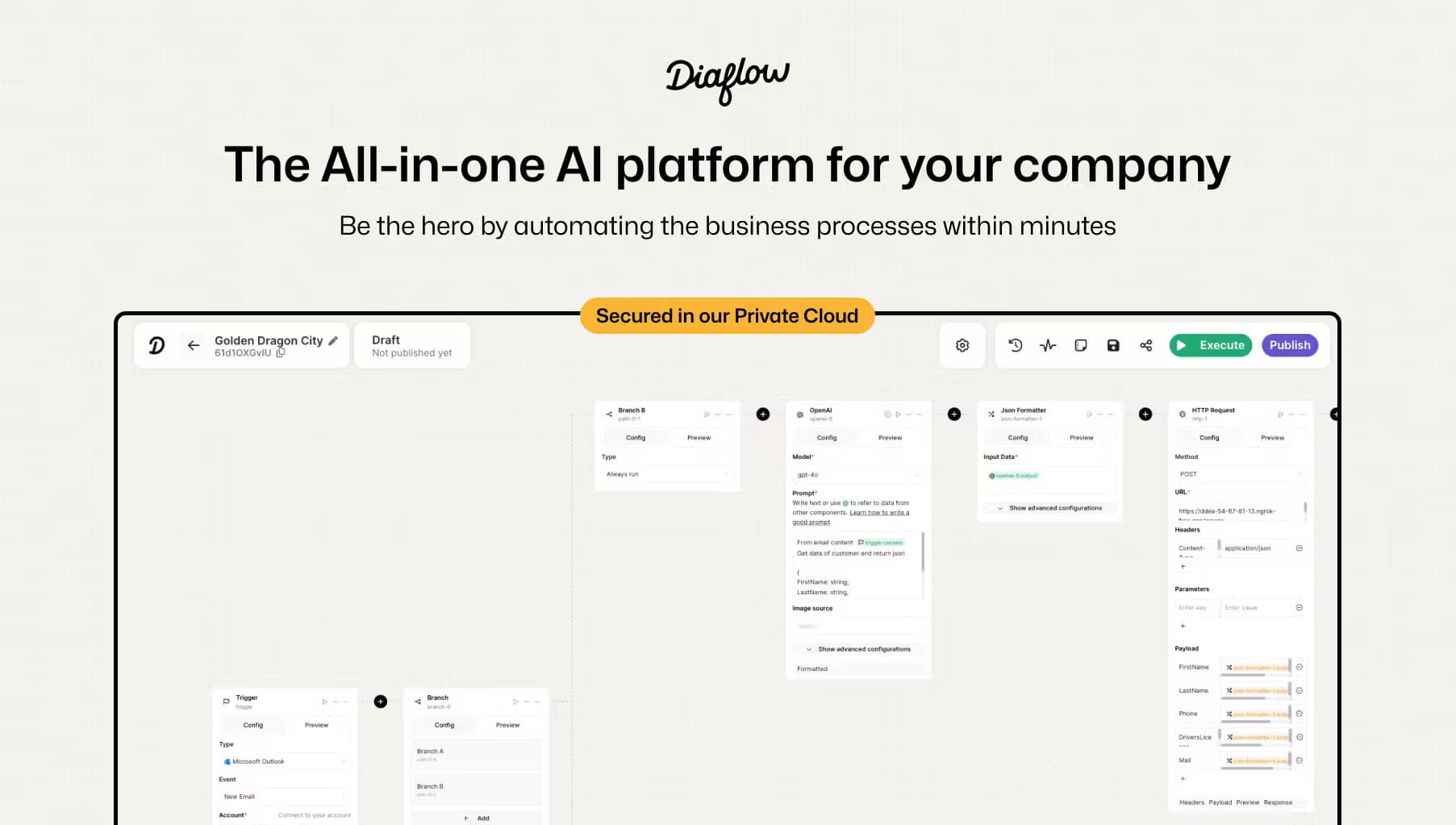
Studio is where multi-step workflows get built and deployed. You connect nodes for models, databases, HTTP requests, and triggers, then run the flow on demand or on a cron schedule. The HTTP Request node and Python node mean the platform reaches past its built-in connectors into CRMs, email systems, or anything with an API.
Structured Data in Tables
Tables is a spreadsheet that agents can read and write. It handles relational data, action cells, and import or export, so records live in one place instead of being copy-pasted between tools. A Teammate can pull a batch of rows, enrich them, and write the results straight back.
Pages and Live Deliverables
Teammates deliver work in Pages, a visual canvas for reports, dashboards, live forms, and collaborative documents. Instead of a chat reply you have to reformat, you get something ready to share. Pages also support an AI assistant for drafting, editing, and generating media.
Vector Search Over Your Own Files
Vectors indexes the documents in Drive and the rows in Tables, then serves semantic retrieval on top. Every task is grounded in precise company context, which cuts down on the guesswork a bare model produces. Files, records, and embeddings stay scoped to your workspace and aren't pooled with anyone else's.
Governance and Usage Analytics
An admin portal tracks model performance and spend across every provider from one view. Role-based permissions and audit logs cover each security review, and the platform states that your data is never used to train models. For the AI bill, detailed usage logs show what went in and what came out.
Mobile Apps and Template Library
iOS and Android apps keep teammates reachable away from a desk. A marketplace with over a thousand creators ships pre-built apps, prompts, and projects, so a team can start from a working template instead of a blank page. Integration labels separate officially supported connectors from community-built ones.
Pros and cons
Pros
- Six modules (Chat, Teammates, Tables, Pages, Drive, Vectors) share one workspace and one bill, which cuts the number of subscriptions a team manages.
- The free Basic plan includes 500 monthly credits and 10 Studio projects, enough to test the platform before paying.
- No-code AI agents mean marketing, HR, and finance staff can build workflows without engineering support.
- Governance features (audit logs, role permissions, workspace isolation) fit companies that need to pass a security review.
- Native iOS and Android apps plus an HTTP Request node cover both mobile use and custom integrations.
Cons
- The free tier is small. With 500 credits and 10 projects, it works for a trial but not for a team running daily automation.
- Paid tiers bill yearly and the Business plan jumps to $300 per month, so cost rises fast for larger teams.
- Credits, not flat usage, drive the meter. Heavy workflows can burn through a monthly allocation and pause until the next cycle unless you buy top-ups.
- Enterprise pricing sits behind a sales quote starting at $3,500 per month, which leaves smaller organizations out of that tier.
Frequently asked questions
Diaflow is used to automate business work that repeats: extracting data from documents, triaging tickets, screening candidates, and pulling campaign numbers into one report. Teams chat with it, but the main value comes from autonomous Teammates that run those jobs on a schedule.
Related content
Explore related tools, skills, and articles for Diaflow.
Diaflow Alternatives

Base Code
Base44 (Wix) · Coding · ProductivityBase Code is a shared cloud development environment from Base44. Teammates describe changes to an existing GitHub codebase in chat, preview them live and send them back as pull requests.

Google EmbeddingGemma 2
Google DeepMind · Writing · Image · CodingGoogle EmbeddingGemma 2 is a 740M-parameter open model that turns text, code, images, audio, and video frames into vectors in one 768-dimension space, running on phones and laptops.

GitGlow
GitGlow · Coding · ProductivityGitGlow is a local-first desktop Git client that lets independent developers review their own code and their AI agents' changes in one place before shipping.