

Dialog
Dialog · Marketing · Business
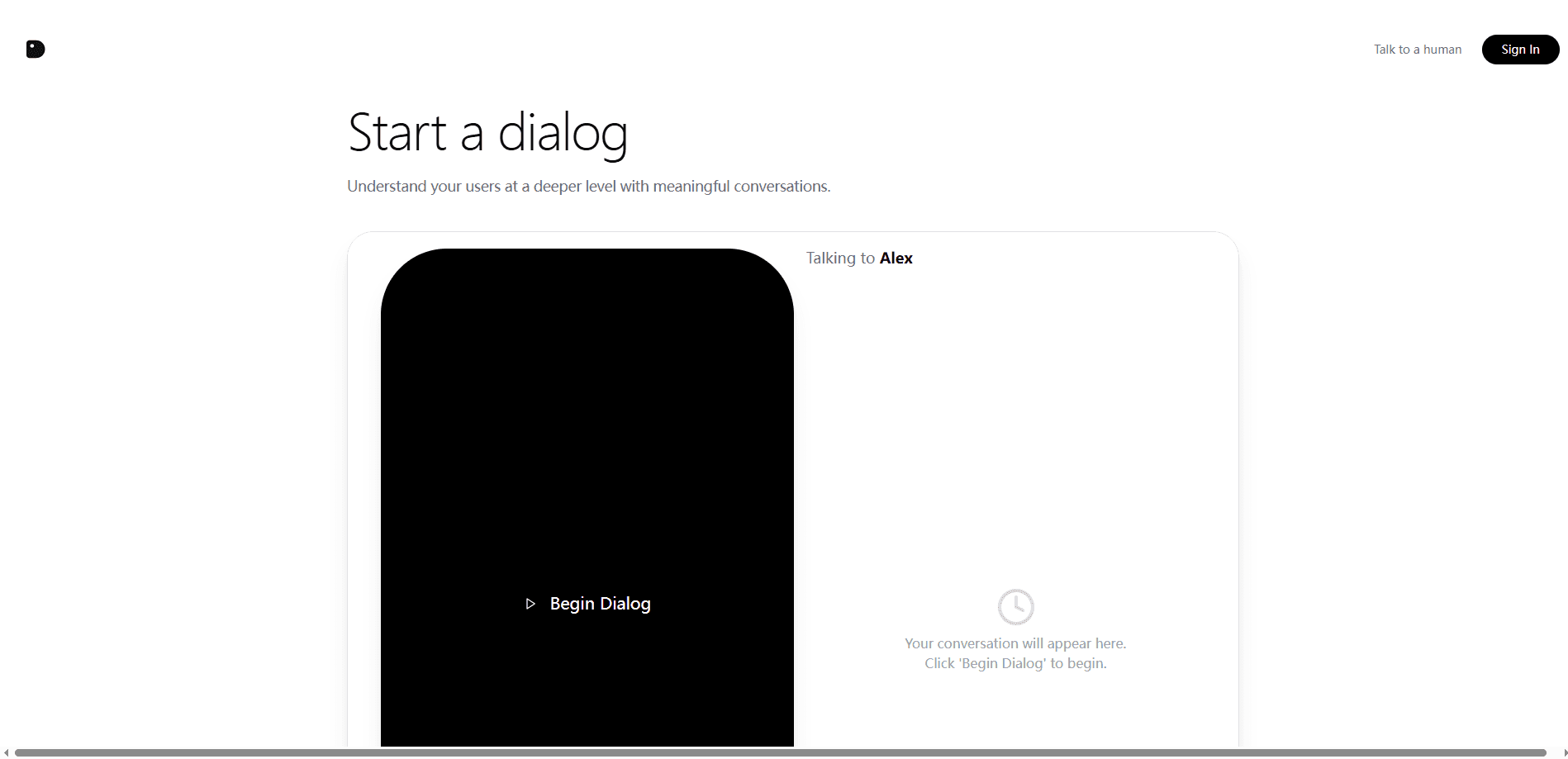
Dialog runs AI voice agents that interview your users one to one, in dozens of languages, then turns each conversation into insights you can query and share.
About Dialog
What Is Dialog
Dialog is a user research tool built around AI voice agents, and it doubles as a customer interview tool that runs without a moderator. Instead of booking interviews one caller at a time, you point an agent at a group of users and let it hold real conversations with each of them. The agent listens to how people answer, follows up when something is vague and keeps the exchange feeling like a normal chat rather than a form.
The product sits in the gap that opens once building gets cheap. Code now ships faster than the research that tells you what to build, so teams guess more than they should. Dialog aims to close that gap by letting a company talk to every user instead of a sample of ten. It launched in 2025 and is reached through the web at dialoghq.ai.
There's a second half to the story. Talking is only useful if the answers become something you can act on, so Dialog distills each conversation into themes, quotes and signals. It's a form of qualitative research that keeps the depth of a good interview while dropping the scheduling and the note-taking. The pitch is a full loop: agents conduct the interviews, and the platform turns what they hear into direction you can bring back to product decisions.
Getting Started
- Open Dialog at dialoghq.ai and sign in with your Google account
- Describe what you want to learn, or pick a template dialog that matches your goal
- Let the AI design the interview flow, or adjust the questions yourself
- Share the dialog with your users and let the agents run the conversations
- Review the transcripts, themes and quotes the platform pulls out of the results
Product Information
A quick look at Dialog's pricing, supported platforms, and performance.
Best for
The users, tasks, and scenarios where this tool fits best.
Users
- Product teams
- Founders and small teams
- UX and design researchers
- Growth and marketing teams
- Customer success leads
Tasks
- Running user interviews
- Collecting product feedback
- Measuring loyalty
- Mapping the customer journey
- Analyzing responses
Scenarios
- Deciding what to build next
- Understanding churn
- Pre-launch testing
- Onboarding checks
- Continuous listening
Key features
AI Voice Agents
Dialog's core is a set of AI agents that hold real conversations with users. They ask the questions you set, listen to the answers and follow up when a reply is thin or unclear. The aim is to keep the exchange natural, so people say more than they would in a rigid form. That mix of scale and depth is the reason to use agents over a survey link.
Template Dialogs
The platform ships with ready-made dialogs for common research goals. There are templates for product feedback, NPS, customer journey mapping, onboarding, market research, churn, patient intake and internal stakeholder reviews. You start from a template that matches your question, then edit it, which removes the blank-page problem most teams hit when they run their first study. Each one is a conversational research flow rather than a static questionnaire, so the agent can still probe when an answer needs it.
Multilingual Conversations
Agents can run interviews in dozens of languages, covering English, Spanish, French, German, Portuguese, Hindi, Japanese, Korean, Chinese, Arabic and more. That matters when your user base is spread across regions and you can't staff a researcher for each one. You get the same study in every market without hiring a translator for each round.
Insight Analysis
Talking to users is only half the job, so Dialog reads the conversations and pulls out what matters. It surfaces themes across responses, lifts key quotes and flags signals in the data that are easy to miss by hand. The result is meant to be something you can hand to a team, not a pile of raw transcripts nobody opens twice.
Queryable Results
Dialog treats its output as living material rather than a static report. You can ask follow-up questions of the data, share parts of an analysis and keep building on what earlier conversations showed. That comes from the product's founding idea, that research should stay in the workflow where decisions get made instead of landing in a document that goes stale.
Web-Based Access
Dialog runs in the browser and you sign in with a Google account. There's no separate desktop or mobile app to install, and no setup beyond giving the agent something to go on. That keeps the entry point low, which fits a tool built for teams that want to start a study the same day they think of the question.
Pros and cons
Pros
- Turns user interviews into something one team can run at scale instead of a few calls a week
- Covers dozens of languages, so a single study can reach users across regions
- Template dialogs give you a running start on product feedback, NPS, onboarding and more
- Analysis is built in, so you get themes and quotes rather than a folder of raw transcripts
- Free options let you try the approach before committing budget
Cons
- The product is still young, so the feature set and templates can change quickly
- Public pricing is thin, which makes it hard to predict cost before you talk to the team
- It runs in the browser only, with no dedicated mobile app for users who prefer one
- AI-moderated interviews still depend on good questions, so the quality of your prompts shapes the results
Frequently asked questions
Dialog runs AI voice agents that interview your users one to one, then analyzes those conversations. You describe what you want to learn, the agents hold the interviews at scale, and the platform turns the answers into themes, quotes and signals you can use.
Related content
Explore related tools, skills, and articles for Dialog.
Dialog Alternatives

ngram 2.0
ngram · Video · Marketingngram 2.0 is an AI video generator for teams. It turns a prompt, a screen recording, or a product URL into a narrated explainer, product demo, or AI avatar video, and every scene stays editable.

shippedit.me
Krawlup · Marketing · Businessshippedit.me now redirects to Krawlup, a web platform that audits SEO, AEO and page speed every week, then hands the fixes to AI coding agents over MCP.

MePersona
MePersona, Inc. · Writing · Productivity · MarketingMePersona is an AI unified inbox for creators. It learns your voice, drafts replies to fan messages from 12 platforms, and sends only what you approve.