

DialSense
DialSense · Voice & Language · Marketing
DialSense is an AI call automation platform that pairs voice bots with auto-dialer campaigns, SIP trunk integration, and live call analytics inside one browser dashboard.
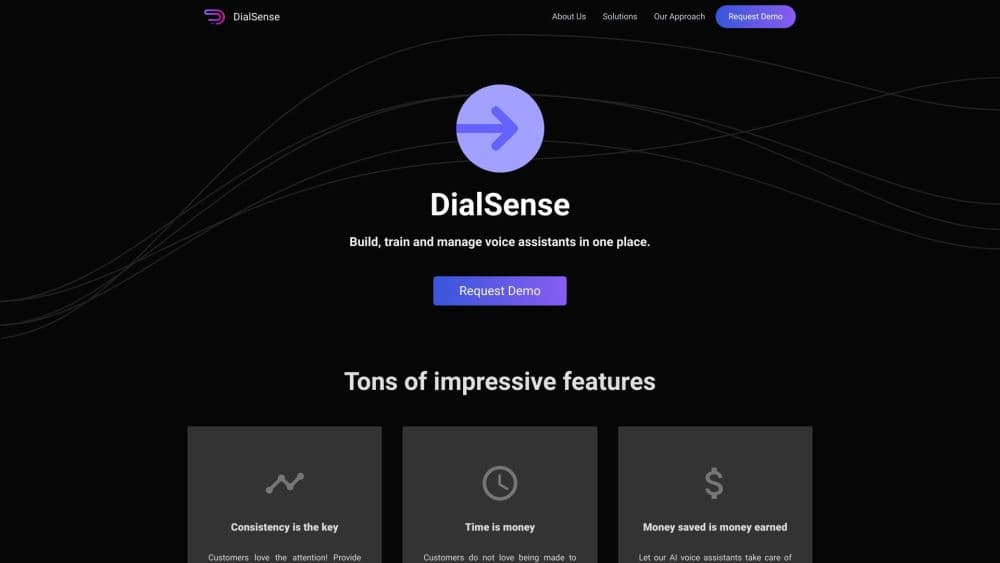
About DialSense
What Is DialSense
DialSense is a cloud calling platform from an India-based team that sells three things in one subscription: AI voice bots that talk to people on the phone, an auto dialer for outbound campaigns, and the reporting that shows how both perform. You bring your own numbers through a SIP trunk. DialSense handles the dialing, the conversation, the recording, and the numbers afterward.
The audience is contact centers and outbound sales teams, not individual callers shopping for AI calling software. Everything on the site points at volume: predictive dialing modes, 10,000 concurrent calls, campaign dashboards, CRM hand-offs. If you make 40 calls a day from a spreadsheet, the Starter plan is more tool than you need.
Strip the marketing away and it's an AI voice bot platform with a dialer and a reporting layer attached. Two limits show up early. The product is browser-first, with WebRTC calling in a desktop browser and no mobile app listed for agents working from a phone. And its deepest integrations are Indian carriers such as Jio, Airtel, TATA, BSNL, Vi, Exotel, and Knowlarity, which tells you where it was built and who it was built for.
Getting Started
- Create an account from the signup link, then pick a plan or ask the team for a trial run.
- Connect numbers: link an existing SIP trunk, a DID number, or a supported VoIP provider such as Plivo or Twilio.
- Build the thing that calls: set up a campaign with predictive, progressive, or preview pacing, or write a voice bot script with intents and a hand-off rule.
- Route the output: recordings, transcripts, and webhook events go to your CRM or data store, and the dashboard tracks each campaign as it runs.
Product Information
A quick look at DialSense's pricing, supported platforms, and performance.
Best for
The users, tasks, and scenarios where this tool fits best.
Users
- Contact center managers
- Insurance and lending sales teams
- Outbound teams of 5 to 50 agents
- Telecom-leaning developers
Tasks
- Qualifying leads before a rep picks up
- Chasing renewals and payment reminders
- Triaging inbound support calls
- Reviewing campaign performance
Scenarios
- Going from 200 to 2,000 outbound calls a day with the same headcount, the shift a DialSense customer describes in a site testimonial.
- Running Hindi or regional-language calls in India
- Replacing a Twilio account, a separate dialer, and a reporting spreadsheet with one platform and one bill.
Key features
AI Voice Bots With Streaming Transcription
The bot listens while the caller talks, turns speech into text as it goes, and picks a reply from your intents. You control the script, the fallback line, and the point where the call goes to a person. Live transcription means the dashboard shows a conversation while it happens, not an hour later.
Three Dialing Modes for Outbound Campaigns
The auto dialer software comes with three pacing modes. Predictive dialing guesses when an agent will be free and dials ahead. Progressive dialing keeps one call per available agent. Preview dialing shows the record first and lets the agent start the call. The mode you choose moves your abandonment rate and your idle time, so most teams test two modes against the same list.
SIP Trunk and Carrier Integrations
DialSense connects to Plivo, Twilio, Jio, and custom SIP trunks, and lists pre-certified links with TATA Communications, Bharti Airtel, BSNL, Vodafone Idea, Exotel, and Knowlarity. You keep your carrier contract and your numbers, which matters if you've already negotiated pulse rates.
Real-Time Analytics and Recordings
Call center analytics arrive per campaign: calls in progress, connect rate, agent talk time, and transcript snippets. Recordings and full transcripts stay attached to the call record. That link is what makes a compliance review or a script rewrite practical instead of archaeological.
Browser Calling Over WebRTC
Agents take and place calls from a browser tab. No desk phone, no softphone install, no plugin. A supervisor can monitor from the same interface, and a new hire needs a laptop, a headset, and a login to start.
REST API and Webhooks
You can push a contact list in, pull call results out, and subscribe to events such as call ended or transcription ready. Teams that already run a CRM use the webhooks to write outcomes back without building a middleware layer.
Pros and cons
Pros
- Dialer, voice bots, and reporting come as one product, so you don't stitch three vendors together.
- Indian carrier links are pre-certified, which shortens provisioning for teams dialing Jio, Airtel, or TATA numbers.
- Pricing is published: the $99 and $299 tiers are on the site, so you can budget before a sales call.
- Voice options through Sarvam AI and ElevenLabs cover Indic languages beyond English.
- WebRTC calling takes softphone installs out of onboarding, which saves an IT ticket per new agent.
Cons
- The plan jump is steep. Growth stops at 50,000 calls and five bots, so anything larger becomes a custom quote with no published rate.
- Voice and carrier charges sit outside the subscription. The plans list call volumes but not per-minute rates, so the real cost per campaign needs a quote.
- No mobile app is listed. An agent working from a phone can't take calls in the DialSense interface.
- Support is email-only on Starter. Priority support starts at Growth, and a dedicated manager comes with Enterprise, so a small team waits longer during an outage.
Frequently asked questions
It runs phone calls for you. AI voice bots handle conversations, an auto dialer works through outbound lists, and a dashboard records and reports on both. It sits on top of your SIP trunks instead of replacing your carrier.
Related content
Explore related tools, skills, and articles for DialSense.
DialSense Alternatives

Foley
Hanamori Labs, LLC · Voice & Language · Productivity · AI AssistantFoley is a voice to-do list that turns a spoken sentence into a filed task, complete with project, date and time, then helps you plan the day around what is already there.

HireKey
HireKey · Voice & Language · Productivity · LeaningHireKey is an AI job search copilot built by a former tech recruiter. It checks role fit, tailors resumes, runs interview practice and tracks every application.

Fluence
Yay Software (Yannick Huchard) · Writing · Voice & Language · ProductivityFluence is an Android app that reads PDFs, EPUBs, Word files and web articles aloud, follows each sentence as it speaks, and answers questions about the text on the phone itself.