

dictate.
Gabriel Alonso · Voice & Language
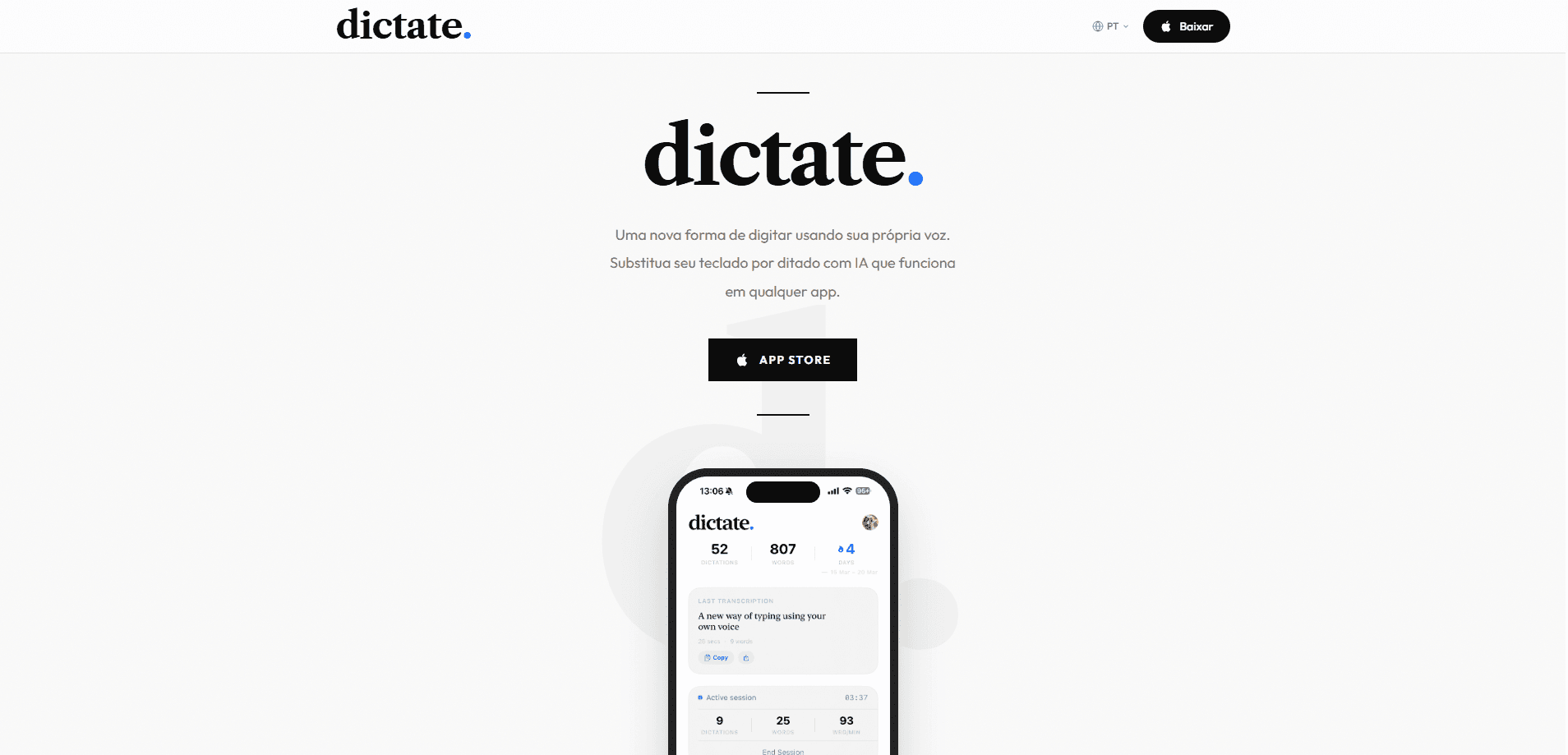
dictate. is an AI voice-to-text keyboard that lets you talk instead of type inside any app on iPhone and Mac. It runs as a keyboard rather than a separate transcription app, so your words land directly in the field you're already writing in. The app supports 30+ dictation languages, adds punctuation and paragraphs automatically, and can even translate as you speak.
About dictate.
What Is dictate.
dictate. is an AI dictation app built by solo developer Gabriel Alonso. It works as a custom keyboard on iPhone and as a menu-bar tool on Mac, which is the main thing that sets it apart from transcription apps that hand you a text file to copy somewhere else.
Most dictation tools treat speech as a separate task. You record, wait, then paste the result into the app you actually care about. dictate. skips that loop. So what happens when you switch keyboards in the middle of an email? You hold the globe key, pick the keyboard, tap the microphone, and speak. The cleaned-up text appears right where your cursor is.
The trade-off is that dictate. leans on an internet connection. According to its privacy policy, audio is sent to a backend server and forwarded to third-party AI services like OpenAI, Google, or Anthropic for transcription and formatting, and the audio is deleted right after processing once the text has been returned to your device. Protected fields such as password boxes also block third-party keyboards, which is an iOS rule, not something dictate. can change.
Getting Started
- Download dictate. from the App Store and open it.
- Follow the in-app setup checklist, then enable the keyboard under Settings > General > Keyboard > Keyboards > Add New Keyboard and turn on Allow Full Access.
- Return to the app and grant Microphone and Speech Recognition access.
- Open any app with a text field, hold the globe key, select dictate., and tap the microphone button.
- Speak naturally, then stop the recording. The transcription appears in the active text field.
Product Information
A quick look at dictate.'s pricing, supported platforms, and performance.
Best for
The users, tasks, and scenarios where this tool fits best.
Users
- Students who take notes during lectures and want them typed without a laptop
- People with repetitive strain or thumb fatigue who type long messages all day
- Multilingual users who switch between languages
- Anyone who writes the same kinds of messages often, like sales reps or support staff
Tasks
- Writing messages in WhatsApp, Messages, or Gmail
- Drafting emails on the go
- Quick voice notes and memos
- Translating short messages
Scenarios
- Commuting when your hands are full
- Writing in a noisy café
- Working across iPhone and Mac
- Capturing ideas before they slip away
Key features
Voice Typing Inside Any App
The core idea behind dictate. is that the keyboard lives where you already type, so you never leave the app you're working in just to capture a thought. Instead of opening a separate recorder, you switch to the dictate. keyboard in Messages, Gmail, Notion, Instagram, or any other text field. Your speech becomes text at the cursor, with no app switching or pasting in between.
Clean, Ready-to-Send Output
Raw dictation is usually messy, full of ums and half-finished sentences. dictate. runs your speech through a language model that handles punctuation, capitalization, and paragraph breaks. It also removes filler words, so what you get is closer to the draft you'd actually send rather than a transcript you have to rewrite before it's usable, which is the difference between a tool you keep and one you abandon after a day.
Personal Dictionary
You can teach dictate. your own vocabulary once and reuse it everywhere, which saves real time if you regularly dictate the same kinds of messages. Names, slang, technical terms, and work phrases get recognized more reliably after you add them, and that matters most for people who dictate niche or industry-specific content where generic models stumble.
Translation While You Speak
dictate. can turn speech in one language into text in another. Four translation languages are supported. That's enough for cross-language messaging and short replies. It's not a full translation suite for long documents.
Multi-Language Dictation
The app accepts natural speech in more than 30 dictation languages. You speak the language you use day to day, and dictate. handles the rest, which means you don't have to keep separate tools for each language in a bilingual household or an international team. That flexibility is the reason many users pick it over single-language dictation apps.
Searchable Transcription History
Past transcriptions are kept locally on your device, so you can review, search, copy, and share them later. History can also sync through iCloud if you turn that on, which keeps your iPhone and Mac records together.
Pros and cons
Pros
- Works inside any app thanks to the keyboard design, so there's no copy-paste workflow.
- The AI cleanup removes filler words and adds punctuation, cutting down on editing time.
- 30+ dictation languages plus translation make it flexible for multilingual users.
- Personal dictionary lets you lock in names and jargon you repeat often.
- One Pro subscription covers both iPhone and Mac.
Cons
- Transcription depends on an internet connection, since audio is processed on remote servers rather than fully on-device.
- You have to enable Allow Full Access for the keyboard, which grants network access, so anyone cautious about keyboard permissions should weigh that.
- Password fields and some protected inputs block third-party keyboards, so dictate. won't work everywhere.
- The free tier has usage limits, and heavy dictation pushes you toward the paid plan.
Frequently asked questions
dictate. has a free tier with usage limits, and optional paid subscriptions through Dictate Pro with monthly and annual billing. Free features stay available without a subscription, but regular users will likely hit the limits and need to upgrade.
Related content
Explore related tools, skills, and articles for dictate..
dictate. Alternatives

Foley
Hanamori Labs, LLC · Voice & Language · Productivity · AI AssistantFoley is a voice to-do list that turns a spoken sentence into a filed task, complete with project, date and time, then helps you plan the day around what is already there.

HireKey
HireKey · Voice & Language · Productivity · LeaningHireKey is an AI job search copilot built by a former tech recruiter. It checks role fit, tailors resumes, runs interview practice and tracks every application.

Fluence
Yay Software (Yannick Huchard) · Writing · Voice & Language · ProductivityFluence is an Android app that reads PDFs, EPUBs, Word files and web articles aloud, follows each sentence as it speaks, and answers questions about the text on the phone itself.