

Dictato
Dictato · Writing · Voice & Language
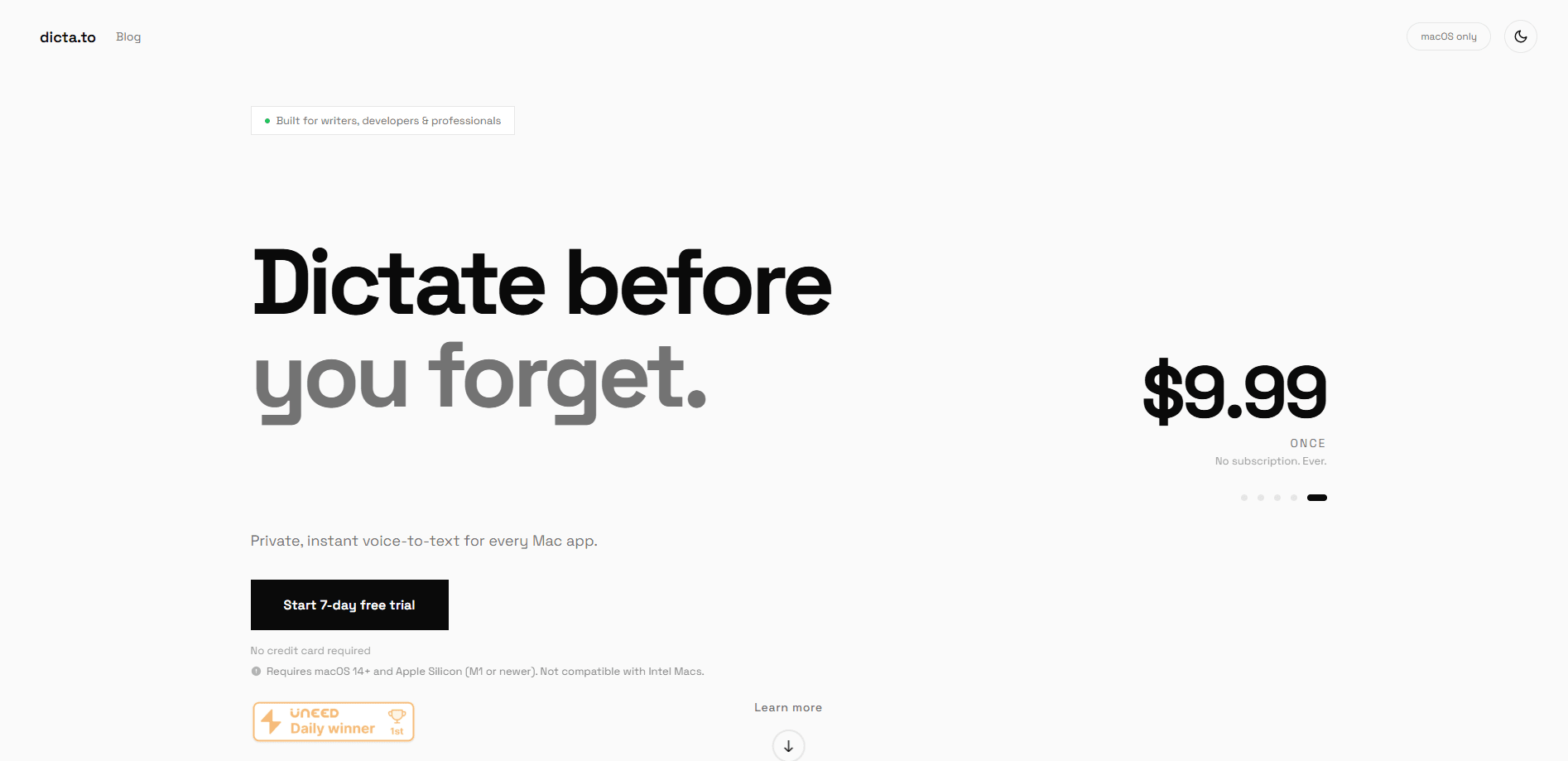
Dictato is an offline voice to text app for Mac that turns your speech into finished text at your cursor in almost any application. It runs entirely on your machine, so nothing you say leaves the Mac. The app suits people who type all day and want to talk instead, and it costs 19.99 € once after a 7-day trial with no account or word limit.
About Dictato
What Is Dictato
Dictato is a Mac dictation app built around one idea: you speak, and the text shows up where your cursor already is. There's no window to open, no transcript to copy across, and no upload step. The processing happens on your Mac through one of four speech engines, so the app keeps working offline, on a plane, or in a room where a cloud service would be a problem. That's the promise of on-device dictation in one sentence.
Dictato targets the gap left by Apple's built-in dictation. Apple's tool punctuates, but it stops after 30 seconds of silence and hands you one solid block of text to break up yourself. Dictato keeps listening until you release the key, drops filler words, splits paragraphs, and formats things like "twenty five euros" into a proper figure. So what changes for you? You just talk, and clean text appears.
The main limits are worth stating plainly. Dictato needs macOS 14 or later on Apple Silicon. Intel Macs aren't supported. It's a live dictation tool, not a batch transcriber, so it won't chew through hours of recorded interviews. It also licenses to one Mac at a time, and you can move the licence between machines.
Getting Started
- Download Dictato from the official site and run the 7-day trial, which unlocks the full app without a credit card.
- Grant the two setup permissions: microphone access and accessibility (the second is what lets Dictato paste into other apps).
- Pick a recording mode. Hold a hotkey to dictate, or switch to Toggle if holding a key is awkward, then speak.
- Let the text land at your cursor, then check History if you want to replay the audio or copy the raw transcript.
- Add your own jargon in the Vocabulary section and set per-app Profiles when you want a different tone in each program.
Product Information
A quick look at Dictato's pricing, supported platforms, and performance.
Best for
The users, tasks, and scenarios where this tool fits best.
Users
- Developers
- Writers
- Students
- Clinicians and lawyers
Tasks
- Drafting emails
- Writing code comments and commit messages
- Transcribing meeting notes
- Dictating in a second language
Scenarios
- Working offline on a flight
- Long writing sessions
- Switching between apps all day
Key features
On-Device Processing
Every transcription happens on your Mac, and the proofreading model ships with the app and runs on the Neural Engine. Nothing is uploaded. Not even the cleanup step. That's why Dictato keeps working on a plane. For teams worried about sending audio to a third party, this is the feature that decides the purchase.
Four Speech Engines
Dictato starts on whichever engine your version of macOS runs best, so you don't have to choose on day one. Parakeet is tuned for speed on Apple Silicon and covers 24 mostly European languages, Whisper spans 99 languages, Qwen3 is a lighter multilingual option, and the fourth lets macOS supply the model through Apple SpeechAnalyzer. You can switch in one click during the trial and hear the difference on your own voice. Picking an engine shouldn't be homework.
Per-App and Per-Website Profiles
Profiles let Dictato behave differently depending on where you're typing. An email tone in Gmail, plain proofreading in your editor, verbatim in the terminal. It switches on its own when you change window, and website rules work in Safari, Chrome, Brave, Edge, Arc, Vivaldi and Opera.
Auto-Correct and Tones
Auto-correct tidies grammar, punctuation, capitals and paragraph breaks without changing your words, and it's on from the first dictation. A tone goes further. It rewrites the same thought into a style, like a polished email or a bullet list. Tones run on Gemma, a model Dictato downloads once at around 3.4 GB and keeps on your Mac.
Quick Settings Panel
One shortcut opens a small panel over your current app. You can flip auto-correct off for a code block, turn translation on for a single reply, or switch the default profile. Then keep typing. No leaving what you were doing.
Local History and Search
Dictato keeps every dictation on your machine, with the audio too. You can search what you said last Tuesday, copy the raw or the cleaned version, replay the audio, unfold the original transcript, or delete the lot in one click. It's stored locally and never synced, and you can turn the audio keeping off.
Pros and cons
Pros
- Works fully offline with no account, no word cap and no minutes limit.
- One-time 19.99 € price with lifetime updates, which undercuts the monthly subscription apps in this category. For most buyers, that's the whole Dictato pricing story.
- Text lands at the cursor in nearly any app, so there's no window to open or text to paste manually.
- Per-app and per-website profiles plus nine built-in tones give you tailoring a single global setting can't.
Cons
- Requires macOS 14 or later on Apple Silicon, so Intel Mac users are locked out.
- Licences to one Mac at a time, which is awkward if you work across a desktop and a laptop.
- It's a live dictation app, not a batch transcriber, so it won't process existing audio files.
Frequently asked questions
Yes. Transcription and cleanup both run on your Mac, so the app works offline and on a plane. Nothing you dictate is uploaded.
Related content
Explore related tools, skills, and articles for Dictato.
Dictato Alternatives

Google EmbeddingGemma 2
Google DeepMind · Writing · Image · CodingGoogle EmbeddingGemma 2 is a 740M-parameter open model that turns text, code, images, audio, and video frames into vectors in one 768-dimension space, running on phones and laptops.

MePersona
MePersona, Inc. · Writing · Productivity · MarketingMePersona is an AI unified inbox for creators. It learns your voice, drafts replies to fan messages from 12 platforms, and sends only what you approve.

Fluence
Yay Software (Yannick Huchard) · Writing · Voice & Language · ProductivityFluence is an Android app that reads PDFs, EPUBs, Word files and web articles aloud, follows each sentence as it speaks, and answers questions about the text on the phone itself.