

Dify
LangGenius · Coding · Other
Dify is an open-source LLM app development platform for building AI agents, workflows, and RAG pipelines. LangGenius runs it on the cloud, and teams can also self-host it.
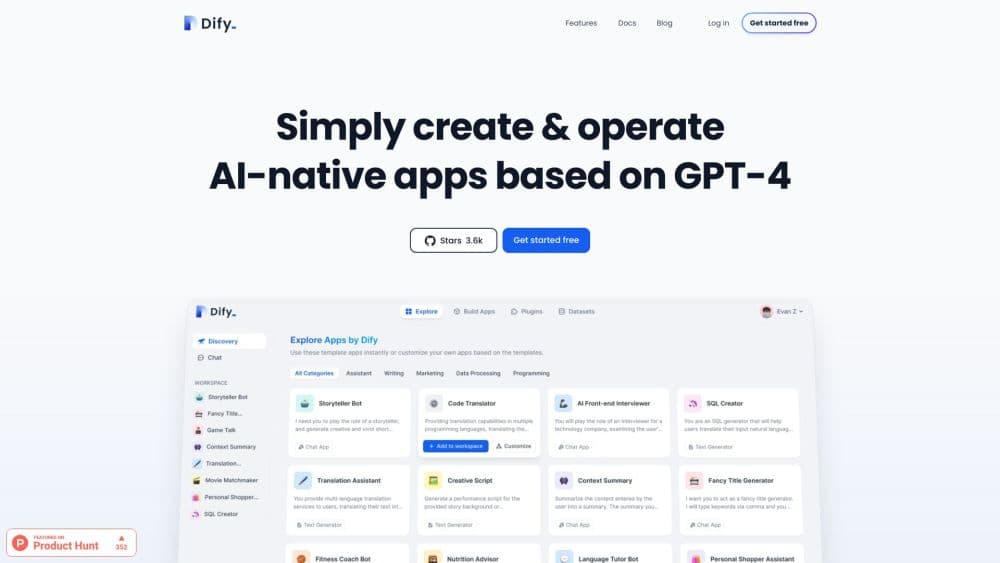
About Dify
What Is Dify
Dify is a platform from LangGenius for building AI applications, and its name comes from Define plus Modify. You get one workspace where a visual canvas handles workflows, a RAG pipeline, agent tools, and model management, so a chatbot, a document assistant, or an automated report runs from a single setup.
The appeal is control over deployment. Dify Cloud handles the servers for you, while the Community Edition ships under an open license and installs with a single Docker command. Teams that cannot send data to a third party run it on their own machines and still get the full workflow editor.
Three limits matter before committing. The billing model charges per workspace, so a small team pays the same as a large one on that tier. Self-hosting shifts updates, backups, and security onto your own engineers. And platform plans are sold yearly rather than monthly, which raises the entry cost for a short trial.
Getting Started
- Sign up at cloud.dify.ai for the free Sandbox plan, or clone the Community Edition repo and start it with Docker Compose for a self-hosted install.
- Connect a model provider by adding an API key for OpenAI, Anthropic, Gemini, or a local runtime, then pick the default model for your app.
- Create an app and choose a type: a chatbot, a text generator, an agent, or a workflow for multi-step jobs.
- Build the logic on the canvas, add a knowledge base for your documents, and wire in tools the agent can call.
- Test in the preview pane, then publish as a shareable web app or call it through the API.
Product Information
A quick look at Dify's pricing, supported platforms, and performance.
Best for
The users, tasks, and scenarios where this tool fits best.
Users
- Developers building AI apps
- Small teams without ML engineers
- Security-conscious companies
Tasks
- Building a customer support bot
- Automating document Q&A
- Chaining multi-step workflows
Scenarios
- Launching an internal FAQ assistant
- Prototyping an AI feature before full build
- Running a private LLM gateway
Key features
Visual Workflow Canvas
You drag nodes onto a canvas to define how an app thinks and acts, with no coding required for the basics. The editor supports both chatflows for back-and-forth conversations and workflows for single-turn, batch jobs, and each branch shows its output as you build.
Broad Model Support
Dify connects to hundreds of proprietary and open models from dozens of providers, from OpenAI and Anthropic to local runtimes, and it accepts any OpenAI-compatible endpoint. You swap the model under an app without rebuilding the logic, which makes price and quality experiments cheap.
RAG Pipeline
The retrieval layer covers the whole path from document ingestion to answer, with built-in extraction for PDFs, slides, and other common formats. Upload files, let the platform chunk and index them, and the app grounds replies in your own material instead of guessing.
Agent Capabilities
Agents run on function calling or a ReAct style loop, and this AI agent builder lets you attach pre-built or custom tools so an agent can search the web, run code, or call a service. Dify ships dozens of built-in tools, and the plugin system lets developers publish more.
Prompt IDE
A dedicated editor is built for writing and comparing prompts, testing how each model responds, and adding extras like text to speech to a chat app. It keeps prompt work separate from app logic, which makes tuning faster to review.
LLMOps and Observability
The platform logs app runs and tracks performance over time, and it integrates with tools like Langfuse, Opik, and Arize Phoenix. Teams watch cost and quality, annotate weak answers, and improve prompts and datasets from real traffic.
API and Backend-as-a-Service
Every feature exposes a REST API, so you drop a working app into your own product instead of stopping at a demo. A CLI called difyctl lets you run and manage apps from terminals, scripts, and CI pipelines.
Pros and cons
Pros
- The open-source license and Docker install let you run the full platform on your own hardware.
- The visual canvas and API sit together, so non-coders ship a prototype and developers take it further without a rebuild.
- Hundreds of models and dozens of tools work out of the box, which cuts the glue code you would otherwise write.
- Observability integrations trace cost and quality, which helps teams improve prompts from real usage.
Cons
- The cloud plans bill per workspace, so a two-person team pays the same as a twelve-person one at the same tier.
- Platform plans are annual, which makes a short trial more expensive than a monthly option would.
- Self-hosting leaves updates, backups, and security in your hands, so you need someone to own it.
- The most advanced governance features, like SSO and audit logs, sit behind the Enterprise tier.
Frequently asked questions
Dify is used to build AI applications without assembling the stack yourself. People create chatbots, agents, document assistants, and automated workflows, then publish them as a web app or call them through an API.
Related content
Explore related tools, skills, and articles for Dify.
Dify Alternatives

Base Code
Base44 (Wix) · Coding · ProductivityBase Code is a shared cloud development environment from Base44. Teammates describe changes to an existing GitHub codebase in chat, preview them live and send them back as pull requests.

Google EmbeddingGemma 2
Google DeepMind · Writing · Image · CodingGoogle EmbeddingGemma 2 is a 740M-parameter open model that turns text, code, images, audio, and video frames into vectors in one 768-dimension space, running on phones and laptops.

GitGlow
GitGlow · Coding · ProductivityGitGlow is a local-first desktop Git client that lets independent developers review their own code and their AI agents' changes in one place before shipping.