

Dimension
Dimension · Coding
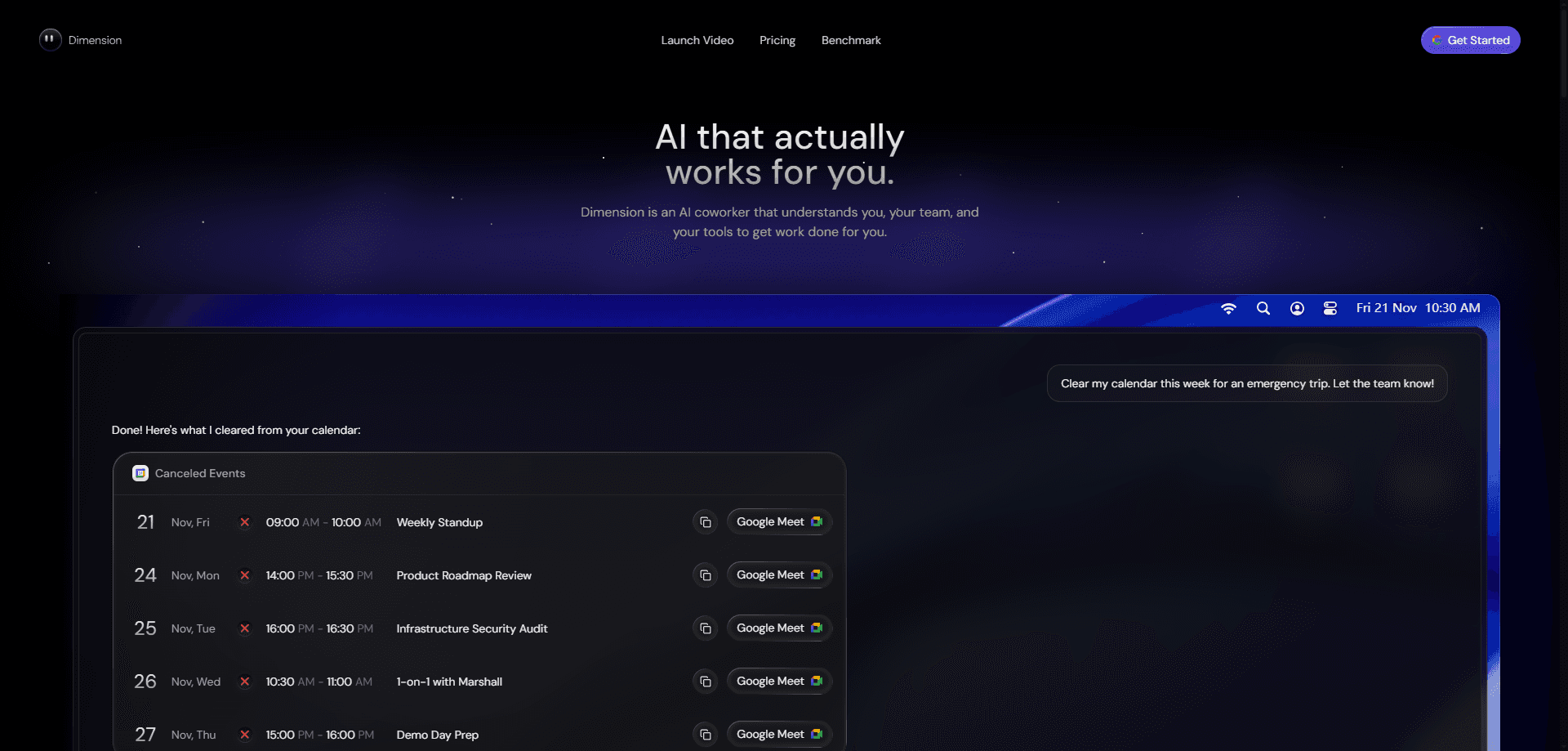
Dimension is an AI work assistant that plugs into more than 30 apps and keeps your day moving without you babysitting every inbox. It drafts emails in your tone, preps you before meetings, tracks action items, and takes on tasks you assign to it, all from a single place that watches what changed while you were away. You reach it through iMessage, Slack, mobile, or the web. Everything runs on enterprise-grade encryption.
About Dimension
What Is Dimension
Dimension is a workplace AI assistant, and it's built for people whose work lives scattered across email, chat, docs, and issue trackers. That's most of us now. Instead of you opening each app to find what changed, Dimension pulls overnight updates into one briefing and pre-drafts the replies you're most likely to send. It's a work assistant, not a chatbot you have to prompt from scratch every time. Big difference.
The pitch is simple. It eats the coordination overhead so you can guard your focus time. It watches your connected tools, flags what needs action, and hands the rest back as a clean summary. Assign it a task and it digs through the same tools until the job is done.
The main catch is that Dimension leans on your connected stack. The more apps you link, the more useful it gets, and the less you link, the thinner the briefings become. It also asks you to trust a third party with a lot of your working data, which is why the encryption and data policy matter just as much as the features you see in a demo. So who is this actually for?
Getting Started
- Sign up at dimension.dev and create your workspace.
- Connect the apps you already work in, like email, chat, and your docs or issue tracker.
- Set your communication tone so drafted messages sound like you.
- Review your first Morning Briefing and tweak what Dimension tracks.
- Message it directly in iMessage, Slack, mobile, or web to assign a task or ask a question.
Product Information
A quick look at Dimension's pricing, supported platforms, and performance.
Best for
The users, tasks, and scenarios where this tool fits best.
Users
- Busy knowledge workers
- Founders and managers
- Small teams
Tasks
- Drafting email replies
- Meeting prep
- Task follow-through
- Daily catch-up
Scenarios
- Starting the day
- Inbox triage
- Deep work blocks
- Post-meeting wind-down
Key features
Morning Briefing
Dimension collates overnight updates from your connected integrations into a single briefing, so the first thing you read is a summary instead of a dozen notifications. It's the feature that sets the pace for the rest of the day. If nothing important changed, you find that out in seconds. No scrolling required.
Catch Up and Inbox Triage
Dimension pre-drafts responses to your messages in your tone, and you review, tweak, and send. Sounds small. It isn't. It also auto-tags inbound email so you can tell what needs action, what's just FYI, and what's noise. The combination is aimed squarely at reaching inbox zero across multiple apps without reading every thread twice, which is the kind of grind that eats a whole morning before you've done anything that actually matters.
Meeting Prep
Before each meeting, Dimension briefs you on who's attending, the key talking points, and past context. It turns "who is this person again?" into a two-minute read. For anyone with a packed calendar, that's the difference between winging it and walking in prepared. Worth the setup alone.
Action Plan and Task Tracking
Dimension detects action items buried across your apps and suggests them as tasks. You can add them to your list or track your own alongside them. It means commitments made in a chat thread don't quietly disappear, which is where most to-do lists break down.
Deep Work Delegation
Assign a task to Dimension and it gets to work. It pulls context from your tools, takes action, and delivers the result. This is where it stops being a summarizer and starts acting like an extra set of hands for the repetitive parts of your job, the kind of work that never feels worth your full attention but still has to happen.
Universal Search
Dimension searches everything, instantly, across your connected sources. Type a query and it surfaces matches from your docs, code, and notes in one place. It's the quiet feature you end up using constantly once you stop hunting through folders.
Works Where You Already Are
Dimension is always a message away through Slack, iMessage, mobile, and web. You don't open a separate dashboard to use it; you just message it the way you'd message a coworker. That low-friction access is a big part of why it fits into a daily routine instead of becoming one more tab you forget to check, which is how most "assistant" tools quietly die after the first week.
Enterprise-Grade Encryption
Dimension states that it uses enterprise-grade encryption and never trains on your data. That matters because a work assistant sees your emails, docs, and chats. The data handling is as much a feature as the automation, especially for teams weighing whether to connect internal tools that hold client names, contracts, or anything else you'd rather not hand over casually.
Pros and cons
Pros
- Pulls updates from 30+ apps into one place, which cuts the daily app-switching tax.
- Drafts messages in your tone, so you review and send instead of writing from scratch.
- Available through iMessage, Slack, mobile, and web, with no separate dashboard to learn.
- States that it never trains on your data. That answers a common blocker for work accounts.
Cons
- No free plan, so you can't test it without talking to sales first.
- Usefulness depends on how many apps you connect, and a thin setup means thin briefings.
- Giving a third party access to email, docs, and chat is a real trust decision for smaller teams.
Frequently asked questions
It's an AI work assistant that connects to your apps and handles coordination work. That covers AI email assistant duties like drafting replies, AI meeting prep, AI task automation, and running jobs you assign. Think of it as a layer that sits across your tools rather than another app to open.
Related content
Explore related tools, skills, and articles for Dimension.
Dimension Alternatives
Forefront
Forefront · CodingForefront is a web platform for building with open-source AI. It lets you fine-tune leading open-source language models on your own data, evaluate how they perform, and run them through an API or export them to host yourself. Developers who want the convenience of a closed-source platform but insist on owning their models and data are the target audience here.

Startkit
StartKit.AI · CodingStartkit is a boilerplate for building AI SaaS and AI wrapper products. Think of it as an AI startup boilerplate with the boring parts already wired up: authentication, Stripe and Lemon Squeezy payments, usage limits, transactional email, and an AI API starter that talks to OpenAI, Anthropic, Groq, or Llama. You clone the repo, set your price, and start on the part of your product that people actually pay for. It's Next.js under React and Tailwind, so most of the boilerplate code already feels familiar.
Testim
Tricentis · CodingTestim is an AI-powered test automation platform for building and running end-to-end tests across web, mobile, and Salesforce applications. It leans on machine learning to keep tests stable when an interface changes, so teams spend less time fixing broken selectors. Not bad for an automated testing tool you can start using today. You create tests by recording actions in a browser, then optionally add JavaScript when you need more control. It's a solid pick for busy QA teams.