

DirectoryStack
The Keyword Company · Writing · Marketing · Business · Other
DirectoryStack is a paid Next.js 15 template for launching directory websites. It ships modules for listings, admin, payments and AI-assisted imports, sold as a one-time license.
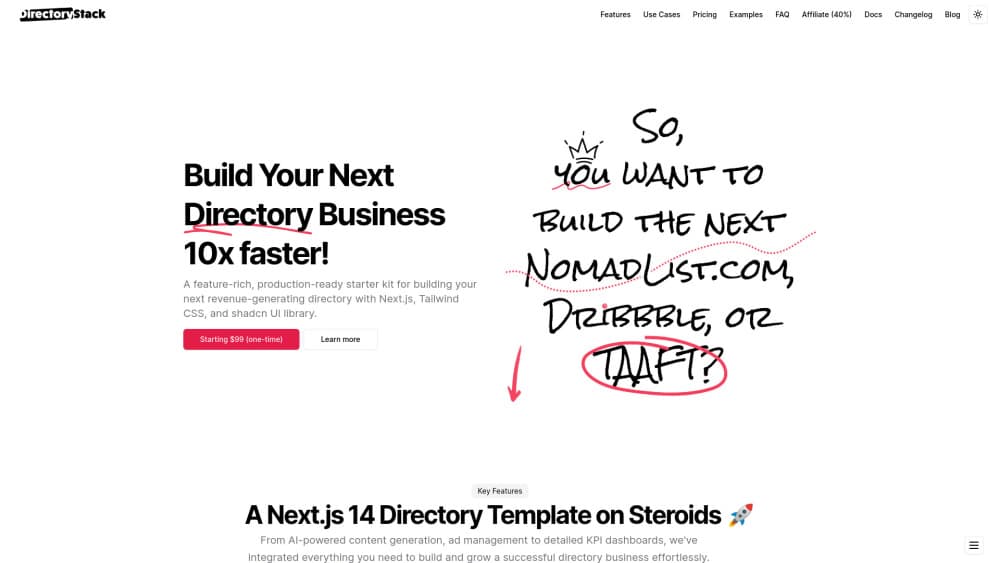
About DirectoryStack
What Is DirectoryStack
DirectoryStack is a code template, not a hosted service. You buy a license from The Keyword Company, download the source, connect your own database and deploy it. The stack is modern: Next.js 15, TypeScript, Tailwind and Supabase for auth and data.
The pitch is speed. Most directory projects stall on the same chores: listing models, categories, tags, search, user accounts, moderation, an admin panel, a payment flow. A directory boilerplate bundles all of that, so the first week goes into your niche and your content instead of plumbing.
The limit is equally clear. This is a developer product. You need to read docs, set environment variables, run migrations and handle hosting bills on top of the license. There's no free tier to poke at, so the only way to inspect the code is to buy it. Version 2 was a full rewrite, which means custom work done on version 1 won't carry over.
Getting Started
- Buy the Foundation or Foundation Plus license on the official site and download the source archive from your account.
- Install Node.js and a package manager, then run the install command in the project folder.
- Create a Supabase project, copy the API keys into the environment file and run the database setup.
- Start the local dev server, add a few listings by hand and confirm search, categories and tags behave.
- Deploy to Vercel or another Node host, point your domain at it and replace the demo content with your own.
Product Information
A quick look at DirectoryStack's pricing, supported platforms, and performance.
Best for
The users, tasks, and scenarios where this tool fits best.
Users
- Indie developers
- Small agencies
- Non-technical founders with a developer on call
Tasks
- Launching a niche directory
- Charging for listings
- Importing listings in bulk
- Building a content-led directory
Scenarios
- Testing a directory idea over a weekend
- Client projects with a fixed deadline
- SEO-driven product sites
Key features
Modular Core and Extension System
The template splits into core modules and extensions. Core covers the public area, protected member area, admin dashboard, config management, legal pages and activity tracking. Extensions add comments, social logins, webhooks, bulk uploads, a blog and payments. You install only what a project needs, which keeps the codebase readable.
Listings, Categories and Tags
Listings are the center of the data model, with categories and tags attached for browsing and filtering. Each listing supports custom fields, so a local business can store opening hours and a wheelchair access flag while an AI tool listing keeps pricing and platform details. The docs include a guide for adding fields and exposing them as sidebar filters.
Admin Area with Activity Tracking
A dashboard handles listings, users, categories and moderation from one place. Activity tracking records how visitors move through the directory, which helps when you're deciding what to feature on the homepage or which categories deserve more listings.
Payments and Pay to Claim
Stripe is supported through a dedicated module. The pay to claim extension lets a company pay to take ownership of its listing, a common revenue model for a directory business. Both live in the extension set, so you can start free and switch on billing later.
AI-Assisted Bulk Listing Creation
Paste a batch of URLs, pick defaults and let a background job scrape each site, generate listing copy, capture a screenshot and pull the favicon. The maker labels it early beta and notes it can fail on sites with anti-bot protection. For an AI directory with hundreds of tools, it saves days of copywriting.
Developer Tooling and Webhooks
Cursor Rules ship as 19 files that tell an AI editor how the project is structured, which speeds up customization. Webhook integrations connect the template to Zapier, n8n or Make, and the QStash module pushes long tasks to a queue so Vercel function limits don't block them.
Pros and cons
Pros
- One payment, no subscription, and unlimited directories under an individual license.
- Current stack: Next.js 15, TypeScript and Supabase, so the code matches what developers already use.
- Modular design means small projects don't carry payment or blog code they never enable.
- Setup documentation plus a 77-minute video cover the path from download to live domain.
- Extensions target real directory revenue: pay to claim, Stripe checkout, sponsored placement via pledges.
Cons
- No free plan or demo download, so you commit money before reading a single file.
- Hosting, database and domain costs sit outside the license, and Supabase's free tier has limits.
- Foundation buyers pay extra for extensions that Foundation Plus includes, which can erase the savings.
- Version 2 isn't backwards compatible with version 1, so existing customizations have to be redone.
Frequently asked questions
You get the full source code of a Next.js 15 directory website template, the modules included in your tier, documentation and access to the Discord community. There's no hosted account and no monthly fee.
Related content
Explore related tools, skills, and articles for DirectoryStack.
DirectoryStack Alternatives

Google EmbeddingGemma 2
Google DeepMind · Writing · Image · CodingGoogle EmbeddingGemma 2 is a 740M-parameter open model that turns text, code, images, audio, and video frames into vectors in one 768-dimension space, running on phones and laptops.

MePersona
MePersona, Inc. · Writing · Productivity · MarketingMePersona is an AI unified inbox for creators. It learns your voice, drafts replies to fan messages from 12 platforms, and sends only what you approve.

Fluence
Yay Software (Yannick Huchard) · Writing · Voice & Language · ProductivityFluence is an Android app that reads PDFs, EPUBs, Word files and web articles aloud, follows each sentence as it speaks, and answers questions about the text on the phone itself.