

djay - DJ App & AI Mixer
Algoriddim · Voice & Language
djay is a DJ app from Algoriddim that turns any phone, tablet, or computer into a mixing deck. It blends streaming and local tracks, separates vocals with AI, and can run a full mix on its own.
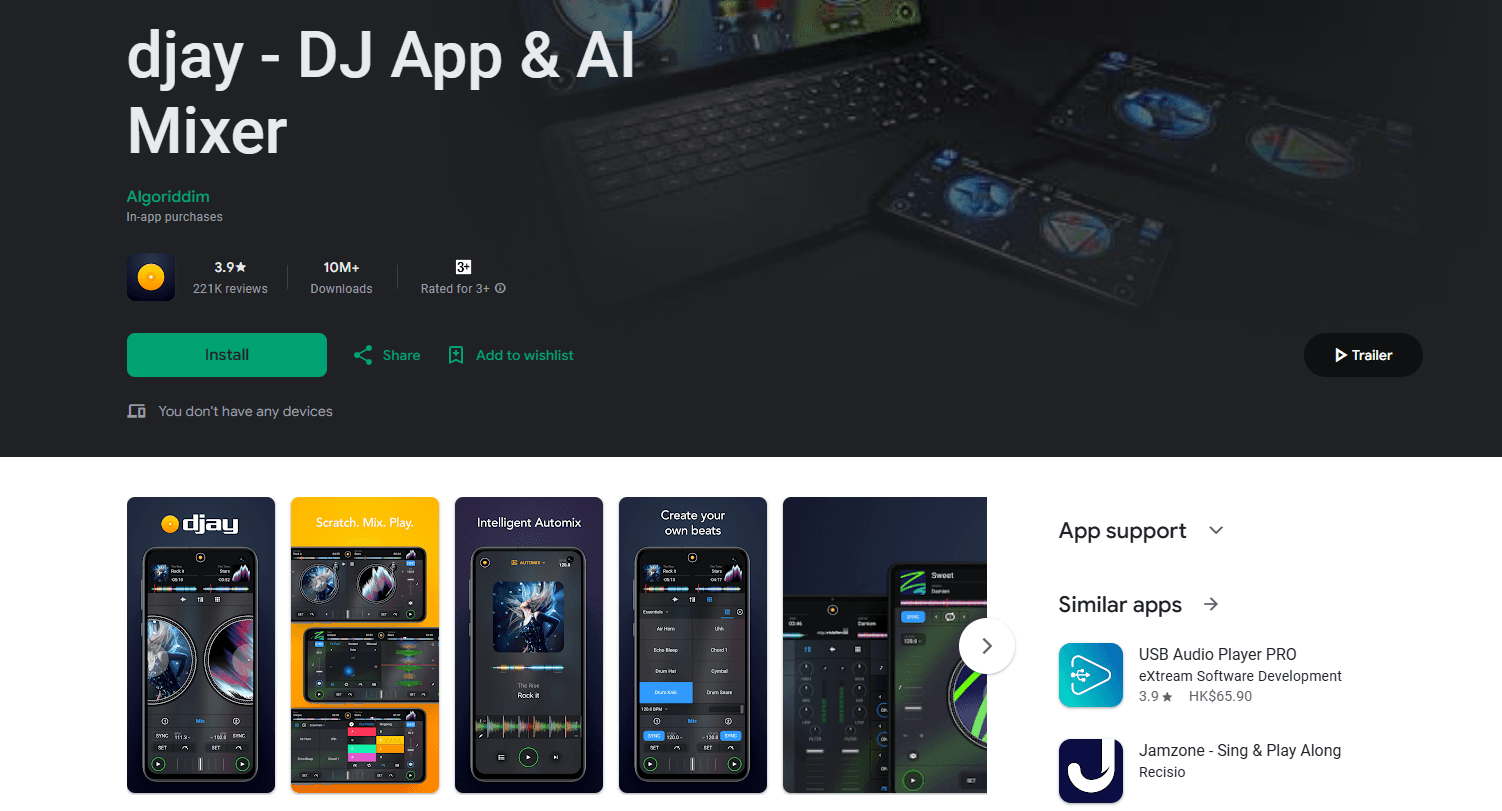
About djay - DJ App & AI Mixer
What Is djay
djay is DJ software built by Algoriddim, the studio behind several Apple Design Awards. It runs on iPhone, iPad, Mac, Windows, Android, Apple Vision Pro, and Meta Quest, and it pulls music straight from streaming services like Apple Music, Spotify, TIDAL, SoundCloud, and Beatport alongside a user's own files.
What sets it apart is reach. A beginner can open the app, hit Automix, and get a smooth blend without touching a fader, while a working DJ can hook up controllers, cue four decks, and shape stems live. The same app covers both ends, and the free version is genuinely usable on its own.
The limits are worth knowing. Advanced tools, including full Neural Mix control and hardware support, sit behind the djay Pro subscription. Some streaming features also depend on the service and the country, so access isn't uniform everywhere.
Getting Started
- Install djay from the App Store, Microsoft Store, or Google Play, then open it.
- Connect a streaming account such as Apple Music or TIDAL to unlock millions of tracks, or load local files.
- Load a track onto each deck and let the beat grid and key analysis run automatically.
- Mix with the crossfader, or switch on Automix and let the app handle transitions.
- Record the set or send it out, and upgrade to djay Pro when the advanced tools are needed.
Product Information
A quick look at djay - DJ App & AI Mixer's pricing, supported platforms, and performance.
Best for
The users, tasks, and scenarios where this tool fits best.
Users
- Beginners
- Working DJs
- Casual music fans
Tasks
- Live mixing
- Stem separation
- Automatic mixing
Scenarios
- Learning to DJ
- Performing with controllers
- Running a party or event
Key features
Neural Mix stem separation
Algoriddim's Neural Mix technology splits any track into vocals, drums, and harmonic parts on the fly. A DJ can mute a vocal for an instrumental break, layer acapellas over other beats, and swap stems between songs during a live set. It's the feature most tied to the app's AI branding, and it runs in real time rather than through an offline export step.
Automix and Crossfader Fusion
Automix arranges and transitions tracks automatically, so a user can queue a playlist and let the app keep it flowing. Crossfader Fusion extends this by tying the crossfader to beat and automation data, which produces mixes that react to the music instead of cutting cold.
Fluid Beatgrid
Fluid Beatgrid analyzes tempo and keeps the grid aligned even when a track drifts, which happens often with live instrumentation, older dance records, and edited edits. That accuracy matters most for beatmatching and for stems that stay in sync after a tempo change.
Streaming and local library in one place
djay connects to Apple Music, Spotify, TIDAL, SoundCloud, and Beatport, and it also reads local files, all inside one media library. Apple Music integration reaches more than 100 million songs across platforms, so a user can mix cloud tracks without downloading them first.
Hardware controller support
The app maps to a wide range of DJ controllers and mixers, so real faders, pads, and jog wheels drive the on-screen decks. That bridges the gap between a phone app and a club setup without switching software.
Spatial and multi-platform DJing
Beyond phones and computers, djay runs on Apple Vision Pro and Meta Quest, where 3D turntables and gesture controls reshape how a mixer is handled. The same project also targets live performance tools like looping, sampling, and effects chains.
Pros and cons
Pros
- Free version works on its own, so beginners can test real mixing before paying.
- Neural Mix separation is fast enough to use live, not just as an export.
- Wide platform coverage, from iPhone and Mac to Windows, Android, and VR headsets.
- Deep streaming integration, including Apple Music, Spotify, TIDAL, SoundCloud, and Beatport.
- Controller support lets the app double as a serious performance tool.
Cons
- The best tools, including full Neural Mix and controller support, need the djay Pro subscription.
- Some streaming features depend on the service and the region, so availability varies by country.
- No public API, so it can't be embedded into third-party apps or automated workflows.
- Real-time stem separation can tax older phones, which may limit smooth four-deck sets.
Frequently asked questions
djay is a DJ app by Algoriddim that lets users mix music from streaming services and local files, separate vocals and beats with AI, and run automatic mixes across phones, computers, and VR headsets.
Related content
Explore related tools, skills, and articles for djay - DJ App & AI Mixer.
djay - DJ App & AI Mixer Alternatives

Foley
Hanamori Labs, LLC · Voice & Language · Productivity · AI AssistantFoley is a voice to-do list that turns a spoken sentence into a filed task, complete with project, date and time, then helps you plan the day around what is already there.

HireKey
HireKey · Voice & Language · Productivity · LeaningHireKey is an AI job search copilot built by a former tech recruiter. It checks role fit, tailors resumes, runs interview practice and tracks every application.

Fluence
Yay Software (Yannick Huchard) · Writing · Voice & Language · ProductivityFluence is an Android app that reads PDFs, EPUBs, Word files and web articles aloud, follows each sentence as it speaks, and answers questions about the text on the phone itself.