
Doc2Lang
Doc2Lang · Writing · Productivity
Doc2Lang translates PDF, Word, Excel, PowerPoint, EPUB, subtitles, video and images into 100+ languages while keeping the layout. Preview free, then pay per file.
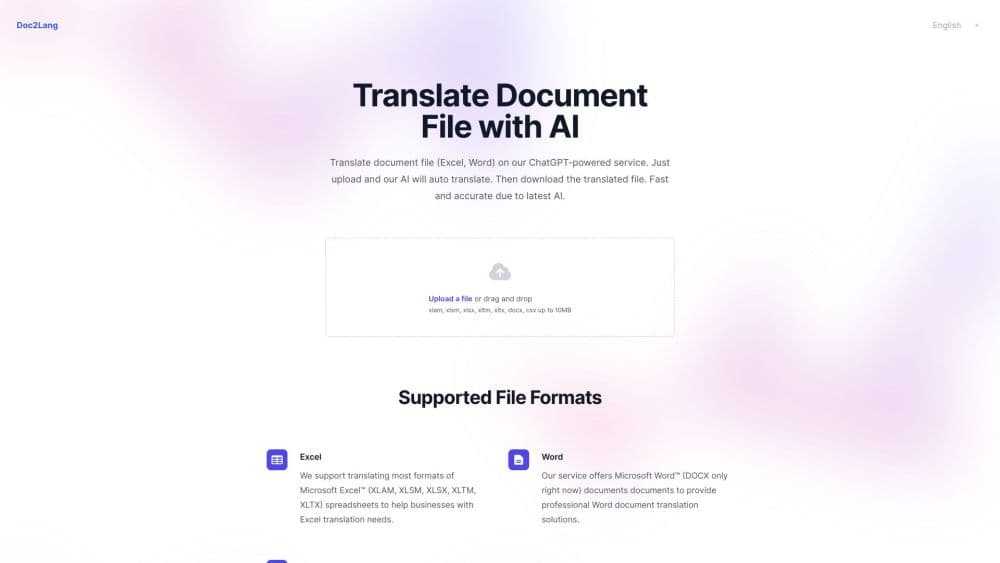
About Doc2Lang
What Is Doc2Lang
Doc2Lang is a browser-based AI document translator built around one promise: the file you get back should look like the file you sent, with only the words changed. There's no editor to learn and no plugin to install. You upload a document, pick two languages, and the platform rebuilds it as a translated file in the same format.
The problem it solves is the one people hit after a quick translation. Copying text into a chat window gives you decent wording and a broken document. Doc2Lang reads each format with a parser built for it, so Excel formulas stay formulas, PowerPoint slide layouts stay slide layouts, and subtitle timestamps don't drift. For a scanned PDF, it runs OCR on the page before translating, which means a photographed contract is still readable afterwards.
The main constraint is that you buy per file rather than per month. The free preview shows a slice of the translation and a firm quote before you pay, but you can't download the whole file without paying. Documents that carry legal or medical weight still need a human check, and the company says so itself.
Getting Started
- Open doc2lang.com and drop in a file, or pick the tool for your format from the homepage. Documents and images can go up to 50MB, audio and video up to 2GB.
- Choose the source and target languages, or leave source detection on. For Word and other text documents you can also set a translation style and attach a glossary so recurring terms stay fixed.
- Read the free preview. Part of the document is translated side by side with the original, and the exact Lite and Pro prices appear next to it.
- Pick a model and pay for that file only. Pro costs more and is aimed at terminology-heavy or tone-sensitive material. Complete translations run in the background.
- Download the result, or delete it from the servers once you're done. Unclaimed files expire after 14 days.
Product Information
A quick look at Doc2Lang's pricing, supported platforms, and performance.
Best for
The users, tasks, and scenarios where this tool fits best.
Users
- Freelancers handling client documents across borders
- Researchers and students reading foreign papers
- Ecommerce and marketing teams localizing catalogs
- Subtitle and video creators releasing to multiple markets
Tasks
- Translating a scanned contract
- Localizing a financial workbook
- Dubbing prep for video
- Preparing a resume for a job abroad
Scenarios
- A supplier sends a manual in a language nobody on the team reads
- A product launch spans five markets
- Legal or compliance review in another language
Key features
Layout Preservation Across File Types
Layout-preserving translation is the reason people pick Doc2Lang over a chat window: the file comes back intact. Translate a Word document here and headings, tables and headers and footers stay put. Translate an Excel file and merged cells, currency formats and charts survive the trip. Translate a PDF and the multi-column layout holds, and you get three versions at once: background preserved, text only, and a bilingual file with original and translation on alternating pages. PowerPoint keeps slide designs, while speaker notes travel along with the slide text.
Free Preview With a Firm Quote
Nothing is charged until you've seen something. After upload, Doc2Lang translates a portion of the document and shows it beside the source, so you can judge tone and terminology before committing. The exact price for Lite and Pro appears at the same time, calculated from the file itself rather than from its size in megabytes. If the preview is wrong, you can switch models and regenerate it before paying.
Two Models for Different Jobs
Lite and Pro are the same engine at different settings and prices. Lite starts at $2.90 per file and runs faster, which suits routine documents where a small wording slip won't hurt. Pro starts at $5 and is meant for contracts, specialist terminology and marketing copy where small word choices carry meaning. The company says text documents can cost up to 80 percent less on Lite than on Pro. Audio, video and scans narrow that gap because transcription and OCR add work.
Built-In OCR for Scanned Pages
Scanned PDFs and image-only files are read with optical character recognition before translation. That covers photographed contracts, printed manuals and pages where the text layer is unusable. Recognition quality depends on the source, so a clean 300 dpi scan behaves very differently from a phone photo taken at an angle. Low-quality scans should be checked page by page.
Video, Audio and Image Translation
Beyond documents, Doc2Lang handles MP4, MOV and MKV video by extracting the audio, transcribing speech and translating the subtitles before re-timing them to the new text. MP3, WAV and M4A files go through the same transcription path. For images, the platform detects text inside JPG, PNG and WebP files, translates it and redraws it back onto the artwork, and you also get a text copy of the result.
Batch Translation From a ZIP
You can drop a single ZIP archive of up to 200MB and pick files from it one at a time. The archive is unpacked in your browser, not on the server, so only the files you explicitly upload leave your device. Settings for language, model, style and glossary apply to the whole archive, and each file is billed separately when you send it.
Glossary and Translation Style
Text documents accept a document description, a style preset and a glossary. That combination matters for anything with repeated proper nouns. Pin the company's official product names in a glossary and they translate the same way on every page, while the style setting shifts the register toward general, formal, casual, academic or technical.
Pros and cons
Pros
- The output file is usable as is, which is the part most translation tools get wrong. Word, Excel and PDF all come back with their structure intact.
- Pay-per-file pricing with no subscription fits people who translate a few documents a month and would rather not carry a monthly bill.
- The free preview plus the quote removes most of the risk. You see both quality and cost before any money moves.
- Batch ZIP handling with local unpacking keeps a multi-file job manageable without uploading everything at once.
- Video, audio, subtitle and image support means one account covers most localization needs, not just office documents.
Cons
- There's no free download. The free plan is a preview, so every complete file costs money, even a one-page letter.
- Footnotes, endnotes, comments and tracked changes in Word are not translated. If a document's meaning lives in its footnotes, you have to move that text into the body first.
- Text inside embedded images is skipped in Word and Excel workbooks. Logos with slogans and diagram labels stay in the original language.
- Pricing scales with text volume in ways that are hard to predict up front, which makes budgeting a large batch of files awkward until you've run a few quotes.
Frequently asked questions
Doc2Lang translates whole files rather than text selections. You upload a PDF, Word document, spreadsheet, slide deck, ebook, subtitle file, video, audio file or image, and it returns the same kind of file in another language with the formatting kept.
Related content
Explore related tools, skills, and articles for Doc2Lang.
Doc2Lang Alternatives

Google EmbeddingGemma 2
Google DeepMind · Writing · Image · CodingGoogle EmbeddingGemma 2 is a 740M-parameter open model that turns text, code, images, audio, and video frames into vectors in one 768-dimension space, running on phones and laptops.

MePersona
MePersona, Inc. · Writing · Productivity · MarketingMePersona is an AI unified inbox for creators. It learns your voice, drafts replies to fan messages from 12 platforms, and sends only what you approve.

Fluence
Yay Software (Yannick Huchard) · Writing · Voice & Language · ProductivityFluence is an Android app that reads PDFs, EPUBs, Word files and web articles aloud, follows each sentence as it speaks, and answers questions about the text on the phone itself.