

Free Doc Translator
Translation Cloud LLC · Writing · Productivity
DocTranslator is an online document translation service that turns PDFs, Word files, spreadsheets and scans into 108 languages while keeping the original layout, with pay-per-document pricing and a free tier to start. It also offers OCR for scans and MCP access for AI assistants.
About Free Doc Translator
What Is DocTranslator
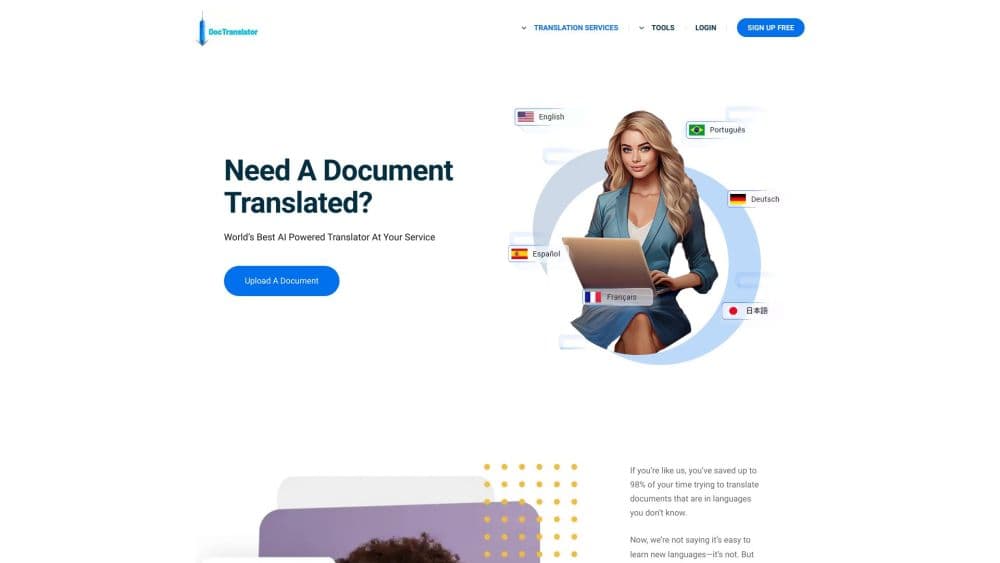
DocTranslator is a web-based document translation service built for people who need a whole file translated without rebuilding it afterward. You upload a PDF, Word document, spreadsheet, slide deck or a photo of a scanned page, pick a source and target language, and download a translation that keeps the original formatting, tables and image placement in much the same positions as the source.
The product launched in 2011 and is run by Translation Cloud LLC, a New York based company. Its main pitch is breadth of formats and file sizes: the service handles everything from short letters and certificates to legal contracts and ebooks, and its top tier accepts single files up to 1 GB or 5,000 pages. Translation runs on AI engines for the self-service path, and the company also sells human translation for documents that need certification.
Three limits matter before you commit. First, translation is not free past the preview stage: you pay per document on the Free plan, and subscriptions only raise the included page allowance. Second, AI output is not certified, so anything an authority requires a certified or notarized translation for needs a paid human order instead. Third, files on the Free plan are deleted from the servers within 24 hours, so you have to grab the result quickly.
Getting Started
If you want to translate a Word document or a PDF, the flow is the same, and it runs in a browser.
- Create a free account with your name, email address and a password. Signup needs no payment card.
- Upload your file by drag and drop or by browsing your device. Word, Excel, PowerPoint, TXT, InDesign, CSV, JSON and image formats are all accepted.
- Pick the source language and the target language, or let the tool detect the source for you.
- Click Translate. You can preview the first translated page for free where available.
- Download the translated file in the same layout, or order a human translation if you need it certified.
Product Information
A quick look at Free Doc Translator's pricing, supported platforms, and performance.
Best for
The users, tasks, and scenarios where this tool fits best.
Users
- Small business owners who trade with overseas partners
- Students and researchers reading papers or manuals in another language
- Immigration and legal applicants working with official paperwork
Tasks
- Translating a PDF report into another language
- Translating a scanned document with no text layer
- Converting a PDF to an editable Word file
- Translating a whole ebook or long manual
Scenarios
- Sending a signed contract to a partner in another country and needing the terms readable in their language the same day.
- Preparing a bilingual version of an internal handbook or technical brochure for a distributed team.
- Working through a stack of foreign-language invoices, certificates or forms where each one is a separate upload.
Key features
Layout and formatting preservation
DocTranslator's core promise is a translation that looks like the file you sent. The engine marks where the original formatting lives and rebuilds the translated text into those positions, so tables, headers, footers, columns and the placement of images stay put. For anyone who has ever pasted machine translation into a document and spent an afternoon fixing it, this is the feature that earns the fee.
108 languages in one place
The service translates between any two of 108 supported languages, from major ones like Spanish, Japanese and Arabic to smaller ones like Welsh, Swahili and Haitian Creole. The AI rate does not change with the language pair, so an uncommon language costs the same per word as a common one. Human translation is priced differently: it doubles when neither language is English.
OCR for scans and photos
Documents without a text layer, including scans and smartphone photos, go through OCR first and are then translated. You do not need a scanner: a legible photo of the whole page works. Scanned and image pages are billed per page rather than per word, which is worth knowing before you upload a long scan.
Built-in PDF editor and converter
Every plan includes a PDF editor and a PDF to DOCX converter. That means you can fix a typo in the source, reorder a page or pull a finished PDF into an editable Word file without leaving the site. It is a practical extra rather than a headline feature, but it removes the need for a separate tool.
Team seats, glossary and API access
Pro adds 5 team seats and Business adds 15, and both tiers include a glossary for consistent terminology plus API requests and MCP access for AI assistants. A glossary matters most for technical or legal documents where a term has to be translated the same way every time, and the API and MCP options are for teams that want translation wired into an existing workflow.
Free preview and a low entry price
Before you pay for a document you can see its first page translated for free where available, and signing up costs nothing and needs no card. The monthly Basic plan comes with a 7-day free trial, card required, with no charge for the first 7 days. That combination lets you test quality on your own files before spending anything.
Pros and cons
Pros
- Keeps the original layout, so translated documents keep their tables and image placement and need little to no manual reformatting.
- Handles a wide range of formats, including scan and photo inputs through OCR, in 108 languages at the same per-word rate.
- Accepts very large files, up to 1 GB or 5,000 pages on the top plan, without splitting them.
- Free signup with no card, plus a free first-page preview and a 7-day trial on the monthly Basic plan.
- Offers API requests and MCP access for AI assistants on paid tiers, alongside a glossary for terminology consistency.
Cons
- AI translations are never certified or notarized, so you still pay for a human order when a court, USCIS or another authority requires certification.
- Free-plan files are deleted from the servers within 24 hours, which means you have to download the result soon after it finishes.
- The Free plan only covers 20 MB and 20 pages per file, so longer documents push you toward a paid plan quickly.
- Subscription pages reset every 30 days, so unused allowance does not roll over to the next month.
Frequently asked questions
Signing up is free and starts you on the Free plan, but translation itself is paid per document at $0.005 per word, or $1 per page for scans and image-only PDFs, with a $0.99 minimum. You can preview the first translated page for free where available before you commit.
Related content
Explore related tools, skills, and articles for Free Doc Translator.
Free Doc Translator Alternatives

Google EmbeddingGemma 2
Google DeepMind · Writing · Image · CodingGoogle EmbeddingGemma 2 is a 740M-parameter open model that turns text, code, images, audio, and video frames into vectors in one 768-dimension space, running on phones and laptops.

MePersona
MePersona, Inc. · Writing · Productivity · MarketingMePersona is an AI unified inbox for creators. It learns your voice, drafts replies to fan messages from 12 platforms, and sends only what you approve.

Fluence
Yay Software (Yannick Huchard) · Writing · Voice & Language · ProductivityFluence is an Android app that reads PDFs, EPUBs, Word files and web articles aloud, follows each sentence as it speaks, and answers questions about the text on the phone itself.