

Documentation.AI
Documentation.AI · Coding · Productivity
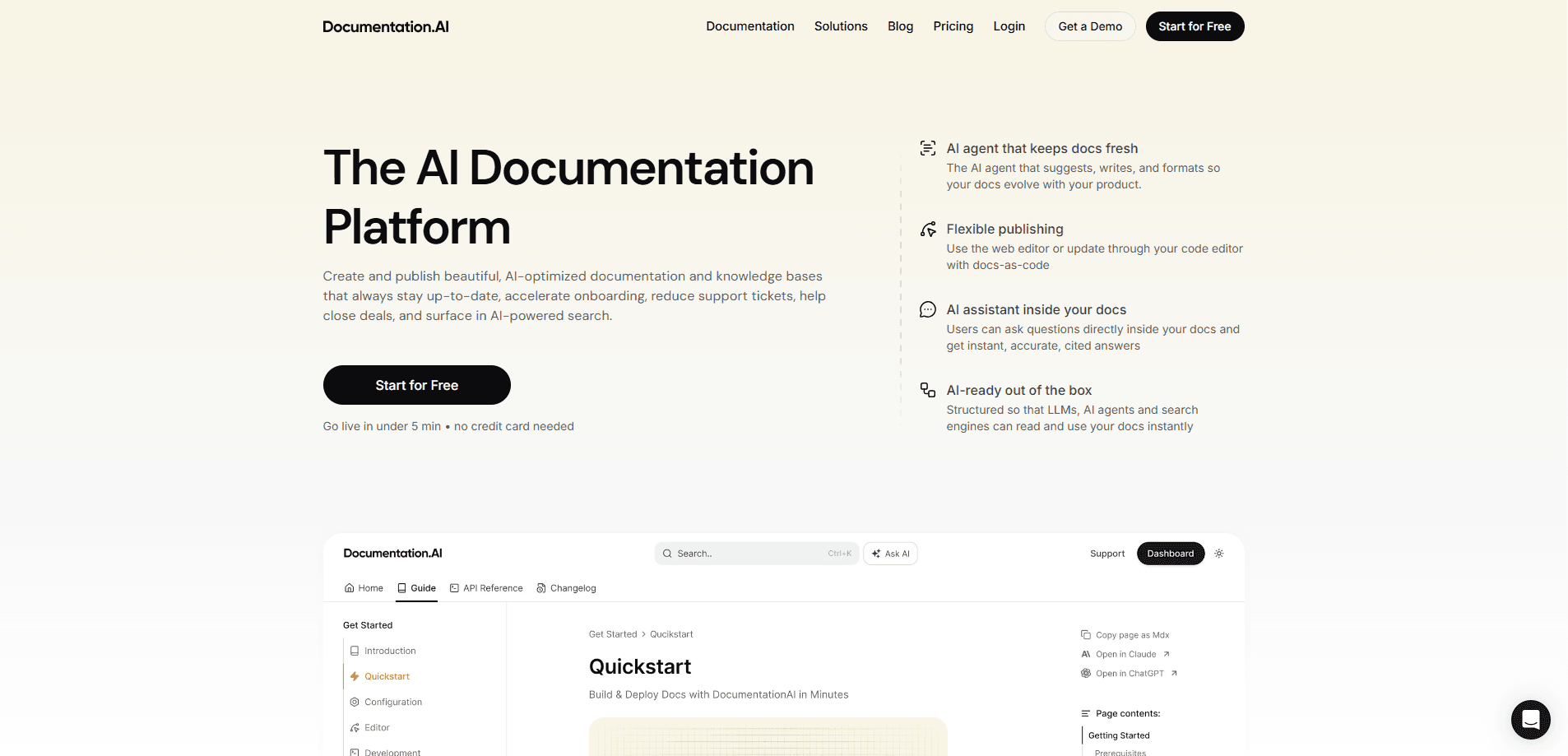
Documentation.AI is an AI documentation platform that helps product teams create, publish, and maintain technical documentation without letting it go stale. An AI agent reads your codebase, support tickets, and user feedback, then drafts updates as commits you review before anything ships. It also turns your docs into a structure that LLMs and AI agents can read, so both humans and search tools get accurate answers instead of outdated snapshots. In short, it's a product documentation tool that writes alongside your product.
About Documentation.AI
What Is Documentation.AI
Documentation.AI is a publishing platform built for the way software teams actually work in 2026. It handles the usual documentation jobs, like authoring pages and hosting a help center, but the core idea is different: the system watches your product change and drafts the documentation updates for you. You still approve every change, so nothing reaches your live docs by accident.
The platform also treats AI as a first-class reader. Headings, code blocks, parameters, and examples get structured so LLMs can chunk and retrieve them precisely, and it auto-generates an llms.txt file that gives AI assistants a clean source of truth. If your team ships features faster than your writers can follow, this is aimed squarely at you. It doubles as knowledge base software for teams that want one searchable home for scattered answers.
The main limitation is scope. This is a documentation and knowledge-base tool, not a general-purpose website builder, and the AI agent works best when your code, tickets, and feedback live somewhere it can read. Teams with messy source systems will need to clean those up first. Skip it if you just want a simple blog.
Getting Started
- Sign up at the Documentation.AI dashboard and create your first documentation project.
- Pick a workflow template, such as Documentation Update from Code, and connect the repositories you want it to watch.
- Choose when the workflow runs: after a pull request merge, or on a daily, weekly, or monthly schedule.
- Write or import your existing pages, then let the AI assistant answer test questions inside the docs to check coverage.
- Publish to your custom domain and review each agent draft before accepting it into your live documentation.
Product Information
A quick look at Documentation.AI's pricing, supported platforms, and performance.
Best for
The users, tasks, and scenarios where this tool fits best.
Users
- Product teams
- Support and success teams
- Developer-facing startups
- Technical writers
Tasks
- Keeping API references current
- Building an internal knowledge base
- Writing release notes and changelogs
- Publishing a public help center
Scenarios
- A fast-shipping SaaS team with no dedicated writer
- Onboarding new developers
- Cutting support ticket volume
- Prepping docs for AI assistants
Key features
Self-Updating AI Workflows
The AI agent runs a maintenance loop for you. A trigger starts a run, the agent reads your code changes, support tickets, and user feedback in the background, then drafts the update as a commit. You get a summary of what changed, what was already covered, and why. Nothing goes live until you approve it. That's what makes these self-updating docs practical: you keep the final say.
In-Docs AI Assistant
Users can ask questions directly inside your documentation and get instant answers with citations back to the source pages. That keeps people from bouncing to a support form for something the docs already explain, and because answers link to the underlying page, readers can verify what they get. No more dead ends.
Docs-as-Code and MCP Server
You can publish from the visual web editor or work from your code editor with docs-as-code and a bidirectional git sync. An MCP server streams real-time spec changes to any model that supports the protocol, so your AI tools always work against the latest version instead of a cached copy. For teams shipping fast, it works as an API reference generator too, since spec changes flow straight into the published pages.
AI-Ready Content Structure
Pages are structured for precise LLM chunking, which means retrieval tools surface the exact section a user needs rather than guessing across pages. The platform auto-generates an llms.txt file as a single source of truth for AI assistants, and the same clean structure helps with SEO discoverability. Does that matter for you? If your docs are meant to feed AI tools, yes.
Flexible Publishing and Customization
Every page ships responsive and fast out of the box, with dark mode, accessible colors, and crisp typography. You can swap in your own colors and fonts, add custom navigation, drop in React components, and connect a custom domain. Built-in components and reusable content snippets cut down on copy-paste across pages. It looks good too.
Analytics and Search Insights
Standard and advanced analytics track how people find and use your docs, including search analytics and AI answer analytics. That tells you which questions get asked and which pages fall short, so you can decide what to fix next instead of guessing. Useful. Not glamorous, but useful.
Pros and cons
Pros
- The AI agent drafts updates from your actual code and tickets, so the docs maintenance loop runs without a writer chasing every release.
- Structured content and auto-generated llms.txt make the docs readable by LLMs and AI agents, not just humans.
- Flexible publishing covers both a visual editor and docs-as-code with git sync, so writers and developers can each use their own workflow.
- Generous free tier includes 5 editor seats and the core platform, which is enough to test the whole approach before paying.
Cons
- The AI agent depends on clean source systems. If your code, tickets, and feedback are scattered, the drafts will need more manual cleanup.
- AI usage is capped per plan, from a one-time 10,000 on Starter up to 30,000 per month on Pro, so heavy teams may hit limits.
- Private docs with user login require the Pro plan, and SSO, SCIM, and security review are Enterprise-only. That puts the strictest controls out of reach for small teams.
Frequently asked questions
It's an AI documentation platform for creating and maintaining product docs, knowledge bases, API references, and help centers. The standout part is the AI agent that drafts updates from your code and tickets so your docs don't go stale.
Related content
Explore related tools, skills, and articles for Documentation.AI.
Documentation.AI Alternatives
Forefront
Forefront · CodingForefront is a web platform for building with open-source AI. It lets you fine-tune leading open-source language models on your own data, evaluate how they perform, and run them through an API or export them to host yourself. Developers who want the convenience of a closed-source platform but insist on owning their models and data are the target audience here.

Startkit
StartKit.AI · CodingStartkit is a boilerplate for building AI SaaS and AI wrapper products. Think of it as an AI startup boilerplate with the boring parts already wired up: authentication, Stripe and Lemon Squeezy payments, usage limits, transactional email, and an AI API starter that talks to OpenAI, Anthropic, Groq, or Llama. You clone the repo, set your price, and start on the part of your product that people actually pay for. It's Next.js under React and Tailwind, so most of the boilerplate code already feels familiar.
Testim
Tricentis · CodingTestim is an AI-powered test automation platform for building and running end-to-end tests across web, mobile, and Salesforce applications. It leans on machine learning to keep tests stable when an interface changes, so teams spend less time fixing broken selectors. Not bad for an automated testing tool you can start using today. You create tests by recording actions in a browser, then optionally add JavaScript when you need more control. It's a solid pick for busy QA teams.