

DocuWriter.ai
DocuWriter.ai · Coding
DocuWriter.ai is an AI code documentation tool that reads connected repositories and writes complete, searchable docs, then keeps them in sync as the code changes.
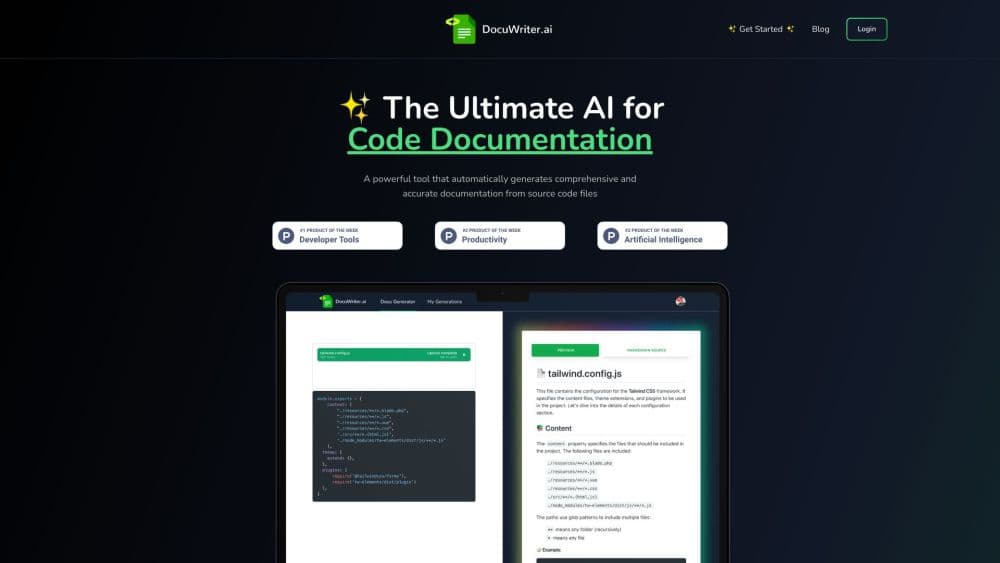
About DocuWriter.ai
What Is DocuWriter.ai
DocuWriter.ai is a web platform that documents a whole repository instead of one file at a time. You connect a Git repo, and it builds a documentation tree covering architecture, services, modules, classes, functions, dependencies, API references, UML diagrams, and setup guides. The pages link to each other, so a reader can start at the system overview and click down to a single function.
The problem it targets is stale documentation. Teams skip writing docs because the code moves faster than the prose, and new hires end up booking walkthroughs to learn what a service does. DocuWriter answers with a code documentation generator that runs on every push or merged pull request, finds the pages affected by the diff, and drafts an edit for a person to approve.
There are limits worth knowing before you connect a repo. Generated pages draw on AI credits, so a full run on a big codebase eats through the monthly allowance. The output still needs a human pass for team conventions, internal names, and anything the code doesn't express. The platform documents what the code does, not why the team chose it.
Getting Started
- Create an account at app.docuwriter.ai. The 7-day Professional trial needs no credit card.
- Connect a repository from GitHub, GitLab, Bitbucket, or Azure DevOps, then pick the branch and the paths to include or ignore.
- Generate the documentation tree and file it into a Space for your team.
- Review the generated pages, fix names and conventions, and set who can read or edit the Space.
- Turn on Autopilot in review mode, then add an auto-apply threshold once the suggestions prove reliable.
Product Information
A quick look at DocuWriter.ai's pricing, supported platforms, and performance.
Best for
The users, tasks, and scenarios where this tool fits best.
Users
- Engineering teams inheriting a large legacy codebase
- Solo developers and small teams
- Technical writers and developer advocates
Tasks
- Producing architecture and module documentation from source
- Generating API references and diagrams
- Keeping docs current after each merge
Scenarios
- Onboarding a new engineer
- Auditing an old system before modernization
- Giving AI coding assistants repo context
Key features
Full Codebase Documentation
Connect a repository and DocuWriter writes the documentation set in minutes: architecture overview, module and service pages, class and function references, dependency notes, and READMEs. The engine handles modern and legacy languages, including Python, TypeScript, Java, Go, Rust, COBOL, and ABAP, which matters when part of your stack predates the current team. Pages are generated as one connected tree rather than isolated files, so cross-references hold up.
Autopilot Documentation Updates
Autopilot watches pushes and merged PRs, reads the diff, and works out which pages are now wrong. It drafts a targeted suggestion with a confidence score and sends it to a review queue, where you can apply, snooze, or discard it. Notifications land in Slack, Teams, Google Chat, or a custom webhook. Teams that trust the process can set an auto-apply threshold per repository and revert a batch later.
API References and UML Diagrams
DocuWriter works as an API documentation generator for code that exposes endpoints, producing Swagger/OpenAPI specs and reference pages beside the architecture docs. A built-in UML diagram generator draws class, sequence, and component diagrams from the same source, so the picture and the prose describe one snapshot of the code. That beats a separate diagram tool that drifts the moment someone edits a model.
Spaces with Search and Version History
Spaces hold the documentation for one team or product area. Everyone can browse the tree, search across pages, open the page behind a result, and add notes of their own. Access control is set per Space, and version history shows what changed so you can roll back a bad edit. Manual pages don't count against the AI page allowance, so a Space can grow past the generated content.
Chat with Codebase
An AI assistant answers questions about the code in plain language, using your documentation as context. A new developer can ask where retry logic lives or how billing talks to the payment service and get an answer with the relevant page attached. The same assistant runs in Slack, so questions that used to interrupt a senior engineer get answered in the channel.
MCP Server for AI Assistants
Every Space publishes as an MCP server with more than 70 tools, plus llms.txt and llms-full.txt files. Cursor, Claude Code, ChatGPT, VS Code, and Microsoft Copilot can read, search, and update the docs without a custom integration. If your team already leans on AI coding assistants, this is what makes the documentation useful outside the browser tab.
Pros and cons
Pros
- Complete output from source: architecture, API references, diagrams, and READMEs come out of one run.
- Four Git providers out of the box: GitHub, GitLab, Bitbucket, and Azure DevOps connect natively.
- Review-first automation: Autopilot suggests edits and waits for approval, with auto-apply as an opt-in.
- No per-seat fees: plans are priced by AI page volume and Space count, so adding readers costs nothing extra.
- Flexible exports: pages leave the platform as Markdown, PDF, Word, Confluence pages, or Git commits.
Cons
- AI pages are metered: 200 pages on Professional and 500 on Enterprise go fast on a large repo, and unlimited runs cost $499/mo.
- No free tier beyond the trial: the 7-day trial caps you at 10 AI pages, so a real test on a big codebase means paying.
- Quality tracks the code: thin comments and unusual patterns produce vaguer pages that need editing.
- It documents code, not decisions: architecture rationale, roadmaps, and product context still need a human author.
Frequently asked questions
DocuWriter.ai generates and maintains documentation for an entire codebase. Connect a repository and it produces architecture, module, API, and diagram pages, then updates those pages when the code changes.
Related content
Explore related tools, skills, and articles for DocuWriter.ai.
DocuWriter.ai Alternatives

Base Code
Base44 (Wix) · Coding · ProductivityBase Code is a shared cloud development environment from Base44. Teammates describe changes to an existing GitHub codebase in chat, preview them live and send them back as pull requests.

Google EmbeddingGemma 2
Google DeepMind · Writing · Image · CodingGoogle EmbeddingGemma 2 is a 740M-parameter open model that turns text, code, images, audio, and video frames into vectors in one 768-dimension space, running on phones and laptops.

GitGlow
GitGlow · Coding · ProductivityGitGlow is a local-first desktop Git client that lets independent developers review their own code and their AI agents' changes in one place before shipping.