

Doko AI
DOKO AI · Writing · Marketing · Chatbot
Doko AI is a no-code chatbot platform for building AI agents that answer customers, book appointments and sell on WhatsApp, Instagram, Messenger and your website, trained on your own files.
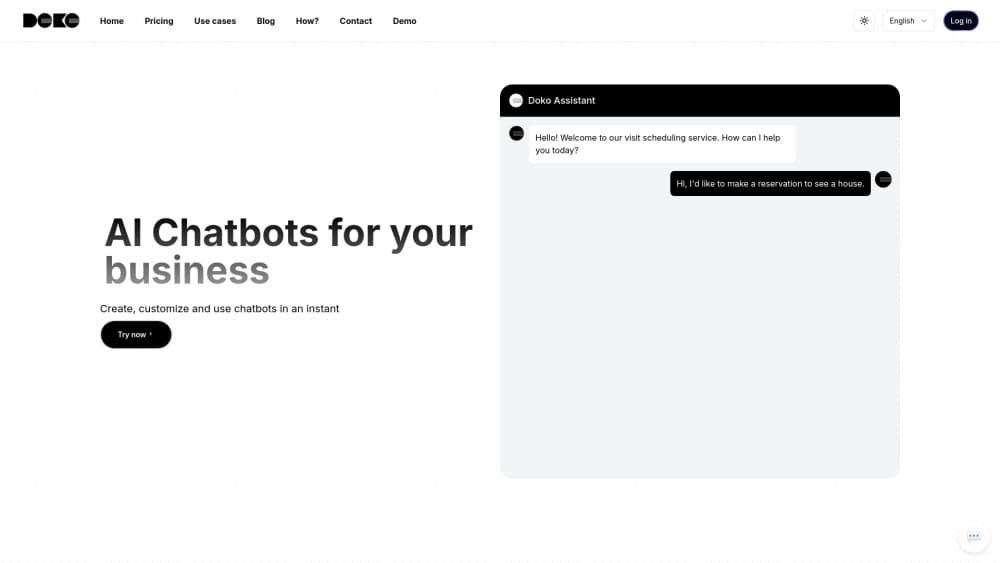
About Doko AI
What Is Doko AI
Doko AI is a chatbot builder from a Mexican team based in Guadalajara. You feed it your PDFs, FAQs and website pages, then publish an assistant that replies to customers in their own language on the channels they already use. The pitch is narrow on purpose: AI agents for business owners who sell through chat, not a developer toolkit. The goal is to stop losing leads that message at 11pm when nobody is at the desk.
On the AI customer service side it sits in the same bracket as ManyChat or Chatbase, with one difference that matters for shops. It ships with an agent for Shopify that can pull product data, check stock and look up orders, so answers come from live store data instead of a static text file.
The limits are practical. There's no permanent free tier, only a 7-day trial. Usage runs on a shared credit pool, and a busy support queue burns through 2,000 credits faster than the plan name suggests. Documentation still leans heavily on Spanish, and the English pages cover setup better than edge cases.
Getting Started
- Create an account at doko-ai.com with Google, email or a WhatsApp code, then start the 7-day trial. No card needed.
- Connect a channel. WhatsApp, Instagram, Facebook Messenger and the web widget each take a few minutes through the sharing screen.
- Upload PDFs and add your site URL so the agent learns products, prices and policies. The Starter plan allows up to 40 files.
- Adjust the conversation settings: tone, fallback answers, and the tools the agent may use, such as booking or creating a ticket.
- Test in the simulator, then switch the agent live and watch conversations from the dashboard.
Product Information
A quick look at Doko AI's pricing, supported platforms, and performance.
Best for
The users, tasks, and scenarios where this tool fits best.
Users
- Small shop owners
- Ecommerce teams on Shopify
- Clinics and service businesses
- Solo founders and agencies
Tasks
- Answering repeated questions
- Qualifying leads
- Recovering abandoned carts
- Handing off to a human
Scenarios
- Weekend and overnight messages
- WhatsApp-first markets
- Product recommendation at scale
- Multilingual storefronts
Key features
No-Code Agent Builder
A guided questionnaire sets up the bot: name, business type, tone and knowledge sources. You don't touch a flow chart or write a prompt from scratch unless you want to. Most teams publish a working agent on day one, then refine the wording after reading real transcripts.
Knowledge Base From PDFs and Websites
Upload product catalogs, policy documents or FAQ sheets, or point Doko at your site and let it crawl the pages. Answers cite what's in those sources, so a wrong price usually traces back to an outdated PDF rather than a hallucinated guess. File limits scale by plan, from 40 files on Starter to 100 on Professional.
AI Tools That Take Action
Beyond replying, the agent can book appointments, save leads, open support tickets and call a human agent. Custom API tools extend the list: point one at any GET or POST endpoint and describe when the bot should use it. That covers order lookups, CRM writes and internal scheduling without a developer.
Multichannel Deployment
One agent runs on WhatsApp, Instagram, Facebook Messenger and your website at the same time. The web widget is a script tag pasted into your HTML, and each bot also gets a public chat link at doko-ai.com/chat for sharing in ads or email. A single dashboard shows every channel together, which is the part that saves real time.
Shopify Agent
For stores on Shopify, Doko reads the product catalog, checks inventory, tracks orders and searches collections. Shoppers can ask "do you have this in black" and get a live answer with a link. Abandoned cart messages are part of the same setup, scheduled from the messaging area.
Contacts, Lists and Campaigns
The platform includes a light CRM. Contacts get saved or imported, sorted into lists, and messaged through campaigns and automated follow-ups. For a small store this replaces a patchwork of a spreadsheet and a broadcast tool, and it keeps marketing messages next to the support thread they belong to.
Shared Credit Pool and Phone Calls
Chat and voice draw from one credit pool, with one phone minute costing 30 credits. Each answered message costs one credit, and campaigns cost one per recipient. Extra usage is billed pay-as-you-go, from $0.0165 per credit on Starter down to $0.0145 on Enterprise, so a spike in traffic turns into a line item rather than a wall.
Pros and cons
Pros
- The 7-day trial needs no credit card, so you can test WhatsApp delivery before paying anything.
- Channel coverage is broad for the price: WhatsApp, Instagram, Messenger, web widget and Shopify in one dashboard.
- Shopify and HubSpot integrations read live data, which beats a chatbot that only repeats static text.
- Plan structure is transparent: agents, credits, phone minutes and file limits are listed per tier, and overage rates are published.
Cons
- There's no free tier, so a business with low message volume pays $59/month for capacity it won't use.
- Credits disappear quickly on busy channels. One credit per reply adds up, and a 5,000-credit plan can run dry mid-month.
- The documentation and product history are Spanish-first. English readers will find setup covered, advanced configuration less so.
- Tone and accuracy depend on your source files. Nobody reviews the answers for you, and a stale PDF shows up as a wrong answer to a customer.
Frequently asked questions
Doko AI builds customer-facing chatbots that answer questions, book appointments and recommend products on WhatsApp, Instagram, Messenger and websites. Small businesses use it to cover support outside working hours.
Related content
Explore related tools, skills, and articles for Doko AI.
Doko AI Alternatives

Claude for Google Workspace
Anthropic · Writing · Productivity · BusinessClaude for Google Workspace puts Claude in a sidebar inside Google Docs, Sheets, and Slides, where it reads the file you have open and edits it in place.

Claude Haiku 5.5
Anthropic · Writing · Coding · ChatbotClaude Haiku 5.5 is Anthropic's fastest and cheapest small model, built for high volume tasks at $0.10 per million input tokens with a 1M token context window.

NoteWorthy
Suman Hansada · Writing · Productivity · AI AssistantNoteWorthy is a notes app for iPhone, iPad and Mac that writes titles, tidies formatting, summarizes long notes and files each one with on-device AI. No account, no upload, no network requests.