

Domo
Plow · Marketing
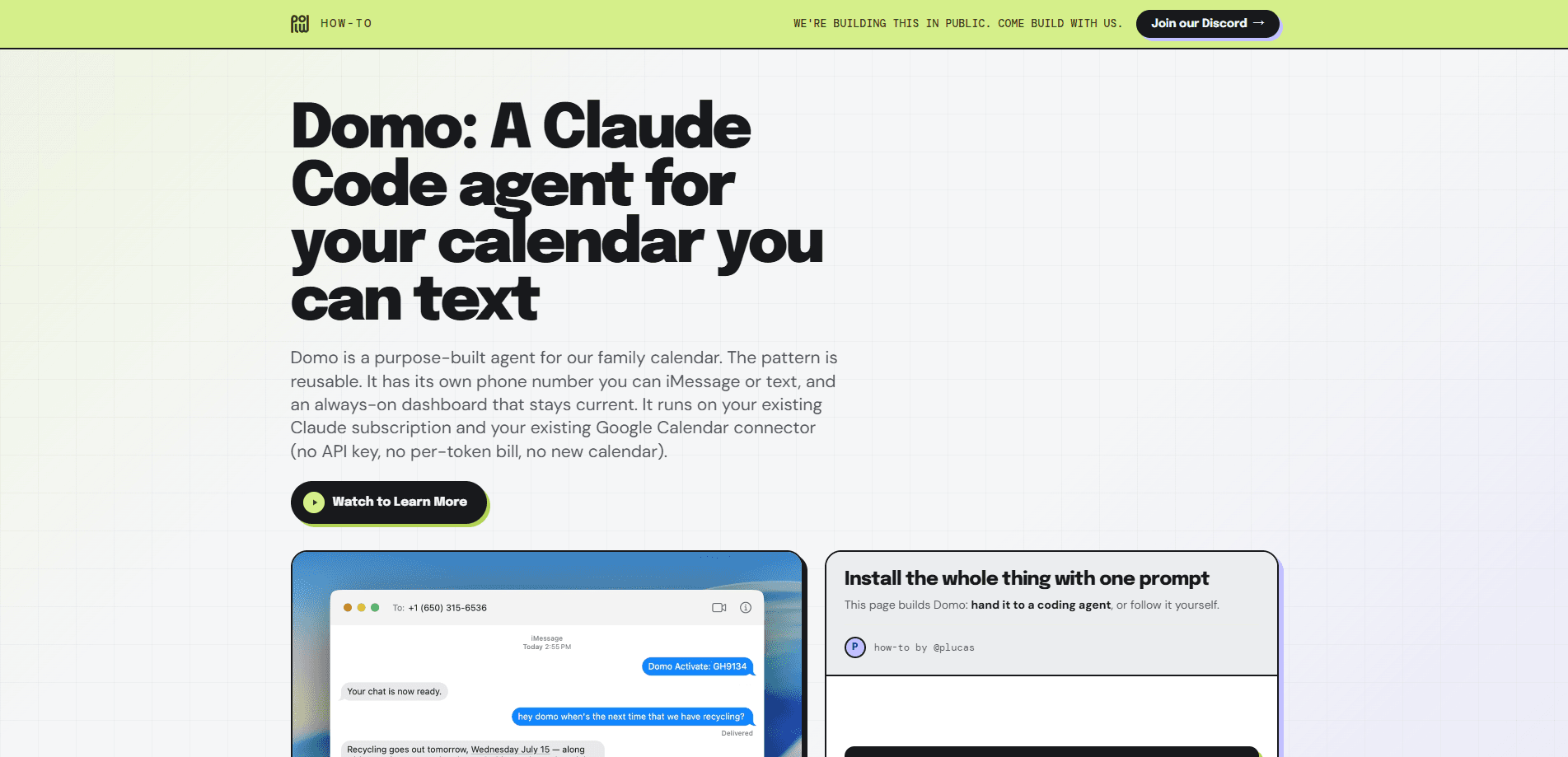
Domo is a purpose-built AI calendar agent you reach by text or iMessage, and it keeps your family calendar current for you. Why text instead of open an app? Because that's how most families already talk to each other. It runs on your existing Claude subscription and your existing Google Calendar connector, so there's no API key to manage, no per-token bill, and no new calendar to migrate into. The setup is aimed at people who run a persistent machine at home and want a schedule assistant that lives in the same texting app they already use.
About Domo
What Is Domo
Domo is a calendar agent built around one simple idea: you text it, and it keeps the schedule. Rather than opening an app and tapping through screens, you send a normal message the way you'd text a family member, and the agent reads or writes your Google Calendar through the connector you already authorized on claude.ai. That's the whole interface. No menus, no forms.
The part that sets it apart is what it doesn't ask for. As a text calendar assistant, it doesn't need a developer API key, it doesn't charge per token, and it doesn't create a separate calendar you have to live inside. It borrows the Claude subscription you already pay for and the calendar you already keep. Plow, the team behind the guide, frames the whole thing as a reusable pattern for purpose-built agents, which means this same approach can be copied for other household tasks later.
The biggest limit is operational. Domo isn't a hosted service you sign into from anywhere. It runs on a machine that stays on, whether that's a Mac, a Linux box, a spare laptop, or a Raspberry Pi, and it depends on command-line tools like Bun, Claude Code, tmux, curl, and jq. Comfortable in a terminal? Then it's fine. If you aren't, this is a real wall. There's also a privacy point worth stating plainly: anyone who can text Domo can read and change every calendar the connected Google account sees.
Getting Started
- Get a machine that stays on and install the CLI tools Domo needs: Bun, Claude Code, tmux, curl, and jq 1.6 or newer.
- Run
claudein a terminal, sign in with your Claude subscription, then connect Google Calendar under Settings → Connectors on claude.ai. - Get Domo's own phone number through Plow Chat and save the Bearer token and chat uid as
plow.jsonin the domo folder. - Start the bridge so the agent runs in the background and stays reachable after you close the terminal.
- Text Domo from iMessage or SMS to create, check, or change events, and let the always-on dashboard keep the agenda visible.
Product Information
A quick look at Domo's pricing, supported platforms, and performance.
Best for
The users, tasks, and scenarios where this tool fits best.
Users
- Families juggling shared schedules
- People already living in iMessage or SMS
- Terminal-comfortable tinkerers
Tasks
- Adding a last-minute appointment
- Checking what's on the family schedule
- Editing or moving an event
- Keeping a shared agenda visible
Scenarios
- Coordinating school pickups and after-school activities across two parents and a few kids.
- Running a hallway display that shows the household agenda at a glance.
- Handling recurring scheduling changes during a busy week without re-entering everything by hand.
Key features
Text-Only Interface
The whole point of Domo is that the interface is messaging. You text its own phone number through iMessage or SMS, and it responds like a participant in the conversation rather than a bot behind a menu. Because it lives in the texting app you already use, there's nothing new to install on your phone.
Runs on Your Claude Subscription
Domo's session runs on the Claude account you already pay for, and its Google Calendar connector uses the claude.ai sign-in. That means no per-token billing and no separate AI bill to track. The trade-off is that access depends on keeping that Claude subscription active.
Existing Google Calendar, No Migration
The agent reads and writes the Google Calendar account you already use through the connector, so you aren't asked to abandon your current setup or maintain two calendars. Note the flip side: anyone with access to Domo's number can see and change every calendar that connected account reaches.
Always-On Dashboard
A small dashboard stays current in the background, writing the agenda roughly every half hour so the household schedule is visible without anyone asking. It's suited to a spare screen or a wall display. That's why Plow suggests a Raspberry Pi with a screen as the nicest host.
Reusable Agent Pattern
Plow publishes the build as a pattern, not a black box. Since it runs in native Claude Code, you can follow the same steps to build other purpose-built agents for different household tasks later. The instructions are printed as named file blocks, so you can copy each one cleanly.
Background Persistence with tmux
Domo keeps running after you close the terminal, because a tmux session holds it open on the host. That matters for a calendar assistant. Nobody wants the agent to stop responding the moment they detach from SSH. The host just has to stay powered on.
Pros and cons
Pros
- No per-token or API-key costs, since it leans on a Claude subscription and a Google Calendar connector you already have.
- You interact by text or iMessage, so there's no separate app to open on your phone.
- It works with your existing Google Calendar instead of forcing a migration to a new one.
- The reusable pattern lets you adapt the same setup for other household agents.
- The always-on dashboard keeps the family agenda visible without extra effort.
Cons
- It needs a machine that stays on, which rules out anyone without a spare laptop, home server, or Pi.
- Setup is command-line heavy, so non-technical users will likely get stuck early.
- Anyone who can text Domo can read and alter every calendar the connected Google account sees, which is a real privacy exposure.
- It only supports one connected Google account, so multi-account households have to work around that.
Frequently asked questions
Domo is an AI calendar agent you talk to by text or iMessage. It reads and writes your Google Calendar through a connector, so you can add, check, or change events with a normal message instead of a form.
Related content
Explore related tools, skills, and articles for Domo.
Domo Alternatives

Emailwritr
Emailwritr · Writing · MarketingEmailwritr is an AI email copywriting tool built for affiliates, course creators, and online businesses that want more revenue from the list they already own. Instead of blank pages or generic chatbot prompts, this AI email writer generates welcome sequences, launch campaigns, cart recovery emails, and promo series from frameworks modeled on well-known direct-response copywriters. You connect your autoresponder, answer a few questions about your offer, and it writes the copy for you.

Prosp
Prosp · Writing · Voice & Language · MarketingProsp is an AI LinkedIn outreach tool built for agencies and sales teams, and it writes the message and the voice note in your own voice for each prospect so they actually reply. You connect your accounts, find leads, and let the AI draft and send personalized messages at scale, all from one inbox. It's built for people running outbound at volume. That's the whole pitch. Every touchpoint still has to feel human.

On Model
On Model · Image · MarketingOn Model is an AI fashion model tool that places your clothing on virtual models so online stores can get on-model product photos without booking a photoshoot. It runs as a Shopify app, letting you swap the model in an existing image, change backgrounds, and generate faces for cropped or headless shots. The goal is simple: match your product photos to your customers and stand out from competitors using the same supplier images.