
DreamGen
DreamGen · Writing · Chatbot
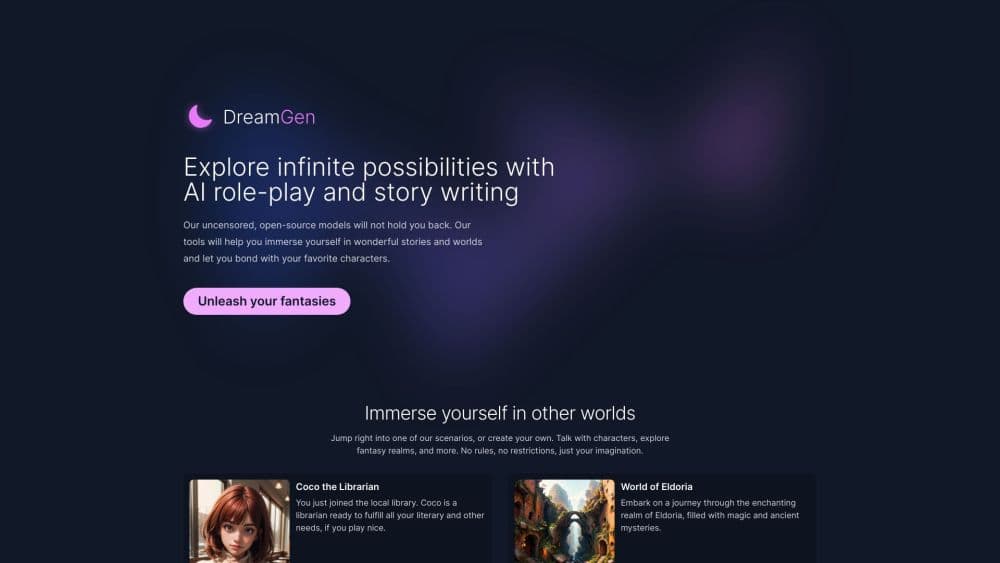
DreamGen is an AI role-play and story generator where you define the world, build characters, and steer the plot while the AI writes the scene.
About DreamGen
What Is DreamGen
DreamGen is a web platform for two connected hobbies: interactive role-play and story writing. You pick a scenario or build one from scratch, define a persona for yourself, and then trade messages with AI characters inside a chat-like interface. The company runs independently and self-funds its work. Its stated aim is a private, judgment-free space for creative writing, and it does not rely on outside investors to set its content rules.
The product centers on control. Instead of a single prompt box, DreamGen hands you a scenario editor, behavior modes, and a set of instructions you can fire at the AI at any moment. You can tell a character to act a certain way, set the pace of a scene, or ask the AI to write the next beat in a particular style. The story-writing side works the same way but flows as prose rather than back-and-forth chat, which suits people drafting fiction instead of playing a character.
The main limitation to know up front: a role-play is only as good as the scenario behind it. Long, overloaded scenarios can blow past a model's context window and trigger an error, so you have to keep definitions lean. Cheap or free access also runs on a credit system, so heavy session counts can push you onto a paid plan.
Getting Started
- Create an account on dreamgen.com. Signing up unlocks the free tier, which comes with monthly and daily credits that refill on their own.
- Pick a scenario from the public library, or start a fresh one with the scenario wizard if you want help brainstorming characters, settings, and plot.
- Define your persona. Fill in a name, appearance, personality, and background, or reuse a persona template you saved earlier.
- Enter the role-play interface and start trading interactions. Use instructions to steer the AI, and drop into the assistant if you get stuck on where the plot should go.
- Export the session when you are done as Markdown to share or as JSON to back it up and import later.
Product Information
A quick look at DreamGen's pricing, supported platforms, and performance.
Best for
The users, tasks, and scenarios where this tool fits best.
Users
- Role-play hobbyists
- Fiction and fan-fiction writers
- Tabletop and RPG players
- Writers who want flexible content rules
Tasks
- Steering a live scene
- Writing a story in prose
- Building a reusable world
- Comparing model styles
- Exploring branching outcomes
Scenarios
- Filling a spare hour with interactive fiction
- Drafting a chapter to edit later
- Testing a character voice before committing
- Running a long campaign with memory in mind
Key features
Scenario System and Editor
Every role-play session runs on a scenario, which acts like a game master's guide with a character sheet attached. A scenario holds the plot, setting, writing style, characters, locations, objects, opening scene, and example interactions that keep the AI consistent. You can clone a public scenario and edit your copy, build one from scratch in the editor, or use the scenario wizard. The wizard walks you through brainstorming characters, settings, and plot outlines when you do not want to start from nothing.
Steerable AI Through Instructions
Instructions are a distinct interaction type in DreamGen that are not part of the story itself; they are your directions to the AI. You can describe the next scene in a sentence, set the location and time, tell a character to react a certain way, or cap how long the next reply should run. You can also change the tone and pacing on demand, asking for a slow, tense scene or a fast, action-focused one. This is the core of what DreamGen calls steering: the AI follows your lead rather than running the plot on its own.
Behavior Modes and Interaction Types
DreamGen builds a role-play out of three interaction types: narrative for scene-setting, character messages with dialogue and action, and instructions. Behavior modes decide who drives. Take-Turns, the default, has the AI detect when it is your character's turn and stop, while it can still introduce new characters on its own. Spectate hands every character to the AI so you watch the story play out, and NPC Only keeps the AI to defined characters without turn detection. You can switch modes mid-session.
Branching, Retries, and Forks
Role-plays are stored as a tree rather than a straight line. Retrying a reply keeps the original and the new version side by side, so you can flip between them with arrow buttons. You can retry with a different model, make a reply longer or shorter, or ask the AI to rewrite it in a specific way. Forking copies a session from a chosen point into an independent branch, which suits testing a major plot change without losing the original run. Pinning also lifts critical interactions higher in the AI's memory.
Role-Play Assistant
The assistant is a helper that can see your scenario and the recent session history. You ask it questions in a chat window, like what should happen next, three ways a conflict could resolve, or how a given character would react to a situation. It also helps with world-building, suggesting what might sit in the ruins the characters just found or how a kingdom's politics work. It is a separate voice from the story itself, aimed at unblocking you rather than writing the scene.
Model Lineup and Context Windows
DreamGen runs its own first-party models, and the lineup shifts as newer ones land. Current examples include GLM 5.2, GLM 4.7, Gemma 4 31B, and Gemma 4 26B A4B. Each model carries its own context window and credit cost, so you can trade quality against credits. You can switch models mid-role-play or retry a single interaction with a different one. A built-in token counter in the scenario editor shows how much of a model's window your scenario definition eats up.
Image Generation With AniMuse
Alongside text, DreamGen offers the AniMuse image model line, aimed at the same creative, character-driven audience. The documentation for image generation was still marked as under construction, pointing users to the AniMuse guide. For anyone building visual novel content or wanting character art to match a scenario, this keeps illustration and writing in one place instead of sending you to a separate service.
Export, Clone, and CYOA
Finished work does not stay locked in the platform. You can export a role-play as Markdown for sharing or as JSON to re-import later, and clone a whole session to experiment without touching the original. The Choose The Next Step feature, also called CYOA, suggests next moves below the latest reply; click one to load it into the input box, edit it, or ignore it and write your own. CYOA can be switched on for any session, even one you already started.
Pros and cons
Pros
- The steering model is the real draw: instructions, behavior modes, and the assistant give you fine control over where a scene goes, which most chat-based role-play tools leave to chance.
- Scenarios are reusable and shareable, so a world you build once stays consistent instead of resetting every session.
- The free tier is genuine and refills with both monthly and daily credits, so you can test models and features before paying.
- Branching and forking let you explore alternate outcomes without losing your original run, which suits writers testing ideas.
- Model switching and a visible token counter make the quality-versus-cost tradeoff clear instead of hidden.
Cons
- A role-play lives or dies by its scenario. Overstuffed definitions hit the context window and throw an error, so you have to trim them yourself.
- Credits run the meter. Advanced and Pro tiers unlock unlimited use of more models, but on the lower tiers heavy sessions push you toward buying extra credits.
- It is a web-only product. There is no dedicated desktop or mobile app, so sessions live in the browser.
- The documentation for some features, including image generation, is still flagged as under construction, so a few details are thin.
- Scenario-heavy features reward patience. The wizard and editor help, but getting a world right up front takes more effort than pasting a prompt.
Frequently asked questions
DreamGen works as an AI character chat and story tool. In role-play you trade messages with defined characters inside a scenario, steering the plot as you go. In story mode the AI writes prose you direct scene by scene. It also doubles as an AI writing tool for drafting fiction, prototyping characters, and running solo campaigns.
Related content
Explore related tools, skills, and articles for DreamGen.
DreamGen Alternatives

Google EmbeddingGemma 2
Google DeepMind · Writing · Image · CodingGoogle EmbeddingGemma 2 is a 740M-parameter open model that turns text, code, images, audio, and video frames into vectors in one 768-dimension space, running on phones and laptops.

MePersona
MePersona, Inc. · Writing · Productivity · MarketingMePersona is an AI unified inbox for creators. It learns your voice, drafts replies to fan messages from 12 platforms, and sends only what you approve.

Fluence
Yay Software (Yannick Huchard) · Writing · Voice & Language · ProductivityFluence is an Android app that reads PDFs, EPUBs, Word files and web articles aloud, follows each sentence as it speaks, and answers questions about the text on the phone itself.