

Dub AI - Voice Generator
FERASET · Writing · Video
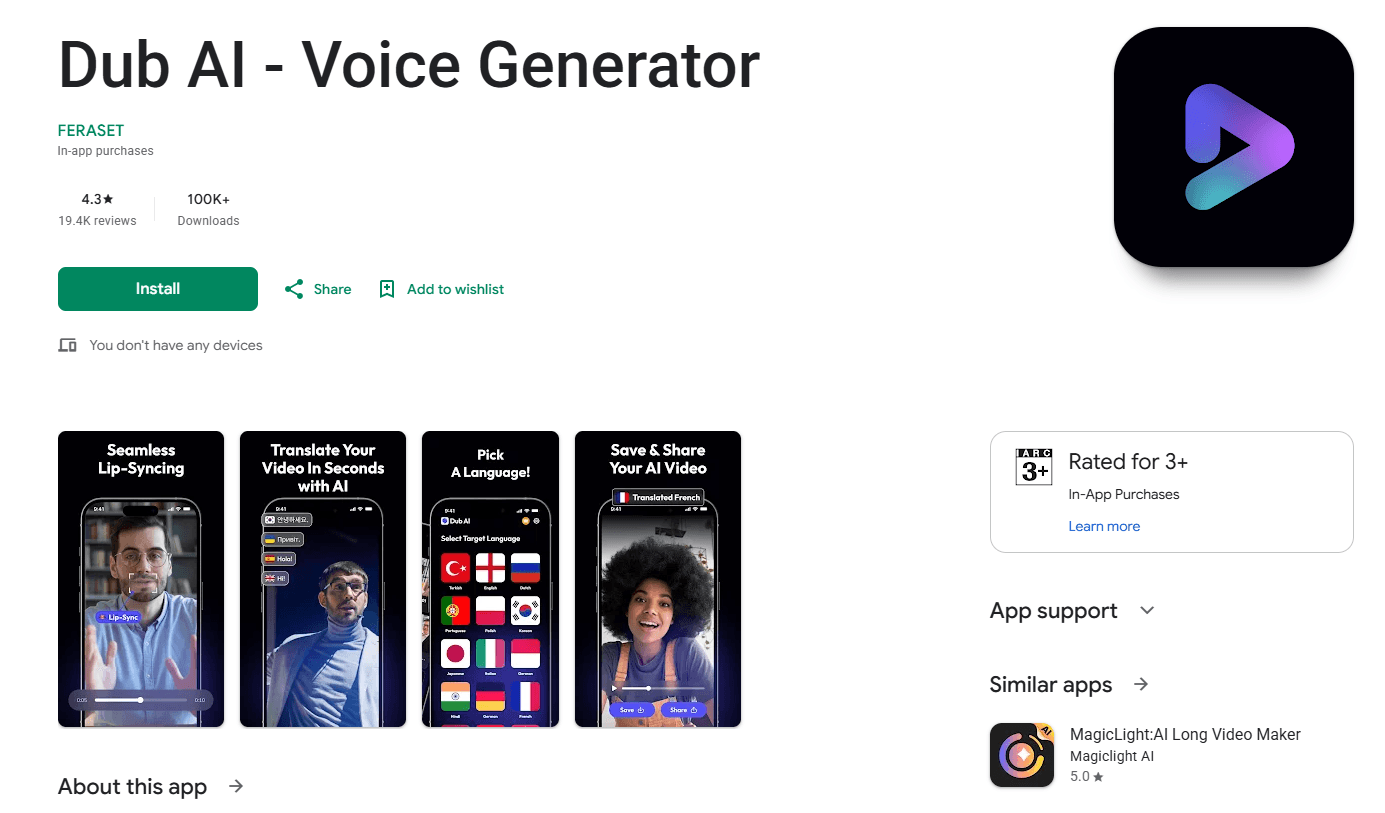
Dub AI - Voice Generator is an Android app from FERASET that translates and dubs your videos into other languages, keeping your original voice and syncing lip movement.
About Dub AI - Voice Generator
What Is Dub AI - Voice Generator
Dub AI - Voice Generator is an AI dubbing app for Android built by FERASET. It takes a video of you speaking, translates the speech into another language, and outputs a dubbed version that keeps your voice and matches the movement of your lips. The point is to remove the language barrier from your own footage without a recording studio, a voice actor, or a separate editor.
Most dubbing tools either replace your voice entirely or leave the lip movement mismatched, which is what makes dubbed video feel off. Dub AI approaches the problem from the other side: it keeps your voice and rebuilds the mouth shapes so the translated audio lines up with the picture. For a creator who already has footage in one language, that means one video can serve several audiences without a reshoot.
There are limits worth knowing before you start. It works from the Android app, the source has to be video of a person speaking rather than a slideshow or a silent clip, and results depend on how clean the original audio is. Environment noise and heavy accents can lower the output quality. The app is aimed at personal and social content, not studio post-production.
Getting Started
- Download and open Dub AI - Voice Generator on an Android phone.
- Pick a video of someone speaking from your gallery, or record one inside the app.
- Choose the language you want the speech translated into.
- Start the process and let the app translate the audio and rebuild the lip movement.
- Preview the dubbed clip, then save it or share it. Grab the Dub AI APK from APKPure to get started.
Product Information
A quick look at Dub AI - Voice Generator's pricing, supported platforms, and performance.
Best for
The users, tasks, and scenarios where this tool fits best.
Users
- Content creators
- Language learners and travellers
- Small teams without a studio
Tasks
- Dubbing a speaking video
- Lip-synced translation
- Quick language versions
Scenarios
- Growing a social account abroad
- Explaining something to friends overseas
- Testing reach in a new market
Key features
Video translation that keeps your voice
Dub AI takes the speech in your video, translates it, and lays the translated audio back over the picture using your own voice rather than a generic narrator. That is the part that separates it from plain subtitles or a robotic read. The app is built for clips where a person is talking, so interviews, vlogs, and short explanations fit best.
Lip synchronization
The headline feature is lip sync. After translation, Dub AI adjusts the mouth movement in the video to match the new audio, so the speaker appears to say the translated words. This is what makes a dubbed clip watchable instead of obviously off. The result depends on how clear the original footage is, since a sharp, well-lit face gives the model more to work with.
One-tap language switching
Rather than a multi-step export pipeline, the app folds translation and dubbing into a short flow: choose a video, pick a target language, and run it. The intent is to make a second-language version something a phone user can produce in minutes, not a project that needs a desktop editor. As a lip sync app, it folds the two jobs into one step.
Multiple target languages
The app supports translation into a range of languages, which lets a single recording reach audiences that do not share the original language. For creators who publish to more than one region, that turns each video into several usable assets from one filming session.
Built for short social clips
Dub AI is designed around the kind of video you shoot on a phone and post to social platforms, so it favors short, spoken clips over long productions. The workflow stays inside the app, which keeps the barrier low for people who do not edit video professionally.
Android app with in-app purchases
It ships as an Android app with a free entry point and paid options, so new users can try the core dubbing flow before spending. Being phone-only means the experience is built for on-the-go use rather than a desktop workflow, which fits the short-clip focus.
Pros and cons
Pros
- Keeps the speaker's original voice in the dubbed output, which most subtitle tools do not.
- Lip sync is the central feature, so translated audio lines up with the picture.
- The video-and-language flow is short enough to run on a phone.
- Free to start with in-app purchases, so the core feature can be tried first.
- Handles translation across a range of target languages from one clip.
Cons
- Android only, so there is no desktop or iOS version for users on those platforms.
- Quality drops when the source audio is noisy or the speaker's accent is heavy.
- Focused on short spoken clips, so it is not a fit for long or silent video.
- No public API is documented, which limits automated or bulk workflows.
Frequently asked questions
It translates and dubs the speech in your video into another language while keeping your original voice and syncing the lip movement to the new audio. It is built for clips where a person is talking.
Related content
Explore related tools, skills, and articles for Dub AI - Voice Generator.
Dub AI - Voice Generator Alternatives

Google EmbeddingGemma 2
Google DeepMind · Writing · Image · CodingGoogle EmbeddingGemma 2 is a 740M-parameter open model that turns text, code, images, audio, and video frames into vectors in one 768-dimension space, running on phones and laptops.

MePersona
MePersona, Inc. · Writing · Productivity · MarketingMePersona is an AI unified inbox for creators. It learns your voice, drafts replies to fan messages from 12 platforms, and sends only what you approve.

Fluence
Yay Software (Yannick Huchard) · Writing · Voice & Language · ProductivityFluence is an Android app that reads PDFs, EPUBs, Word files and web articles aloud, follows each sentence as it speaks, and answers questions about the text on the phone itself.