

DuckDuckGo AI Chat
DuckDuckGo · Coding · Chatbot
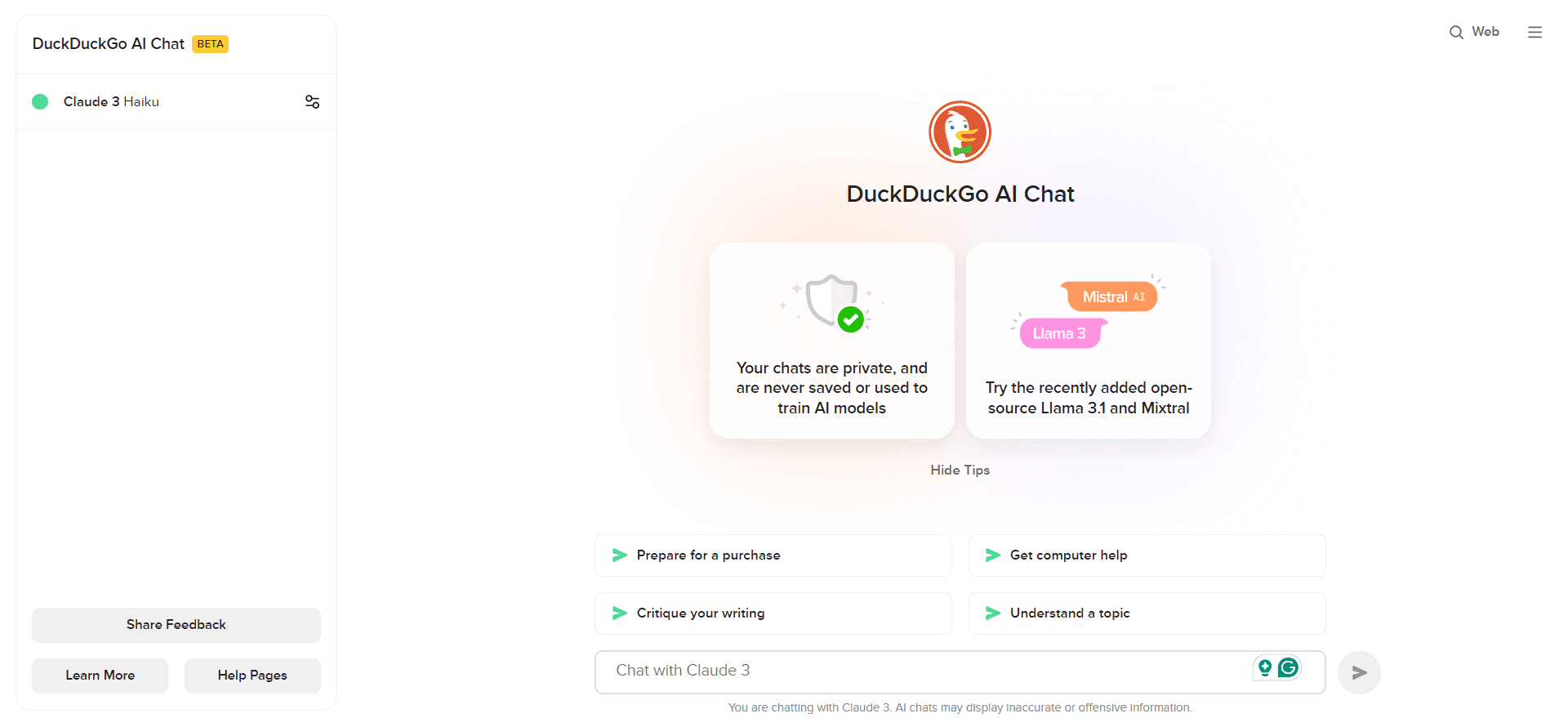
DuckDuckGo AI Chat is a free, anonymous AI chatbot that lets anyone talk to GPT, Claude and other models without an account.
About DuckDuckGo AI Chat
What Is DuckDuckGo AI Chat
DuckDuckGo AI Chat is a web-based chatbot from the privacy-focused search company DuckDuckGo. It sits between you and several popular AI models, so you can ask questions and get answers without handing over your identity. You don't sign up. You don't log in. You open the page and start typing.
The pitch is simple. Most chatbot apps tie your conversations to an account, and that account ties back to you. DuckDuckGo takes a different route. The company strips identifying metadata from your query before it reaches the model provider, and it hides your IP address behind its own. Providers see DuckDuckGo's request, not yours. The service also says saved chats are deleted within 30 days and aren't used to train models. I'd treat those specifics as the company's stated terms rather than something you can check for yourself.
Models come from OpenAI, Anthropic, Meta and Mistral, and you can switch between them mid-task. Not every model is available at the same time, and the lineup changes as providers update their own offerings. The main catch is the daily message cap, which DuckDuckGo put in place to stop automated abuse from flooding the service. Hit it and you wait, or you use the paid tier.
Getting Started
- Go to duck.ai or open the chat icon in DuckDuckGo search results.
- Pick a model from the dropdown at the top of the chat window.
- Type your question and press enter. No sign-up screen appears.
- Switch models whenever you want a second opinion on the same prompt.
- Clear the session with the Fire Button when you're done.
Product Information
A quick look at DuckDuckGo AI Chat's pricing, supported platforms, and performance.
Best for
The users, tasks, and scenarios where this tool fits best.
Users
- Privacy-minded searchers
- Students and researchers
- Casual users
Tasks
- Quick fact checks and summaries
- Brainstorming drafts
- Light writing help
Scenarios
- Shared or public computers
- Sensitive-topic searches
- Model comparison on a deadline
Key features
Anonymous access with no account
This is the whole reason the product exists. You skip registration entirely, so there's no email, no password, and no profile tying chats to you. DuckDuckGo acts as a middle layer, removing metadata and masking your IP before the query reaches the model provider. That means the provider logs DuckDuckGo's request instead of yours, which matters most when you're asking about something personal.
Multi-model switching
The chat window has a model picker, and you can change it at any point without losing your conversation. Models come from OpenAI, Anthropic, Meta and Mistral, so you can get a conversational answer from one and a more analytical one from another. It's a cheap way to A/B test prompts, since you're not paying per model.
Chat history that stays local
Recent conversations are saved on your own device rather than on DuckDuckGo's servers, according to the company. That keeps a working history available when you come back, without a cloud copy sitting somewhere. It's a decent middle ground between having no memory of your past work at all and keeping a full account-based log you can never quite delete.
Fire Button for instant clearing
One click wipes the current session and your saved chats. There's no confirmation maze and no archived copy left behind on the service. If you're on a shared machine or just done with a sensitive thread, this is the fastest exit you'll find in a chatbot.
Built into DuckDuckGo search
You don't have to visit a separate site. DuckDuckGo search results carry a chat icon that opens the assistant right there, alongside AI-generated summaries the company calls Assist. It keeps the workflow in one place instead of bouncing you to a different app mid-search.
Privacy-first image generation
A newer addition lets you generate images from prompts, with an OpenAI model doing the work behind the scenes. Prompts get anonymized, images save locally, and the output carries C2PA watermarking that marks it as AI-generated. I haven't leaned on this one much, so treat it as a bonus rather than the main draw.
Pros and cons
Pros
- No account, no email, no sign-up friction at all
- Free to use, with several strong models available on the free tier
- IP masking and metadata stripping give real privacy over standard chatbot apps
- Model switching is instant and costs nothing
- Fire Button clears everything in one click
- A genuinely private AI chat option for anyone uneasy about account-linked histories
Cons
- Daily message limits cut sessions short, and the cap isn't always obvious until you hit it
- No API, so you can't wire it into your own apps or scripts
- The available models shift over time and can't be pinned to a version you liked
- It's web-first, so there's no offline mode or local model option
Frequently asked questions
Yes. The core service is free and doesn't need an account. You get a set number of messages per day, and once you pass it you have to wait. There's a paid tier that raises the limit and unlocks heavier models, but most casual use fits inside the free allowance.
Related content
Explore related tools, skills, and articles for DuckDuckGo AI Chat.
DuckDuckGo AI Chat Alternatives

Base Code
Base44 (Wix) · Coding · ProductivityBase Code is a shared cloud development environment from Base44. Teammates describe changes to an existing GitHub codebase in chat, preview them live and send them back as pull requests.

Google EmbeddingGemma 2
Google DeepMind · Writing · Image · CodingGoogle EmbeddingGemma 2 is a 740M-parameter open model that turns text, code, images, audio, and video frames into vectors in one 768-dimension space, running on phones and laptops.

GitGlow
GitGlow · Coding · ProductivityGitGlow is a local-first desktop Git client that lets independent developers review their own code and their AI agents' changes in one place before shipping.