

Dune
Project Mirage · Other
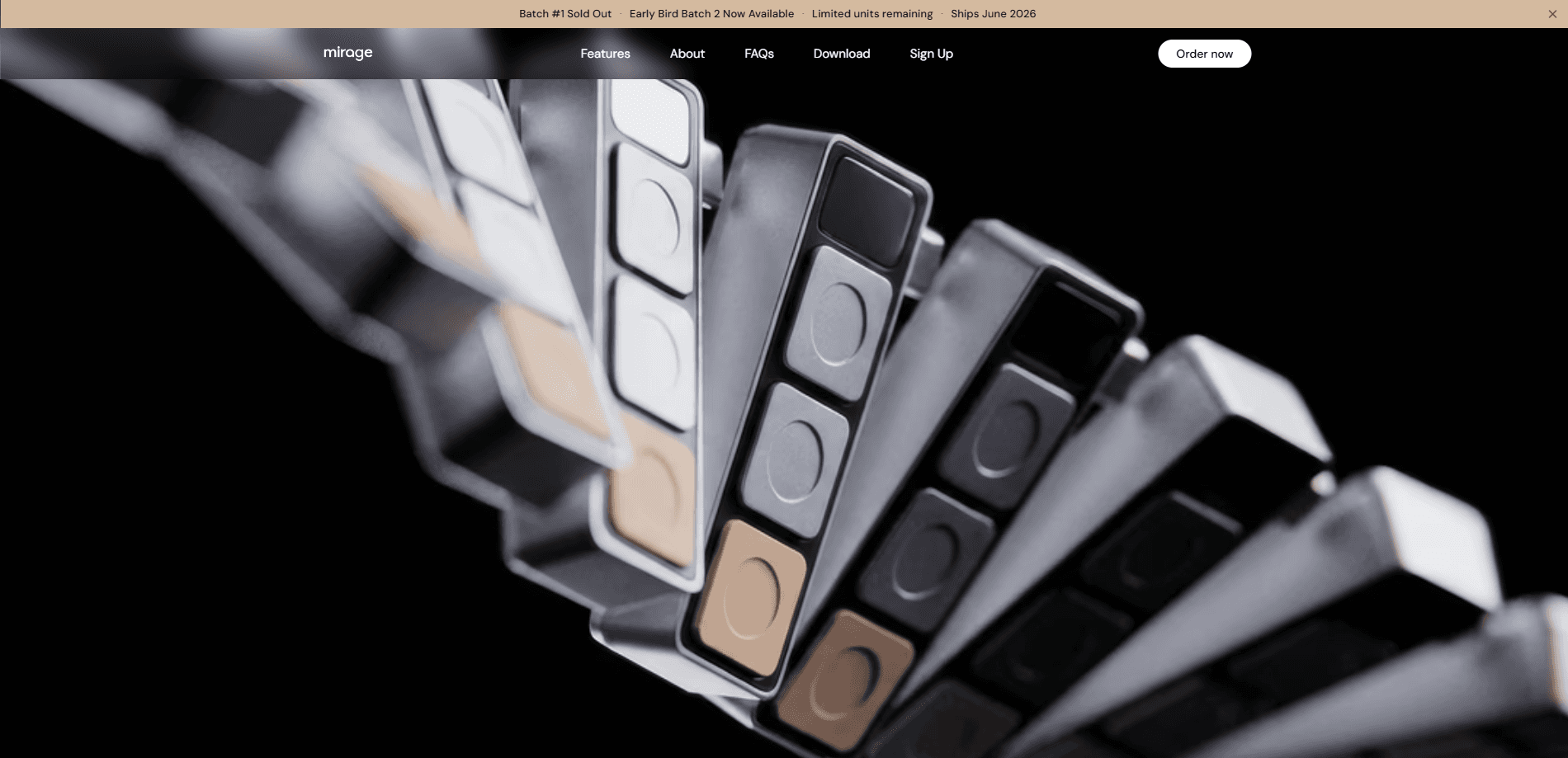
Dune is a three-key, context-aware keypad for macOS built by Project Mirage. It remaps its buttons based on whatever app is in front of you, so the same physical key can join a call in one window, toggle your mic in another, and fire off a script or AI agent somewhere else. Think of it as an AI workflow keypad that reshapes itself around the task at hand. The pitch is simple. Stop hunting through menus and trackpads for actions you repeat all day. Press a button instead.
About Dune
What Is Dune
Dune is a small piece of hardware, not an app you install and forget. It sits on your desk and talks to your Mac over USB-C, watching which application has focus and changing what its three keys do to match. That context-aware behavior is the whole idea. A keypad that acts the same everywhere is just a numpad. Dune tries to be the right three buttons for the moment.
The problem it goes after is friction. Joining a meeting usually means finding the invite, clicking the link, and hoping you don't accidentally share the wrong screen. Muting means squinting at a tiny icon in a video window. Dune collapses those into single presses and remembers the context for you. It's aimed at people who live in meetings and terminals, and who already lean on AI tools as part of the job, whether that means firing off a prompt to summarize a call or kicking off a script that reshuffles their whole afternoon.
The biggest limitation is that it's macOS only. No Windows. No Linux. There's also no battery, so it needs a free USB-C port at all times, and on a laptop with only two ports that's a real trade-off rather than a footnote. If your work happens on a non-Mac machine, Dune simply isn't an option. That's the deal.
Getting Started
- Plug Dune into a free USB-C port on your Mac and let the companion setup app detect it.
- Grant the permissions the app asks for, including calendar access so Dune can surface your meeting links.
- Pick what each of the three keys does in the apps you use most, or start with the defaults.
- Let Dune run in the background and confirm it switches profiles as you move between apps.
- Add your own agents and scripts to trigger from the keys once the basics feel natural.
Product Information
A quick look at Dune's pricing, supported platforms, and performance.
Best for
The users, tasks, and scenarios where this tool fits best.
Users
- Developers who jump between code, terminals, and dashboards all day and want to launch scripts or agents without leaving the keyboard
- Remote workers who sit in back-to-back online meetings and want faster control over calls and reminders
- People already using AI assistants in their daily flow who'd rather press a button than type a prompt to kick off a routine.
Tasks
- Joining a call in one press
- Sending a quick running-late note to attendees without opening your email or a chat window.
- Toggling your microphone and camera mid-meeting and pulling the active meeting window back to the front.
Scenarios
- The ten minutes before a standup, when you're still finishing a thought and don't want to fumble for the join link.
- Deep work sessions where you want to trigger an AI agent or a saved script on the spot.
- Days stacked with back-to-back calls, where a physical mic and camera toggle saves a hundred small clicks.
Key features
Context-aware key remapping
Dune looks at which app is in the foreground and changes what its keys do to match. In a meeting app, the buttons handle call controls. In your editor, they can run whatever you've assigned. This is what separates a context-aware keypad from a plain numpad: the hardware follows you as you switch windows instead of forcing you to remember a fixed layout.
Meeting link surfacing and one-press join
The keypad syncs with your calendar and brings up the link for your next meeting a couple of minutes before it starts. You press a key to join, no trackpad hunting required. For anyone who joins half a dozen calls a day, this alone is the reason to keep Dune on the desk. Fewer clicks. Same meetings.
Physical mic and camera toggles
Two of the keys map to your microphone and camera during calls. Muting is a press instead of a screen-wide search for a small icon, and the same press can snap your meeting window to the front no matter how many tabs you've buried it under. It sounds minor until you've done it wrong in front of a client. This is the part that earns the label meeting control keypad.
Running-late messages in one press
One key can send a running-late note to everyone on the invite without you touching your cursor. It's the kind of small, repetitive task that eats a few seconds each time and adds up across a busy week. Dune handles it in the background while you keep working. No email window. No copy-paste.
Configurable keys for agents and scripts
All three keys are fully configurable, which is where the developer angle shows up. You can map them to trigger AI agents, pull notes from earlier conversations, or run custom scripts. Send a personalized follow-up the moment a call ends, or fire off a routine you've automated. It's a programmable keypad first, and an AI accessory second.
Speak-to-Claude and a marketplace
Beyond the defaults, Dune leans into AI integrations. You can set a key to speak to Claude and there's a marketplace for finding setups other people have built. How deep does that library actually go? I haven't seen the full catalog yet, so treat the marketplace as a nice-to-have rather than the main draw.
Compact, bus-powered hardware
The unit is CNC-machined anodized aluminum, measures 40mm × 10mm × 10mm, and weighs about 50g. It draws power over USB-C, so there's no battery to charge and no wireless pairing to fight with through crowded Bluetooth channels that drop at the worst possible moment. Small footprint, one cable, done.
Pros and cons
Pros
- Context-aware remapping means one keypad adapts to every app instead of locking you into one layout.
- Meeting link surfacing and one-press join cut real time out of a call-heavy day.
- Physical mic and camera toggles are quicker and less error-prone than on-screen controls.
- Fully programmable keys make it a genuine developer productivity keypad, not just a shortcut pad.
- USB-C powered with no battery, so it's always ready and never needs charging.
Cons
- macOS only, which rules it out entirely for Windows or Linux users.
- No free tier and limited public pricing detail, so you're committing to hardware before trying it.
- Ties up a USB-C port permanently, which is a real constraint on Macs with only two.
- The value depends on your workflow; if you rarely take calls or run scripts, the payoff shrinks fast.
Frequently asked questions
It's a three-key keypad for macOS that changes what its buttons do depending on which app is active. In practice that means joining calls, muting your mic, toggling your camera, and triggering scripts or AI agents from a press instead of a menu. One press, one action.
Related content
Explore related tools, skills, and articles for Dune.
Dune Alternatives
BinkBink
BinkBink · OtherBinkBink is a free online game platform and AI game maker that lets anyone turn a short text description into a playable browser game. You can jump into hundreds of community-made games. Or describe your own idea and play it in seconds, then share it with friends. Want to create your own game? You don't need to code. No engine setup, no download, no hassle.

Audiogen
Audiogen Inc. · OtherAudiogen is an AI music generator built by Audiogen Inc., a small research team that spent about 2.5 years training its own generative music model and designing a web interface around it. Instead of a plain text box, this AI music tool turns the timeline into a beginner-friendly Generative Audio Workstation, or GAW, where inpainting, extending, remixing and stem editing work more like painting on a canvas. The product is still in beta, so access runs through a waitlist or an invite. Paid plans aren't published yet.

Aiml API
AIMLAPI OÜ · OtherAiml API is a unified AI model API that puts more than 1000 models from OpenAI, Google, Anthropic, and others behind one endpoint and one bill. You write code against a single OpenAI-compatible schema, then switch between chat, image, video, and audio models by changing a model string. It suits developers and small teams who want multi-model access without juggling a dozen separate provider accounts, and it removes the usual billing headache that comes with testing several vendors. One key covers it all.