

DunSocial
ThisUX Private Limited · Marketing · AI Detection
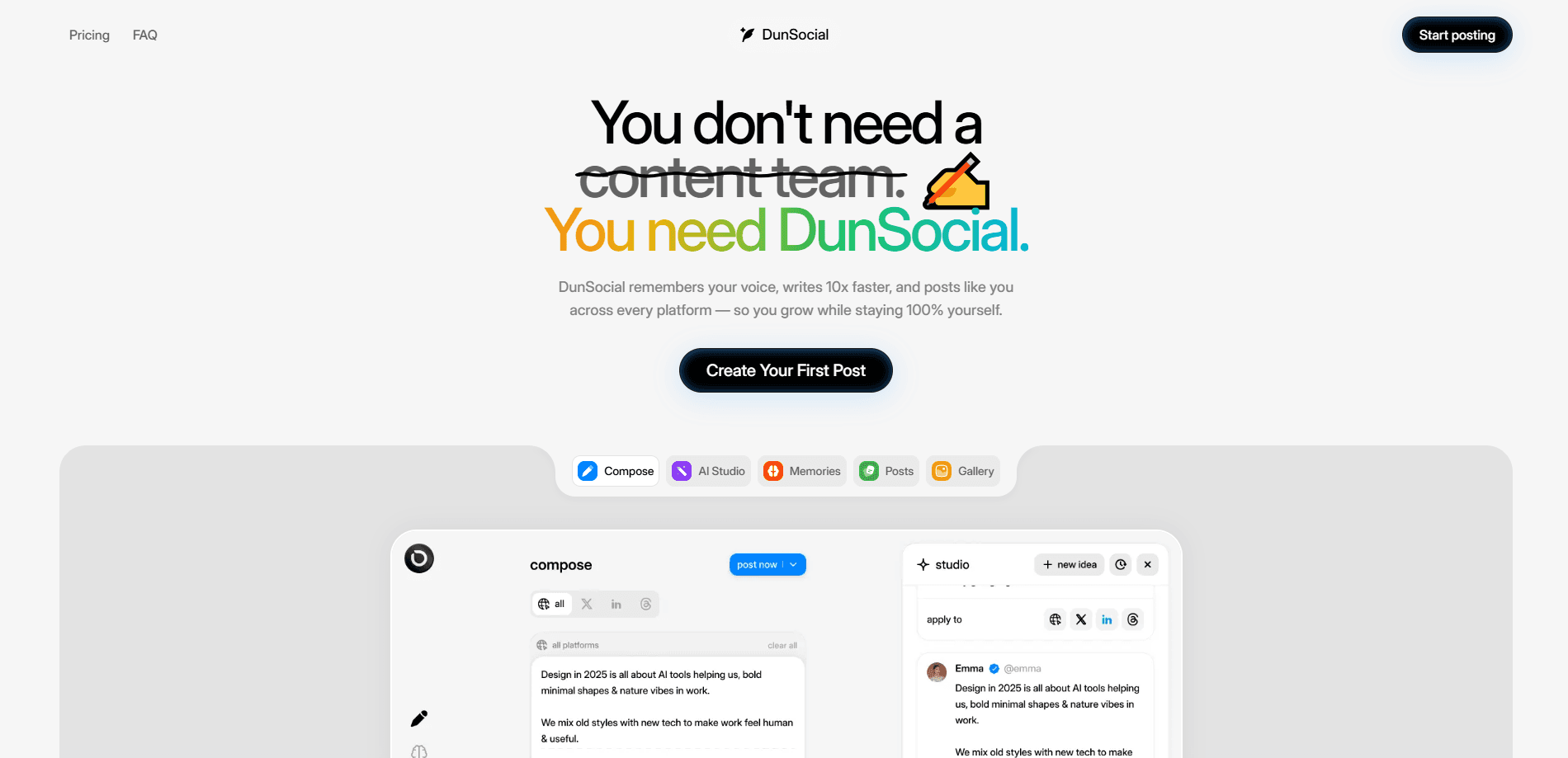
DunSocial is an AI social media scheduler that plans, writes, and publishes your posts across every major network while keeping your own voice intact. You set up a Voice Preset once, and the tool drafts captions, threads, and short posts that sound like you rather than a generic AI. It keeps a shared calendar, media gallery, and AI Memory of your past edits, so the writing keeps improving as you go. If you run a small brand, a solo consultancy, or an agency juggling several client accounts, it's built to replace the scatter of Google Docs, spreadsheets, and three separate posting tools.
About DunSocial
What Is DunSocial
DunSocial is built around one stubborn problem: AI can write fast, but it rarely sounds like the person publishing the post. The tool fixes that with Voice Presets and AI Memory. A Voice Preset captures your tone, audience, and keywords, while AI Memory watches the edits you make to drafts and folds those preferences back into future output. The result is a social media publishing tool that produces copy you can approve quickly instead of rewriting from scratch.
So who is it for? It suits people who post often and hate the writing part.
It covers the full loop from idea to published post. You plan on a drag-and-drop social media content calendar, generate captions and X threads in the background, and schedule posts across platforms so they fire automatically at the right time. Drafts, media, and connected accounts live in one workspace, so a team works from the same context instead of passing files around. It handles multi-platform publishing without making you post the same caption everywhere.
The limits are worth knowing up front. DunSocial is a subscription product with no permanent free tier, only a 14-day trial, so it suits people who already post regularly and want to speed that up. It's a web-based scheduler, not a mobile-first app, so heavy phone users will do most of their work in a browser. And it won't invent a brand voice for you, it sharpens the one you give it.
Getting Started
- Sign up for the 14-day trial on the DunSocial site. No credit card is needed to begin.
- Connect the social accounts you want to publish to, then create a Voice Preset with your tone, audience, and key phrases.
- Generate a few draft posts for the coming week and edit them. Those edits teach AI Memory how you actually write.
- Drag the approved posts onto the calendar and set their publish times, one at a time or in bulk.
- Let scheduled posts go live automatically, then invite teammates into the shared workspace if the brand has more than one person.
Product Information
A quick look at DunSocial's pricing, supported platforms, and performance.
Best for
The users, tasks, and scenarios where this tool fits best.
Users
- Solo founders and consultants
- Small marketing teams
- Agencies running several client brands
Tasks
- Turning a rough idea into a ready-to-publish caption
- Writing X threads
- Planning a week of content
- Repurposing one announcement across networks
Scenarios
- Keeping a brand feed active through a busy launch week when no one has time to write.
- Maintaining a steady posting rhythm as a one-person operation.
- Handing a calendar to a teammate or client for review before anything goes live.
- Bringing an AI writer up to speed on how a specific brand talks.
Key features
Voice Presets
A Voice Preset is where you describe how your brand sounds: its tone, its audience, and the phrases it leans on. DunSocial uses that profile every time it drafts a caption or thread, so the first version already reads close to your style. You can keep separate presets for different brands or personal and work accounts. No shared voice problem. It removes the usual first pass of scrubbing out robotic phrasing. Less cleanup for you.
AI Memory
AI Memory works like a long-running AI post writer that watches the changes you make to generated drafts and remembers them. If you always cut hashtags or rephrase openings, the tool starts producing fewer of those things on its own. This is the part that separates DunSocial from a plain prompt-based writer, because the output drifts toward your habits over time rather than staying fixed. It rewards a little patience in the first weeks of editing. Feed it edits and it gets sharper.
Multi-Platform Publishing
You publish to every supported network from one composer and one calendar instead of logging into each app. The tool adapts posts to the format each platform expects, so a thread, a short caption, and a longer update can come from the same source idea. Scheduling runs automatically at your chosen times, and unlimited scheduled posts are included in the plan. Set it and forget it.
Calendar and Planner
The drag-and-drop calendar gives you a weekly view of what's queued and, more usefully, what's missing per brand. You can spot empty days and fill them before an account goes quiet. That gap hurts reach. Bulk scheduling lets you place a whole series in one pass.
Media Gallery
Images and video you upload live in a shared gallery tied to the workspace. That means a teammate can grab existing brand assets for a new post without hunting through someone's drive. Keeping media next to the drafts it belongs to cuts down on the "which folder is it in" routine. Simple, but it saves minutes.
Workspaces for Teams
Invite teammates into a shared workspace where everyone works from the same connected accounts, drafts, calendar, media, AI Memory, and Voice Presets. The publishing context stays together instead of splitting across personal tools, which matters most when more than one person touches the brand. Roles make it clear who reviews and who publishes. No more guessing.
Integrations, MCP, and CLI
Beyond the dashboard, DunSocial connects to outside tools through integrations, an MCP endpoint, and a command-line interface. Teams that already live in another app can pull publishing into that workflow rather than adding one more tab. It's the feature that makes the product fit a technical team's existing setup. That matters for developers.
Pros and cons
Pros
- Voice Presets and AI Memory aim at the real weak spot in AI writing, which is sounding like the brand.
- One flat price of $20 per month covers every feature, all networks, and unlimited scheduled posts.
- The 14-day trial unlocks the complete product with no credit card required.
- A shared workspace keeps accounts, drafts, and media together for teams and agencies.
Cons
- There's no permanent free plan, so light or occasional users pay the full monthly cost.
- There's no dedicated mobile app. It runs in a browser, which is awkward if you post mostly from your phone.
- Voice quality depends on how much you edit early on, since AI Memory needs a few rounds to learn your habits.
- More than one seat adds cost, which can add up for larger teams.
Frequently asked questions
It plans, writes, and schedules social media posts across multiple platforms from one place. You set a brand voice, generate drafts, arrange them on a calendar, and let the tool publish them automatically.
Related content
Explore related tools, skills, and articles for DunSocial.
DunSocial Alternatives

ngram 2.0
ngram · Video · Marketingngram 2.0 is an AI video generator for teams. It turns a prompt, a screen recording, or a product URL into a narrated explainer, product demo, or AI avatar video, and every scene stays editable.

shippedit.me
Krawlup · Marketing · Businessshippedit.me now redirects to Krawlup, a web platform that audits SEO, AEO and page speed every week, then hands the fixes to AI coding agents over MCP.

MePersona
MePersona, Inc. · Writing · Productivity · MarketingMePersona is an AI unified inbox for creators. It learns your voice, drafts replies to fan messages from 12 platforms, and sends only what you approve.