

Dyad
Dyad · Coding
Dyad is a free, local, open-source AI app builder for Mac and Windows. You describe a web app in plain English, bring your own AI key, and keep the code it writes.
About Dyad
What Is Dyad
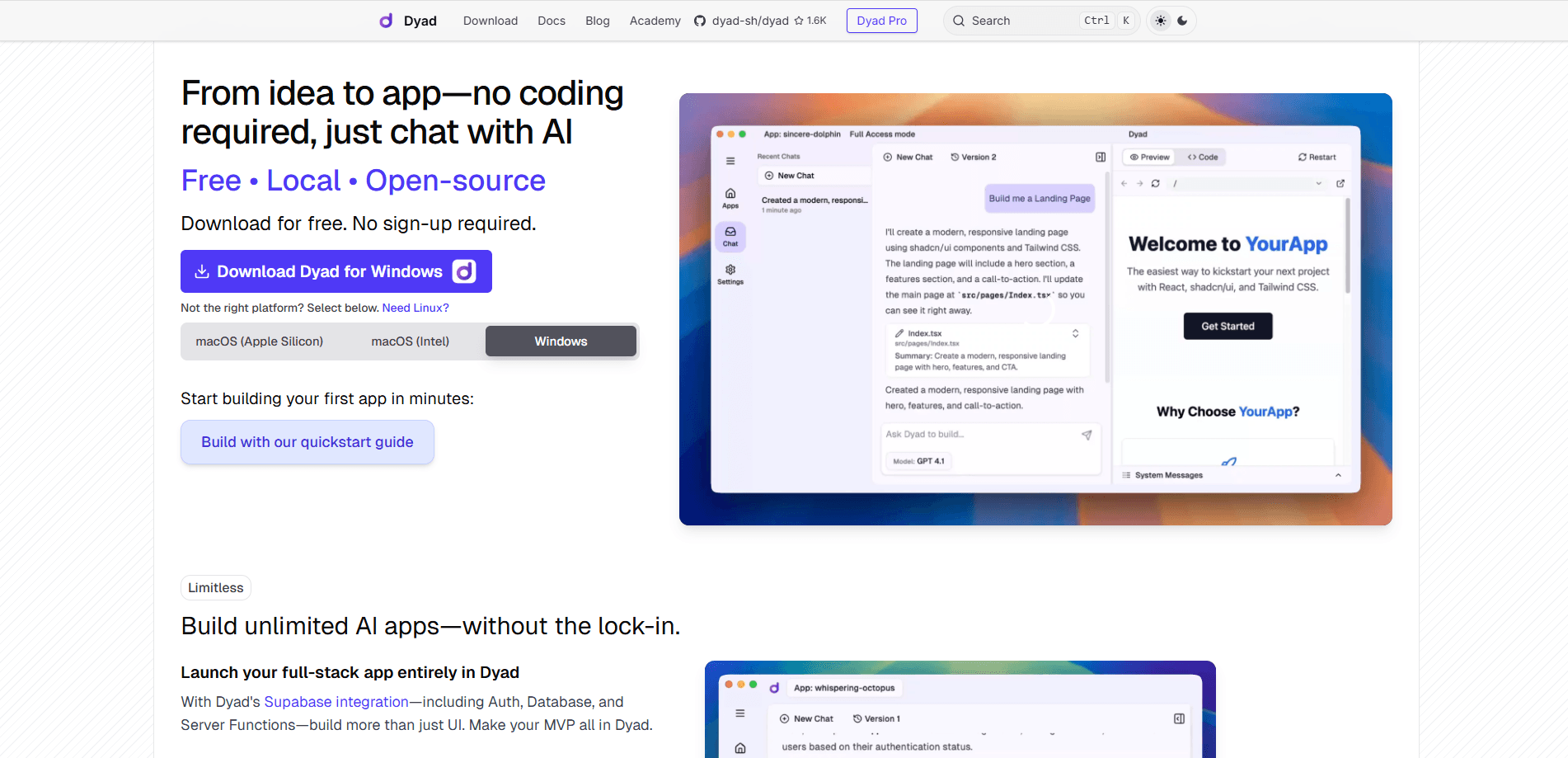
Dyad is a desktop app that turns a plain English description into a working web app. It sits in the same lane as Lovable, v0 and Bolt, with one difference that drives everything else: it runs on your machine. The code it writes stays on your disk, and you can open it, edit it or move it anywhere.
The product targets people who want to build without handing their project to a cloud platform. You connect your own AI key, so the model, the spend and the data all stay under your control. There's no sign-up, and the app ships as a download for macOS and Windows.
The catch is that it's a builder, not a finished product. You still judge whether the app works, and a rough prompt gives a rough result. If you want someone else to host the whole thing and hide the code, a hosted service fits better. If you want to own what gets built, Dyad is the point.
Getting Started
- Download the installer for macOS or Windows from the official site and open the app. No account or sign-up is needed.
- Connect an AI model. Add an OpenAI or Anthropic key, or point Dyad at a local model through Ollama or LM Studio.
- Describe the app you want in the prompt box, then hit build. Import an existing project if you'd rather work from something you already have.
- Iterate on the result by chatting about what to change, add a database and auth with one click, then export the code or push it to GitHub and Vercel.
Product Information
A quick look at Dyad's pricing, supported platforms, and performance.
Best for
The users, tasks, and scenarios where this tool fits best.
Users
- Non-developers with an app idea
- Hobbyists and side-project builders
- Developers who want to own the output
- Privacy-conscious teams
Tasks
- Turning a rough idea into a first working app
- Adding a backend fast
- Debugging with an agent
- Coding offline
- Shipping to production
Scenarios
- A founder validating an idea over a weekend
- A student learning how apps fit together
- A small business building an internal tool
- Working on a locked-down network
- Prototyping before a paid build
Key features
Local-First Desktop App
Dyad runs as a native desktop app on macOS and Windows rather than in a browser tab. Your project, your AI keys and your data stay on your own disk, which is the reason many users pick it over hosted rivals. There's no account to create, so you can download it and start building in minutes. When you're done you can move or back up the folder like any other project.
Bring Your Own AI Model
You're not locked to one model. Dyad connects to OpenAI and Anthropic, and it also works with local models through Ollama and LM Studio, so you can build without sending prompts to a cloud provider at all. Using your own key means you pay the model provider directly instead of a markup, and you can swap models whenever one stalls. If you'd rather skip the setup, you can bring a ChatGPT subscription instead.
Open-Source Code You Keep
Everything outside the paid Pro folder is open-source under Apache 2.0, so the community can read and improve the app itself. More to the point for users, the projects Dyad builds are plain code you own. You can export a clean, runnable project, open it in your own editor and keep it, with no lock-in to a hosted canvas.
One-Click Database and Auth
Full-stack features don't need a full-stack setup. You can connect Supabase or Neon in a single click and get instant schemas, migrations and user login wired into the app. That saves the part of building people usually stall on, and it happens inside the same local project instead of a separate service you have to stitch back together.
Agent Mode That Debugs
The built-in agent doesn't just write code. It checks for build errors, runs tests and reads logs to find what broke, then fixes the problem, closer to a junior engineer than a code autocomplete. On the free plan the basic agent is capped at 20 messages a day, and paid plans raise that with Pro credits for bigger jobs.
Built-In Security Scan
Before you ship, Dyad scans the app for common flaws like SQL injection, weak auth and misconfigurations. It flags what it finds and points to fixes that follow OWASP best practices. It won't replace a real audit, but it catches the mistakes that ship in a hurry, which is exactly when small projects go live.
One-Click Deploy to GitHub and Vercel
Once the app works, going live takes a couple of clicks. Dyad pushes the project to GitHub and deploys it on Vercel, or you can bring your own cloud and host it yourself. Because the code is standard, nothing about the deploy depends on staying inside Dyad, so the tool is a starting point rather than a place you're stuck.
Pros and cons
Pros
- Free forever with no sign-up, and you pay only for the AI usage you bring
- Runs locally on Mac and Windows, so code and API keys never have to leave your machine
- Works with any model, including offline ones through Ollama and LM Studio
- One-click Supabase or Neon setup covers the database and auth most apps need
- Exports clean, owned code and deploys to GitHub and Vercel with no lock-in
Cons
- It's a desktop builder, so there's no browser version and no mobile app for editing on the go
- Free agent mode is capped at 20 messages a day, which slows larger builds
- Bring-your-own-key means setup and AI costs are on you, not bundled in
- Smaller community and fewer templates than the big hosted builders
Frequently asked questions
Dyad is a free, local, open-source AI app builder for macOS and Windows. You describe a web app in plain English, it writes the code with an AI model you connect, and the finished project stays on your computer as code you own.
Related content
Explore related tools, skills, and articles for Dyad.
Dyad Alternatives

Base Code
Base44 (Wix) · Coding · ProductivityBase Code is a shared cloud development environment from Base44. Teammates describe changes to an existing GitHub codebase in chat, preview them live and send them back as pull requests.

Google EmbeddingGemma 2
Google DeepMind · Writing · Image · CodingGoogle EmbeddingGemma 2 is a 740M-parameter open model that turns text, code, images, audio, and video frames into vectors in one 768-dimension space, running on phones and laptops.

GitGlow
GitGlow · Coding · ProductivityGitGlow is a local-first desktop Git client that lets independent developers review their own code and their AI agents' changes in one place before shipping.