

Dynal.AI
Dynal · Other
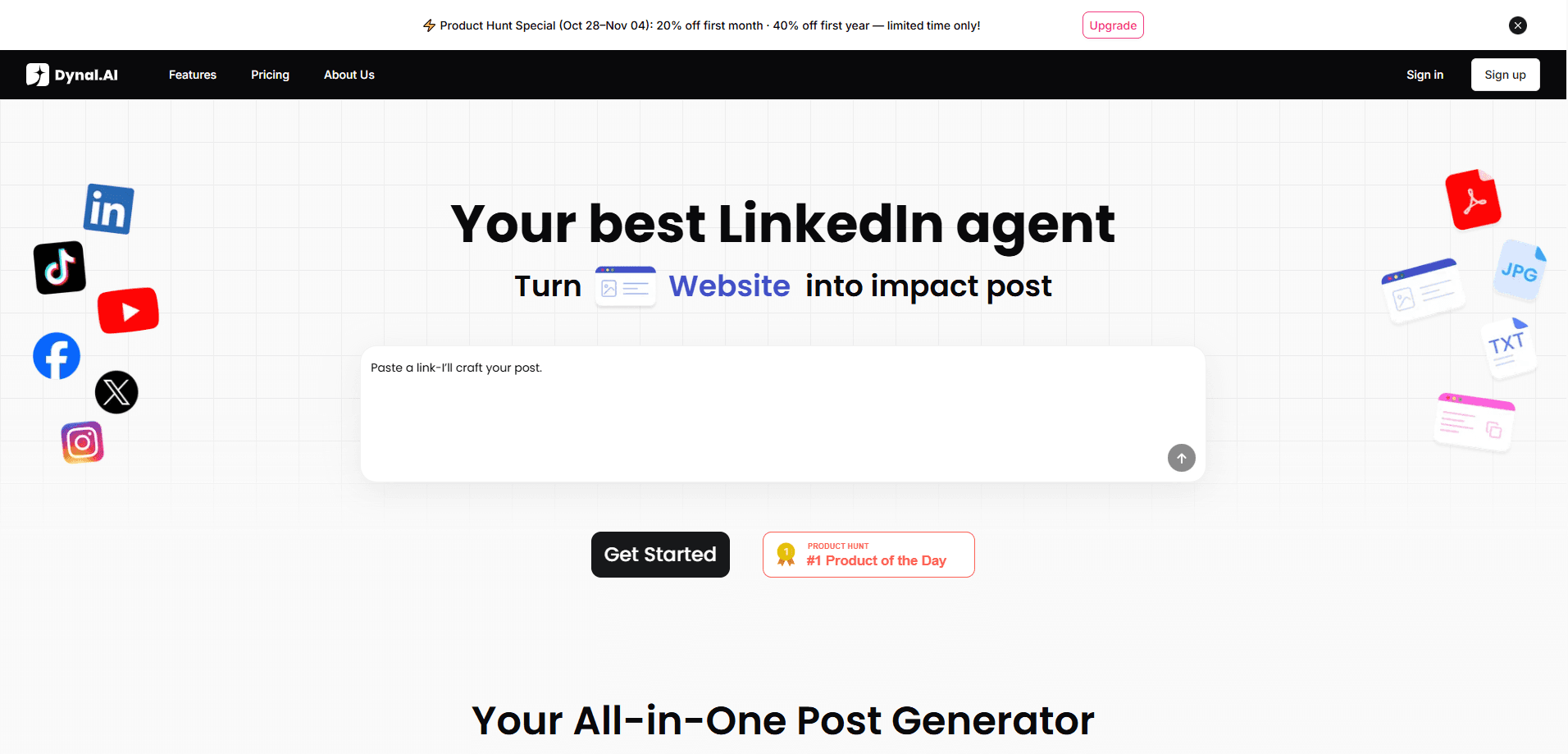
Dynal.AI is an AI LinkedIn agent that helps founders, consultants, and marketers keep a steady posting habit without writing everything from scratch. It reads your LinkedIn profile to build a "Brand DNA" profile, then turns a rough idea into a post, generates images and carousels, and drafts replies to the people worth talking to. You stay in the loop: nothing goes out until you review and approve it. No ghostwriter needed.
About Dynal.AI
What Is Dynal.AI
Dynal.AI is a web-based LinkedIn content assistant, with a Chrome extension that runs inside the LinkedIn feed. The core idea is that a generic AI post sounds like every other AI post, so Dynal starts by studying you. It pulls voice, tone, audience, and topics from your profile, then uses that profile to steer every draft it writes. Does that sound familiar?
It solves a specific problem: most people know they should post on LinkedIn, and most of them don't. Writing a post takes an hour. Coming up with a topic takes longer. Replying to comments eats what's left of the day. Dynal compresses that loop into a review step. According to the company, it has analyzed more than 600,000 LinkedIn posts to inform its topic suggestions, and it writes in over 10 languages.
The main limit is scope. Dynal is built for LinkedIn and nothing else. If you run a multi-platform content operation, it only covers one channel. It also works best when your profile is already filled out with real detail, since that's the raw material it reads.
Getting Started
- Sign up at dynal.ai with your email. The free trial runs for three days and doesn't need a credit card.
- Connect your LinkedIn account and let Dynal read your profile to build your Brand DNA: voice, tone, audience, boundaries, and visual style.
- Set a growth goal, then ask the assistant for post ideas. It returns topics based on your expertise and past results.
- Turn an idea into a draft, generate an image or carousel if you want one, and edit it to sound like you.
- Install the Chrome extension to see reply suggestions directly on LinkedIn, then publish on your own schedule.
Product Information
A quick look at Dynal.AI's pricing, supported platforms, and performance.
Best for
The users, tasks, and scenarios where this tool fits best.
Users
- Founders and solo consultants
- B2B marketers and small teams
- Job seekers and career switchers
Tasks
- Turning a half-formed idea into a publishable post
- Planning a content calendar
- Drafting replies to comments and DMs
- Creating post images and carousels
Scenarios
- The Sunday-night panic of having nothing queued for the week
- Answering comments after a post takes off
- Managing social for a client's account
- Building a personal brand while running a business
Key features
Brand DNA Profiling
Dynal reads your LinkedIn profile and turns it into a working profile of voice, tone, audience, boundaries, knowledge areas, and visual style. Every draft it writes afterward leans on that profile, which is the difference between text that sounds vaguely like you and text you'd actually post. You can adjust the profile as your positioning changes.
Post Generation From a Prompt
Give it a topic or a rough idea and it returns a full post. The tool separates coming up with an angle from writing the angle, so you can request several takes on one topic and keep the one that lands. Posts are editable, and you can regenerate a section without rewriting the whole thing.
Image and Carousel Creation
Dynal generates post images and multi-slide carousels that match your saved visual style. That matters on LinkedIn, where a plain text post gets scrolled past and a clean visual stops the scroll. You get watermark-free downloads and don't need to open Canva for a single graphic. That saves real time.
Reply Assistant and Prioritization
A Chrome extension works inside LinkedIn and highlights the conversations worth your time, then drafts a reply. It reads and answers in more than ten languages and flags signals worth responding to, so replying stops being a chore you skip. You review and send every reply yourself. No auto-posting.
Content Planning and Scheduling
You set a growth goal and Dynal turns it into a LinkedIn content strategy with tailored topics and a posting cadence. Scheduled tasks handle the routine parts, and the planning view shows which drafts need your attention so nothing stalls in a queue you forgot about.
Performance Learning
After posts go out, Dynal tracks what worked and folds it back into later suggestions. You see which LinkedIn posts and angles earned engagement, which helps you stop guessing about what to post next. It's a feedback loop rather than a one-shot generator. That matters. Most content tools forget everything the moment you close the tab.
Multi-Account Management
The Pro plan supports up to five LinkedIn accounts and five Brand DNA profiles, with 100 asset library entries. That setup fits consultants and small agencies running more than one brand from a single dashboard, so you're not logging in and out to keep each account fed.
Pros and cons
Pros
- Brand DNA keeps drafts close to your own voice instead of generic AI output.
- Covers the full loop: topics, posts, images, replies, and scheduling in one tool.
- The Chrome extension puts reply drafting right inside the LinkedIn feed.
- Free three-day trial requires no credit card, so you can test the voice match first.
- Multi-language output, which helps anyone posting to a non-English audience.
Cons
- LinkedIn only. If you post across other platforms, you still need separate tools.
- Credits are consumed per action, so heavy image use burns through a plan fast.
- Draft quality depends on how complete your LinkedIn profile already is.
- No public API, which rules out wiring it into an existing content pipeline.
Frequently asked questions
It helps you write and plan LinkedIn content. You feed it a topic, it drafts a post in your voice, and it also handles images, reply drafts, and scheduling so posting takes minutes instead of an afternoon.
Related content
Explore related tools, skills, and articles for Dynal.AI.
Dynal.AI Alternatives
BinkBink
BinkBink · OtherBinkBink is a free online game platform and AI game maker that lets anyone turn a short text description into a playable browser game. You can jump into hundreds of community-made games. Or describe your own idea and play it in seconds, then share it with friends. Want to create your own game? You don't need to code. No engine setup, no download, no hassle.

Audiogen
Audiogen Inc. · OtherAudiogen is an AI music generator built by Audiogen Inc., a small research team that spent about 2.5 years training its own generative music model and designing a web interface around it. Instead of a plain text box, this AI music tool turns the timeline into a beginner-friendly Generative Audio Workstation, or GAW, where inpainting, extending, remixing and stem editing work more like painting on a canvas. The product is still in beta, so access runs through a waitlist or an invite. Paid plans aren't published yet.

Aiml API
AIMLAPI OÜ · OtherAiml API is a unified AI model API that puts more than 1000 models from OpenAI, Google, Anthropic, and others behind one endpoint and one bill. You write code against a single OpenAI-compatible schema, then switch between chat, image, video, and audio models by changing a model string. It suits developers and small teams who want multi-model access without juggling a dozen separate provider accounts, and it removes the usual billing headache that comes with testing several vendors. One key covers it all.