

Dynamiq
Dynamiq Technologies · Coding · Productivity
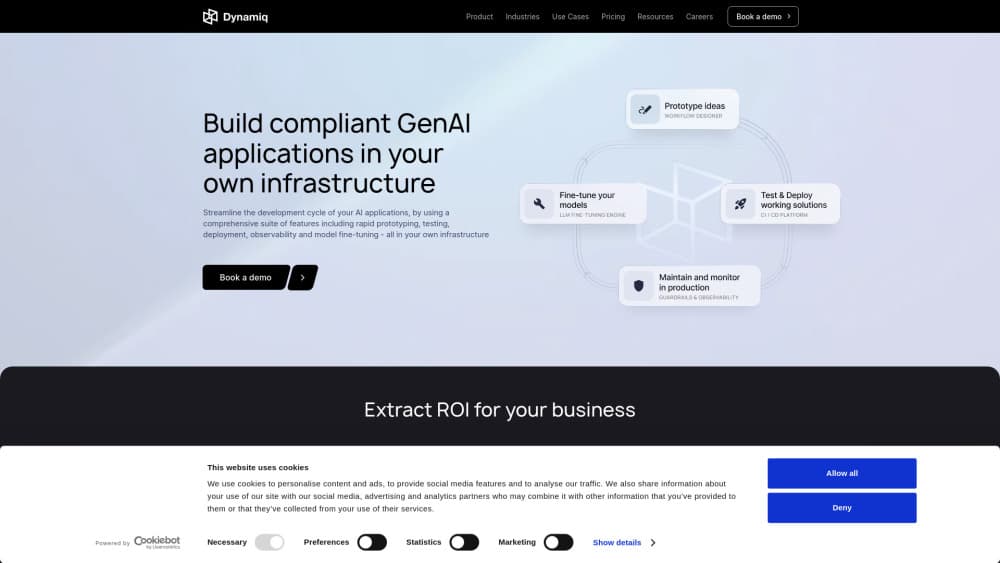
Dynamiq is an enterprise AI agent platform for building chat, voice and workflow agents on a visual canvas or in Python, then running them in your own cloud or data center.
About Dynamiq
What Is Dynamiq
Dynamiq is an agent platform for companies that can't send their data to a public chatbot. Banks, insurers and government teams use it to build agents that read loan files, answer support calls, triage compliance alerts and reconcile payments, with every run traced and every risky step gated by a person.
The core idea is that business analysts and engineers work on the same thing. A workflow lives as a graph of nodes: an input, an LLM, some tools, maybe a sub-agent, and an output. Analysts wire it on a drag-and-drop canvas. Engineers write the same graph in an open-source Python SDK that compiles to the same definition. Nothing forces you to pick a side, and nothing gets rebuilt when the team changes.
Two limits matter before you commit. The platform is aimed at organizations with a deployment story: self-hosting needs a Kubernetes cluster and, on the Enterprise plan, the vendor's engineers to install it. And it's built for production workflows, not quick experiments. If you want a toy chatbot in ten minutes, the free workspace is fine, but the product is priced and shaped for teams that plan to put agents in front of customers or auditors.
Getting Started
- Sign up at app.getdynamiq.ai and open a free cloud workspace. No card is needed to start.
- Open the agent builder, create a workflow and pick a starting point: a blank canvas, or type the job in plain language and let the generator draft the nodes, edges and prompts.
- Configure each node in the inspector. Choose the model, attach a knowledge base, add tools, and connect your systems through Connections.
- Add the control steps your process needs, such as a decision table, a judgement node for edge cases, or an approval gate on a tool that moves money.
- Test in the playground or against saved test cases, save a version, deploy it, and expose it as an app, a chat widget or a voice line.
Product Information
A quick look at Dynamiq's pricing, supported platforms, and performance.
Best for
The users, tasks, and scenarios where this tool fits best.
Users
- Operations and credit teams in banks and insurers
- AI engineers at regulated companies
- Compliance and risk analysts
Tasks
- Loan file and contract review
- Support automation by voice and chat
- Reconciliation and payment exceptions
Scenarios
- A regulated rollout where data can't leave the building
- A first production agent with a deadline
- Document search over internal policy
Key features
One engine, two ways to build
Every workflow is a graph of nodes with an input and an output at the ends, and the canvas and the Python SDK compile to the same definition. Analysts drag nodes from a palette grouped by logic, agents, tools and validators. Engineers keep the same graph in git, run it through their CI, and export a canvas workflow as a ZIP when they'd rather extend it in code. The dynamiq CLI handles projects, versions, apps and triggers from a terminal.
A prompt that turns into a first draft
You describe the job in a sentence, such as reviewing a loan package against credit policy and routing exceptions to an underwriter, and the generator drafts the nodes, edges and prompts in a side panel. You accept the draft, then swap models, attach tools and add approval steps in the inspector. Nothing is saved until you click Save, so an experiment costs you a minute and no cleanup.
Decision tables, rules and judgement nodes
Some decisions shouldn't go to a model at all. A Decision Table turns an eligibility check or pricing grid into typed inputs, a rule grid and a hit policy that a credit lead can read and edit, with CSV import and saved test cases that re-run after every change. A Rules node checks a record against several rules and reports one finding per rule with a severity. Where judgement is needed, the Judgement node answers yes or no, choice and score questions with a confidence score and sends low-confidence cases to a person.
Approvals on the steps that move money
Turn on execution approval for a tool node and the run pauses with a rendered message showing exactly what will execute. A reviewer approves, edits the fields about to be sent, or rejects with feedback the agent reads and acts on. Approval requests arrive over the same WebSocket or Runs API stream the app already uses, so the gate lives inside your own interface rather than a separate console.
Agentic memory per person
With memory enabled, an agent keeps each conversation, scoped by user ID and session ID, and replays recent messages, relevant ones or both at the start of the next run. Long-term memory goes further: the agent gets tools to save and recall durable facts, updates a fact in place when it hears the same thing said differently, and keeps sub-agent history separate so a delegate never reads another agent's memory.
Knowledge, guardrails and tracing
Answers are grounded in your own documents, and each source's permissions are enforced at retrieval, so an agent can't quote a file the person asking isn't allowed to read. Guardrails detect PII and prompt injection before they reach the model or the tool, and every step lands in a trace with the inputs, the model call and the latency. An agent reads those traces and points out the runs that went wrong.
Pros and cons
Pros
- The canvas and the SDK share one engine, so business analysts and engineers can work on the same workflow without parallel builds.
- Human approval gates, decision tables and per-source permissions cover the controls regulated teams get audited on.
- Deployment options run from a shared cloud workspace to your own Kubernetes cluster, including an isolated environment with no outside access.
- The Python SDK is open source under Apache-2.0, so the workflow definition isn't locked inside the product.
Cons
- Enterprise pricing is quoted per deal, which makes budgeting hard before you talk to sales.
- Self-hosting expects Kubernetes 1.32 or newer and vendor engineers for the isolated option, so it isn't a one-click install for a small IT team.
- The free workspace caps apps, knowledge bases and monthly messages, so load testing a busy voice agent isn't possible without an upgrade.
- Durable waits and error paths are still listed as coming soon, which matters if your process has to sleep for days or retry a failed branch.
Frequently asked questions
Dynamiq is used to build and run AI agents for back-office work, customer support and document review. Teams describe the workflow, attach tools and knowledge, then deploy it inside their own infrastructure.
Related content
Explore related tools, skills, and articles for Dynamiq.
Dynamiq Alternatives

Base Code
Base44 (Wix) · Coding · ProductivityBase Code is a shared cloud development environment from Base44. Teammates describe changes to an existing GitHub codebase in chat, preview them live and send them back as pull requests.

Google EmbeddingGemma 2
Google DeepMind · Writing · Image · CodingGoogle EmbeddingGemma 2 is a 740M-parameter open model that turns text, code, images, audio, and video frames into vectors in one 768-dimension space, running on phones and laptops.

GitGlow
GitGlow · Coding · ProductivityGitGlow is a local-first desktop Git client that lets independent developers review their own code and their AI agents' changes in one place before shipping.