

Instant Upwork Alerts
Ioannis G. (EarlyBird) · Writing
Instant Upwork Alerts is a paid tool from EarlyBird that emails matching Upwork jobs to freelancers based on their skills and budget.
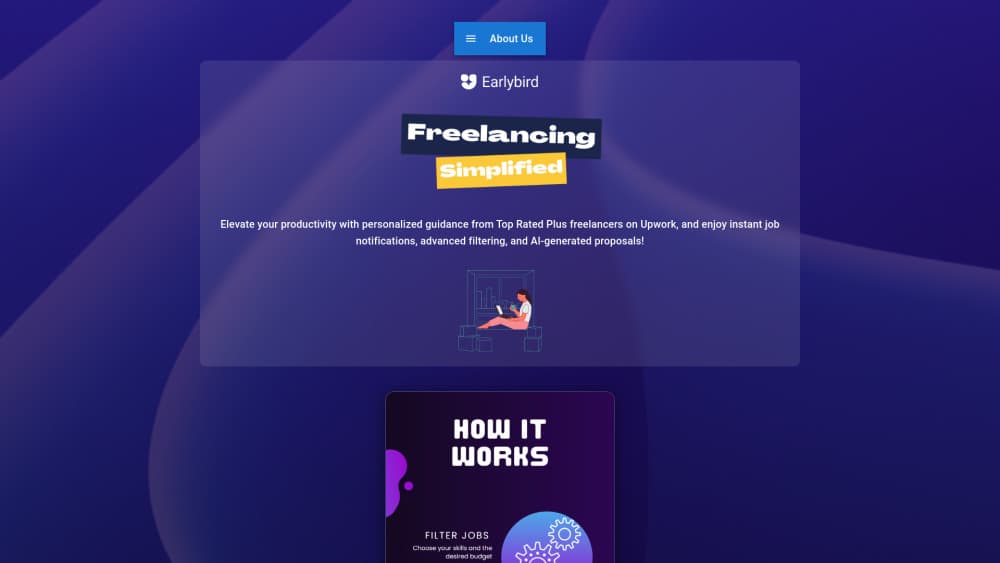
About Instant Upwork Alerts
What Is Instant Upwork Alerts
Instant Upwork Alerts is the alert service built by EarlyBird, an independent subscription tool for freelancers who work through Upwork. You pick the skills you sell and the minimum fixed-price and hourly rates you'll accept, then the service sorts new Upwork postings and pushes the matches into channels you already check: email, Telegram, or Slack. It's a helper for the freelance job search you already run. It's aimed at people who are tired of running the same filtered searches every morning.
The pitch is narrow on purpose. EarlyBird isn't a bidding tool and it doesn't apply to jobs for you. It's an alerting layer that sits next to your existing Upwork routine, and the company is upfront that Upwork's own saved searches and alerts may already be enough for some freelancers. So why pay? Because the routine still costs you time. If your searches work, you probably don't need another line on your bill.
The limits matter here. Alerts don't guarantee interviews or work, and Upwork actions like submitting proposals need a separate Upwork connection that depends on what Upwork currently allows. The service is also independent, so it isn't affiliated with Upwork itself. Pricing runs $19 USD/month for US customers after a 7-day free trial.
Getting Started
- Create an account and start the 7-day free trial, knowing your card gets charged $19 USD/month afterward unless you cancel first.
- Select up to 20 skills that reflect the work you want, from development and design to writing and marketing.
- Set a minimum fixed-price project budget and a minimum hourly rate so alerts stay inside your range.
- Enable email first, then optionally connect Telegram or Slack if those channels fit your routine.
- Browse your matches in the dashboard, where you can sort by recency, budget, or skill before deciding what to open.
Product Information
A quick look at Instant Upwork Alerts's pricing, supported platforms, and performance.
Best for
The users, tasks, and scenarios where this tool fits best.
Users
- Freelancers on Upwork who sell a defined set of skills and want new postings routed to them
- Developers, designers, writers, and marketers juggling several searches a day
- Freelancers already living in Telegram or Slack
Tasks
- Catching fresh Upwork jobs minutes after they post
- Filtering jobs by budget
- Comparing opportunities before applying
- Prepping a proposal with an AI assistant
Scenarios
- Monday morning catch-up
- Working a full contract while hunting the next one
- Testing a new skill or rate on Upwork
Key features
Skill-Based Matching
You choose up to 20 skills from areas like development, design, writing, and marketing, and matches are built around that list rather than a text query. It's a different model from keyword search, and a more predictable one if your work fits into clear categories. The trade-off is that broad or unusual skill sets can be harder to pin down to a fixed list. For most freelancers, a clean list beats a saved Upwork job alerts feed you have to babysit. If you want an Upwork job alert service that filters by rate and skill together, this is the core of it.
Budget Filters for Both Rate Types
EarlyBird keeps fixed-price and hourly minimums separate. That means a $65/hr developer and a $2,400 fixed-price project can each pass your filter on their own terms instead of competing under one number. If pre-filtering by rate is the main thing you care about, this is the part that does the work. It's a small detail. It decides a lot.
Delivery to Email, Telegram, or Slack
Alerts go out by email, and you can connect Telegram or Slack if you want them closer to where you already work. Start with email, then add channels only if they suit your routine. Nothing forces you to wire up all three.
Opportunity Dashboard
The dashboard is where matches land, with search and filters plus recent jobs, top budgets, and skill groups. You can sort fixed budgets and hourly rates separately, highest first. A visual breakdown shows where your skills fit. Sample views are available before you sign up, but they use placeholder jobs.
Optional ChatGPT Connection
If you already pay for ChatGPT, you can connect EarlyBird through Developer mode to compare matches and prepare a response. EarlyBird finds the fit, ChatGPT helps you think it through, and you make the call. It's optional, and the alerts and dashboard work without it.
No Auto-Applications
Worth stating plainly: EarlyBird doesn't submit proposals on its own. Upwork actions require a separate Upwork connection, and they depend on what Upwork currently supports. This is a user-directed workflow. Not unattended automation.
Pros and cons
Pros
- Alerts reach email, Telegram, or Slack, so new Upwork jobs arrive where you already look.
- Separate fixed-price and hourly minimums filter out low-budget postings before you open them.
- The dashboard sorts by recency, budget, or skill, which beats scrolling a raw feed.
- 7-day free trial lets you test matches against your real skills and rates before paying.
- Optional ChatGPT link adds a proposal-prep step without forcing it on you.
Cons
- It costs $19/month on top of any Upwork or ChatGPT subscriptions, and there's no free tier.
- The 20-skill cap and fixed skill list can feel tight for generalists who spread across many types of work.
- It won't submit proposals or win jobs for you, so anyone expecting automation will be disappointed.
- It's independent of Upwork, which means some actions still need Upwork's own connection and may not be available.
Frequently asked questions
It watches Upwork postings and sends you the ones that match your saved skills and minimum budgets. You get the matches by email, Telegram, or Slack, plus a dashboard where you can sort and review them. It doesn't apply to jobs for you. That part stays yours.
Related content
Explore related tools, skills, and articles for Instant Upwork Alerts.
Instant Upwork Alerts Alternatives

Emailwritr
Emailwritr · Writing · MarketingEmailwritr is an AI email copywriting tool built for affiliates, course creators, and online businesses that want more revenue from the list they already own. Instead of blank pages or generic chatbot prompts, this AI email writer generates welcome sequences, launch campaigns, cart recovery emails, and promo series from frameworks modeled on well-known direct-response copywriters. You connect your autoresponder, answer a few questions about your offer, and it writes the copy for you.

Swms
Swms AI · Writing · Productivity · BusinessSwms is an AI safety compliance tool that turns a plain description of a job into ready-to-use safety documents. Describe your project, trade, and known hazards, and it writes a safe work method statement, job hazard analysis, safe work procedure, RAMS, or safety data sheet in seconds. It also ships with Oscar, a chat assistant that answers workplace safety questions in any language. Teams in construction, mining, transport, and warehousing use it to cut the paperwork that usually eats into a workday.

Prosp
Prosp · Writing · Voice & Language · MarketingProsp is an AI LinkedIn outreach tool built for agencies and sales teams, and it writes the message and the voice note in your own voice for each prospect so they actually reply. You connect your accounts, find leads, and let the AI draft and send personalized messages at scale, all from one inbox. It's built for people running outbound at volume. That's the whole pitch. Every touchpoint still has to feel human.