
EasyDictation
EasyDictation · Writing · Marketing
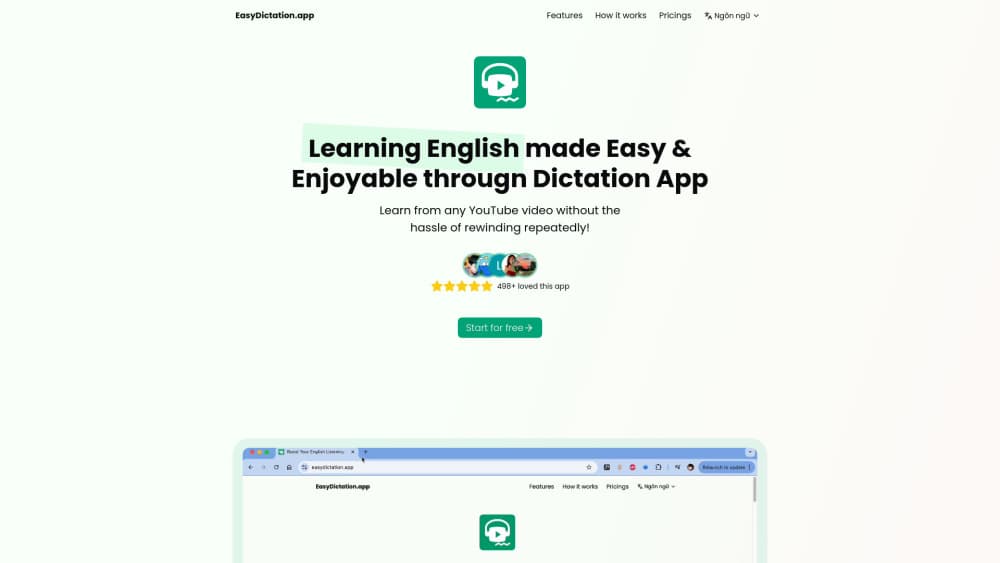
EasyDictation turns any YouTube video into sentence-by-sentence English dictation and shadowing practice, with AI transcripts, translations in 70+ languages, and instant pronunciation scores.
About EasyDictation
What Is EasyDictation
EasyDictation is a browser-based dictation app for people learning English by ear. You paste a YouTube link, the app builds a transcript with an AI model, splits it into short chunks, and drops you into a practice screen where you type what you hear and get graded word by word.
The problem it attacks is mechanical overhead. Manual English listening practice eats the clock: rewind, find the spot again, pause, look a word up, switch to a dictionary, come back. The company measured its own sessions, roughly 4,900 of them with idle time removed, and puts focused listening at about 90 percent of practice time against an estimated 20 percent for the manual route. Treat that comparison as the vendor's own figure, not an independent study. Still, anyone who has transcribed a podcast by hand knows where the time goes.
The limits matter as much as the features. Everything runs on YouTube, so a video that is region locked or copyright blocked will not process, and the app lists those failures openly. The AI transcript and the translations can be wrong, which means you sometimes lose a point to a bad answer key. Learning direction is one way only: you practice English, not the other way around. And the free plan stops at the first minute of each video.
Getting Started
- Open easydictation.app in a browser. You can start without an account, but nothing you type is saved until you sign in with Google.
- Copy the URL of an English YouTube video you actually want to understand, paste it into the app, and pick your native language for translations.
- Wait a few minutes while the AI builds the AI transcript and the translated version. The site quotes about 5 minutes for a standard video.
- Type each sentence you hear in the answer box. Press Check to see the word-by-word result, click any word for its meaning and IPA pronunciation, and switch between Steady, Natural, and Fluent splitting when a line feels too long.
- Record yourself on the microphone for shadowing practice, then read the report at the end to see which words keep tripping you up.
Product Information
A quick look at EasyDictation's pricing, supported platforms, and performance.
Best for
The users, tasks, and scenarios where this tool fits best.
Users
- Intermediate learners stuck at B1 to B2
- IELTS and TOEIC candidates
- Teachers and language centres
Tasks
- Converting a favorite channel into daily lessons
- Shadowing to fix pronunciation
- Building vocabulary that sticks
- Finding weak spots
Scenarios
- Fifteen minutes on the bus
- The month before an exam
- A classroom assignment
Key features
AI Transcripts From Any YouTube Video
Paste a link and the app generates its own transcript instead of borrowing YouTube captions. That matters for the long tail of videos with no subtitles, or with auto captions too sloppy to practice against. Each transcript arrives timed and split for dictation, with a translation into your native language attached to every sentence.
Three Levels of Sentence Splitting
A single sentence can be too much to hold in working memory. The Steady level cuts audio into short phrases, Natural follows conversational pauses, and Fluent keeps whole sentences intact. You can switch mid-video, and words you get right count toward all three, so the levels behave like one exercise seen at different zoom levels.
Word-by-Word Feedback and Dictionary
After you press Check, missed and extra words are highlighted separately, and the cursor jumps to the first spot that needs fixing. Click a revealed word for meaning, IPA pronunciation in US or UK form, and audio, all without leaving the lesson. It is the difference between "I got that wrong" and "I dropped the th in throughout".
Shadowing With AI Pronunciation Scoring
Hold the microphone, read the sentence back, and the app scores your pronunciation and plays it next to the native audio. The 15 second cap per take keeps you honest about pacing. Free accounts get 10 shadowing practices a day and Pro raises that to 2,000 a month, which is enough for a serious daily routine.
Vocabulary Book With Memory Scheduling
Tap any word during practice to save it, then review it in a notebook that tracks an estimated recall figure for each entry. Reviews come back just before a word would fade, with flashcards, matching, and listen-and-type exercises picked by how well you know the item. The stated target is 90 percent recall, which is a sensible line between remembering and over-drilling.
Progress Reports, Streaks and Leaderboard
Every session feeds a report on accuracy, sentence counts, and the words you keep missing. A daily goal row fills as you practice, streaks reward consistency, and weekly and monthly leaderboards add a competitive layer that many learners use as their main motivation. Pro adds notes per sentence and sync across devices.
Pros and cons
Pros
- Any YouTube video becomes practice material, including videos with no subtitles at all.
- Word-by-word comparison removes the guesswork from checking your answer, which is where manual dictation practice usually loses time.
- The dictionary, IPA, and audio sit inside the lesson, so you stop juggling tabs.
- Vocabulary review follows an actual memory schedule instead of asking you to reread a list.
- At $60 a year, roughly $5 a month, the Pro plan costs less than most listening course subscriptions.
Cons
- English is the only target language, so speakers of other languages get nothing from it.
- The free plan is thin: one video a day, first minute only, and 10 shadowing takes.
- Everything depends on YouTube. A copyright block or a regional restriction kills the lesson before it starts.
- AI transcripts and translations still make mistakes, and a wrong answer key costs you accuracy points you did not deserve to lose.
Frequently asked questions
Yes. A free account adds one YouTube video per day and lets you practice the first minute of it, with 10 shadowing practices daily and full access to the dictionary. Pro at $6 a month or $60 a year unlocks complete videos, up to 10 hours of processing a month, and 2,000 shadowing takes.
Related content
Explore related tools, skills, and articles for EasyDictation.
EasyDictation Alternatives

Google EmbeddingGemma 2
Google DeepMind · Writing · Image · CodingGoogle EmbeddingGemma 2 is a 740M-parameter open model that turns text, code, images, audio, and video frames into vectors in one 768-dimension space, running on phones and laptops.

MePersona
MePersona, Inc. · Writing · Productivity · MarketingMePersona is an AI unified inbox for creators. It learns your voice, drafts replies to fan messages from 12 platforms, and sends only what you approve.

Fluence
Yay Software (Yannick Huchard) · Writing · Voice & Language · ProductivityFluence is an Android app that reads PDFs, EPUBs, Word files and web articles aloud, follows each sentence as it speaks, and answers questions about the text on the phone itself.