

EasyLang AI
MyLens AI · Other
EasyLang AI is an AI language learning tool by MyLens AI that turns articles, PDFs, videos and other content into personalized, bite-sized visual lessons taught in your native language.
About EasyLang AI
What Is EasyLang AI
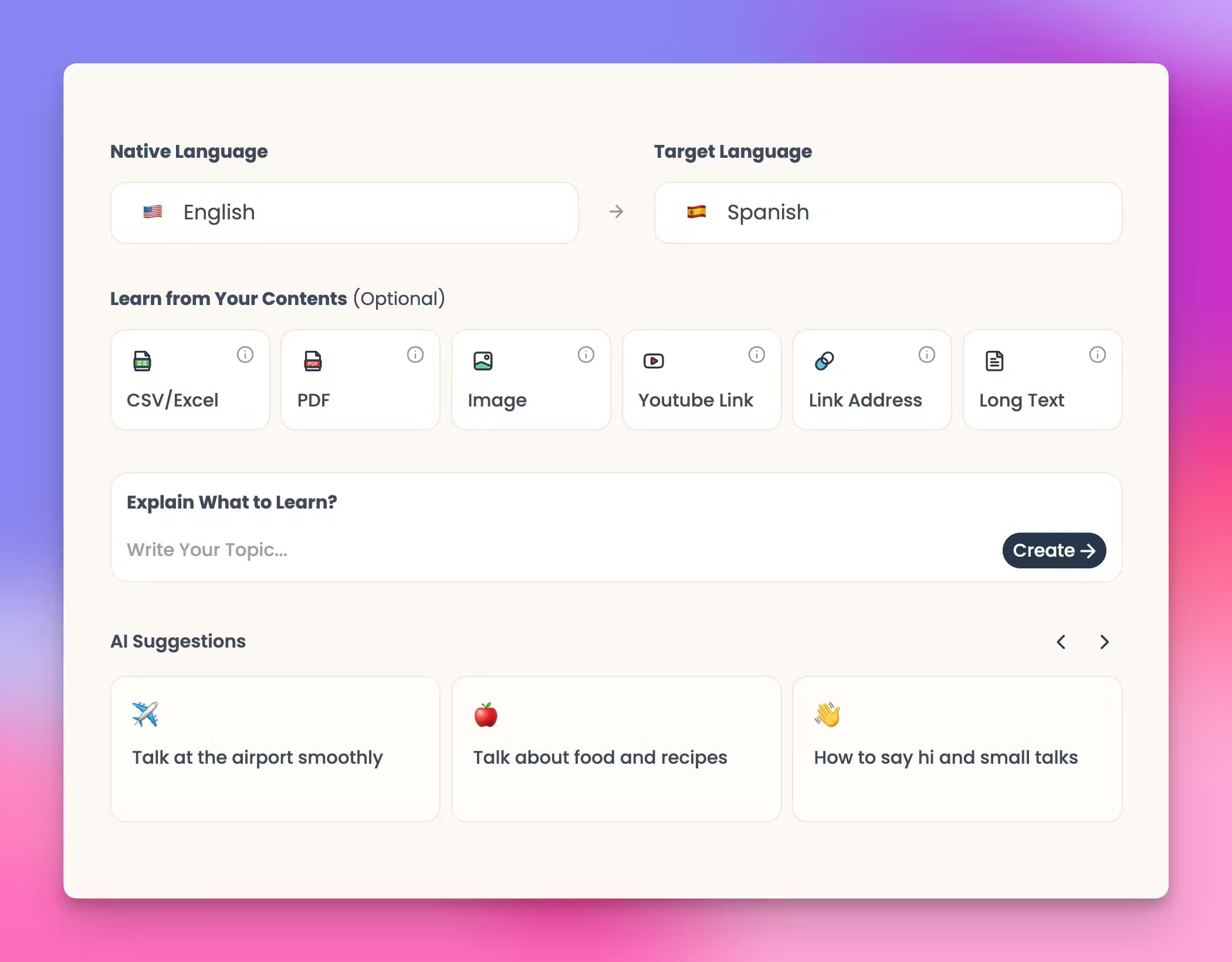
EasyLang AI is a language learning tool built by MyLens AI. Instead of forcing you through a fixed textbook curriculum, it works from content you already care about. You upload an article, a PDF, a slide deck, an image, a CSV file or a video, and the tool builds visual lessons around that material. Key vocabulary, grammar points and concepts get pulled out and presented in your native language, so the explanation arrives in a tongue you already understand.
The core idea is relevance. Most learners quit because the sample sentences feel unrelated to their lives. EasyLang AI sidesteps that by anchoring every lesson in a topic you picked, whether that's cooking, football tactics or a technical paper. Lessons are short and visual rather than dense blocks of text.
The main limits are worth stating up front. EasyLang AI is a feature inside the broader MyLens AI platform, so a MyLens account is required, and heavy use depends on the platform's AI credit system. There's no native mobile app; it runs in the browser, and there's no public API for building it into other tools.
Getting Started
- Go to mylens.ai and create a free account, or sign in if you already have one.
- Open the EasyLang app and upload your source material: a PDF, Word document, image, CSV or a pasted URL to an article or video.
- Pick the language you want to practice. The AI reads your source and generates a visual lesson with the key vocabulary, grammar and concepts explained in your native language.
- Click any node in the visual to expand it, see a source citation or ask a follow-up question.
- Share the lesson inside MyLens, download it for offline study, or embed it in your notes.
Product Information
A quick look at EasyLang AI's pricing, supported platforms, and performance.
Best for
The users, tasks, and scenarios where this tool fits best.
Users
- Self-directed learners who want to study a language through topics they actually enjoy, rather than generic textbook exercises. Best for people who already read or watch content in their target area of interest.
- Students and researchers who work with dense material (papers, lecture slides, reports) and want vocabulary and concepts broken down visually in their native language.
- Visual thinkers who retain information better from diagrams and structured graphics than from walls of text.
Tasks
- Turning a long article or PDF into a short visual study sheet with the key terms highlighted.
- Building a vocabulary list from a video or presentation without manually transcribing it first.
- Reviewing grammar points and concepts in your native language before tackling the original source material.
Scenarios
- Preparing for a class or meeting held in a foreign language by first studying a visual summary produced from the same source material.
- Casual daily practice, where you feed in one article or video per session and let the tool build bite-sized lessons around it.
- Building a personal collection of shareable, embeddable lesson visuals for a study group or classroom.
Key features
Content-Based Lesson Generation
EasyLang AI accepts PDFs, Word documents, PowerPoint slides, images, CSV files, plain text and pasted URLs to articles or videos. It analyzes the source and produces a visual lesson rather than a plain translated dump. This is the feature that separates it from drill-based apps.
Native-Language Explanations
Every lesson explains vocabulary, grammar and concepts in your native language, not your target one. That lowers the entry barrier for beginners and keeps advanced learners from stalling on a single unfamiliar phrase.
Interactive Visual Lessons
Lessons are rendered as clickable visual maps. Clicking a node lets you expand the idea, pull up source citations, or open an AI follow-up question without leaving the visual. It turns a static summary into something you can explore.
Unlimited Visual Themes
A gallery of themes lets you restyle a lesson instantly. The content stays the same while the presentation changes, which helps when you're generating the same material for different audiences or just want a layout that's easier on your eyes.
Sharing and Export
Lessons can be shared interactively inside MyLens, downloaded as high-quality files for offline study, or embedded into learning platforms and notes. That makes it usable for study groups, not just solo practice.
Data Privacy Controls
MyLens AI states that it doesn't use your data to train its models and doesn't share your data with others. For people uploading personal documents or proprietary material, that's a relevant default.
Pros and cons
Pros
- Works from content you choose, so lessons stay relevant to your interests instead of a fixed curriculum.
- Explains concepts in your native language, which suits beginners better than target-language-only tools.
- Accepts a wide range of input types, including PDFs, slides, images and pasted video or article URLs.
- Visual, clickable lessons are easier to revisit than paragraphs of plain text.
- A free tier lets you try the core experience before paying.
Cons
- It's a feature inside MyLens AI, not a standalone product, so you need a MyLens account and the interface carries the parent platform's other tools.
- Heavier usage runs into the MyLens AI credit system, and the higher tiers are the ones with larger credit allowances and source limits.
- No native mobile app and no public API, so mobile-first learners and developers looking to integrate it are limited to the browser experience.
- Pricing is tied to the MyLens platform as a whole, so you can't pay for EasyLang alone.
Frequently asked questions
Yes, there's a free tier. You can start learning on MyLens AI's free plan, which includes a monthly AI credit allowance, and upgrade only if you need more credits, a larger source limit or multi-source lessons.
Related content
Explore related tools, skills, and articles for EasyLang AI.
EasyLang AI Alternatives

Odyssey 3
Odyssey · OtherOdyssey-3 is Odyssey's foundation world model. It simulates physics in real time, turns a prompt into an interactive environment, and adapts to robots, cars and games.

JarvisCore
Prescott Data · Coding · Productivity · OtherJarvisCore is an open source Python runtime where AI agents work as equal peers on an agent mesh, claim tasks from a shared ledger, and reach external services through a zero-trust broker.
Clef
Cloudflare · Business · OtherClef is Cloudflare's open-source decision model for Workers AI. It returns calibrated probabilities for typed questions, not generated text, so agents can classify, route, and act fast.