
EasyMark
EasyMark · Writing · AI Detection
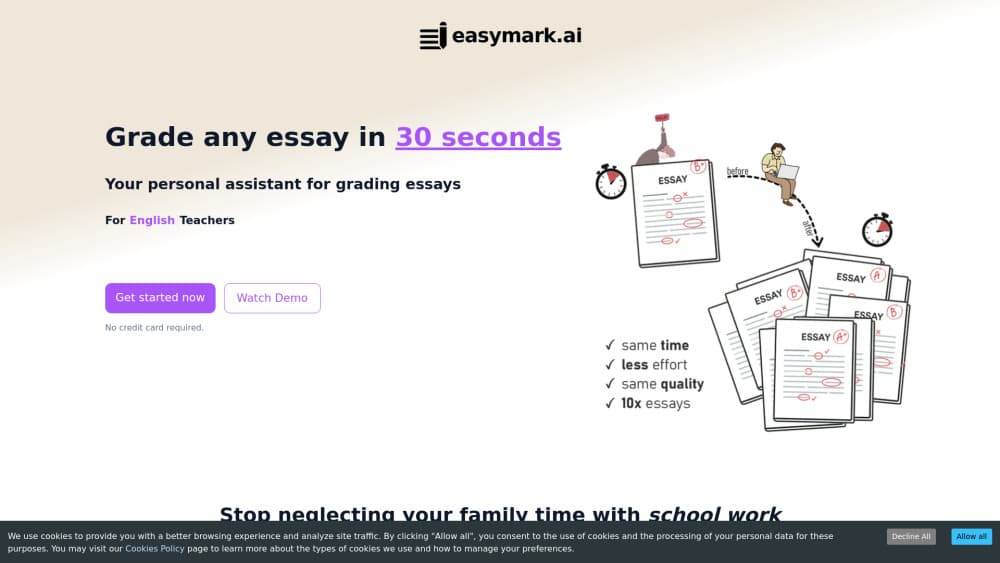
EasyMark is an AI essay grading tool for teachers. Upload a PDF, photo, or scan, apply your own rubric, and get a scored essay with an error list and written feedback in about 30 seconds.
About EasyMark
What Is EasyMark
EasyMark is a web based essay grader for teachers that grades student essays for you. Teachers upload a paper, choose or build a rubric, and the tool returns a score, a list of writing errors, and feedback the student can act on, which makes it a practical essay feedback tool for weekly assignments. The company describes the product as designed by teachers, for teachers, and names English Language Arts classes, middle school writing, and English instruction as its main use.
The problem it targets is volume. A single class of 30 argumentative essays can eat a weekend, and the feedback quality drops around essay 20. EasyMark's pitch is speed without a drop in detail: the site claims teachers grade 10 times more essays in the same time, and that the average paper takes 30 seconds or less.
Limits matter here. The tool grades English writing, so world language essays and bilingual papers fall outside its wheelhouse. AI scoring is also a first pass, not a final judgment. Low quality scans and messy handwriting can throw off the text extraction, and any grade that goes on a report card still needs your eyes on it. Plans cap how many essays you can run each month, from 15 on the free tier to 500 on Premium.
Getting Started
- Sign up at easymark.ai with an email address. The free plan doesn't ask for a card and includes 15 essays per month.
- Upload the essay as a PDF, an image, or a scan, or paste the text in directly.
- Set the grading scale and rubric: pick a preset, then adjust criteria, weights, or grade bands to match your department's standards.
- Run the grade, then read the score, the error list, and the improvement suggestions before you release anything to a student.
Product Information
A quick look at EasyMark's pricing, supported platforms, and performance.
Best for
The users, tasks, and scenarios where this tool fits best.
Users
- Middle and high school English teachers
- Department heads checking consistency
- Private tutors and writing coaches
Tasks
- Grading a batch of argumentative essays against a district rubric
- Marking grammar and mechanics at scale
- Scoring handwritten or scanned exam papers
- Running quick formative checks on short prompts
Scenarios
- The Sunday backlog of 60 essays
- End-of-term essay exams with a 48 hour turnaround
- Weekly writing assignments across several sections
Key features
Rubric-Based Grading
You define the rubric, not the tool. EasyMark accepts custom rubrics and grading scales, including multi criteria rubrics with weights, so a 6-trait writing rubric or a district scale produces scores that match how your school grades. Presets cover common essay types if you don't want to build one from scratch. This is the feature that decides whether a score is usable or just a number you have to recalculate.
Uploads From PDFs, Photos, and Scans
Essays arrive as PDFs from the learning platform, photos from a phone, or scans from a copy machine. EasyMark takes all three and pulls the text out for grading. Handwritten work is supported too. Legibility drives accuracy. Scanned essay grading matters for teachers who still collect paper, because it removes the transcription step that made AI grading useless in practice.
Essay Error List
Each run returns a list of writing errors rather than a single holistic score. Spelling, punctuation, grammar, and sentence structure issues get flagged in context, so feedback points at the sentence that needs work. Students get something concrete to fix, and you get a fast read on where a class is weak.
Personalized Feedback and Improvement Suggestions
Beyond the error list, EasyMark writes feedback on the essay and suggests how to improve it. Comments can address argument strength, organization, and evidence use, which is the part of grading that takes the most thinking. Used well, AI writing feedback turns a bare score into a short coaching note. You can edit the wording before it reaches a student, and that review step is where your judgment still counts.
Fast Turnaround
The company puts a single essay at 30 seconds or less, which changes how a grading session feels. Instead of blocking out four hours, you upload a batch and work through results. The speed also makes low stakes feedback practical: short responses can be graded weekly rather than once a term.
Plan Allowances Up to 500 Essays a Month
Every plan is measured in essays, not seats or tokens. Free covers 15 per month, Standard covers 150, and Premium covers 500, with a higher word limit per essay as you move up (2000 words on Free, 3500 on Standard, 4500+ on Premium). One-time packs of 100, 200, or 500 essays exist for exam season, and a custom plan handles department or school wide volume. That structure suits teachers who grade in bursts.
Pros and cons
Pros
- Grading time drops sharply. You grade essays faster on large batches because you review flagged issues instead of rereading every line.
- Custom rubric grading keeps scores defensible when a parent or administrator asks how a grade was reached.
- PDFs, photos, and scans are all accepted, so paper based assignments don't need to be typed up first.
- The error list gives students specific things to fix, which is more useful than a score alone.
- The free plan needs no credit card and covers 15 essays a month, enough to test the tool on a real class set.
Cons
- It's built for English essays. World language writing, lab reports, and math work fall outside what it grades well.
- Handwriting and poor scans hurt accuracy, so you'll recheck extracted text on messy papers.
- AI scores drift from teacher judgment on voice, creativity, and complex argument, so final grades still need a human pass.
- There's no API and no direct Google Classroom or Canvas sync, which means moving scores into your gradebook is a manual step.
Frequently asked questions
It reads the uploaded essay, compares it against the rubric and grading scale you set, and returns a score with an error list and written feedback. The rubric is the main input, so a vague rubric produces vague grades.
Related content
Explore related tools, skills, and articles for EasyMark.
EasyMark Alternatives

Google EmbeddingGemma 2
Google DeepMind · Writing · Image · CodingGoogle EmbeddingGemma 2 is a 740M-parameter open model that turns text, code, images, audio, and video frames into vectors in one 768-dimension space, running on phones and laptops.

MePersona
MePersona, Inc. · Writing · Productivity · MarketingMePersona is an AI unified inbox for creators. It learns your voice, drafts replies to fan messages from 12 platforms, and sends only what you approve.

Fluence
Yay Software (Yannick Huchard) · Writing · Voice & Language · ProductivityFluence is an Android app that reads PDFs, EPUBs, Word files and web articles aloud, follows each sentence as it speaks, and answers questions about the text on the phone itself.