
EasyMedia AI
EasyMedia · Writing · Marketing
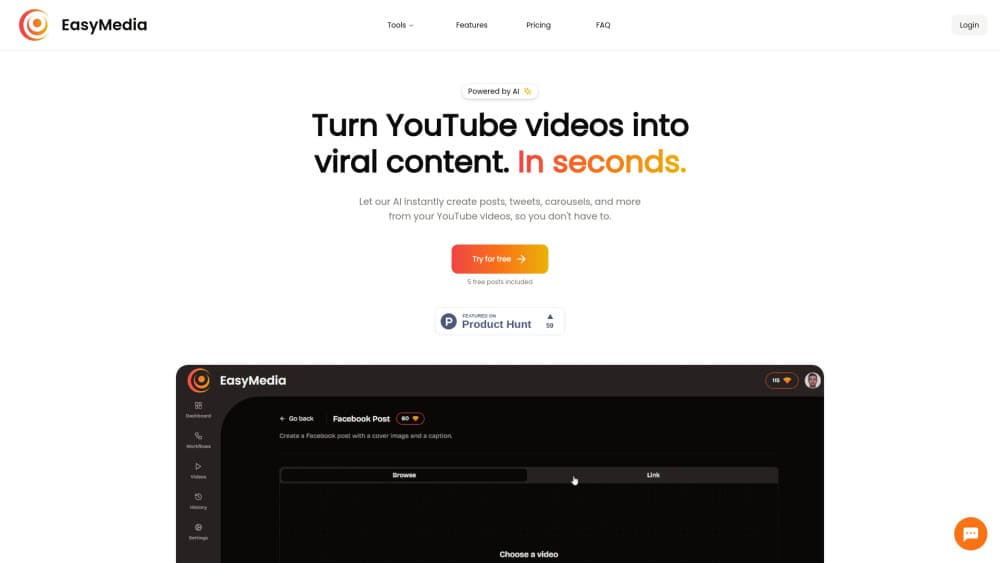
EasyMedia AI turns YouTube videos into social media posts, carousels, newsletter summaries and images in minutes. Start with five free posts, then buy credits as you go.
About EasyMedia AI
What Is EasyMedia AI
EasyMedia AI is a web app that reads a YouTube video and rewrites it into short posts for X, LinkedIn, Instagram and Facebook, plus carousels and newsletter summaries. You paste a video link or connect a channel, choose a workflow, and the tool returns copy you can edit. Image generation and content ideas sit in the same account, so you don't have to open a design tool to finish a post.
The point is reuse. A 40 minute interview usually holds a dozen good short posts, and most creators never dig them out because the editing takes longer than the recording. EasyMedia does that pass in one go. Pick a writing style and the same video comes back in a different voice, which matters when one channel feeds a personal account and a company page.
Two limits shape the fit. YouTube is the only input, so local files, podcast audio and Zoom recordings don't go in. And the output is text and images to copy out, not a scheduler that posts for you. The credit model also means every extra experiment has a price, which rewards people who know roughly what they want.
Getting Started
- Open easymedia.app and sign in. New accounts include five free posts, enough to test one video end to end.
- Paste a YouTube link, or connect your channel to browse the back catalog and pick an older upload.
- Choose a workflow: a single post for X, a carousel for Instagram, a newsletter summary, or a set of posts across platforms.
- Read the draft, edit what sounds off, and regenerate with a different writing style if the first pass misses your voice.
- Copy or download the text and images, publish them on your own accounts, and buy a credit pack when the free posts run out.
Product Information
A quick look at EasyMedia AI's pricing, supported platforms, and performance.
Best for
The users, tasks, and scenarios where this tool fits best.
Users
- Solo creators
- Podcasters and interview hosts
- Social managers at small teams
- Newsletter writers
Tasks
- Content repurposing from a video library
- Drafting X threads and single posts
- Building Instagram carousels
- Writing newsletter summaries
Scenarios
- A weekly upload schedule
- Launching a channel with a back catalog
- Testing hooks before paying for promotion
Key features
One Video, Many Formats
A single YouTube link returns a short post, a longer LinkedIn draft, an Instagram caption, and a newsletter summary. Each version is written for the platform instead of being cut to length, which is the difference between a post that reads native and one that reads like a copy-paste.
Workflows for Each Output
Instead of one generic generate button, EasyMedia asks you to pick a workflow first. A carousel workflow returns slide text. A newsletter workflow returns paragraphs. You spend less time deleting the parts you didn't want, and the output shape stays consistent across a batch.
Writing Styles You Control
The same video can come back in a casual voice, a professional one, or something closer to your own. This is the feature that makes the tool usable for agencies, where one video has to serve a founder's account and a brand page without sounding identical.
Image Generation for Every Post
Posts ship with an image, generated inside the same workflow. It saves the step where you leave the writing tool, open a design app, and hunt for a background. The images are simple and on-brand enough for social, not replacements for a designer on a campaign.
Content Ideas Generation
When you don't know which angle to take, the tool proposes content ideas from the video before you commit to a format. Useful on a long interview where the obvious quote is not the most interesting one.
Edit and Regenerate
Every draft is editable, and any draft can be regenerated in place. If the first version gets the facts right but the tone wrong, you keep the structure and reroll the voice, which costs one credit rather than a fresh start.
Pros and cons
Pros
- Pay per post instead of per month. Credits are bought once, so a quiet month costs nothing and the price per post drops from $1.50 on Basic to $0.60 on Enterprise.
- Five free posts at signup. That's enough to run a real video through every main workflow before you decide.
- One upload covers X, LinkedIn, Instagram, Facebook and email, which removes the usual four-tab rewrite.
- Image generation is included in the workflow, so a finished post doesn't need a second subscription.
- Regeneration keeps the draft you already edited, so fixing tone doesn't mean losing structure.
Cons
- YouTube is the only source. Local video files, podcast feeds and audio uploads aren't supported, which rules out shows that publish audio first.
- Nothing posts for you. There's no scheduling or account connection described on the site, so the last mile is manual copy and paste.
- Credit packs are small. Someone publishing daily will buy the 50 pack often, and the per-post math stops looking cheap.
- Output quality tracks the transcript. Videos with weak auto captions, heavy music, or speech the model struggles with produce vaguer posts, and you'll notice it in the first batch.
Frequently asked questions
It converts a YouTube video into social media posts, carousels, newsletter summaries and images. You supply the link, pick a workflow and a writing style, then edit what comes back.
Related content
Explore related tools, skills, and articles for EasyMedia AI.
EasyMedia AI Alternatives

Google EmbeddingGemma 2
Google DeepMind · Writing · Image · CodingGoogle EmbeddingGemma 2 is a 740M-parameter open model that turns text, code, images, audio, and video frames into vectors in one 768-dimension space, running on phones and laptops.

MePersona
MePersona, Inc. · Writing · Productivity · MarketingMePersona is an AI unified inbox for creators. It learns your voice, drafts replies to fan messages from 12 platforms, and sends only what you approve.

Fluence
Yay Software (Yannick Huchard) · Writing · Voice & Language · ProductivityFluence is an Android app that reads PDFs, EPUBs, Word files and web articles aloud, follows each sentence as it speaks, and answers questions about the text on the phone itself.