

EchoMark
EchoMark · AI Detection
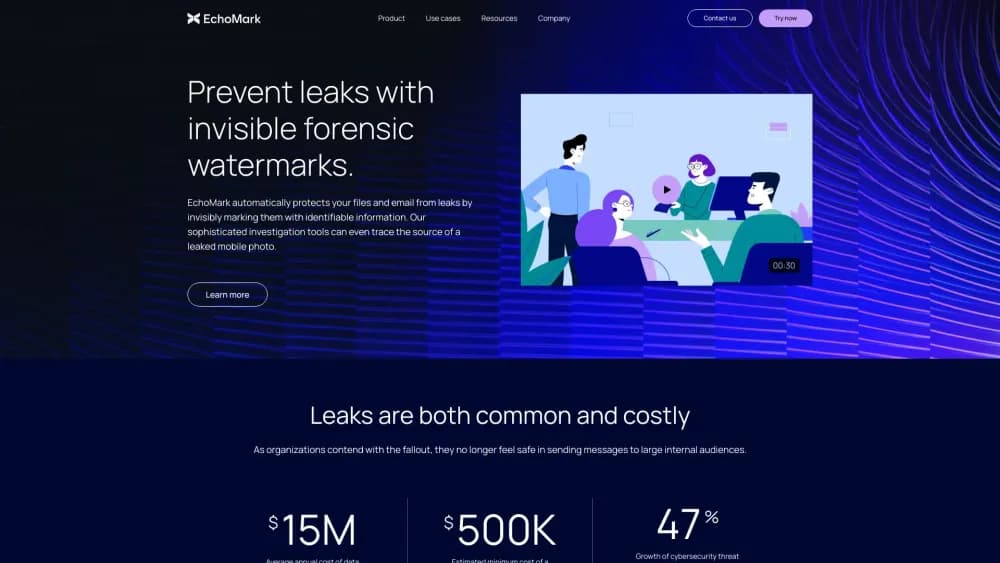
EchoMark is a forensic watermarking platform that hides a unique, invisible mark in every email, document, image, and screen, then traces a leaked copy back to the person who held it.
About EchoMark
What Is EchoMark
EchoMark is a security product built on a single idea: every copy of a sensitive file should carry its own hidden signature. The platform uses steganography to plant an invisible watermark that survives screenshots, phone photos, printing, cropping, and compression. When something leaks, you upload the artifact and get back the name of the person whose copy it was.
Most data protection tools watch the file or the network. Leaks rarely start there. Someone photographs a screen, screenshots a board deck, or retypes a term sheet into a fresh document, and the trail goes cold. EchoMark marks the content itself, so document leak detection starts from the leaked artifact, with a confidence score and chain of custody attached.
The limits matter as much as the features. Enterprise deployment runs through Exchange or Google Workspace and is priced by sales conversation, not a public checkout. The $19.99 Individual plan covers documents and messages shared from the EchoMark web app. Screen marking needs IT-managed Windows endpoints.
Getting Started
- Create an account at echomark.com. The Individual plan starts without a credit card.
- Upload a document or write a message in the web app, then pick how the mark is applied.
- Share the marked copy by link and set download and access rules.
- For automatic email marking or screen coverage, ask about Enterprise, which connects to Outlook, Gmail, or Windows endpoints.
- When a leak appears, upload the artifact to the investigation tool and read the report.
Product Information
A quick look at EchoMark's pricing, supported platforms, and performance.
Best for
The users, tasks, and scenarios where this tool fits best.
Users
- Compliance and security leads
- Game studios and film teams
- Law firms
- Independent consultants
Tasks
- Tracing a leaked screenshot or phone photo
- Marking a board deck or term sheet before distribution
- Protecting material shared with outside parties
Scenarios
- A deal is in diligence and terms show up on a news site
- A leak investigation is already open
- Shared workstations and VDI
Key features
Invisible Marks That Survive Screenshots and Photos
EchoMark changes tiny spacing and rendering details across a document, thousands of adjustments that no reader notices. The mark holds up when a page is cropped, compressed, photographed, printed, or screenshotted. That durability is the whole point, because most leaks reach the public as a picture, not a file.
Automatic Email Marking in Outlook and Gmail
On the Enterprise plan, outgoing mail and attachments get marked as they are sent, including messages to people outside the company. Recipients see ordinary email. The platform also reworks wording for each message, so a version that gets retyped still carries a recognizable pattern.
Marked Documents With Controlled Sharing
Documents go out through an EchoMark share link with download policies and access controls attached. Reports, term sheets, and board decks stay readable while each copy carries a separate mark. You can also set custom footnotes and choose how visible the deterrent should be.
Screen Watermarking on Windows Endpoints
EchoMark Screen sits at the operating system display layer, below every application on the device. It covers browsers, line of business apps, collaboration tools, and AI assistants without any per-app integration. That gives insider threat protection a second layer, since data loss tools usually stop at the file boundary. Deployment goes through existing IT distribution tools, and shared workstations resolve to a device ID plus session timestamp.
Investigation Reports With a Confidence Score
Upload a leaked file, image, printout photo, or pasted text and the tool matches it against every marked copy that went out. The result names the recipient, the time that copy was created, and a confidence score, with chain-of-custody documentation. This is the part that replaces the slow interview round.
API and Enterprise Integrations
The EchoMark API applies the same marks programmatically, which suits internal tools and custom workflows. Enterprise accounts can plug into Exchange or Google Workspace for background marking, and EchoMark Screen works next to Microsoft Purview rather than replacing it. MFA, SSO/SAML, and bring-your-own-storage support cover the security review.
Pros and cons
Pros
- Marks survive the leak formats that matter: screenshots, phone photos, printouts, and compressed images.
- Per-recipient marking turns a distribution list into a set of individually traceable copies.
- Email watermarking works on messages sent outside the company, a gap most data loss tools leave open.
- Screen coverage needs no app integrations, which keeps deployment short on managed Windows fleets.
- The investigation report arrives with a confidence score and chain-of-custody notes, which helps in legal and HR reviews.
Cons
- Enterprise pricing is quote-only, so budgeting takes a sales call before you see a number.
- Automatic email marking and screen marking are Enterprise features, and the $19.99 plan stays inside the web app.
- Screen protection covers Windows endpoints only, so Mac and mobile users fall outside that layer.
- Detection depends on artifact quality: a heavily degraded or rewritten leak may lower the confidence score.
Frequently asked questions
It embeds an invisible, individualized watermark in each copy of a document, email, image, or screen, then identifies which copy a leaked artifact came from. The output is a recipient name plus a confidence score and a timestamp.
Related content
Explore related tools, skills, and articles for EchoMark.
EchoMark Alternatives
Isgen AI
Isgen · AI DetectionIsgen AI is a web-based AI detector that scores text for machine authorship and shows you which sentences and phrases push the number up. It's built for teachers, editors, students, and writers. Their question is simple: did this draft come from ChatGPT, GPT-5, Claude, Gemini, DeepSeek, or another model? You paste or upload content, run a scan, and get a Human, AI, and Mixed breakdown in seconds. There's also a companion editor that scores text while you write it.
Humanizeai Tools
Humanizeai Tools · Writing · AI DetectionHumanizeai Tools is a web-based AI humanizer that rewrites machine-generated text so it sounds like a person wrote it, which is the whole point of the category it belongs to. Paste a draft from ChatGPT, Claude, or Gemini, run it through the tool, and it swaps out the phrases and sentence patterns that AI detectors flag. If your goal is to make AI text sound human before you publish it, this is the kind of tool built for exactly that. It suits students, bloggers, and marketers who need copy that reads naturally and clears tools like GPTZero, Copyleaks, and Winston AI after a single pass.

Hidemyai
Hidemyai · Writing · AI DetectionHidemyai is an AI content humanizer. It rewrites text from ChatGPT, Jasper, and similar tools so the result reads like a person wrote it. You paste your draft, pick a document type and tone, and the service returns a version meant to bypass AI detectors such as Originality.ai, Turnitin, and ZeroGPT. It targets writers, marketers, and students who lean on AI drafts but can't ship copy that sounds robotic. The promise is simple: make AI content undetectable.