

Editor.do
Editor.do · Coding
Editor.do is a browser-based code editor and static site host in one. It adds free SSL, 1,000+ templates, drag and drop page building, and an AI assistant.
About Editor.do
What Is Editor.do
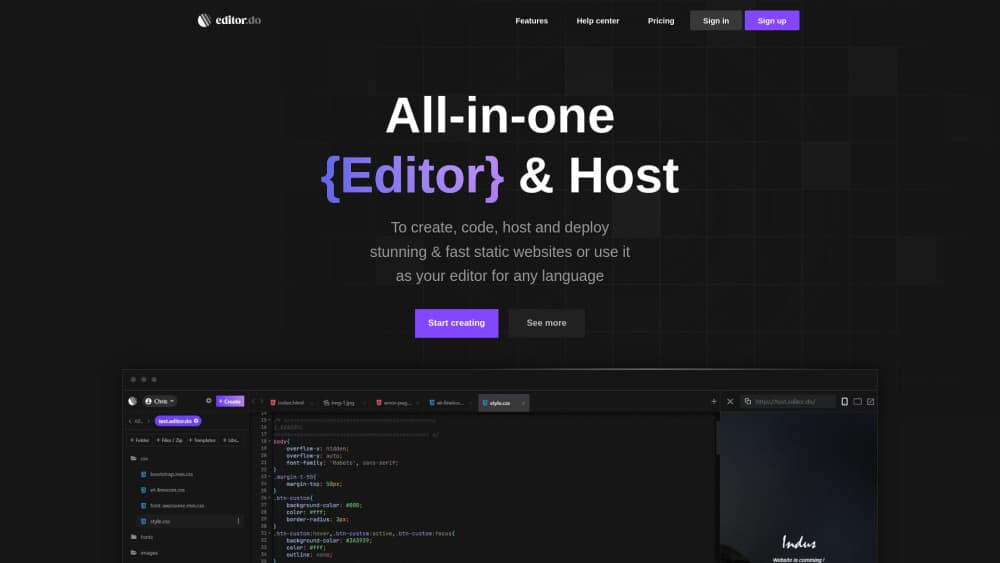
Editor.do is an online code editor that runs in your browser and hosts whatever you build inside it. You open a project, write HTML, CSS, or JavaScript, and the preview updates as soon as you save. No desktop install, no local server to configure.
The hosting side is the part that separates it from a plain coding playground. Every project gets storage on NVMe drives, automatic SSL, daily backups, and a domain you can point with two DNS records. You can also take a free subdomain under editor.do and go live in a couple of minutes.
The catch is static only. Editor.do runs HTML, CSS, and JS files. You can edit a Python or PHP file in the editor, but the server won't execute it. If your project needs a backend runtime or a database, this isn't the host for it.
Getting Started
- Create an account at editor.do. The trial runs for seven days and doesn't ask for a card.
- Start a project and either pick a free editor.do subdomain or enter a domain you already own.
- Add files by creating them in the editor, uploading them, or dropping in a zip archive of an existing site.
- Edit and save. Changes appear on the live site right away, and you can install a template or import a public GitHub project from the file browser.
Product Information
A quick look at Editor.do's pricing, supported platforms, and performance.
Best for
The users, tasks, and scenarios where this tool fits best.
Users
- Students learning web basics
- Freelancers shipping small sites
- Developers who want a quick staging host
Tasks
- Landing pages and portfolios
- Static site deployment
- Front-end practice
- Template customization
Scenarios
- A client needs a one page promo site by Friday
- You're testing a design idea on a phone or a borrowed laptop
- A small docs or event site needs cheap long term hosting
Key features
Live Preview Editor
Saving a file pushes the change straight to the rendered page, so you see the result without a refresh cycle or a build step. The editor covers syntax highlighting, search and replace, and the usual keyboard shortcuts. It handles any language for editing purposes, but only HTML, CSS, and JS actually run on the server.
Built-In Static Hosting
Each project ships with NVMe SSD storage and a 1 Gbit connection. You upload files, zip archives, images, video, or audio, and the host serves them over HTTPS. Daily backups run without any action on your part, and you can export your data whenever you want to leave.
Free SSL and Custom Domains
Free SSL hosting here means certificates are issued and renewed automatically, so there are no manual CSR steps and no mixed content warnings on launch day. Pointing a domain takes two DNS records, and the dashboard includes a verification button once those records propagate. A free editor.do subdomain works if you don't own a domain yet.
Template Library
More than a thousand free website templates sit inside the file browser, and installing one replaces the contents of the target folder. That overwrite behavior is worth knowing before you install into a folder that already holds work. Most templates are open source, so you can edit the markup down to the last div.
Drag and Drop Builder
A visual panel lets you assemble pages from components without writing every tag by hand. It sits alongside the code panel rather than replacing it, so you can switch to source when a layout needs something the builder doesn't expose. Good for quick structures, less so for unusual interactions.
AI Coding Assistant
An integrated assistant, described by Editor.do as ChatGPT kept at your side, can correct, complete, or explain code, and it can walk you through a concept step by step. It's useful when you're learning or stuck on a syntax error. Treat its output as a draft, since it has no knowledge of your project beyond what you paste in.
Pros and cons
Pros
- Editor, hosting, SSL, and backups come in one account, which removes most of the setup work for a static site.
- The trial needs no credit card, and paid plans start at $4 per month with a lifetime option at $49.
- Templates and GitHub imports shorten the gap between an empty project and a working page.
- Daily backups and data export mean you aren't locked in if you decide to move.
- Works on any device with a browser, including Chromebooks and tablets.
Cons
- No PHP, Python, or database support, so WordPress, Laravel, and most app backends are out.
- Single file uploads are capped at 50MB, which rules out large video assets hosted directly.
- There's no permanent free tier. After seven days you either pay or lose the project.
- The AI assistant depends on an external model and can suggest code that doesn't match your file structure.
Frequently asked questions
It's used to write and host static websites from a browser. You code HTML, CSS, and JavaScript in the built-in editor, then publish to a domain or a free editor.do subdomain with SSL already handled.
Related content
Explore related tools, skills, and articles for Editor.do.
Editor.do Alternatives

Base Code
Base44 (Wix) · Coding · ProductivityBase Code is a shared cloud development environment from Base44. Teammates describe changes to an existing GitHub codebase in chat, preview them live and send them back as pull requests.

Google EmbeddingGemma 2
Google DeepMind · Writing · Image · CodingGoogle EmbeddingGemma 2 is a 740M-parameter open model that turns text, code, images, audio, and video frames into vectors in one 768-dimension space, running on phones and laptops.

GitGlow
GitGlow · Coding · ProductivityGitGlow is a local-first desktop Git client that lets independent developers review their own code and their AI agents' changes in one place before shipping.