

Editor Usage for Cursor
Inside Internet · Coding · Productivity
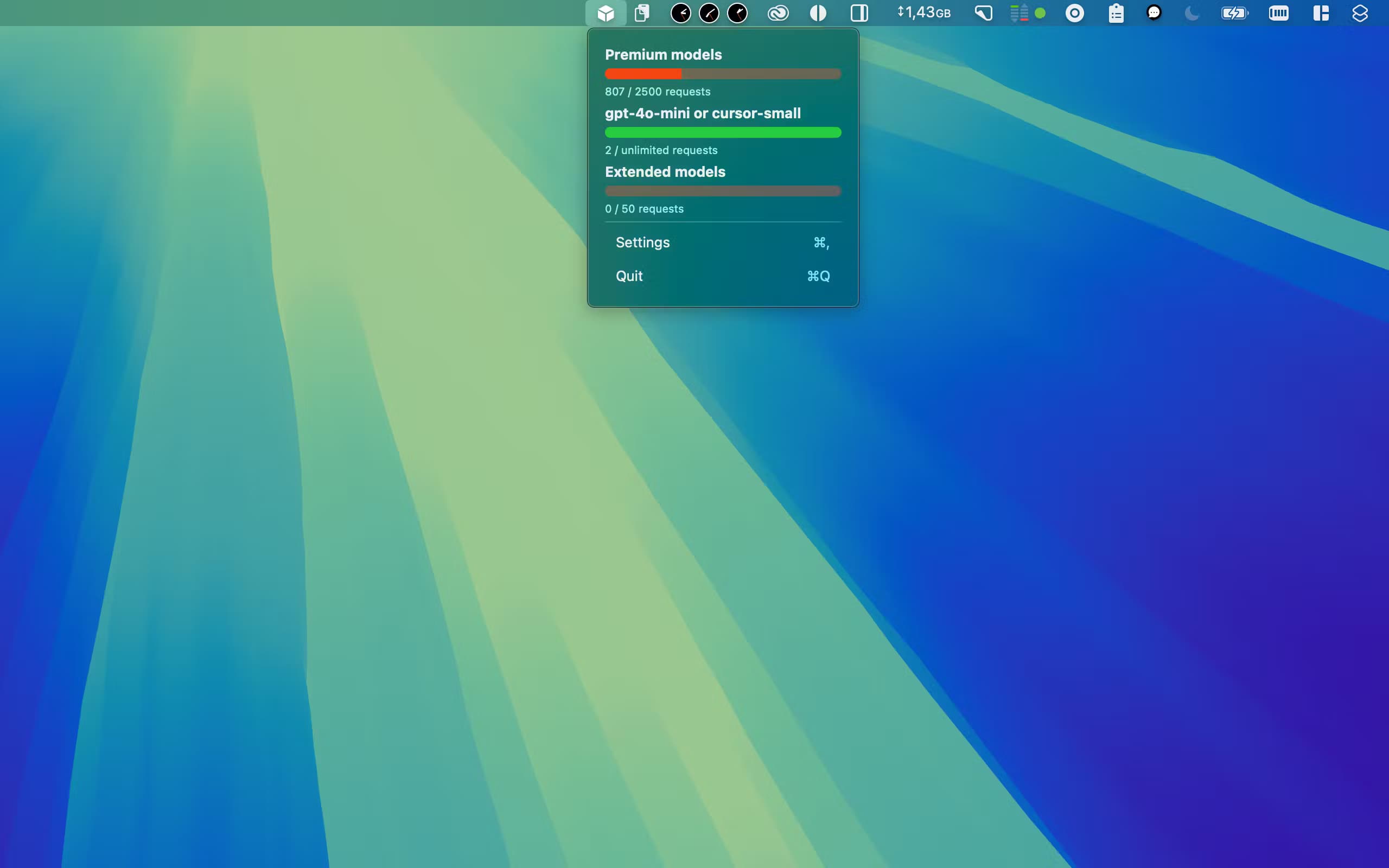
Editor Usage for Cursor AI is a macOS menubar app from Inside Internet that shows how many Cursor premium, normal and special requests you have used and how many remain, with alerts before you hit a limit.
About Editor Usage for Cursor
What Is Editor Usage for Cursor AI
Editor Usage for Cursor AI is a small macOS app that sits in the menu bar and reports how much of your Cursor request quota is left. Cursor limits how many premium, normal and special requests an account can make, and those limits reset on a schedule. The Editor Usage for Cursor AI app reads your usage and puts the numbers where you can see them while you work, instead of leaving you to check a dashboard in a browser.
This Cursor usage tracker covers accounts that span a single seat or a whole team. It works with normal and business accounts, and on team plans it also lists the other users on the same account so a lead can see who is spending what. The app is a native Mac build, so it needs macOS 14.5 or newer and installs from the Mac App Store. There is no server to set up and nothing to plug into your editor, since the Cursor usage monitor reads the same account data your Cursor sign-in already provides.
It is a paid app with a one-time price and no subscription. The one thing to expect is that it depends on Cursor's own endpoints, so when Cursor changes how those endpoints work, the developer ships an update to catch up. Cursor usage limits have moved before, and recent versions addressed exactly that kind of change.
Getting Started
- Buy and install Editor Usage for Cursor AI from the Mac App Store on a Mac running macOS 14.5 or later
- Launch the app and sign in with the same Cursor account you want to track
- Set warning thresholds so the menu bar alerts you as you approach each limit
- Leave the app running in the menu bar and glance at it whenever you want a current count
Product Information
A quick look at Editor Usage for Cursor's pricing, supported platforms, and performance.
Best for
The users, tasks, and scenarios where this tool fits best.
Users
- Heavy Cursor users
- Solo developers on a personal plan
- Team leads on business accounts
- Small engineering teams
Tasks
- Usage tracking
- Limit monitoring
- Threshold alerts
- Team visibility
Scenarios
- Mid-deadline crunch
- Shared team account
- End of a billing cycle
- Switching between plans
Key features
Request Usage Monitoring
Editor Usage for Cursor AI breaks usage into the categories Cursor actually bills on. You see remaining premium, normal and special requests as separate figures, so a number next to "premium" tells you something different from one next to "normal". The app refreshes from your account and shows the current counts, which is the core of what it does.
Customizable Warning Thresholds
You set the levels at which the app should warn you, and it raises a menu bar alert when usage crosses them. That matters because a limit you hit by surprise costs you a stalled agent run or a downgraded request. Choosing your own thresholds means the warning arrives early enough to matter for how you work, not on a fixed schedule the developer picked.
Menu Bar Access
The app lives in the menu bar, so one click or one glance gives you the current counts without leaving the editor or opening a browser tab. For Cursor users who switch between windows all day, keeping the numbers in the menu bar means the check costs almost no time.
Team and Business Account Support
Beyond a single seat, Editor Usage for Cursor AI supports normal and business accounts. On a team account it also shows the other users, so a lead can see how the shared quota is being spent across the group. That turns a personal counter into something a small team can plan around.
Pros and cons
Pros
- One-time price with no subscription, so the cost does not recur month after month
- Separates premium, normal and special requests, matching how Cursor actually counts them
- Threshold alerts let you set your own warning levels rather than a fixed one
- Menu bar placement keeps the numbers visible without interrupting your work
- Supports business accounts and shows other users on a team plan
- Small native Mac app, so it stays out of the way
Cons
- macOS only, with no version for Windows or Linux
- Requires macOS 14.5 or newer, so older Macs are left out
- Depends on Cursor's endpoints, so a change on Cursor's side can break it until an update ships
- No free tier and no trial before you pay the $3.99
Frequently asked questions
Editor Usage for Cursor AI is a macOS menu bar app that works as a Cursor request tracker. It shows how many premium, normal and special requests you have used and how many remain, and it can warn you when you are close to a limit.
Related content
Explore related tools, skills, and articles for Editor Usage for Cursor.
Editor Usage for Cursor Alternatives

Base Code
Base44 (Wix) · Coding · ProductivityBase Code is a shared cloud development environment from Base44. Teammates describe changes to an existing GitHub codebase in chat, preview them live and send them back as pull requests.

Google EmbeddingGemma 2
Google DeepMind · Writing · Image · CodingGoogle EmbeddingGemma 2 is a 740M-parameter open model that turns text, code, images, audio, and video frames into vectors in one 768-dimension space, running on phones and laptops.

GitGlow
GitGlow · Coding · ProductivityGitGlow is a local-first desktop Git client that lets independent developers review their own code and their AI agents' changes in one place before shipping.