

Elementor AI
Elementor · Coding
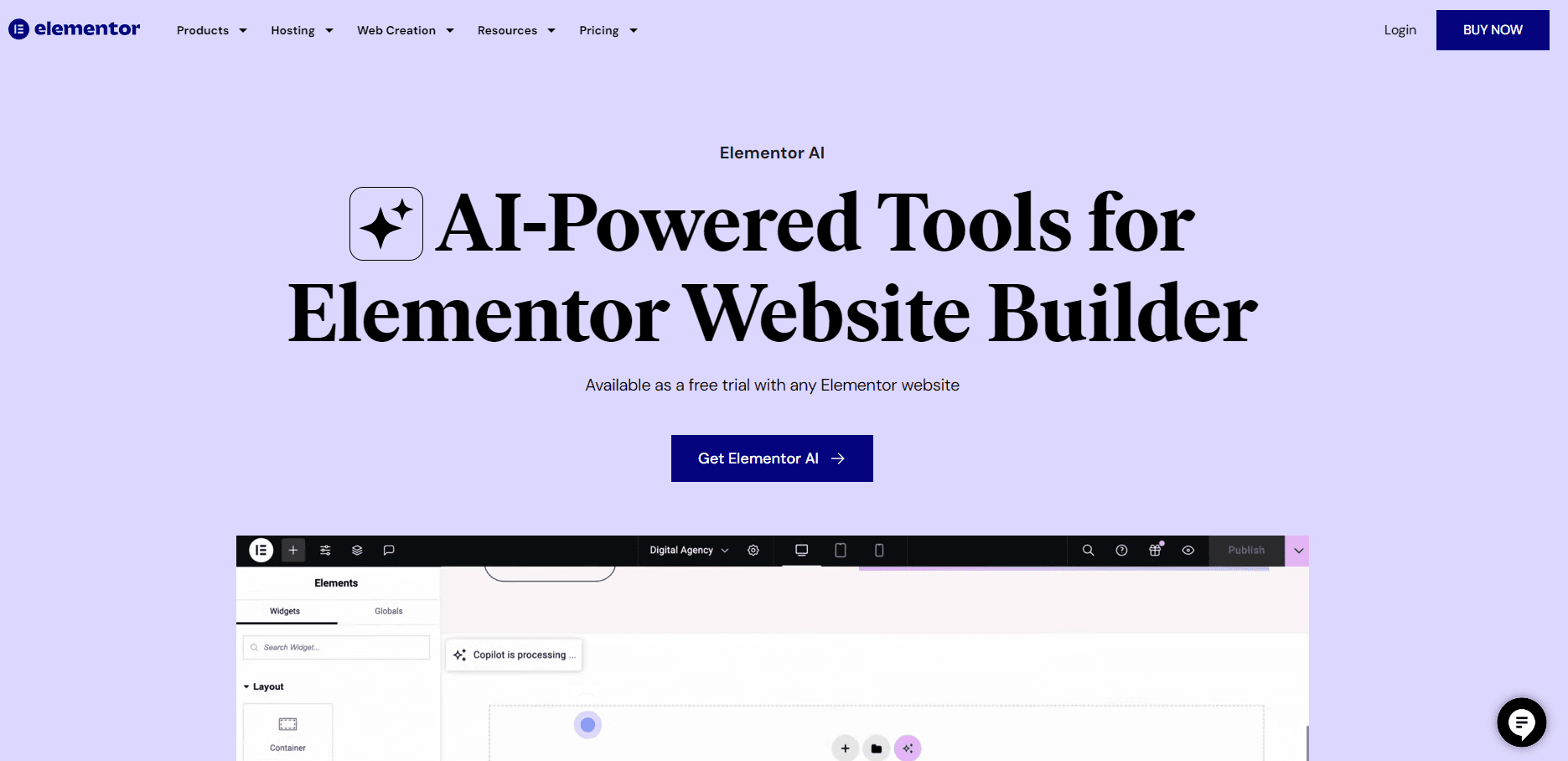
Elementor AI is a website builder AI inside the Elementor editor for WordPress that works as a no-code website builder: it writes copy, generates images, and builds full pages and sections from a prompt.
About Elementor AI
What Is Elementor AI
Elementor AI is the artificial intelligence layer built directly into the Elementor website builder for WordPress. It acts as a WordPress AI design tool rather than a separate app, so you work inside the same drag-and-drop editor you already use, and an AI panel appears whenever a control supports it. According to Elementor, the tool understands that you are building a web page, so its suggestions come back as usable copy, code, and page structure rather than generic text.
Its main job is to cut the slow part of site building. Writing headings and body copy, hunting for a fitting image, or wiring up a custom CSS snippet all happen in one place. You describe what you want, and the AI drafts it, then you adjust every element by hand in the editor. That's the core promise: a fast first draft without giving up design control.
The biggest limits are licenses and credits. AI generation isn't part of the free plugin. You need an active Elementor Pro or Elementor One subscription, and each AI action spends credits from a monthly pool. Custom CSS and custom code generation are gated to Pro plans, and the newer Agentic AI page builder runs on a credit budget that resets every month.
Getting Started
- Install the free Elementor plugin on your WordPress site, then activate a Pro or Elementor One license on your account.
- Open any page in the Elementor editor and add or select a widget you want to work on.
- Click "Write with AI" or "Code with AI" in the relevant control to open the AI screen, then type a short prompt describing the result you want.
- Review the generated copy, image, or code, insert it into the page, and edit it like any other Elementor content.
- Publish the page and track how many credits each round of generation consumed from your monthly balance.
Product Information
A quick look at Elementor AI's pricing, supported platforms, and performance.
Best for
The users, tasks, and scenarios where this tool fits best.
Users
- WordPress designers
- Freelancers and agencies
- Small business owners
Tasks
- Writing page copy
- Generating images for posts
- Building full page layouts
Scenarios
- Launching a landing page for a new offer
- Redesigning an outdated business site
- Producing copy in a hurry
Key features
AI Text Generation
The write tools double as an AI text generator for WordPress, drafting headings, paragraphs, and calls to action right inside the selected widget. You give a short instruction, and the AI returns text you can insert or regenerate until it fits. It suits the early drafting work that slows a page down, not replacing a finished editing pass.
AI Image Generation
Elementor AI works as an AI image generator, creating images from a text prompt so you aren't stuck searching stock libraries for a hero image or illustration. You can also expand an image, improve its resolution, generate variations, and remove or replace a background. Everything lands in the WordPress media library as a normal file.
Full Page and Section Generation
The agentic side, marketed as Angie, takes a written prompt and builds real Elementor layouts rather than a locked export. It produces full pages, sections, and containers with content and styling already in place, and you refine the result in the editor. Complex forms and dynamic loops are available when you have Elementor Pro.
Design Systems from a Reference
Feed the AI your brand details or a screenshot, and it generates a starting design system of global colors, fonts, Classes, and Variables. That keeps headings and buttons consistent across pages, which matters when a site grows past a single landing page.
Custom CSS and Code Generation
Pro users can generate CSS and custom code snippets without writing them from scratch. This is aimed at people who know what they want visually but would rather not hand-author the syntax. The output is inserted like normal code, so you can still read and edit it before it goes live.
Credit-Based Access
Elementor AI runs on a shared credit pool tied to your subscription. Elementor One individuals get 25,000 monthly credits, while the Pro features themselves cost no credits. An AI action spends between 1 and 40 credits depending on the request, and unused credits don't roll over.
Pros and cons
Pros
- Runs inside the Elementor editor, so generated content stays editable alongside your hand-built sections.
- Covers text, images, layouts, and code in one subscription instead of separate tools.
- The agentic page builder turns a single prompt into structured pages and sections, not a flat image export.
- Elementor One bundles AI with image optimization, accessibility, and hosting-adjacent features for one price.
Cons
- AI generation needs a paid Elementor Pro or One plan, so the free plugin alone won't unlock it.
- Credits reset monthly and don't roll over, which means heavy AI use can run dry before the month ends.
- Custom CSS and custom code generation sit behind the Pro license, so free and entry users can't reach those tools.
- Generated copy and code still need a human editing pass, especially for brand voice and edge cases.
Frequently asked questions
It's included with Elementor Pro or Elementor One subscriptions rather than sold as a standalone add-on, and each AI action draws from your monthly credit pool. The free Elementor plugin doesn't include AI generation.
Related content
Explore related tools, skills, and articles for Elementor AI.
Elementor AI Alternatives

Base Code
Base44 (Wix) · Coding · ProductivityBase Code is a shared cloud development environment from Base44. Teammates describe changes to an existing GitHub codebase in chat, preview them live and send them back as pull requests.

Google EmbeddingGemma 2
Google DeepMind · Writing · Image · CodingGoogle EmbeddingGemma 2 is a 740M-parameter open model that turns text, code, images, audio, and video frames into vectors in one 768-dimension space, running on phones and laptops.

GitGlow
GitGlow · Coding · ProductivityGitGlow is a local-first desktop Git client that lets independent developers review their own code and their AI agents' changes in one place before shipping.