

EmaiAssist.ai
EmailAssist.ai · Other
EmailAssist.ai is an AI email assistant for Gmail and Microsoft 365 that ranks each message by urgency, sorts your inbox into priority folders, and can draft replies.
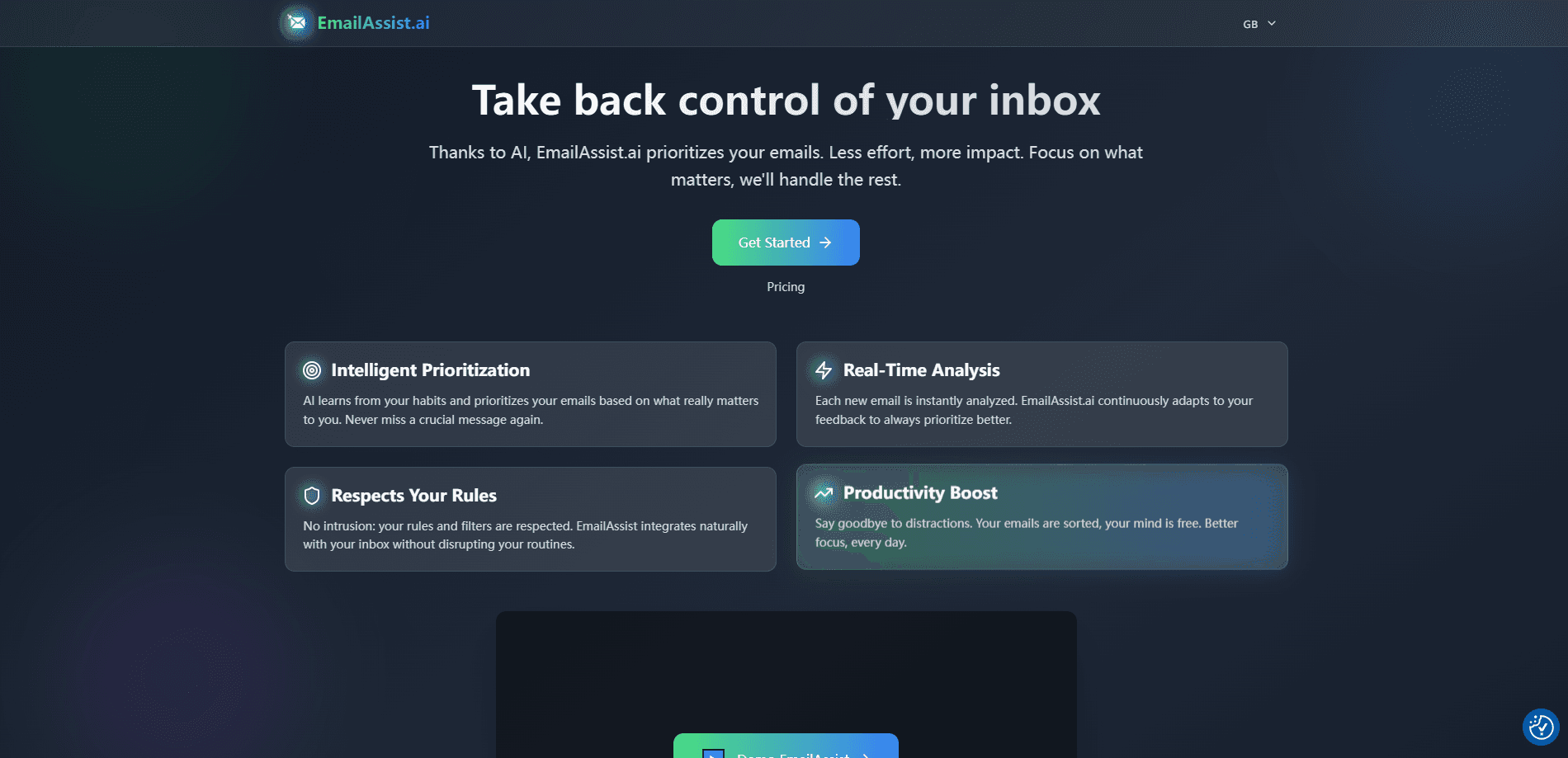
About EmaiAssist.ai
What Is EmailAssist.ai
EmailAssist.ai is an AI email prioritization tool and smart inbox for people who get more mail than they can read. It connects to a Gmail or Microsoft 365 account through OAuth2, reads incoming messages, and assigns each one a priority level such as P1, P2, or P3 based on sender reputation, action-required keywords, thread history, and message content. As an email management tool, the point isn't to write your emails for you. It's to handle email triage and inbox organization so the messages that matter rise to the top instead of getting buried.
The tool sits on top of the inbox you already use rather than replacing it. You keep Outlook, Gmail, or Apple Mail as your client, and EmailAssist routes mail into priority folders you can rename whenever you like. Beyond ranking, it can draft replies for Microsoft accounts, turning important messages into ready-to-review drafts in your Outlook Drafts folder.
There are limits worth knowing. The free plan caps prioritization at 20 emails a day, auto-draft replies are Microsoft-only for now, and the company says it doesn't store your emails, so you're trusting a cloud service with read access to your mailbox. Support runs on business hours in Central European Time.
Getting Started
- Go to emailassist.ai and sign in with your Google or Microsoft account
- Accept the provider permissions, which use OAuth2 so you never hand over your password
- Let EmailAssist analyze your email feed, with priorities assigned within seconds
- Open the prioritization views and filters, then tune custom keywords and trusted domains in settings
- Optionally rename the priority folders from your own mail client and pick your preferred AI model in your profile
Product Information
A quick look at EmaiAssist.ai's pricing, supported platforms, and performance.
Best for
The users, tasks, and scenarios where this tool fits best.
Users
- Executives and managers facing email overload
- Project managers
- Salespeople
- Customer service agents
- Small teams
Tasks
- Triaging a crowded inbox
- Separating urgent from routine mail
- Drafting replies to important mail
- Filtering and sorting by priority
- Keeping existing filters
Scenarios
- A manager returns from a week off and needs the handful of messages that actually need an answer
- A freelancer sets @client.com as a trusted domain so client mail jumps ahead of newsletters
- A team wants the same priority rules for everyone, so a shared domain list keeps routing consistent
- Someone testing the tool on a light inbox stays on the free plan, which covers 20 emails a day
- A Microsoft 365 user leans on auto-drafted replies to clear routine messages faster
Key features
Intelligent Prioritization
As an Outlook AI assistant and Gmail companion, EmailAssist learns from your habits and ranks each message by how much it matters to you, using signals like sender domain reputation, action-required keywords, thread history, and content analysis. Every message gets a priority level such as P1, P2, or P3, so the important ones stay visible. The vendor frames the goal as never missing an urgent message again.
Real-Time Analysis
New mail is analyzed the moment it lands, and the engine keeps adapting to your feedback so its calls get sharper over time. You can also report a misclassified email and have the model learn from the correction. The vendor notes that switching to a different AI model can help if a given model misreads your particular email patterns.
Custom Prioritization Rules
You can set your own keywords, like urgent or invoice, and mark trusted domains such as @client.com so mail from those senders gets pushed up the list. The free plan allows two priority domains and two priority keywords, while the Individual plan removes those caps. This is the main lever for bending a general model to your own workflow.
Priority Folder Routing
Mail is sorted into priority folders instead of a single undifferentiated inbox. You can rename those folders from Outlook, Gmail, or Apple Mail, and the routing keeps working regardless of the names you pick. That means you adapt the folder names to your own vocabulary without breaking the sorting.
AI Draft Replies
For Microsoft accounts, EmailAssist can generate draft responses to important emails and drop them into your Outlook Drafts folder for review before you send anything. The vendor says support for Google accounts is coming soon. It's a drafting aid rather than an auto-sender, so nothing goes out without your approval.
Choice of AI Model
In your profile settings you can pick which model analyzes your mail, choosing from options that include OpenAI, Anthropic Claude, and Mistral. The idea is to match the model to what you care about most, whether that's accuracy, speed, or a specific strength. It's an unusual amount of control for a tool that normally hides the model behind the curtain.
Email Analytics and Search
The Individual plan adds email analytics, and the interface lets you sort and filter your inbox by priority tags. For teams, the enterprise tier adds an admin analytics dashboard and SSO. That's what turns the tool from a personal helper into something a group can standardize on.
Pros and cons
Pros
- Works with Gmail and Microsoft 365, the two inboxes most people already use, and connects through OAuth2 without asking for your password
- Lets you keep your existing mail client and filters instead of forcing you into a new app
- Custom keywords and trusted domains give you real control over how mail gets ranked
- A free plan covers 20 emails a day, so you can test it before paying
- Model choice includes OpenAI, Anthropic Claude, and Mistral, which is rare at this price
- Auto-draft replies for Microsoft accounts save time on routine messages
Cons
- The free plan's 20-email daily cap runs out fast if you get a lot of mail
- Auto-draft replies work only on Microsoft accounts for now, so Gmail users don't get them yet
- You're granting a third-party cloud service read access to your mailbox, so it's a trust decision, not just a feature pick
- The vendor is newer and less established than the big productivity suites, so long-term support is less proven
- Support is limited to business hours in Central European Time
- Pricing on the public page tops out at the Individual plan, with enterprise rates handled through sales
Frequently asked questions
EmailAssist.ai is an AI email assistant that prioritizes your inbox. It connects to a Gmail or Microsoft 365 account and gives each message a priority level such as P1, P2, or P3 based on sender, keywords, thread history, and content, then routes mail into priority folders.
Related content
Explore related tools, skills, and articles for EmaiAssist.ai.
EmaiAssist.ai Alternatives

Odyssey 3
Odyssey · OtherOdyssey-3 is Odyssey's foundation world model. It simulates physics in real time, turns a prompt into an interactive environment, and adapts to robots, cars and games.

JarvisCore
Prescott Data · Coding · Productivity · OtherJarvisCore is an open source Python runtime where AI agents work as equal peers on an agent mesh, claim tasks from a shared ledger, and reach external services through a zero-trust broker.
Clef
Cloudflare · Business · OtherClef is Cloudflare's open-source decision model for Workers AI. It returns calibrated probabilities for typed questions, not generated text, so agents can classify, route, and act fast.