
EmailCrafted
EmailCrafted · Writing · Marketing
EmailCrafted is an AI email writing assistant that turns a few details into a professional draft, matching your tone, structure, and brand voice.
About EmailCrafted
What Is EmailCrafted
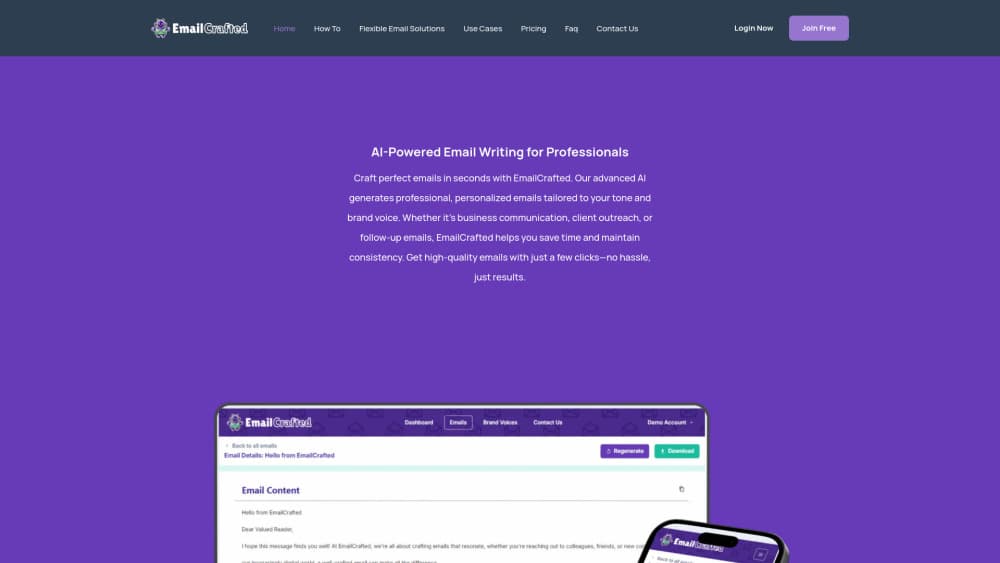
EmailCrafted is an AI email writer built for people who send a lot of messages and don't want to start each one from a blank page, which is most of what business email writing comes down to. You enter the key points, pick a tone and a structure, and the tool returns a draft you can edit and send. It's aimed at the everyday writing that fills a workday: client outreach, follow-ups, support replies, and internal updates.
The idea is consistency. Rather than hoping every teammate writes the same way, you set the voice once and let the tool keep messages in line with it. That matters most for teams where several people answer the same kind of email and small differences in wording start to show. As an AI email writing assistant, it handles the first version, and you keep the final say.
EmailCrafted is a drafting tool, not a full inbox. It doesn't send messages or manage your mailbox, and details like exact pricing tiers and the full list of supported languages aren't published in a form I could verify. Treat the product's own site as the current source of truth.
Getting Started
- Open the EmailCrafted tool on the web.
- Enter the recipient, the subject, and the points you want to make.
- Choose the tone and the structure you want the message to follow.
- Generate the email and read the draft it returns.
- Adjust the wording by hand until it sounds like you, then copy it into your mail client.
Product Information
A quick look at EmailCrafted's pricing, supported platforms, and performance.
Best for
The users, tasks, and scenarios where this tool fits best.
Users
- Busy professionals who send a steady stream of email
- HR and recruiting teams running candidate outreach
- Customer support staff answering similar questions daily
- Sales and marketing people writing outreach
- Non-native speakers who write English email at work
Tasks
- Drafting client outreach
- Writing follow-up messages
- Matching a specific tone
- Producing support replies
- Polishing a rough draft
Scenarios
- Working through a packed inbox before meetings
- Onboarding and hiring cycles
- Handling client work on a deadline
- Answering from a shared team mailbox
Key features
Tone and structure controls
EmailCrafted lets you set how a message should read before it writes anything. You pick a tone, whether that's formal or relaxed, and a structure the email should follow, so the same information can land differently depending on who's reading it. This tone customization is what separates a client update from a quick note to a colleague, and it saves you from rewriting the whole message by hand. That's what separates a client update from a quick note to a colleague, and it saves you from rewriting the whole message by hand.
Brand voice matching
The tool is built to keep outgoing email in line with a consistent brand voice. Instead of every person on a team writing in their own style, the output holds to the wording and register you set. For companies where several people answer the same kinds of messages, that consistency is the main reason to use a shared writing tool rather than a general chatbot.
Fast draft generation
Entering a few details and getting a full draft back is the core of the workflow. Instead of staring at a blank window, you start from a structured message and edit it, which is faster than writing every line from scratch. The result from this professional email generator is a usable first version, not a finished email you'd send without reading it.
Practical use across business email
As an email drafting tool, EmailCrafted targets the messages that fill a working day: outreach, follow-ups, support replies, and internal updates. It isn't limited to one category, which is what makes it useful for a small team that handles several kinds of email at once. You rely on the same tool for a pitch and for a routine update, which keeps business email writing in one place.
Web-based and simple to start
The tool runs on the web, so there's nothing to install and no inbox to migrate. You open it in a browser, write a prompt, and get a draft back. That keeps the task in one place instead of splitting it across a mail client, a separate writing app, and a notes file.
Pros and cons
Pros
- Turns a few details into a structured draft, which removes the hardest step of writing email from scratch.
- Tone and brand voice controls keep messages consistent across a team that answers the same kinds of questions.
- Flexible enough for outreach, follow-ups, support replies, and internal updates, so one tool covers several jobs.
- Runs in the browser with no install, so there's no new app or mailbox to manage.
- Saves typing time on the routine messages that take up most of a workday.
Cons
- Pricing tiers and the full list of supported languages aren't clearly published, so cost and language coverage are hard to judge up front.
- It drafts but doesn't send, so you still finish and send every email from your own mail client.
- Being a web tool means you copy drafts out by hand rather than working directly inside your inbox.
- Brand voice matching depends on how well you describe the voice you want, so the output needs a review before it goes out.
Frequently asked questions
EmailCrafted is an AI email writing assistant that generates professional email drafts from a short description of what you want to say. You set the tone, structure, and brand voice, and it returns a message you can edit and send from your usual mail client.
Related content
Explore related tools, skills, and articles for EmailCrafted.
EmailCrafted Alternatives

Claude for Google Workspace
Anthropic · Writing · Productivity · BusinessClaude for Google Workspace puts Claude in a sidebar inside Google Docs, Sheets, and Slides, where it reads the file you have open and edits it in place.

Claude Haiku 5.5
Anthropic · Writing · Coding · ChatbotClaude Haiku 5.5 is Anthropic's fastest and cheapest small model, built for high volume tasks at $0.10 per million input tokens with a 1M token context window.

NoteWorthy
Suman Hansada · Writing · Productivity · AI AssistantNoteWorthy is a notes app for iPhone, iPad and Mac that writes titles, tidies formatting, summarizes long notes and files each one with on-device AI. No account, no upload, no network requests.