

eMastered
eMastered · Voice & Language
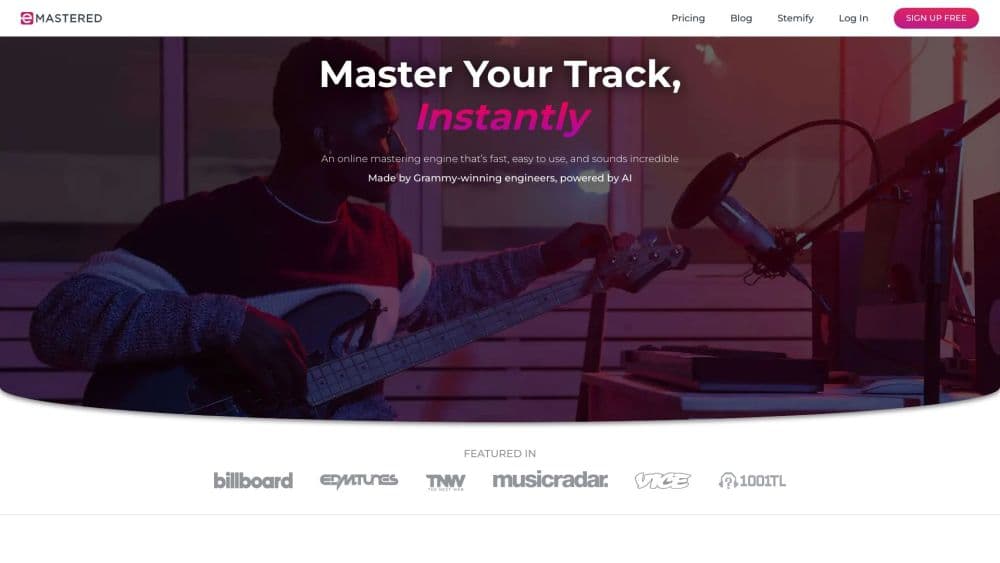
eMastered is an online AI mastering service and AI mastering tool built by Grammy-winning engineers. Upload a stereo mix to master a song online, and it returns a loudness, EQ, and compression profile tuned for music mastering for streaming in about a minute.
About eMastered
What Is eMastered
eMastered is a web-based mastering service that polishes a finished mix into something release-ready. You bounce a single stereo file out of your DAW, drop it into the browser, and the engine applies the same moves a mastering engineer would: equalization, compression, saturation, and stereo control. The difference is speed. A process that used to cost a few hundred dollars per song and take a day now runs in about a minute for a monthly fee. As online audio mastering goes, it's one of the fastest options that still sounds musical.
The people behind it matter here. eMastered was developed by Grammy-winning engineer Joe Lambert alongside founder Collin McLoughlin, and the engine is trained on the choices those engineers make on real records. That's the pitch: not a one-button loudness machine, but a thoughtful first pass you can steer.
The limits are worth knowing up front. Cloud mastering won't beat a top-tier human engineer on a major-label release, and it doesn't cut vinyl masters. It also won't rescue a bad mix, because it only has the stereo bounce to work with. For demos, indie singles, and most streaming releases, the results still hold up as finals.
Getting Started
- Sign up for a free account on the eMastered website, no plugin install needed.
- Bounce a stereo mix from your DAW with all processing baked in but no master limiter. WAV works best; AIFF, MP3, and FLAC are accepted too.
- Upload the file and optionally add a reference track or pick a character profile like Warm, Bright, Open, or Punchy.
- Preview the master against your original in level-matched A/B, then adjust loudness, EQ, stereo width, or bass if you want more control.
- Download the finished master as MP3 or WAV once you're on a paid plan.
Product Information
A quick look at eMastered's pricing, supported platforms, and performance.
Best for
The users, tasks, and scenarios where this tool fits best.
Users
- Independent artists and bands
- Songwriters and producers
- Working engineers
Tasks
- Mastering a single or an EP
- Matching a commercial sound
- Stem separation for remixes
Scenarios
- Releasing music on a tight budget
- Polishing podcast or video audio
- Prepping a batch of tracks before upload
Key features
AI Mastering Engine
The core engine analyzes the sonic fingerprint of your track and builds a custom processing chain for it. It applies EQ, compression, and saturation, then targets a loudness level that sits alongside modern pop and rock releases. Each song gets its own treatment rather than a shared preset.
Reference Mastering
You can upload a finished commercial song and have eMastered steer your master toward its tonal balance, dynamics, and loudness target. This is the feature that separates it from generic cloud mastering, since the result reads as intentional instead of averaged out. It's the fastest way to hit a specific sound you already have in mind.
Advanced Mastering Options
Paid plans unlock manual control over compression strength, EQ balance, stereo width, and overall volume. You can save custom presets and reuse them across a project. That turns the engine from a black box into a starting point you refine by ear.
Stemify Stem Separation
Stemify splits a mixed track into vocals, drums, bass, and other instruments. Producers use it for remixes, mashups, and acapellas, or to study how a favorite song is arranged. It runs on the same account as mastering, so you don't juggle separate tools.
Atom AI Synthesizer
Atom is an AI synthesizer plugin that runs inside your DAW as a VST, AU, or AAX instrument. It helps you design new sounds quickly when you don't want to scroll through sample packs. It's a creation tool rather than a mastering one, aimed at the front end of a project.
Distribution and Release Tools
Paid plans include distribution to major streaming platforms, a link-in-bio page builder called Linkify, and pre-save tools. Fair-use limits cap distribution at 20 new recordings per rolling 30-day window, which covers most independent release schedules.
Pros and cons
Pros
- Masters land in roughly a minute, so you can iterate fast instead of waiting on studio turnaround.
- Reference mastering gets you close to a specific commercial target in a single pass.
- Built by Grammy-winning engineers and trained on real mastering decisions, which shows in the tonal balance.
- The suite goes beyond mastering with stem separation, a synthesizer, and distribution in one subscription.
- Free previews let you hear the result before you pay for a download.
Cons
- No downloads on the free tier, so you can only hear the master, not keep it.
- Pushes back on loudness, which makes it a poor fit for hip-hop and EDM that want a squashed, aggressive master.
- Can't fix a weak mix, since it only works from the stereo bounce you upload.
- No vinyl-specific mastering, so physical releases still need a human engineer.
Frequently asked questions
It masters finished stereo mixes using AI. You upload a song, and it applies EQ, compression, and saturation tuned for streaming, then lets you preview and download the result.
Related content
Explore related tools, skills, and articles for eMastered.
eMastered Alternatives

Foley
Hanamori Labs, LLC · Voice & Language · Productivity · AI AssistantFoley is a voice to-do list that turns a spoken sentence into a filed task, complete with project, date and time, then helps you plan the day around what is already there.

HireKey
HireKey · Voice & Language · Productivity · LeaningHireKey is an AI job search copilot built by a former tech recruiter. It checks role fit, tailors resumes, runs interview practice and tracks every application.

Fluence
Yay Software (Yannick Huchard) · Writing · Voice & Language · ProductivityFluence is an Android app that reads PDFs, EPUBs, Word files and web articles aloud, follows each sentence as it speaks, and answers questions about the text on the phone itself.