

Emly.Labs
Emly Labs · Coding · Productivity
Emly Labs is a no-code AI platform for building generative chatbots and predictive models, prepping data, and running projects on its cloud or your own servers.
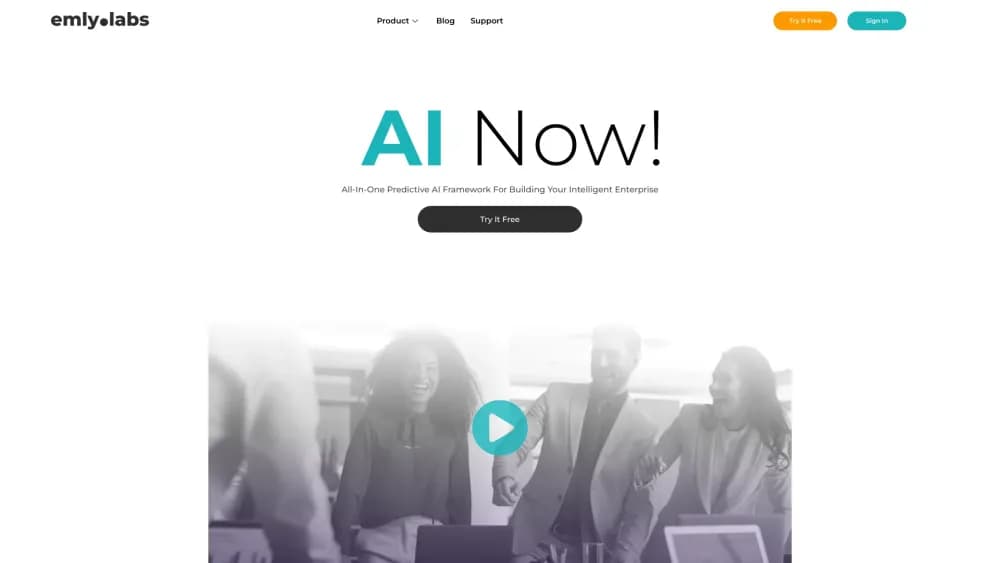
About Emly.Labs
What Is Emly Labs
Emly Labs puts five tools behind one subscription: a generative AI chatbot builder, a spreadsheet-style data workspace, a no-code AutoML engine, an outside data catalogue, and a dashboard builder. The promise is narrow and specific. An operations analyst or a plant manager should be able to ship a working model without hiring a data science team.
The product is aimed at industry work, not open-ended experimentation. Solution templates cover predictive maintenance for factories, demand forecasting for retailers, fraud detection for banks, and customer segmentation for online stores. Each template arrives as a prebuilt workflow with the steps already in order, so the first project is mostly configuration.
The main constraint is arithmetic. Every plan meters compute credits, and models that retrain often burn through them. Starter includes 7,500 credits a month, Essential 30,000, Professional 75,000, and extra credits cost $5 per 1,000. Deep learning and model fine tuning only unlock at the $399 plan and above, so cheap seats hit a ceiling fast.
Getting Started
- Create an account on emlylabs.com and pick a workspace name for your team.
- Choose a starting point: a blank project, an industry template, or the free learning account if you only want the courses.
- Load data through a push connector or upload a CSV into DataLab, then clean and enrich it with the no-code steps.
- Train a predictive model in AutoML, or point the chatbot at your documents to ground its answers.
- Publish the result as a hosted app, an embeddable chat widget, or a microservice your own systems can call.
Product Information
A quick look at Emly.Labs's pricing, supported platforms, and performance.
Best for
The users, tasks, and scenarios where this tool fits best.
Users
- Operations and marketing analysts
- Small and mid-sized business teams
- Career switchers and students
Tasks
- Customer service chatbots
- Demand forecasting and predictive maintenance
- Data cleanup before a model
Scenarios
- A pilot before you hire a data team
- Regulated environments
- Teaching a team what AI can and cannot do
Key features
Generative AI Bots Grounded in Your Own Content
The chatbot builder answers from documents you supply, using retrieval augmented generation to pull the matching passage before it writes a reply. Emly Labs markets the setup as hallucination free, and the mechanism is the usual one: a model that only speaks from retrieved text has less room to invent. You get an embeddable widget, brand controls for colors and layout, and a conversation analytics view. The analytics matter more than they sound, since they show which questions your knowledge base still fails to cover.
No-Code AutoML for Traditional and Deep Learning Models
AutoML preprocesses the data, tries candidate algorithms, tunes parameters, and scores the results without you writing code. It covers classical methods such as gradient boosting alongside deep learning frameworks. Deep learning is reserved for the $399 plan and up. Model interpretability tools show which inputs moved a prediction, which is the part a compliance reviewer will ask about. Reports can be downloaded as PDF or shared inside the workspace.
DataLab With Spreadsheet Familiarity
DataLab treats data preparation as a grid of steps rather than a script. You join tables, fill or drop missing values, derive columns, and enrich records, then save the whole sequence as a reusable pipeline. Emly Labs claims the engine handles billions of rows, and the practical benefit shows up on repeat work: next month's file runs through the same pipeline in one click. An insights engine flags columns worth a second look before you train anything.
X-Data Catalogue for Outside Signals
Models trained only on internal history tend to learn the past too well. The X-Data catalogue adds third-party datasets such as weather, footfall, or economic indicators, and the platform documents how each one was collected. This is the feature that separates a demand forecast that tracks reality from one that tracks last year's spreadsheet. Third-party integration is listed as a Professional plan capability.
Vizard Dashboards
Vizard builds charts from your model output and your raw tables, with automated chart selection and filtering. The point isn't prettier slides. A maintenance model that flags an asset is only useful if a supervisor can see the flagged asset, the sensor readings behind it, and the trend line in one view. Dashboards are included from the Essential plan upward.
Hub for Projects, Permissions and Deployment
Hub is the layer that keeps a project from dying in a notebook. It holds versioned workflows, team roles, data access policies, compute instance controls, and the path from model to microservice. Deployment options run from a hosted environment to your own virtual cloud or on-premises hardware on Enterprise. Control APIs let other systems trigger a model run without a person clicking anything.
Pros and cons
Pros
- Five connected tools under one bill, so data prep, training, and the chatbot don't need separate vendors.
- Credit-based billing charges only for compute you actually use, and unused resources get released.
- Industry templates cut the blank-page problem for manufacturing, retail, banking, and ecommerce teams.
- On-premises deployment and per-customer isolated resources suit buyers with strict data rules.
Cons
- No permanent free plan. The 21-day trial ends, and the cheapest paid option starts at $99 a month.
- Compute credits disappear quickly on frequent retraining, and topping up at $5 per 1,000 adds up without warning.
- Deep learning and model fine tuning sit on the $399 plan, so the entry plan can't run modern transformer models.
- Documentation and community discussion are thin compared with larger platforms, which slows troubleshooting.
Frequently asked questions
It's a no-code workspace for three jobs: building a chatbot that answers from your documents, training predictive models on your business data, and cleaning that data first. Teams use it instead of stitching together a notebook, a BI tool, and a separate bot service.
Related content
Explore related tools, skills, and articles for Emly.Labs.
Emly.Labs Alternatives

Base Code
Base44 (Wix) · Coding · ProductivityBase Code is a shared cloud development environment from Base44. Teammates describe changes to an existing GitHub codebase in chat, preview them live and send them back as pull requests.

Google EmbeddingGemma 2
Google DeepMind · Writing · Image · CodingGoogle EmbeddingGemma 2 is a 740M-parameter open model that turns text, code, images, audio, and video frames into vectors in one 768-dimension space, running on phones and laptops.

GitGlow
GitGlow · Coding · ProductivityGitGlow is a local-first desktop Git client that lets independent developers review their own code and their AI agents' changes in one place before shipping.