
Enconvo
Enconvo · Writing · Productivity · AI Assistant
Enconvo is an AI assistant and agent built for macOS that understands what's on your screen and works inside the apps you already use. It connects to almost any AI provider, runs models locally on Apple silicon, and turns everyday chores like rewriting text, organizing files, and researching topics into one-click actions. No more copy-paste. If you spend your day on a Mac and want an AI layer over it, this is what it's for.
About Enconvo
What Is Enconvo
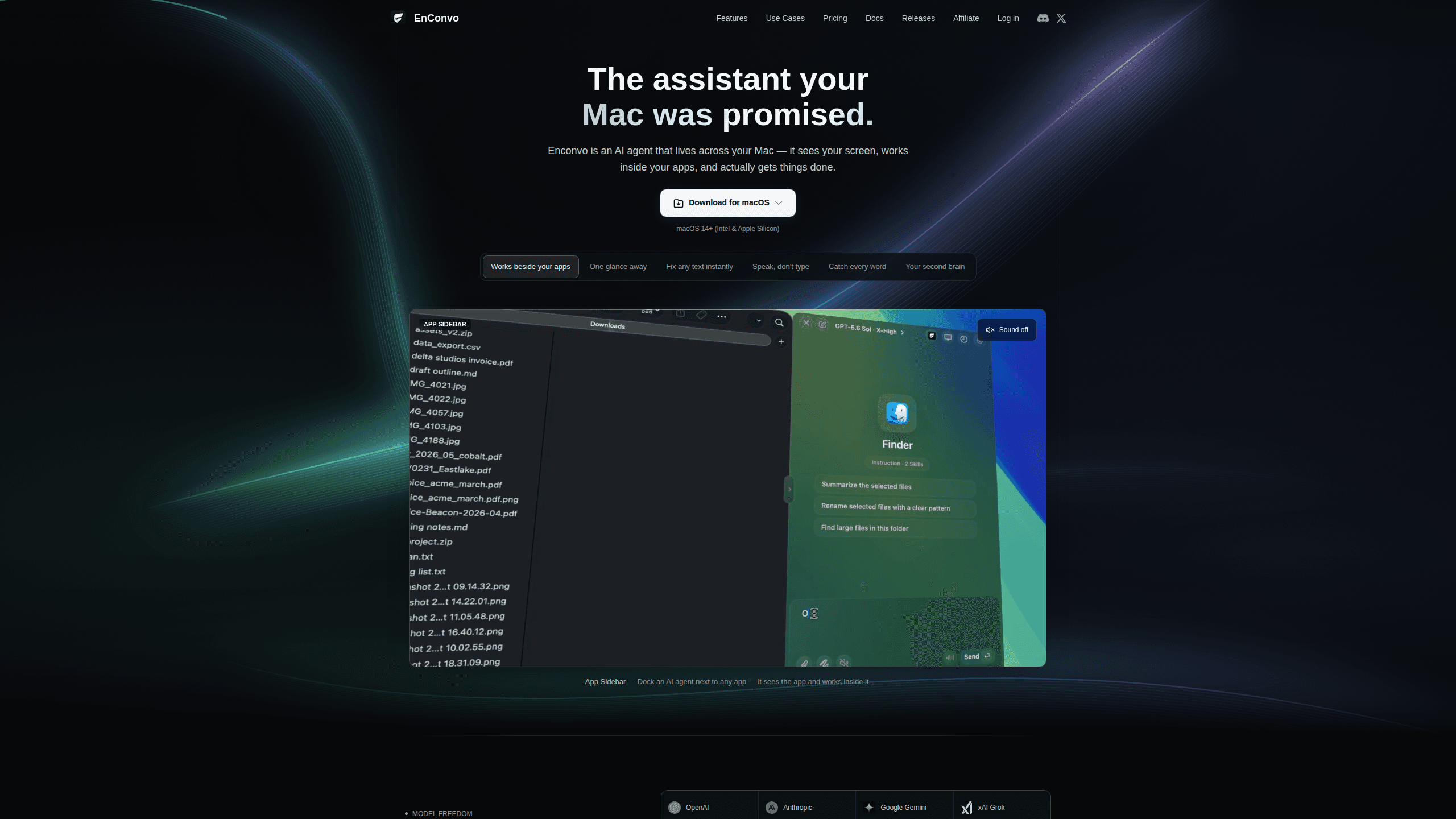
Enconvo is a desktop AI agent for Mac that sits on top of your existing workflow instead of replacing it, hooking into whatever's already open so it can read selected text, look at your screen, and act on files in Finder without you copying anything into a separate chat window.
The big selling point is model freedom. You can plug in your own API keys for OpenAI, Anthropic, Google Gemini, or a dozen other providers and use them without a token cap, and you can sign in with a ChatGPT, Claude, or Grok subscription you already pay for to use those models right inside the app. And if privacy matters more than convenience, you can run models offline through MLX, Ollama, or LM Studio right on your Mac.
The catch is the platform. Enconvo is Mac-only. Windows and Linux users are out. Features like the Dynamic Island and screen awareness are tied to macOS, and the deeper automation tools take some setup before they pay off.
Getting Started
- Download Enconvo from the official site and install it on your Mac.
- Open the global settings and add at least one model provider, either by pasting your own API key or signing in with an existing ChatGPT, Claude, or Grok subscription.
- Pick a default model and review the built-in tools you want on hand, such as writing helpers, web search, or translation.
- Try a quick action first, like selecting text and using the PopBar to rewrite or summarize it.
- Set up a workflow or connect an MCP server once you're comfortable, then trigger it with a hotkey.
Product Information
A quick look at Enconvo's pricing, supported platforms, and performance.
Best for
The users, tasks, and scenarios where this tool fits best.
Users
- Mac power users
- Writers and researchers
- Privacy-minded users
Tasks
- Rewriting and summarizing text
- Web research
- File and office automation
- Building small projects
Scenarios
- Handling daily repetitive chores
- Managing your Mac from your phone
- Early project research
Key features
Screen and context awareness
Enconvo reads what's happening on your Mac, including the active app, selected text, open Finder files, and web pages. That means you don't paste context into a chat box. Ask it to act on what you're looking at. It already knows the subject.
Bring your own key, or your own subscription
You can run Enconvo with your own API keys and never hit a token cap, on any tier. No meter. No limits. If you'd rather not manage keys, you can sign in with a ChatGPT, Claude, or Grok plan you already pay for and use it inside the app. Enconvo Cloud is there for people who want zero setup.
Local models for private work
When you'd rather not send data to a cloud provider, Enconvo runs MLX, Ollama, and LM Studio models fully offline on your Mac. That keeps sensitive text on your machine. Nothing leaves the laptop. It does assume you have the hardware to handle the model you pick.
MCP servers and 80+ plugins
Enconvo connects to any Model Context Protocol server over HTTP, SSE, or stdio, and the tools it exposes are available across the app, sitting on top of 80+ open-source plugins that cover search, OCR, media, and documents. The plugin source lives on GitHub, so you can inspect or extend it. Think of it as a toolbox, not a fixed product.
Workflows and skills
The workflow editor lets you chain tools, prompts, and conditions into a single automation you launch with a hotkey. Skills go a step further by teaching the agent repeatable procedures, which you can install from the community or write yourself. Together they cover the gap between a one-off command and a repeatable routine. That gap is where time gets saved.
Command it from anywhere
Away from your desk, you can message your agent through Telegram, Discord, Slack, or Feishu. It runs the task on your Mac and reports back when it's done. That turns your phone into a remote control for your desktop. Handy on a commute.
The desktop pet and Dynamic Island
A pixel-art pet sits on your desktop and mirrors what your agents are doing, whether they're running, finished, or waiting on you. Tap it to jump to the session that needs attention. The Dynamic Island puts launch commands and tools within a hover, so you can fire off a task without breaking your flow. Small touch, real convenience.
Pros and cons
Pros
- Model freedom is real: connect OpenAI, Anthropic, Gemini, Grok, Mistral, and more, or run local models offline.
- Bring-your-own-key means AI usage is never metered, with no token caps on any tier.
- Screen and context awareness lets the agent act on what you're viewing without manual copy-paste.
- MCP servers, plugins, skills, and workflows give it room to grow beyond a simple chat box.
- Remote control through IM channels is genuinely useful when you're away from your Mac.
Cons
- It's Mac-only, so there's no Windows or Linux version if you work across machines.
- Context-aware features and local model support depend on having a modern Mac with enough memory.
- The deeper parts, like MCP servers and custom workflows, take real setup before they pay off.
- Pricing for the Cloud tier isn't clearly published on the main site, so you'll need to check inside the app.
Frequently asked questions
It's an AI assistant and agent for Mac that understands your screen and works inside your apps. You use it to rewrite text, research topics, organize files, and automate repeatable tasks without leaving whatever you're doing. It stays out of the way until you call it.
Related content
Explore related tools, skills, and articles for Enconvo.
Enconvo Alternatives

Emailwritr
Emailwritr · Writing · MarketingEmailwritr is an AI email copywriting tool built for affiliates, course creators, and online businesses that want more revenue from the list they already own. Instead of blank pages or generic chatbot prompts, this AI email writer generates welcome sequences, launch campaigns, cart recovery emails, and promo series from frameworks modeled on well-known direct-response copywriters. You connect your autoresponder, answer a few questions about your offer, and it writes the copy for you.

Swms
Swms AI · Writing · Productivity · BusinessSwms is an AI safety compliance tool that turns a plain description of a job into ready-to-use safety documents. Describe your project, trade, and known hazards, and it writes a safe work method statement, job hazard analysis, safe work procedure, RAMS, or safety data sheet in seconds. It also ships with Oscar, a chat assistant that answers workplace safety questions in any language. Teams in construction, mining, transport, and warehousing use it to cut the paperwork that usually eats into a workday.

Prosp
Prosp · Writing · Voice & Language · MarketingProsp is an AI LinkedIn outreach tool built for agencies and sales teams, and it writes the message and the voice note in your own voice for each prospect so they actually reply. You connect your accounts, find leads, and let the AI draft and send personalized messages at scale, all from one inbox. It's built for people running outbound at volume. That's the whole pitch. Every touchpoint still has to feel human.