

Enhencer
Enhencer · Marketing
Enhencer is an AI ads platform for e-commerce brands. Its agent Eddy builds catalog creatives, targets likely buyers, and moves budget across Meta and Google Ads.
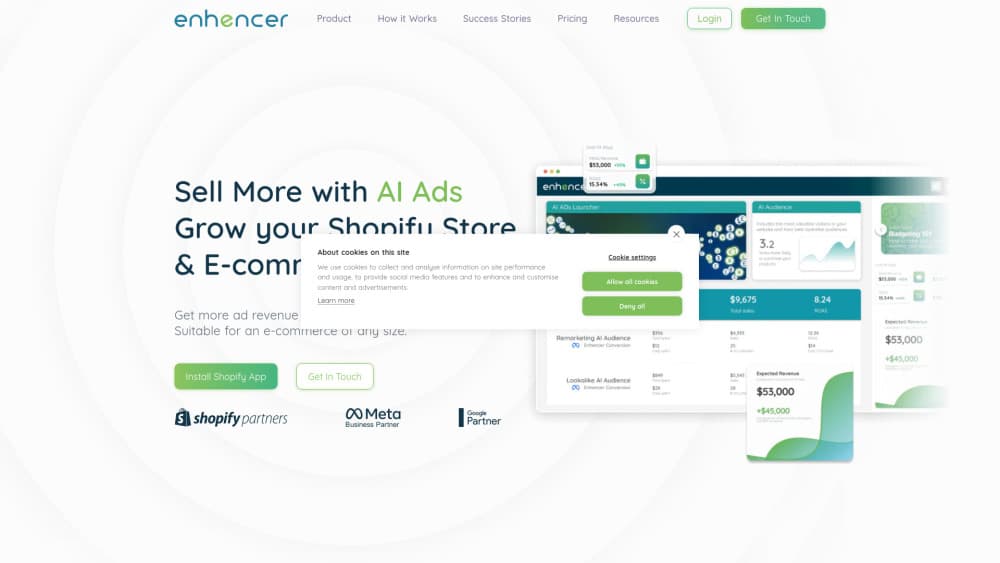
About Enhencer
What Is Enhencer
Enhencer is an advertising platform built around one promise: a small e-commerce team shouldn't have to babysit ad accounts all day. You connect a product catalog, and an AI agent named Eddy plans the campaigns, produces the creatives, and adjusts bids and budgets while you get on with other work. The company says more than 1,500 brands use it, most of them starting on Meta and adding Google later.
The gap it goes after is creative versus media buying. Most stores have one person covering both, so either the ads go stale or the budget sits in a campaign that stopped selling. Enhencer reads your catalog, turns products into static and video ads, and sends traffic from audiences it builds itself. The ad accounts stay yours. Eddy just runs them.
What it doesn't do matters too. There's no public self-serve signup, so pricing comes from a sales conversation. Creative output is only as good as your catalog data, since every ad is assembled from product images, prices, and copy you already have. And this is a product-store tool, not a fit for lead generation or app installs.
Getting Started
- Book a discovery call on enhencer.com. The team reviews your current ad accounts, spend, and catalog before anything gets connected.
- Link your store and ad accounts. Catalog data flows in from platforms such as Shopify, and you authorize access to Meta and Google.
- Let Eddy build the first campaigns. It drafts audiences, campaign structure, and a set of catalog creatives for you to approve.
- Review the ad creative before launch. Product images, prices, discounts, and installment text all come from your feed, so fix gaps at the source.
- Set the guardrails, then track results. Daily, weekly, and monthly reports land in the mobile app or the dashboard, and you can change budget rules at any time.
Product Information
A quick look at Enhencer's pricing, supported platforms, and performance.
Best for
The users, tasks, and scenarios where this tool fits best.
Users
- E-commerce founders
- In-house marketers
- Small agencies
- Shopify store owners
Tasks
- Producing catalog ads at scale
- Retargeting site visitors
- Refreshing tired creative
- Moving budget between campaigns
Scenarios
- Seasonal sales peaks
- Entering a new market
- Lean teams without a media buyer
Key features
Eddy, the Always-On Agent
Eddy is the part of Enhencer you'll actually talk about. It watches campaign performance, steps in when an ad loses momentum, and pushes a notification to your phone with what it changed. Budget moves from weak campaigns to the ones with sales. You keep approval control, so it's closer to a junior buyer who never sleeps than a black box.
AI Traffic and AI Remarketing Audiences
Two audience engines sit under the targeting layer. AI Traffic looks for new buyers, and AI Remarketing works on people who already visited. Both rebuild as signals change, which matters on Meta where audience fatigue sets in fast. You can still layer your own exclusions and lookalike rules on top.
Branded Catalog Ads
Enhencer turns a product feed into ads that look art-directed rather than auto-generated. Discount badges, installment text, and per-product layouts are set by rules, so a sale price shows correctly on the right SKU. This is where the platform earns its keep for stores with big catalogs and small design teams.
Collection-Style Video Ads
The video side pulls products from your catalog into short collection ads with motion and music. It's not a full AI ad creative generator for scripted brand films. Think product reels built to sell specific items, which is what most performance campaigns need anyway.
Campaign Launch Through Chat
You can describe what you want in plain language and have Enhencer build Google Ads campaigns and Meta campaigns from that single request. "Launch the summer collection to new buyers at 40 dollars a day" is the kind of instruction it handles. Changes work the same way, so pausing or resizing a campaign doesn't require a menu hunt.
Mobile App and Plain Reports
The iOS and Android app carries campaign tracking, revenue figures, and daily, weekly, or monthly summaries. For store owners who check numbers between other tasks, that's the practical part. Reports stay readable, without a metrics glossary in front of them.
Pros and cons
Pros
- Creative and media buying live in one place, which removes the usual handoff between a designer and whoever runs the ad account.
- Catalog-driven ads scale with the product feed, so adding 50 SKUs doesn't mean 50 new design requests.
- Eddy acts on performance without waiting for a weekly check-in, and it tells you what it changed.
- Chat-based campaign changes are faster than rebuilding a campaign in Ads Manager by hand.
- Reporting is written for store owners, not media buyers, so revenue and spend are easy to read together.
Cons
- No public pricing and no self-serve trial, so you can't test the platform before a sales call.
- Creative quality depends on clean catalog data. Bad images or missing prices show up in the ads.
- Meta and Google coverage is solid, but stores that rely on TikTok or Amazon ads will need other tools.
- The agent's automatic budget moves can surprise you in the first weeks, especially if your targets are loosely set.
Frequently asked questions
It runs Meta and Google Ads for e-commerce stores with an AI agent. That covers audience building, catalog ad production, campaign launch, and budget shifts, all inside your own ad accounts.
Related content
Explore related tools, skills, and articles for Enhencer.
Enhencer Alternatives

ngram 2.0
ngram · Video · Marketingngram 2.0 is an AI video generator for teams. It turns a prompt, a screen recording, or a product URL into a narrated explainer, product demo, or AI avatar video, and every scene stays editable.

shippedit.me
Krawlup · Marketing · Businessshippedit.me now redirects to Krawlup, a web platform that audits SEO, AEO and page speed every week, then hands the fixes to AI coding agents over MCP.

MePersona
MePersona, Inc. · Writing · Productivity · MarketingMePersona is an AI unified inbox for creators. It learns your voice, drafts replies to fan messages from 12 platforms, and sends only what you approve.