

Epiphany
Epiphany · Voice & Language · Productivity
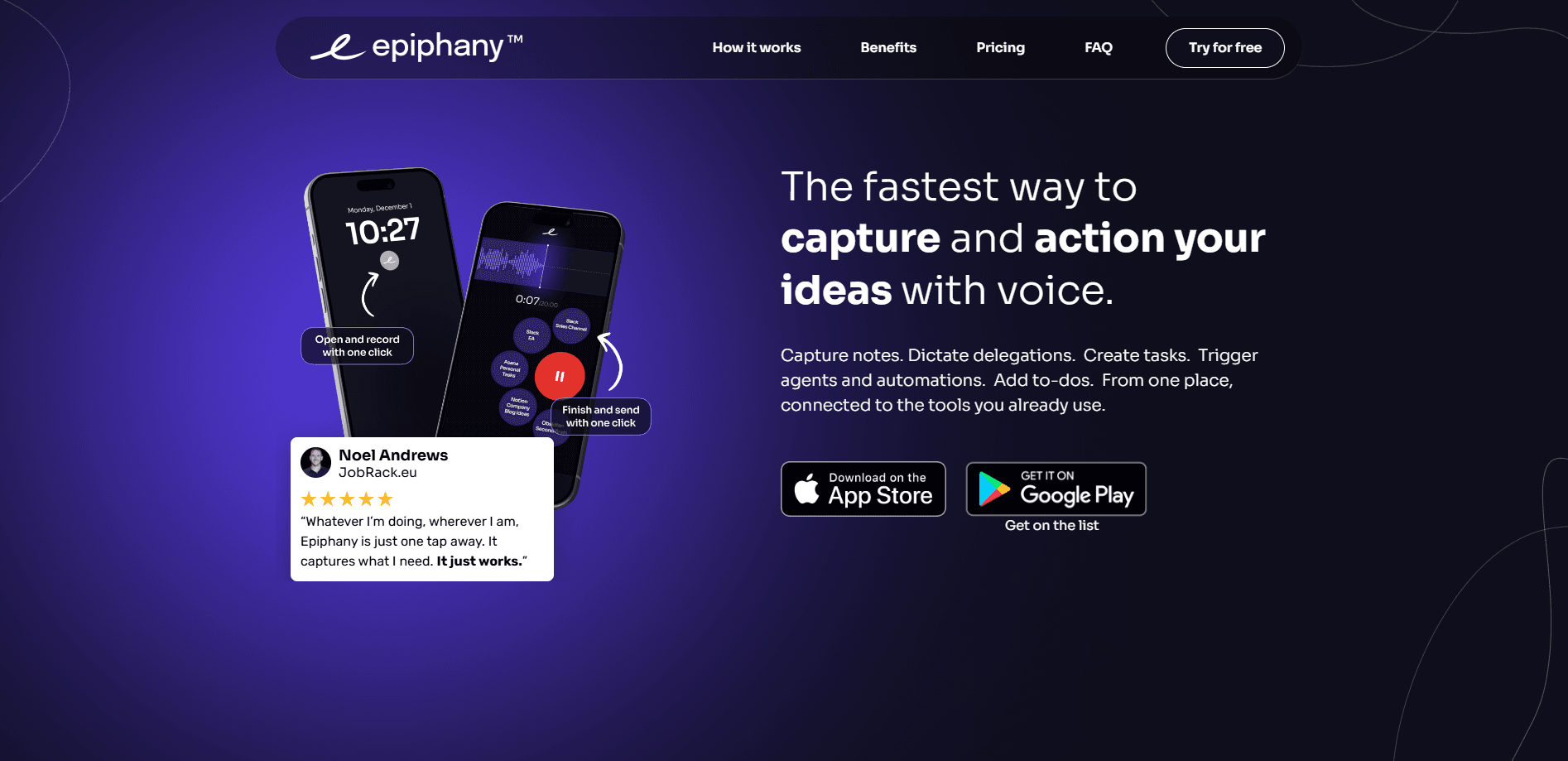
Epiphany is an AI voice-to-action app for iPhone, Apple Watch, and Mac. Say an idea, tap a button, and it lands as a task, note, or message in tools like Notion, Todoist, Slack, and email.
About Epiphany
What Is Epiphany
Epiphany is a voice-to-action app that captures what you say and sends it to the tool that should handle it. Instead of typing a reminder later, you speak once, and the app routes the thought to a destination you set up in advance.
The problem it solves is the gap between having an idea and acting on it. Thoughts show up in the car, between meetings, or on a walk, and most of them vanish before you reach a keyboard. As a voice capture app built around one tap, Epiphany closes that gap by making capture a single sentence. It sends to your executive assistant channel, to an AI agent, or to a running list.
The limits are worth knowing. Epiphany is Apple only, so there's no Android or Windows version. Several integrations assume you already pay for a tool like Slack, Notion, or Todoist. And the app is built for quick capture, not long writing.
Getting Started
- Download Epiphany from the App Store and create an account.
- Connect the destinations you use, such as Notion, Todoist, Slack, Asana, or email, and set each one as an action button.
- Pick a tone or AI prompt to shape how your notes get cleaned up.
- Record a voice note on your phone or watch, or press Command, Shift, and E on Mac, then tap the button for the destination.
- Let Epiphany tidy the text and deliver it, even after you close the app.
Product Information
A quick look at Epiphany's pricing, supported platforms, and performance.
Best for
The users, tasks, and scenarios where this tool fits best.
Users
- Founders and entrepreneurs
- Busy executives and their assistants
- Writers and creators
Tasks
- Delegating work
- Building a task list
- Capturing research questions
Scenarios
- Driving or commuting
- Working out or walking
- Late at night
Key features
One-Tap Voice Capture
The core of this AI voice note app is a single capture action. You press a button, speak, and the recording is done, on iPhone, Apple Watch, or with a keyboard shortcut on Mac. Because it works offline, a weak signal in a parking garage or on a trail doesn't stop you. The point is removing every step between the thought and the record.
Send to Your Tools
Epiphany connects to Notion, Todoist, Slack, Obsidian, Asana, Trello, ClickUp, email, and webhooks. People who want voice notes to Notion or a direct voice to Slack handoff get it in one tap. Each connection becomes an action button, so you tap once and the note goes where it belongs. For people already living in one of these apps, that's the whole value: the idea shows up in the tool you'll actually check.
AI Cleanup and Prompts
Raw voice notes are messy. Epiphany runs them through AI to tidy the text, and you can choose how. Built-in prompts pull out a summary with action items, turn rambling into clean bullet points, or follow a custom prompt you write. It means the note you open later reads like a plan, not a transcript.
Works Across Apple Devices
Epiphany runs on iPhone, Apple Watch, and Mac with the same account and the same action buttons. You capture from the watch during a workout, dictate from the phone in the car, and trigger it from the keyboard at your desk. The device you're holding stops deciding whether the idea survives.
Assistant and Agent Routing
One destination sends into a Slack channel for a human assistant. Another sends a natural-language instruction to an AI agent through webhooks. Saying "pull the top five competitors and draft a comparison table" as a spoken request changes what's possible, because the agent does the first pass while you move on.
Offline and Background Delivery
Epiphany works offline, meaning the recording is captured even with no connection. The app then processes and delivers the note in the background, so closing it doesn't cancel the send. For anyone who captures on the move, that background handling is the difference between a reliable habit and a broken one.
Pros and cons
Pros
- Capture is genuinely one tap, which makes the habit stick where typing apps fail.
- Runs on iPhone, Apple Watch, and Mac with shared action buttons.
- Works offline and delivers in the background, so a lost signal doesn't cost you the idea.
- AI prompts turn rough speech into summaries, bullet points, or custom formats.
- Routing to an AI agent or assistant channel fits real delegation, not just to-do storage.
Cons
- Apple only. There's no Android, Windows, or web app, so it can't be your capture tool on a Pixel or a work PC.
- No free tier. The 7-day trial ends and then costs $7 a month billed yearly, which is steep for people who capture only now and then.
- Real value depends on paying for connected tools like Notion, Slack, or Todoist, so Epiphany adds to that bill.
- It's a capture and routing tool, not an editor, so long-form writing still happens elsewhere.
Frequently asked questions
Epiphany is an AI voice-to-action app that records what you say and sends it to a tool you choose. You speak an idea, tap a button, and it arrives as a task, note, or message in apps like Notion, Todoist, Slack, or email.
Related content
Explore related tools, skills, and articles for Epiphany.
Epiphany Alternatives

Off the Record
Weird Machines · Voice & Language · ProductivityOff the Record is a macOS app from Weird Machines that reshapes your voice in real time to block AI transcription, so people hear you normally and notetakers get nothing usable.
Cekura Bench
Cekura · Voice & Language · BusinessCekura Bench is a public benchmark that runs speech-to-speech models and deployed voice agents through 82 simulated phone calls, three times each, then publishes pass rates, latency and cost.
Griffin by Tavus
Tavus · Voice & Language · Video · ChatbotGriffin by Tavus is the first Human Interaction Model: a full-duplex, video-to-video system that watches, listens, and answers during a live video call in real time.