

eternity.ac
Eternity.ac · Voice & Language · Chatbot
Eternity.ac builds a digital clone from your recorded answers and selfies, then gives it your voice, a 3D avatar and a chat window you can share by link or download.
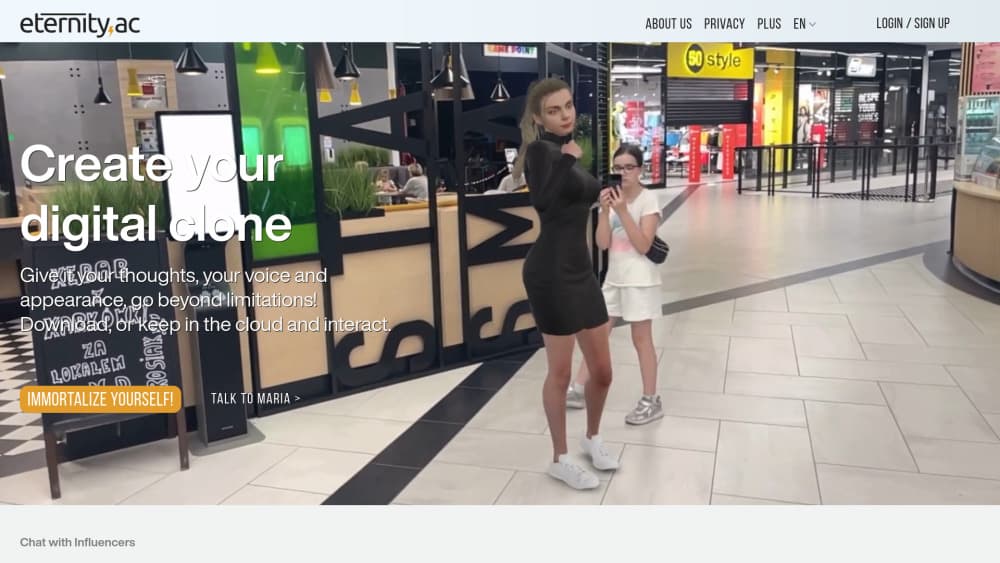
About eternity.ac
What Is Eternity.ac
Eternity.ac is a web platform for making a digital version of yourself that other people can talk to. You answer a set of personal questions out loud, upload a handful of selfies, and the service turns that material into an AI clone with your speech patterns, a cloned voice and a 3D face. The pitch is digital immortality: a copy of you that keeps answering questions long after the original stops.
The practical use is narrower than the marketing suggests. Most people will use it as an AI avatar for family archives, for a personal brand, or as a friendlier front end for a company website. Businesses can put a talking 3D representative on their site and collect visitor conversations into a CRM. Both paths run on the same three-step build.
Two limits matter before you start. The clone only knows what you feed it, so a thin set of answers produces a thin conversational partner. And the visual half needs a separate account for avatar creation, which adds a step the homepage glosses over.
Getting Started
- Register with an email address and confirm the account.
- Record spoken answers to 25 or more questions. The library covers childhood, values, work and opinions, and you can add free-form thoughts on the Plus plan.
- Upload selfies from several angles. The service stitches them into a 3D avatar, a process that runs in a separate account.
- Open the chat, test the replies, then share a link, download the clone, or order an encrypted USB drive.
Product Information
A quick look at eternity.ac's pricing, supported platforms, and performance.
Best for
The users, tasks, and scenarios where this tool fits best.
Users
- Families building an archive
- Creators and public figures
- Small businesses
Tasks
- Recording personal history
- Testing a brand voice
- Handling repetitive inbound questions
- Preserving a specific accent
Scenarios
- A family interview weekend
- A product site that needs a human face
- Long-distance relatives
Key features
Three-Step Clone Build
The whole process is record, photograph, download. You speak your answers, upload selfies, and the platform assembles an AI clone from both inputs. Nothing needs a script or a recording studio. A phone microphone in a quiet room is enough, and the first clone can be finished in one sitting.
Voice Cloning With Two Quality Levels
Eternity.ac samples your speech and rebuilds it as a synthetic voice. The free tier ships basic cloned voice quality while Plus unlocks premium quality, which sounds closer to the original in longer answers. This is the feature that makes a virtual clone feel personal. A text-only bot with your biography reads like a wiki page.
Lifelike 3D Avatar
Selfies from several angles become a 3D head that moves while the clone speaks. The result sits somewhere between a photo and a game character, and it works best in short interactions. Avatar creation runs through a linked account, so plan for one extra sign-up.
Text and Voice Conversation
You can type at the clone or speak to it, and it answers in either mode. Voice input suits older relatives and hands-free demos. Text suits quick checks and copy you want to keep. The same clone serves both, which is why the platform works as a personal archive and as a website greeter.
AR Mode and Public Sharing
On a phone, the clone can appear in augmented reality and react to the room around it. Sharing works through a link, and a public directory lets you talk to other people's clones with no message limit. That directory is the closest thing to a social layer here, and it's also where the novelty wears off fastest.
Business Clones and CRM Handoff
Companies can deploy a branded 3D representative that answers visitor questions by voice or text and sends the transcript to a CRM. Setup is the weak point. You need a trained clone, a site embed and a CRM connection, and the vendor's business offer runs through partners rather than a self-serve dashboard.
Pros and cons
Pros
- The build is genuinely simple, with no editing software and no script to write.
- Voice cloning plus a 3D avatar covers both how you sound and how you look, which most AI clone tools split apart.
- A free tier lets you test the whole pipeline before paying.
- Downloading the clone and ordering an encrypted USB drive gives you a copy outside the vendor's cloud.
- GDPR compliance and a stated right to be forgotten matter for something this personal.
Cons
- The free plan caps chats at 7 messages per 30 minutes, so longer conversations need Plus.
- Answer quality tracks the material you record, and a short interview produces a clone that repeats itself.
- Avatar creation happens in a separate account, which breaks the promised three-step flow.
- There is no documented public API, so developers can't wire the clone into their own stack.
Frequently asked questions
It creates an AI clone that talks in your voice and appears as a 3D avatar. The clone answers questions from the material you recorded, so it imitates your opinions and phrasing rather than thinking for itself.
Related content
Explore related tools, skills, and articles for eternity.ac.
eternity.ac Alternatives

Off the Record
Weird Machines · Voice & Language · ProductivityOff the Record is a macOS app from Weird Machines that reshapes your voice in real time to block AI transcription, so people hear you normally and notetakers get nothing usable.
Cekura Bench
Cekura · Voice & Language · BusinessCekura Bench is a public benchmark that runs speech-to-speech models and deployed voice agents through 82 simulated phone calls, three times each, then publishes pass rates, latency and cost.
Griffin by Tavus
Tavus · Voice & Language · Video · ChatbotGriffin by Tavus is the first Human Interaction Model: a full-duplex, video-to-video system that watches, listens, and answers during a live video call in real time.