

Evidence
Evidence · Coding
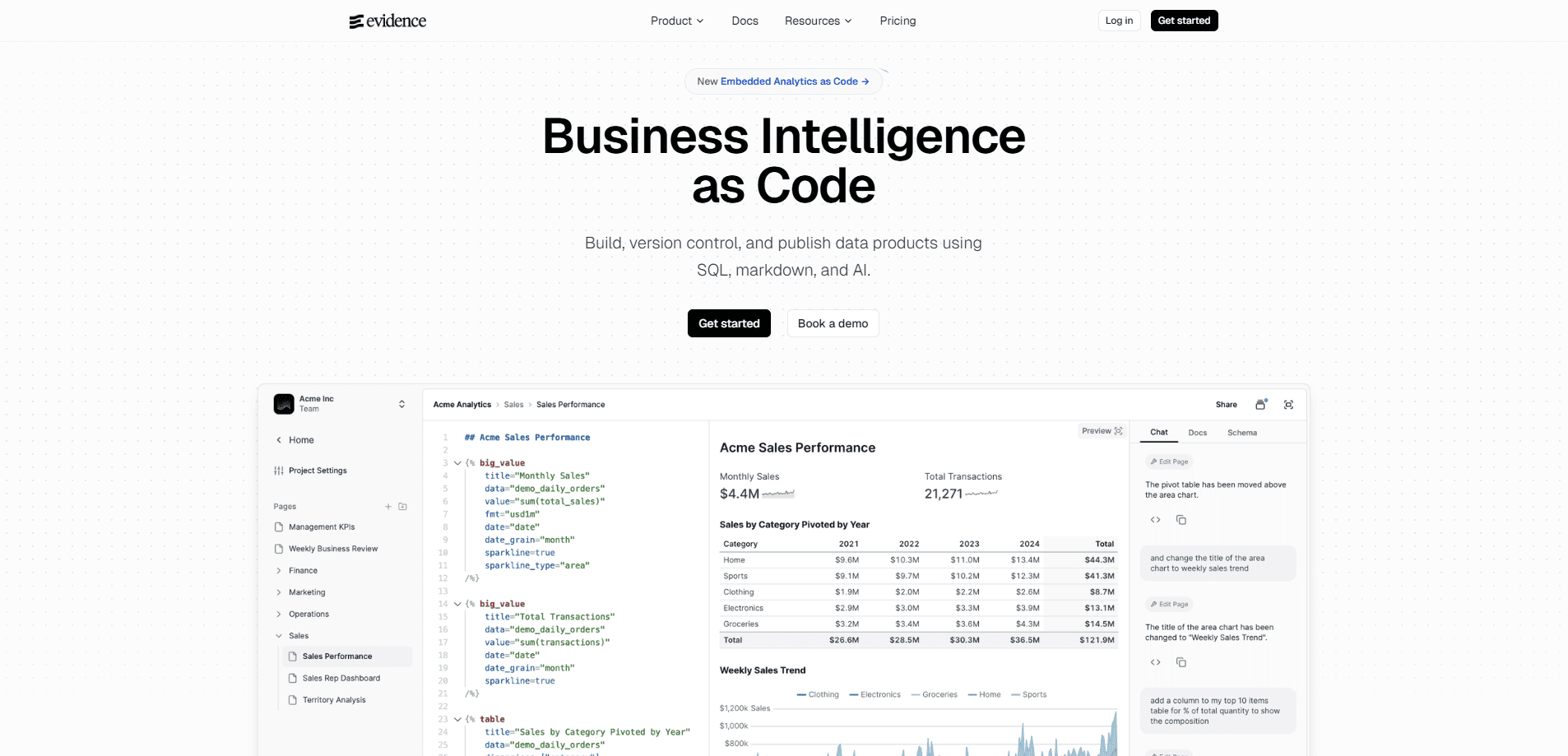
Evidence is an open-source business intelligence platform for building data products with SQL, Markdown, and AI. You define dashboards and reports as code in a Git repository, then publish them as a static site or run them through the hosted Evidence Studio. Think of it as business intelligence as code. It suits teams that want version-controlled analytics instead of drag-and-drop BI tools, and it ships with an AI agent that answers data questions in plain language. It's fast to set up for the right team.
About Evidence
What Is Evidence
Evidence is a business intelligence tool that treats analytics the way engineers treat software. Instead of clicking through a visual query builder, you write SQL queries and lay out reports in Markdown, then commit everything to a repo. The project started as Evidence Core, an MIT-licensed framework you can run and self-host for free. Evidence Studio is the paid hosted product built on top of it, adding a browser editor, page-level access control, scheduled reports, and an AI agent.
The main problem it solves is the gap between ad-hoc BI tools and a code workflow. As an open-source BI tool, it targets analysts who already live in Git and SQL and find drag-and-drop platforms slow and hard to review. Evidence lets them build a dashboard the same way they build any other project: branch, preview, open a pull request, merge, deploy. Merge a change and it ships instantly, with rollback a click away.
The most important limit is technical. Evidence assumes you're comfortable with SQL and a code editor, or at least willing to learn. It's not a point-and-click tool for someone who wants a chart in two minutes with no queries. And the polished team features, like the agent and access rules, live behind the Studio plan, which isn't cheap.
Getting Started
- Sign up for an Evidence Studio account for the hosted route, or install the CLI if you'd rather build locally with Evidence Core.
- Connect a data source: point Evidence at your warehouse with a direct connector, or use the built-in Evidence Warehouse on Studio.
- Write a SQL query in a
.mdfile, then wrap it with Markdown text and components like charts, tables, and filters. This is the data visualization platform layer, and it's plain text. - Preview the page as you work, either in the browser editor or a local preview from the CLI.
- Commit to Git and push to deploy, or publish from Studio when the report is ready to share.
Product Information
A quick look at Evidence's pricing, supported platforms, and performance.
Best for
The users, tasks, and scenarios where this tool fits best.
Users
- Data analysts comfortable with SQL
- Analytics engineers
- Product and ops teams on Studio
Tasks
- Building recurring dashboards
- Publishing shareable data apps
- Ad-hoc analysis with an agent
Scenarios
- A team that reviews analytics changes through pull requests and wants every published number traceable to a commit.
- A startup pulling metrics from Snowflake or another warehouse that needs a polished reporting layer without a heavyweight BI license.
- An embedded analytics use case where reports are white-labelled into a customer-facing product on the Enterprise plan.
Key features
BI as Code
Everything in Evidence, from queries to layout to theme, is defined in files inside a repo. That means your analytics get the same tools as your software: branching, diffs, peer review, and rollback. If a number looks wrong in production, you can trace it back to the exact change that introduced it. For teams already using Git, this removes a whole class of "who edited this dashboard" problems. No more guessing.
The Evidence Agent
On Studio, the Evidence Agent is an AI assistant for your project. It reads your existing dashboards and reports as context, then answers questions in natural language and writes new analyses in Evidence Markdown. It respects your access rules, so readers only ever see data they're allowed to. The agent is reachable in Slack or through any MCP client, including Claude Desktop and ChatGPT, so questions get answered where your team already talks. No one waits on a queue. That's self-serve analytics in practice. Why does that matter? Because answers arrive in seconds, not days.
Components and Visualizations
Evidence has a library of components for charts, data tables, filters, dropdowns, maps, and toggles. You can build publication-quality visualizations, then abstract a custom visual into a reusable component for the whole team. Rich tables support sparklines, subtotals, and images, and maps handle heatmaps and custom GeoJSON. The payoff is that a one-off chart can become a shared building block instead of being redrawn every time. Less busywork.
Git Workflow and Deploys
Push to deploy is the default. Merge your changes and they ship to users; branch previews let you see a change live before it reaches production; instant rollback reverts a bad merge on the spot. Continuous integration runs automated checks on every pull request, so broken queries get caught before they publish. That's a real difference. Traditional BI platforms let a broken chart go live unnoticed. Not ideal.
Access Control
Access rules live in a single version-controlled file, and Studio adds page-level access control down to the row. You decide who can open each page, which matters when a report mixes sensitive and general data. Enterprise adds row-level rules, SSO, SCIM directory sync, and a SOC 2 report, So the same platform can serve an internal team and an externally facing dashboard without a second tool.
Scheduled Reports and Exports
Any page can be delivered to inboxes daily, weekly, or monthly, and every report exports to PDF or multi-tabbed XLSX workbooks. For teams that still live in email and spreadsheets, that closes the loop between a code-built dashboard and the format a reader actually wants. It's a small feature, but often the one that makes adoption stick. Readers never open the repo. They just want the file.
Pros and cons
Pros
- Open-source core under the MIT license, so you can self-host the framework and pay nothing to start.
- Version-controlled analytics means every published figure traces back to a commit, with previews and rollback built in.
- The AI agent works in Slack and MCP clients, letting non-technical readers answer their own data questions.
- Warehouse-native connectors and static-site output fit teams already invested in SQL and Git.
- Rich components cover charts, maps, tables, filters, and custom reusable visuals without extra tooling.
Cons
- The workflow assumes SQL skills. Anyone hoping for drag-and-drop report building will find the learning curve steep.
- The hosted Studio plan starts at $2,500 per month, which is hard to justify for a small team that doesn't need the agent or access rules.
- Full team features like row-level rules, SSO, and embedding require the custom-priced Enterprise tier.
- There's no native mobile app, so reviewing dashboards means using a browser.
Frequently asked questions
Evidence Core is an MIT-licensed open-source framework you can run and self-host at no cost. Evidence Studio, the hosted platform with the editor, agent, and access rules, is a paid product that starts with a 30-day trial.
Related content
Explore related tools, skills, and articles for Evidence.
Evidence Alternatives
Forefront
Forefront · CodingForefront is a web platform for building with open-source AI. It lets you fine-tune leading open-source language models on your own data, evaluate how they perform, and run them through an API or export them to host yourself. Developers who want the convenience of a closed-source platform but insist on owning their models and data are the target audience here.

Startkit
StartKit.AI · CodingStartkit is a boilerplate for building AI SaaS and AI wrapper products. Think of it as an AI startup boilerplate with the boring parts already wired up: authentication, Stripe and Lemon Squeezy payments, usage limits, transactional email, and an AI API starter that talks to OpenAI, Anthropic, Groq, or Llama. You clone the repo, set your price, and start on the part of your product that people actually pay for. It's Next.js under React and Tailwind, so most of the boilerplate code already feels familiar.
Testim
Tricentis · CodingTestim is an AI-powered test automation platform for building and running end-to-end tests across web, mobile, and Salesforce applications. It leans on machine learning to keep tests stable when an interface changes, so teams spend less time fixing broken selectors. Not bad for an automated testing tool you can start using today. You create tests by recording actions in a browser, then optionally add JavaScript when you need more control. It's a solid pick for busy QA teams.